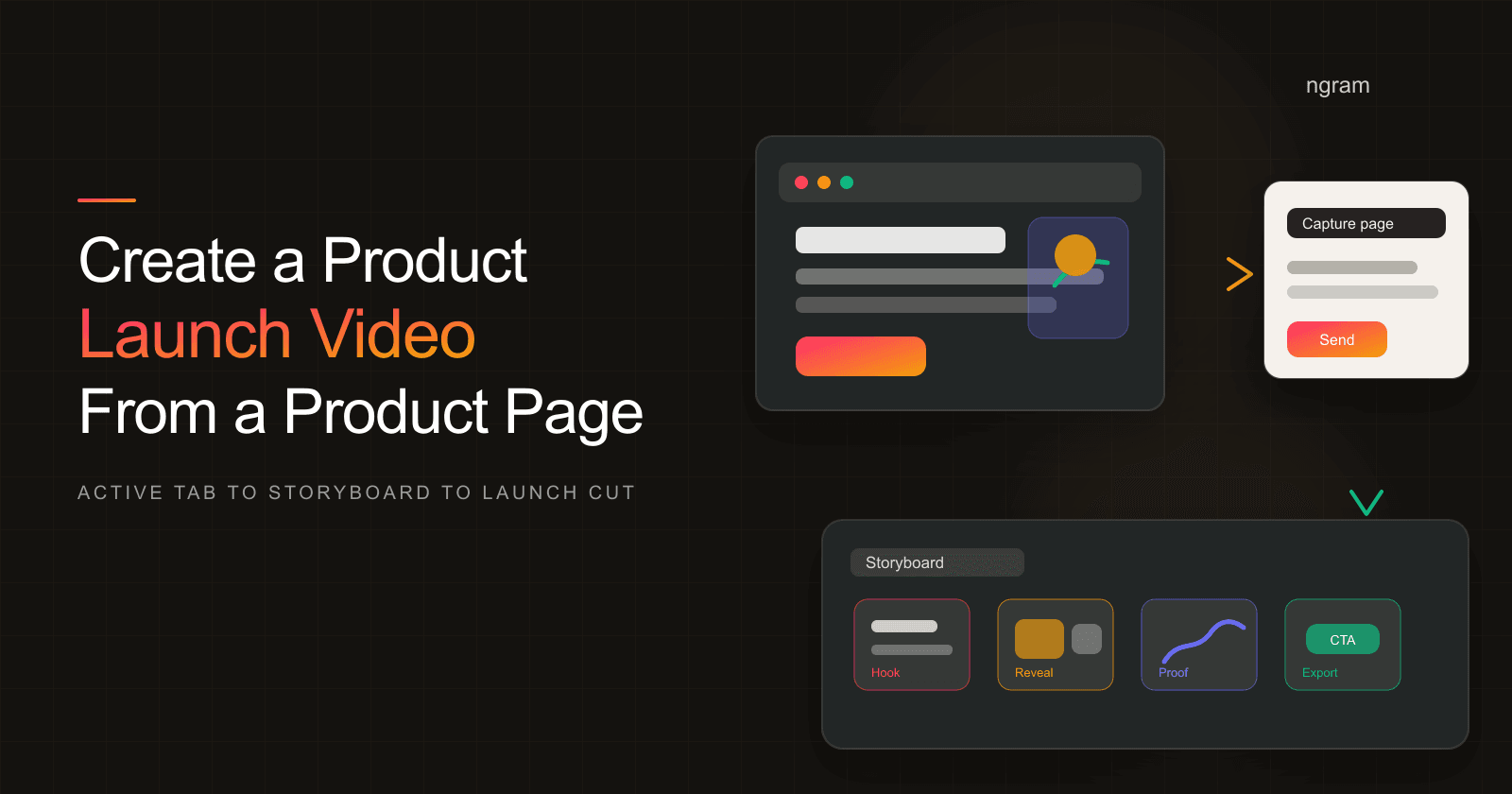

A product page is already a compressed launch brief. It names the audience, states the promise, shows the product, and asks the visitor to take action. The hard part is turning that page into one product launch video instead of a narrated screenshot tour.
Founders and PMMs usually feel this pain the week before launch. The page is live, the email is drafted, sales wants a clip, and social needs a first frame that makes sense without sound. A good product launch video gives every channel the same story: what changed, why it matters, what proof exists, and what to do next.
Why product launch videos matter
Gartner reported in March 2026 that 67% of B2B buyers prefer a rep-free experience. The same Gartner release says its survey covered 646 B2B buyers and found that 45% used AI during a recent purchase. That is the launch context: buyers want to research on their own, but static collateral has to work harder than it used to.
Wyzowl's 2026 video marketing report gives the channel reason. It found that 91% of businesses use video as a marketing tool, 93% of video marketers see video as important to strategy, and 82% say video has delivered good ROI. For a launch, video is no longer a bonus asset. It is one of the few formats that can carry story, proof, and action in under two minutes.
The buyer-side numbers in the same Wyzowl report are sharper: 96% of people have watched an explainer video to learn about a product or service, 85% have been convinced to buy after watching a video, 63% prefer a short video when learning about a product, and 89% say video quality affects brand trust. That is why the first frame, product proof, captions, and CTA cannot be afterthoughts.
Google's ABCDs guidance for effective video ads frames the creative job as attention, branding, connection, and direction. Google cites Kantar research showing ABCD-aligned creative can deliver a 30% lift in short-term sales likelihood and a 17% lift in long-term brand contribution. Even if your launch video is organic, the same checks apply: grab attention, show the product, connect the pain to proof, and make the next step obvious.
Prerequisites before you generate
Do not start with a blank prompt. Start with the product page or launch page that already represents the campaign. If the source page is weak, the video draft will inherit the weakness.
- Source URL: use the public product page, feature page, launch page, or docs URL that the launch campaign points to.
- Page backup: if the page is gated, temporary, or not crawlable, paste the page copy into the prompt and upload screenshots as source material.
- Promise: write the one sentence the viewer should remember after the video ends.
- Audience: name the buyer, user, or evaluator. A founder launch video and an enterprise PMM launch video should not sound the same.
- Proof: collect screenshots, UI captures, customer quotes you are allowed to use, metrics you can support, and any product callouts that belong in the video.
- CTA: decide whether the viewer should start free, book a demo, join a waitlist, install, upgrade, or read the full launch page.
For a product-specific source, start with ngram's product page to video workflow. For a broader page type such as a blog post, docs page, pricing page, or release note, use the general URL to video workflow instead. Both workflows keep the source page at the center of the script and storyboard.
Step 1: choose the right source URL
Pick the page that matches the launch promise. If the announcement is about a new AI scheduling feature, use the feature page, not the company homepage. If the campaign is a Product Hunt launch, use the launch page or product page that visitors will inspect after the announcement.
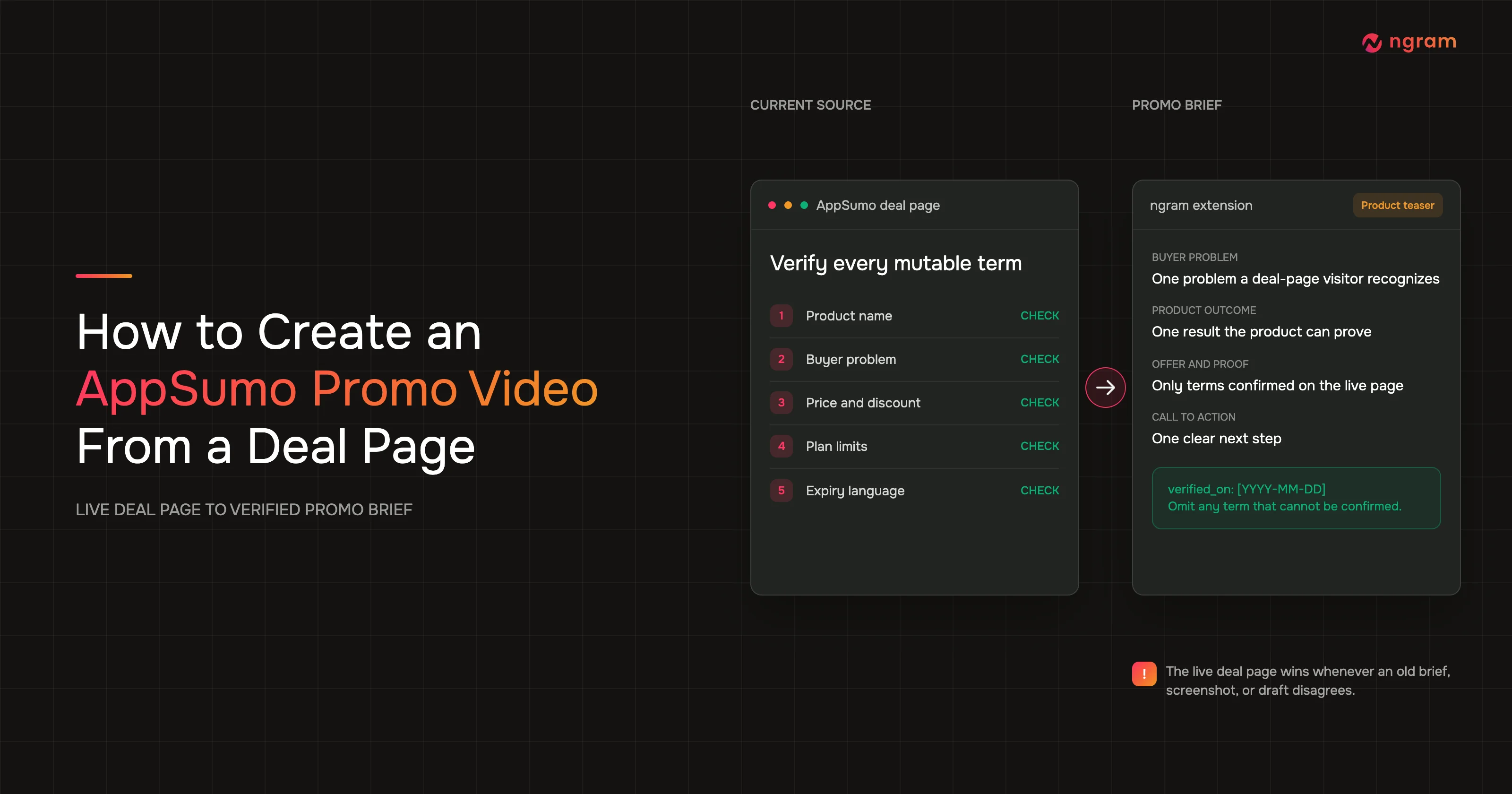
A source URL is useful only when the page has enough signal. Before you send it into ngram, make sure the first screen answers three questions: who is this for, what changed, and what can the viewer do next?
Step 2: audit the page for video-ready material
Read the page like a video editor, not like the person who wrote it. Long feature sections, SEO paragraphs, and repeated CTAs may help a web page, but they will make a video drag. Keep the strongest lines and cut the rest.
- Promise: the page headline or subhead should become the hook or the reveal.
- Audience: the viewer should know whether the product is for founders, PMMs, sales teams, developers, customers, or another clear group.
- Proof: screenshots, product UI, metrics, customer logos, or workflow examples should be visible enough to become scenes.
- CTA: the page CTA and video CTA should match. A video that says "book a demo" should not land people on a page that only says "join waitlist."
- Claims: remove unsupported superlatives before generation. The storyboard should not amplify a claim you would not publish on the launch page.
Step 3: give ngram the page content and launch intent
ngram can ingest URLs and use page text and visuals as source material. It can also use uploaded screenshots, source images, or screen recordings when the page alone is not enough. The best input is a short brief plus the source URL, not a vague instruction to make the page into a video.
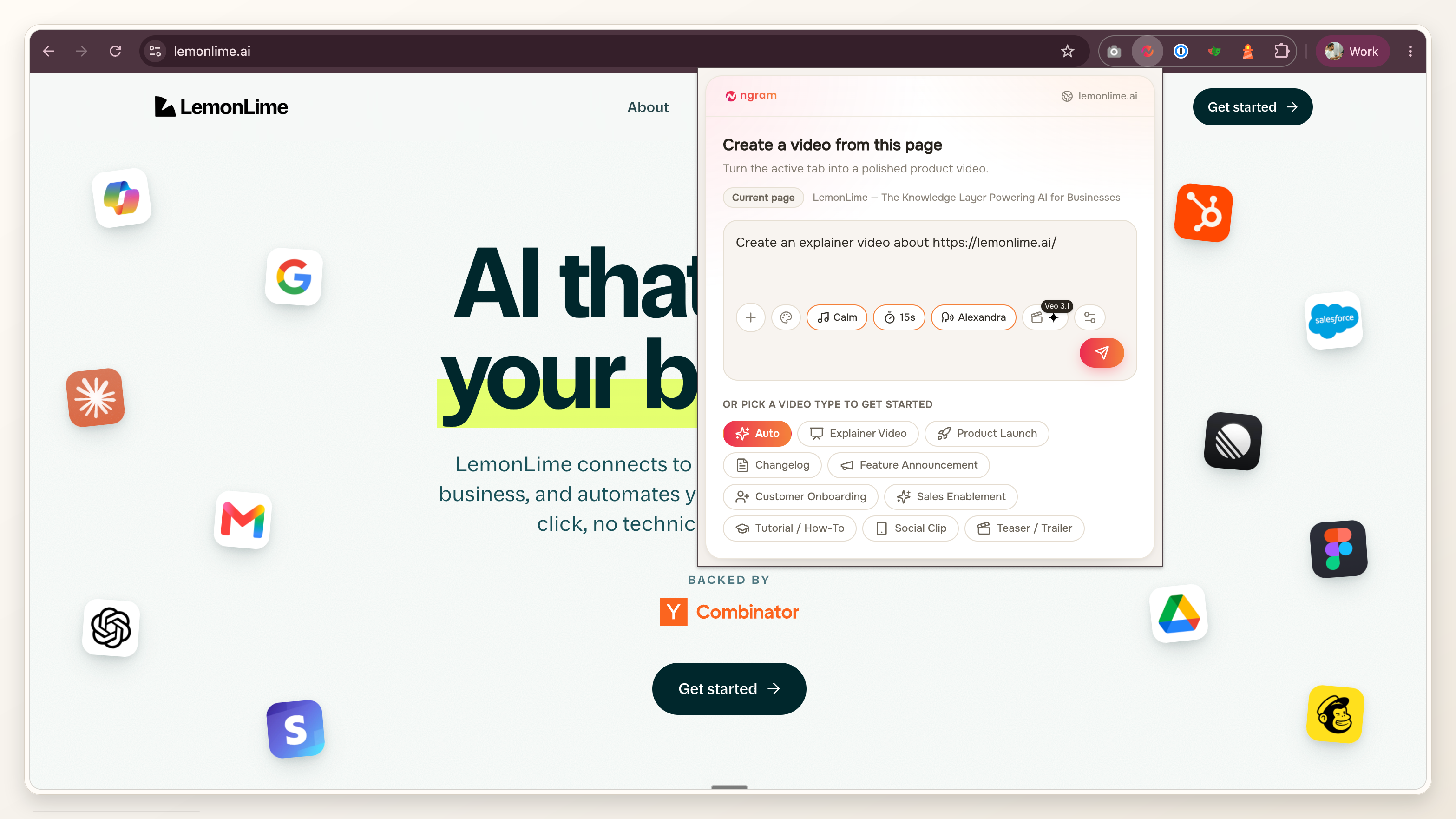
If you open the product page through ngram's browser capture flow, choose Product Launch as the intent before you send it. That keeps the draft focused on launch story, visible proof, and CTA instead of a generic website to video summary.
Create a 45-second product launch video from this product page. Audience: PMMs at B2B SaaS companies. Goal: show what changed, prove it with the UI, and drive viewers to book a demo. Use the page headline as context, but rewrite the script for video. Include captions, product callouts, and a final CTA that matches the page.For launch-specific starts, ngram's AI product launch video maker is the closest intent match. It is built for launch source material such as release notes, product pages, screenshots, PDFs, decks, docs, and URLs.
Step 4: review the script before the storyboard
A product launch video usually fails in the script before it fails in visuals. Read the generated script out loud and ask whether a buyer would understand the point without seeing the full page. If the answer is no, tighten the hook and cut any line that repeats the page instead of translating it for video.
- Hook: opens with the pain, change, or visible product moment.
- Reveal: names the product or feature early enough that the viewer is not guessing.
- Proof: points to real screenshots, source claims, workflow clips, or product callouts.
- Pacing: keeps one idea per scene so captions stay readable.
- CTA: closes with one action, not a menu of possible next steps.
Step 5: review the generated storyboard
ngram plans videos with a script and storyboard before final render. That review step matters because a product page can contain more proof than one short launch cut can carry. The storyboard is where you decide which proof earns screen time.
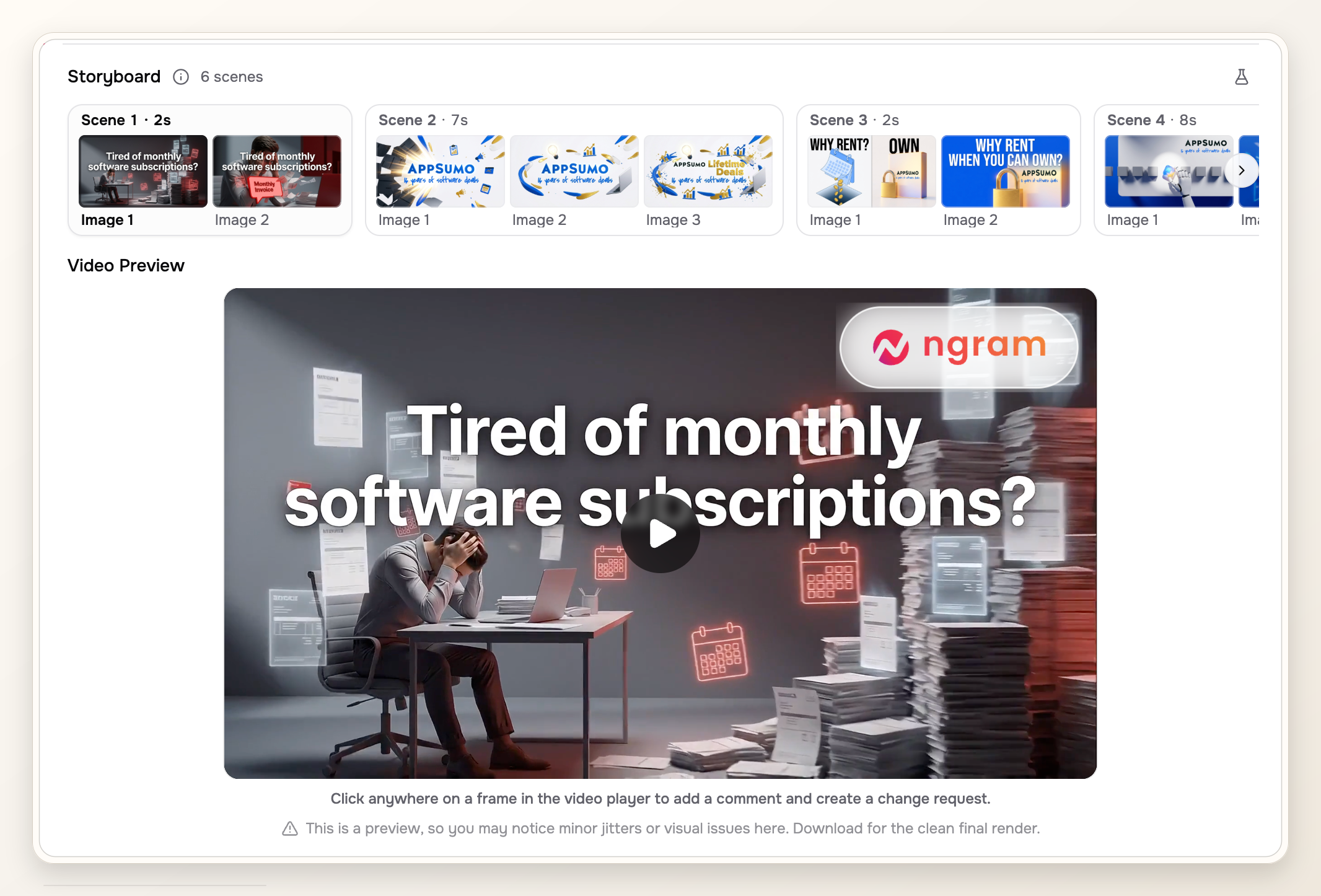
Use this six-scene structure when the page has too much material: pain, reveal, core workflow, proof point, channel-specific value, final CTA. If you need a starting prompt pattern, the product launch video template gives you a fill-in structure you can adapt before generation.
Step 6: add screenshots, proof, and product callouts
Source URLs are useful, but product launch videos need proof the viewer can see. Upload screenshots from the page, app UI, staging build, or short screen capture. Then use product callouts to point at the exact element that proves the claim: a new dashboard, faster workflow, exported asset, approval state, integration badge, or before-and-after result.
Keep proof honest. If the page says "automates existing workflows," show the workflow. If the CTA says "get started," show the first step after the click. A launch video should make the page easier to believe, not bigger than the product.
Step 7: refine the first frame, captions, and CTA
The first frame has to work before the viewer presses play. Put the product name, pain, or visible UI proof in frame one. Avoid opening with a logo animation unless the brand is already the reason people will watch.
Wyzowl found that 71% of people believe videos between 30 seconds and 2 minutes are most effective. It also found that 82% of video marketers say video keeps visitors on their website longer and 85% say it has helped generate leads. For a launch page, that means the video should be short enough to sit near the hero, clear enough to watch without sound, and direct enough to support the page CTA.
- Captions: check every caption at mobile size. If a line wraps awkwardly, shorten the sentence.
- First frame: make sure a still thumbnail communicates the launch promise.
- CTA: match the button or next step on the source page.
- Voiceover: pronounce product names, feature names, acronyms, and customer names correctly.
- Brand: keep colors, logo use, intro, outro, and motion style consistent with the launch page.
Step 8: generate the final video and channel versions
Render the primary launch cut first. Use that version for final story approval before creating channel variants. Otherwise, you will burn time fixing the same script issue across every aspect ratio.
LinkedIn's current video ad specs support 4:5, 9:16, 16:9, and 1:1 ratios, with video duration from 3 seconds to 30 minutes and file size from 75 KB to 500 MB. That does not mean every launch cut should be long. It means you should export the ratio that matches the placement instead of cropping the final file at upload time.
Product Hunt's launch preparation guidance says about 53% of products that reached Product of the Day since 2021 included a video, gallery images are recommended at 1270x760, and at least two gallery images are required before the post page is viewable. If Product Hunt is part of the launch, treat the video, images, first frame, and page CTA as one asset set.
For a broader planning view, ngram's product launch video maker use case shows how product launch videos can feed website, social, sales, and customer education versions from the same source material.
Pre-launch QA checklist
Run QA after the final render, not only during storyboard review. Launch videos often fail because a small detail changed late: a CTA changed, a UI label moved, or the source page shipped with a different claim than the video.
- Source match: every claim in the video still matches the product page or approved launch brief.
- Proof match: screenshots and product callouts point to real, visible product evidence.
- First frame: the thumbnail communicates the product promise without sound.
- Captions: all captions are readable in the smallest planned placement.
- CTA: final spoken, captioned, and visual CTA all match the launch page.
- Aspect ratios: 16:9, 1:1, 4:5, or 9:16 versions keep UI text and product callouts inside safe areas.
- Legal and privacy: customer names, metrics, screenshots, and logos are approved for launch use.
- Fallback: email, sales, and social teams have a shorter clip or thumbnail if the full video is too long for their placement.
Common mistakes to avoid
The first mistake is treating the product page as the script. Page copy is scanned. Video copy is heard, read in captions, and judged frame by frame. Rewrite page sections into scenes instead of reading them aloud.
The second mistake is hiding the product until the midpoint. A launch video can open with pain, but the product should appear early enough that the viewer understands what is new.
The third mistake is making one video do every job. The launch page video, email GIF, sales follow-up clip, and social teaser can reuse the same source material, but each version needs its own frame, length, and CTA discipline.
Frequently asked questions
How long should a product launch video be?
For a product-page launch, aim for 30 seconds to 2 minutes unless the channel requires something shorter. Wyzowl's 2026 report found that 71% of people believe videos in that range are most effective. If the story needs more time, make the hero video short and link to a deeper demo or walkthrough separately.
Should I use a homepage or a product page as the source?
Use the product page when the launch is about a specific product, feature, package, or workflow. Use the homepage only when the launch is about the company as a whole. A focused source URL gives ngram cleaner material for the script, storyboard, captions, and product callouts.
Can I create a product launch video from a URL that is not public?
If the URL is private, gated, or still in staging, paste the page content into ngram and upload screenshots or source material instead. The important part is source fidelity: the video should reflect the same promise, proof, and CTA that will be live on launch day.
What assets should I upload with the source URL?
Upload screenshots of the key UI, a short screen recording if motion matters, approved product claims, logo or brand assets, and any launch-specific CTA language. The page gives ngram structure; the assets give the storyboard visible proof.
Can I reuse one launch video across website, email, sales, and social?
Yes, but do not use one file everywhere. Generate the main launch cut first, then adapt length, ratio, first frame, captions, and CTA for each placement. Website to video and URL to video workflows are strongest when they produce a reusable story, then you create channel-specific cuts from that story.
Does this workflow replace launch planning?
No. It turns existing launch source material into a video asset. You still need the positioning, page, audience, CTA, approval path, and distribution plan. The benefit is that the video can stay tied to the product page instead of drifting into a generic brand film.