
TL;DR: which Zencastr alternative fits you?
The fastest way to pick a Zencastr alternative is to start with the asset you actually need at the end. If you need a clean remote recording of a conversation, you want a studio recorder. If you need that conversation to become a launch video, a help clip, or twenty social cuts, you want a video tool. Most of the seven tools below sit firmly on one side of that line. Only a couple try to live in the middle.
Here is the quick read before the deep dives.
| Tool | Best for | Starting price | Key differentiator |
|---|---|---|---|
| ngram | Turning a recording or source into finished video | Free / $29/mo | Generates the video from any input |
| Riverside | Studio-grade remote video podcasts | Free / ~$15/mo | Local 4K recording plus AI clips |
| Descript | Editing long recordings by transcript | Free / $16/mo | Text-based editing and Studio Sound |
| Podcastle | Solo creators recording and editing audio | Free / ~$15/mo | AI voice tools in a simple editor |
| SquadCast | Reliable remote audio interviews | ~$20/mo | Drift-free multitrack capture |
| StreamYard | Live shows and simulcasting | Free / ~$25/mo | Multi-destination livestreaming |
| OBS Studio | Local recording and streaming on a budget | Free | Open-source, fully customizable |
A short introduction
Zencastr does one job very well: it gets a clean recording out of a remote conversation. It records each guest locally in lossless 16-bit 48k WAV, captures video up to 4K, and bundles hosting, transcription, AI post-production, and distribution into one platform. For a lot of podcasters, that is the whole stack in a single tab.
The reason people search for Zencastr alternatives in 2026 is rarely the recording itself. It is everything downstream. Reviewers flag billing surprises (users report being auto-switched to yearly plans and charged for services they did not expect), thin real-time support, and the occasional sync hiccup that needs a manual fix in the final track. Advanced features sit behind paid tiers, and because the whole thing is browser-based, a shaky connection can still bite you mid-session.
But the bigger gap is strategic. The podcast world has gone video. More than half of shows now post full video episodes on YouTube, a 130 percent jump from 2022, and viewers consume roughly 1.5 times more content when an episode is video instead of audio-only. A recording is no longer the finish line. It is raw material for clips, explainers, and channel-specific cuts. That is the slice where ngram comes in, and it is the honest scope for the rest of this guide. ngram is strong for turning a recorded interview or source video into polished clips, summaries, explainers, and branded video assets. It is not a live remote multitrack recorder, so if studio capture is your core job, one of the specialists below is the better pick.
1. ngram
Watch how ngram turns an idea into a finished video:
Here is the honest framing first, because it matters: ngram is not where you record your podcast. It is where the recording becomes something you can publish across channels. If your problem with Zencastr is the recording, skip ahead. If your problem is that the recording then sits in a folder and never turns into the launch video, the help clip, or the LinkedIn cut your team needs, this is the one to test.
ngram starts from what you already have. Drop in a raw video, a screen recording, a doc, a URL, a deck, or just a prompt, and it writes a script, plans a storyboard, and returns a narrated, on-brand video. For Zencastr users, the practical path is this: record your interview wherever you like, then bring the file (or its transcript) into ngram to cut it into clips, summarize it into an explainer, or reshape it for a specific audience.
What makes ngram stand out
The whole thing runs on a plan-first model. You describe what you want, ngram drafts the script and storyboard, and you approve the direction before anything renders. That means you fix a weak structure early instead of re-editing a finished cut. For a team turning one episode into many assets, reviewing the plan beats dragging a timeline every time.
It also adapts to context automatically. Tell ngram the audience, the goal, and the channel, and it adjusts tone, length, pacing, and the call to action. Ask for a channel-specific cut, a sales version, and a German variant of the same conversation, and it generates each one with the right structure and voiceover rather than forcing you to rebuild from scratch.
For repurposing specifically, the building blocks are all there. ngram transcribes uploaded recordings (powered by AssemblyAI), auto-cuts dead air and filler, applies smart zooms, burns in brand-styled captions, and exports a finished MP4 from a single render. If your raw material is a screen recording, it adds cursor smoothing, click emphasis, and step labels to turn a rough capture into a clean demo. For a detailed head-to-head on the recording question specifically, see our ngram vs Zencastr comparison.
Key features:
- Generate from any input - text, docs, URLs, decks, screenshots, screen recordings, or raw video become a finished cut.
- Plan first, render second - review the script and storyboard before ngram spends a frame.
- Context-aware variants - one source becomes a launch video, a social clip, and a localized cut.
- AI editing - auto-cut, filler removal, smart zoom, and caption burn-in without a timeline.
- MP4 export - Finished videos export as MP4; channel-specific cuts need separate preparation.
- Brand kits - logo, colors, fonts, and intros applied to every video automatically.
Pros
- Turns a single recording into many channel-ready assets without manual re-editing
- Starts from a doc or URL when you do not even have a recording yet
- Plain-language editing means no timeline skills required
Cons
- Not a remote multitrack recorder, so you still capture the conversation elsewhere
- Web-based, with no native desktop or mobile app today
Who is ngram best for?
Product marketing, growth, sales enablement, customer success, and agency teams who treat a recording as the start of the work, not the end. If your week involves shipping the same message as a demo, a clip, and a localized version, ngram is the fit. ngram has a generous free plan, with paid plans starting at $29 per month.
Ready to try ngram? Create your first video in under 5 minutes. Start free
2. Riverside
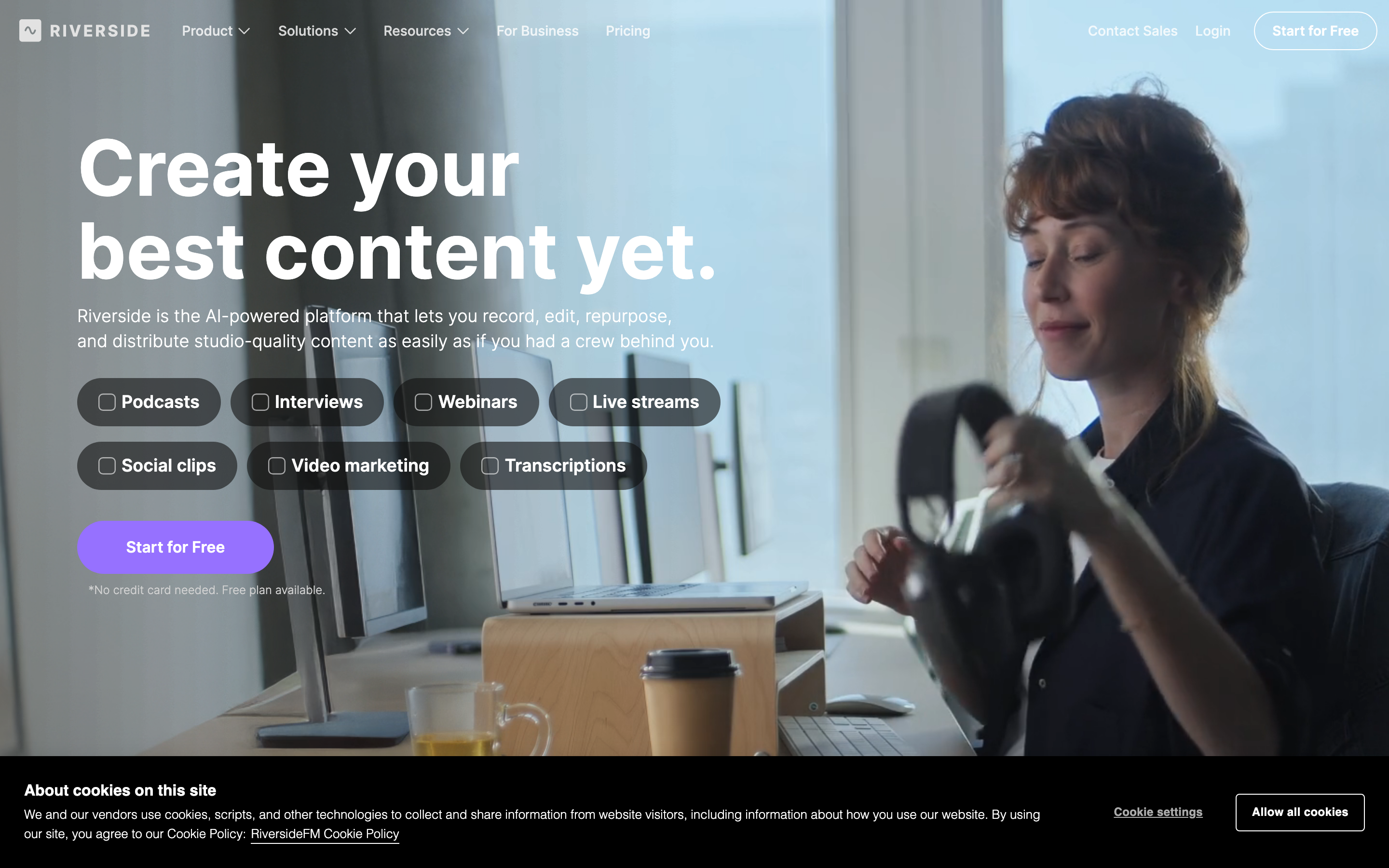
If your core job really is recording, Riverside is the alternative most Zencastr users land on first, and for good reason. It records audio and video locally on each participant's device in up to 4K, then uploads the full-resolution files separately so a shaky connection during the call does not wreck the final quality. That progressive upload model is the single most-praised thing in reviews.
Riverside has also leaned hard into the downstream side. Magic Clips uses AI to pull short, social-ready moments out of a full episode, Magic Audio cleans up sound automatically, and AI Show Notes drafts summaries and titles. It records, edits, and even livestreams from one place, which makes it a genuine end-to-end production tool rather than a pure recorder.
Key features
- Local 4K recording - separate-track capture on each device, uploaded at full resolution
- Magic Clips - AI-selected short clips for social
- Magic Audio - automatic sound enhancement
- AI Show Notes - summaries, titles, and chapters
- Live streaming - broadcast to YouTube, LinkedIn, and more
What users say
Across G2 and Reddit, the recurring praise is reliability: people say the local-recording approach saves them when a guest's wifi drops, and that 4K video quality holds up for serious video podcasts. The most common gripe is price as you scale, plus a learning curve on the editing side once you go past basic clipping. A few users note that the AI clip selection still needs a human eye before publishing. Compared to Zencastr, Riverside is the one people reach for when video quality and a full production workflow matter more than the lowest price.
Pros
- Local recording protects quality even on weak connections
- Strong AI clipping and editing tools built in
- 4K video and livestreaming in one platform
Cons
- Costs climb on higher tiers as your needs grow
- Editing features have a steeper learning curve than basic recorders
Best for
Podcasters and video creators who want studio-grade remote recording plus AI-assisted repurposing in one tool. Riverside has a free tier, with paid plans commonly starting around $15 per month. For the recording-versus-finishing tradeoff in detail, see our ngram vs Riverside comparison.
3. Descript

Descript comes at the problem from the opposite end of Zencastr. Where Zencastr is recording-first, Descript is editing-first. It transcribes your recording and lets you edit the audio and video by editing the text: delete a sentence in the transcript and the footage cuts with it. For anyone who has spent an evening scrubbing a waveform to find an "um," that workflow is a genuine relief.
It is also a serious audio tool. Studio Sound isolates a voice and rebuilds its frequencies rather than just EQ-ing the noise down, Overdub clones a voice for fixes, and the editor handles multitrack podcast production end to end. Descript acquired SquadCast, so remote recording now lives inside the same app for those who want capture and editing in one place.
Key features
- Text-based editing - cut and rearrange by editing the transcript
- Studio Sound - voice isolation and frequency rebuild
- Overdub - voice cloning for corrections
- Underlord - an AI co-editor for filler removal and clip finding
- Built-in recording - via the SquadCast integration
What users say
Reviewers consistently call the transcript editor the fastest way to cut a long episode, and audio-first creators rave about Studio Sound. The honest knocks: the 2025 pricing change to a media-minutes-plus-AI-credits model left several users saying costs are hard to predict, and the depth of the editor means a real learning curve up front. One common thread on Reddit is that Descript is unbeatable for editing but that people still record on Riverside and import. Descript's free plan includes 60 media minutes per month with 720p, watermarked exports.
Best for
Teams editing long-form recorded content, podcasts, interviews, and webinars, who want transcript-level control and strong audio cleanup. Paid plans start at $16 per month per seat (annual). For where the two tools split, see our ngram vs Descript comparison.
4. Podcastle
Podcastle is the friendliest entry on this list for a solo creator. It is a browser-based platform that bundles recording, AI editing, voice tools, and hosting into a single, approachable interface. The pitch is "production-quality audio in seconds," and for a one-person show that mostly holds up.
The AI features are the draw. Podcastle includes text-to-speech narration, voice cloning, and a "Revoice" tool that lets you fix a flubbed line by typing the correction. For creators who do not want to learn a deep editor, that automation removes a lot of friction.
Key features
- Web-based recording - separate tracks for remote guests
- Revoice - AI voice cloning to fix lines by typing
- Text-to-speech - turn a script into narration
- Magic Dust - automatic audio enhancement
- Built-in hosting - publish without a separate host
What users say
Solo podcasters and beginners praise how quickly they can get from idea to published episode, and the AI voice tools get a lot of love for fixing mistakes without a re-record. The limitations are mostly about ceiling: power users say the editor is not as deep as Descript, and the AI cleanup is good but not Studio Sound. For a creator who values speed and simplicity over fine control, that tradeoff is fine.
Best for
Solo creators and beginners who want an all-in-one, AI-first audio platform without a learning curve. Podcastle offers a free tier, with paid plans commonly starting around $15 per month.
5. SquadCast
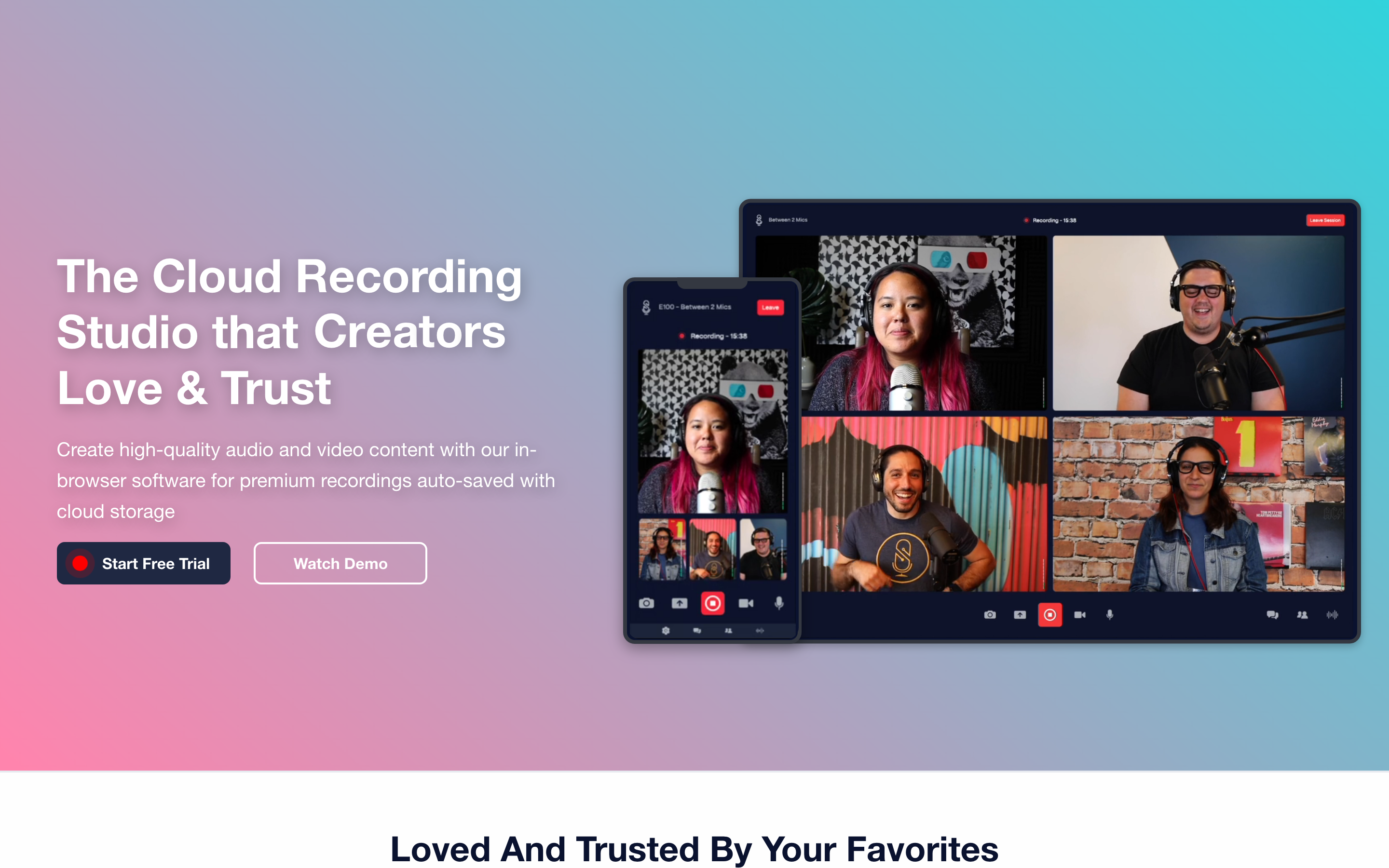
SquadCast built its reputation on one thing: rock-solid remote audio. It records each participant locally and is engineered to avoid the drift and sync problems that plague browser-based recording over a laggy connection. If your number-one complaint about Zencastr is the occasional sync issue in the final track, SquadCast is the targeted answer.
It now lives inside Descript following the acquisition, which means you get reliable capture and then hand straight off to a transcript editor. For interview shows where audio quality is non-negotiable, that pairing is hard to fault.
Key features
- Drift-free recording - local capture engineered against sync issues
- Separate audio tracks - per-guest WAV for clean editing
- Video recording - alongside the core audio focus
- Descript handoff - record here, edit in Descript
- Progressive upload - protects quality over weak connections
What users say
The consistent theme is reliability. Producers who run interview-heavy shows say SquadCast simply does not let them down on audio, which is the whole reason it exists. The flip side is that it is narrower than Riverside or Descript on its own, and most of the editing power now comes from being inside the Descript ecosystem rather than from SquadCast alone.
Best for
Interview-focused podcasters who prioritize bulletproof remote audio above all else. Pricing typically starts around $20 per month, and it is increasingly bundled with Descript plans.
6. StreamYard
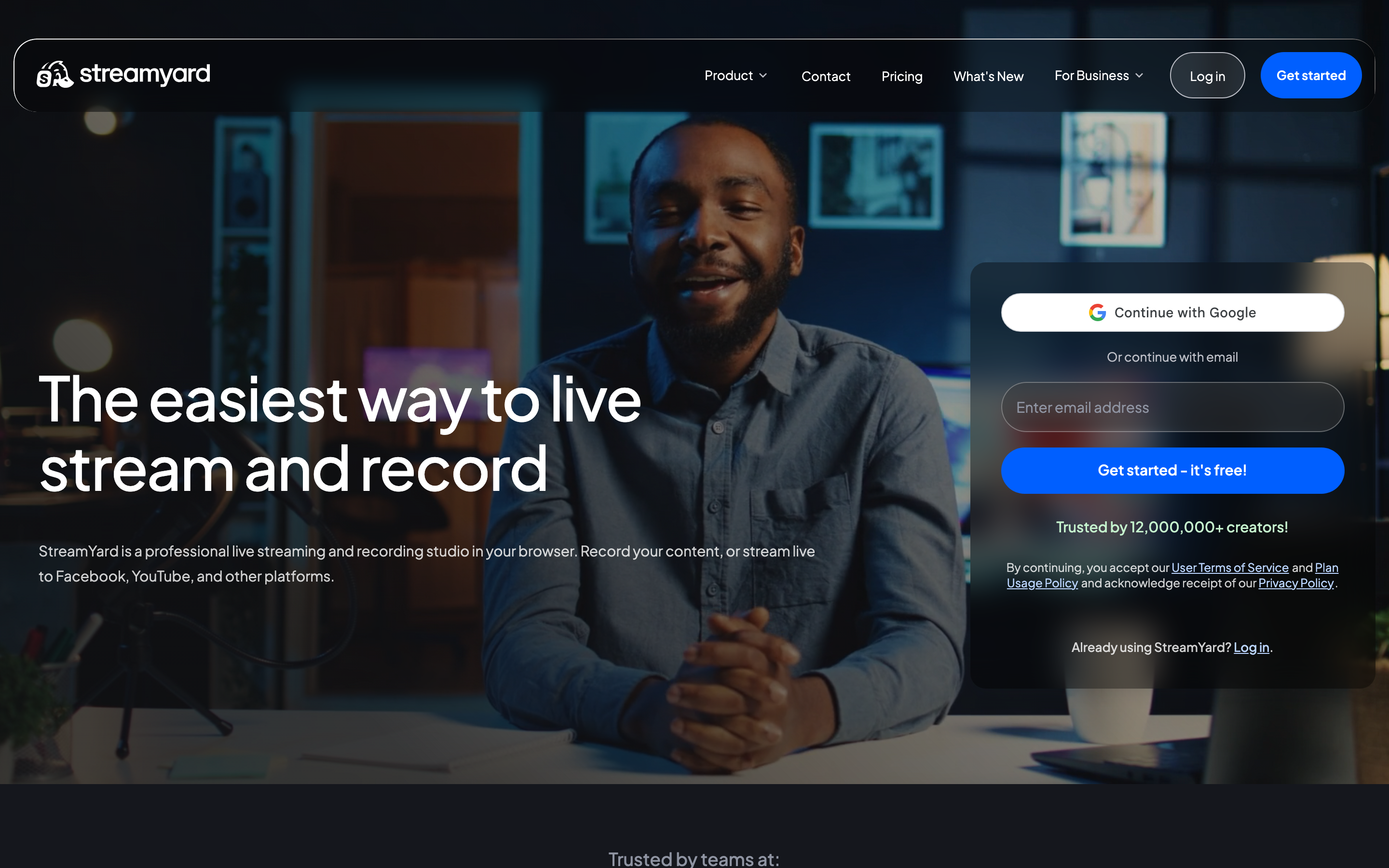
StreamYard is the odd one out here because its center of gravity is live, not recorded. It is built for live shows, interviews, and simulcasting to YouTube, LinkedIn, Facebook, and more at the same time. If your podcast strategy leans on a live audience, on-screen comments, and going out to several platforms at once, StreamYard is easier to run than a recording-first tool.
You can record your stream for later, and StreamYard offers branded overlays, banners, and a clean multi-guest layout. But the recordings it produces are stream captures, not the separate, lossless local tracks a studio recorder gives you.
Key features
- Multi-destination streaming - go live to several platforms at once
- Branded overlays - logos, banners, and lower-thirds
- On-screen comments - pull live audience questions into the show
- Local recording - save the stream for repurposing
- Browser-based - no software to install for guests
What users say
People who run live shows love how little StreamYard gets in the way: guests join from a link, the overlays look professional, and multistreaming "just works." The honest limit, repeated often, is that the recorded output is not studio-separate-track quality, so creators who care about pristine post-production still record elsewhere. For live-first podcasting, though, it is a favorite.
Best for
Creators and brands whose podcast or show is primarily live and multi-platform. StreamYard has a free tier (with branding), and paid plans commonly start around $25 per month.
7. OBS Studio
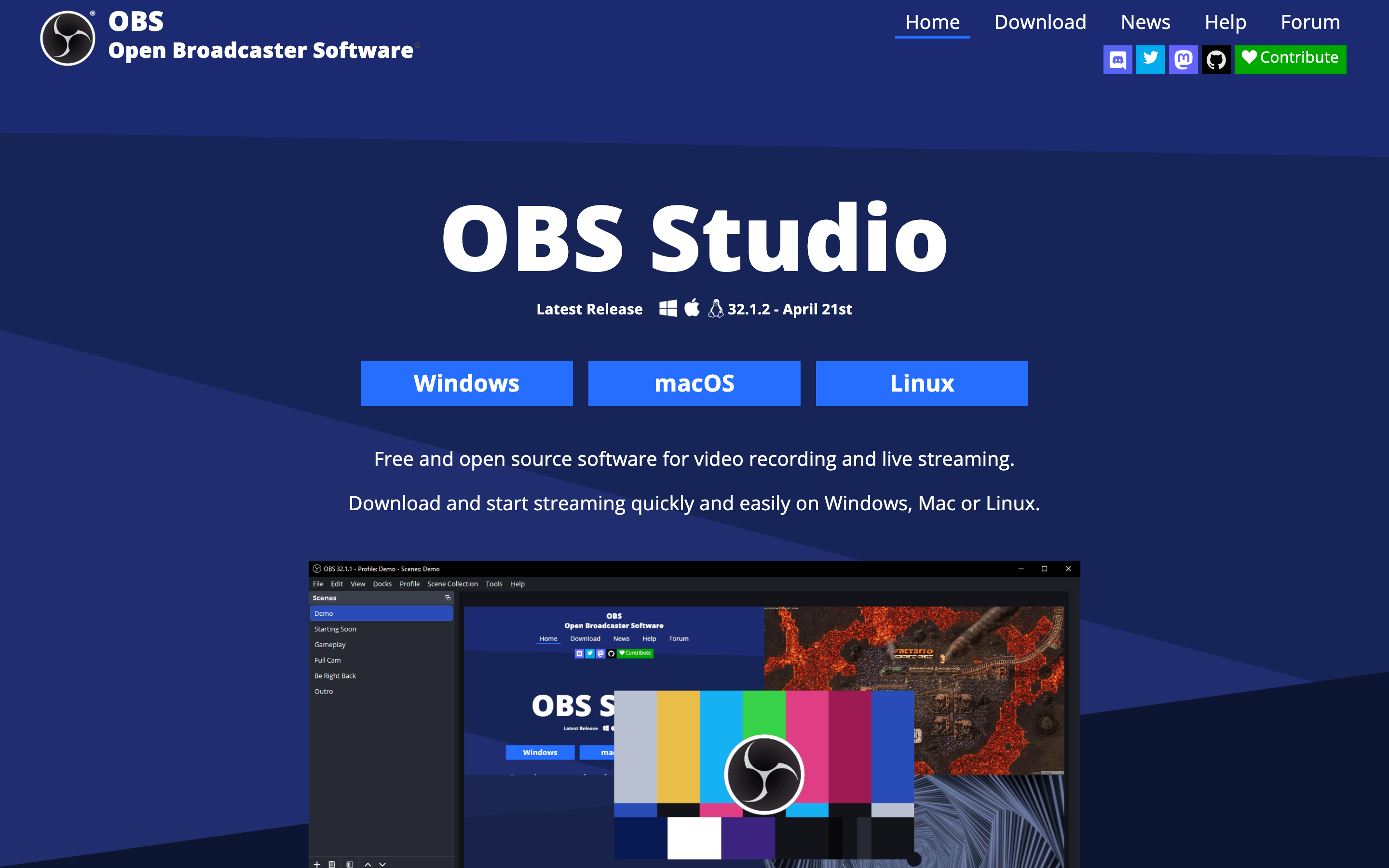
OBS Studio is the free, open-source workhorse that has powered countless streams and local recordings for years. It composites multiple scenes, cameras, and audio sources, then records locally or streams anywhere. For a budget of zero, the capability ceiling is genuinely high.
The tradeoff is effort. OBS gives you total control and asks for total setup in return: scenes, sources, audio routing, and encoder settings are all yours to configure. There is no built-in remote-guest recording, no AI editing, and no hosting. It is a recorder and streamer, full stop.
Key features
- Free and open-source - no cost, no tiers, no watermark
- Scene compositing - mix cameras, screens, and sources
- Local recording - high-quality capture to disk
- Streaming - broadcast to any RTMP destination
- Plugin ecosystem - extend it for almost any workflow
What users say
The community loves OBS for exactly what it is: powerful, free, and endlessly customizable. The repeated caveat is the setup curve, especially for remote interviews, which OBS does not natively solve. People who want a turnkey podcast workflow find it too manual, while people who want control find nothing else comes close at the price. For our take on local capture versus finished video, see the ngram vs OBS comparison.
Best for
Technically comfortable creators who want maximum control at no cost and do not mind configuring it themselves.
---
Looking for the fastest way to turn a recording into finished video? ngram takes your interview, screen recording, or raw footage and returns polished, on-brand clips in minutes. Try ngram free
---
Where the podcast market is heading (and why it matters)
Picking a tool in 2026 means picking for where the format is going, not where it has been. The numbers are not subtle.
The podcasting market is projected at roughly USD 32.65 billion in 2026 and is forecast to grow at about a 20 percent compound annual rate through 2031, according to Mordor Intelligence. There are around 4.69 million podcasts worldwide, with the global listener base expected to reach 619.2 million in 2026, per DemandSage. This is not a niche anymore.
The more important shift for tool choice is video. Here is how fast that part of the market has moved.
The share of podcasts going video on YouTube has climbed steadily, and the engagement math rewards it.
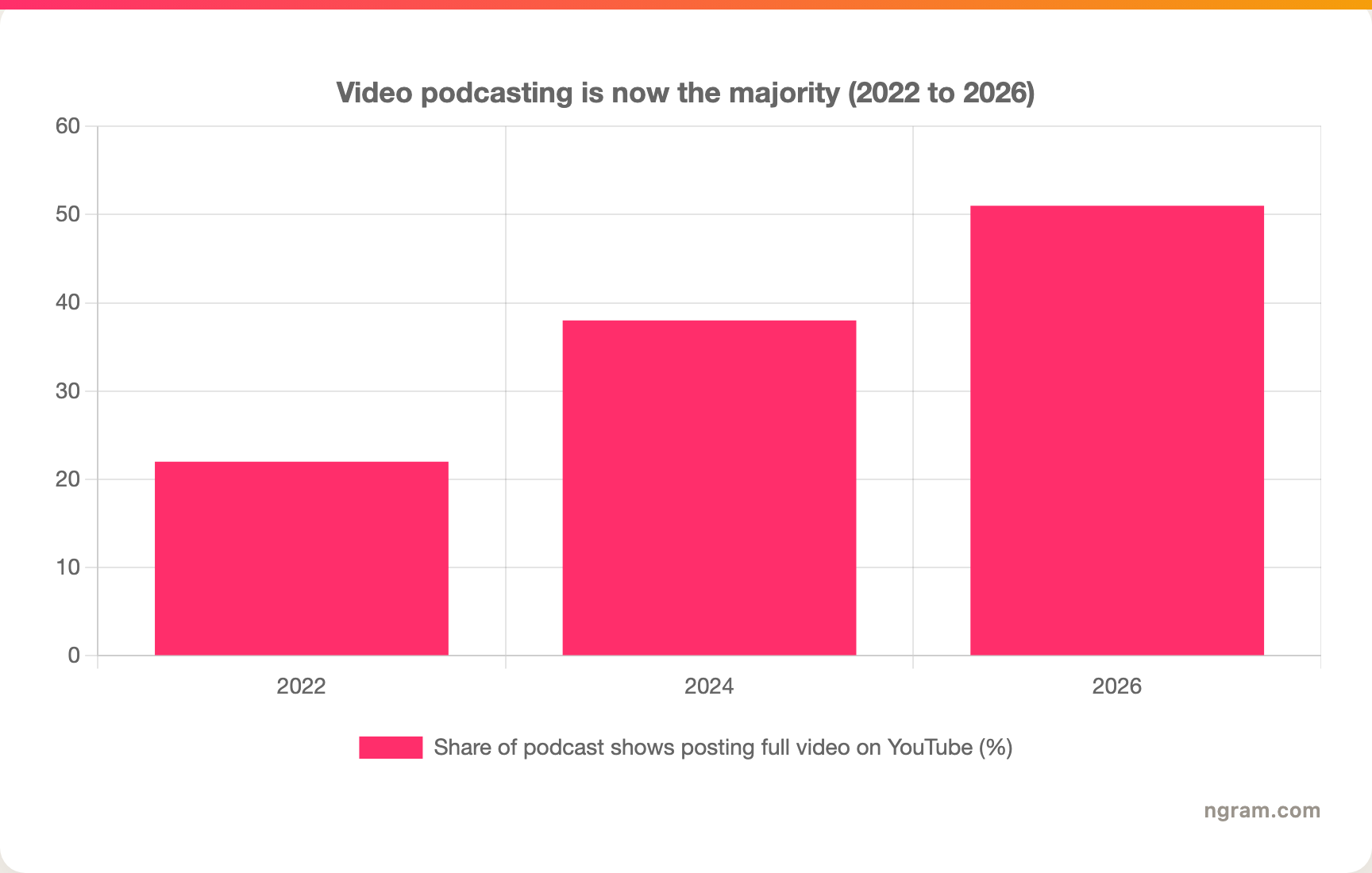
More than half of shows now post full video on YouTube, a 130 percent increase versus 2022. A Deloitte study found that by Fall 2025, about 27 percent of US consumers were watching video podcasts weekly, with Gen Z and millennials leading. And viewers consume roughly 1.5 times more content when an episode is on video versus audio alone.
That is the case for thinking past the recorder. A clean WAV file is table stakes. The competitive edge in 2026 is how many channel-ready assets you can pull out of each episode. A single recording can become a YouTube cut, a dozen vertical clips for TikTok and LinkedIn, an explainer for the website, and a summary for the newsletter. This is where the line between "recording tool" and "video tool" gets sharp, and it is the cleanest way to choose between everything on this list.
To make the split obvious, here is how the seven tools sit on the two jobs that actually matter: capturing the conversation versus turning it into finished video.
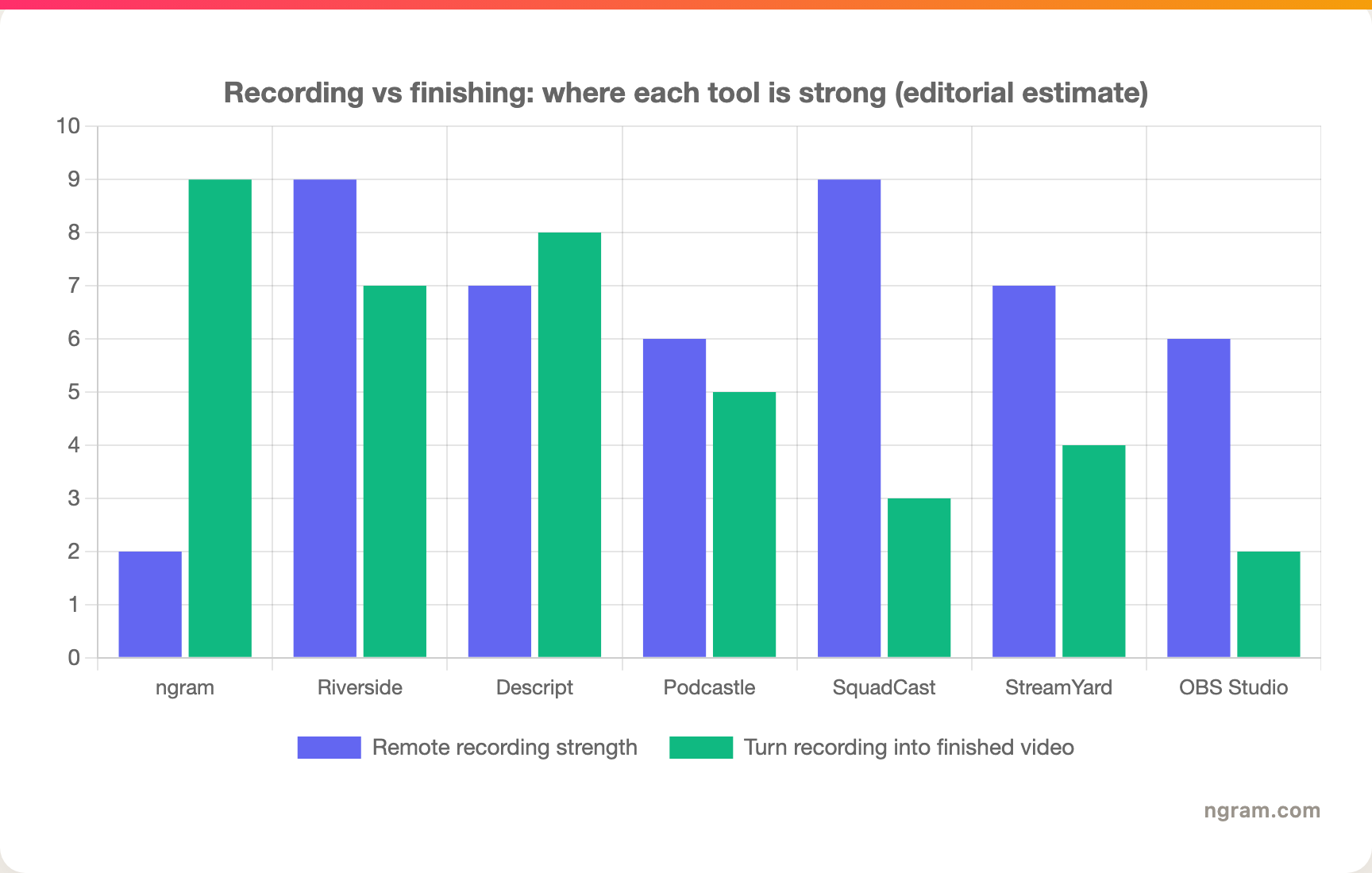
The pattern is clear. The specialists own recording. ngram owns the finishing. A few tools, Descript and Riverside especially, do real work on both sides. Read the chart as an editorial estimate based on each tool's documented features, not a benchmark score.
How we evaluated these Zencastr alternatives
We did not just list tools. We pulled documented feature sets, read user reviews across G2, Capterra, Reddit, and Product Hunt, checked current public pricing, and weighed each tool against the job a Zencastr user is actually trying to do. Because most of these are recording-and-streaming tools rather than pure AI video generators, we used a criteria mix tuned for that category.
| Criteria | Weight | What we looked at |
|---|---|---|
| Features | 25% | Recording quality, editing depth, repurposing, hosting |
| Ease of use | 25% | Setup, guest onboarding, learning curve |
| AI capabilities | 20% | Clip generation, transcription, audio cleanup, voice tools |
| Value | 20% | Pricing clarity and what each tier actually includes |
| Support and community | 10% | Responsiveness, docs, and active user communities |
We also factored in:
- Real user reviews from G2, Capterra, TrustRadius, Reddit, and Product Hunt (qualitative sentiment, not numerical scores)
- Market presence and stability, including funding and how long each tool has been shipping
- Where the market is heading, especially the shift to video podcasting and short-form repurposing
The honest north star here: we did not force ngram into the recording slot it does not fill, and we did not pretend a recorder is a video tool. We scoped ngram to what the shipped product actually does, finishing and repurposing, and let the specialists own capture.
Frequently Asked Questions
What is the best free alternative to Zencastr?
OBS Studio is the strongest fully free option for local recording and streaming, though it requires manual setup and has no remote-guest recording. For a free tier with a friendlier workflow, Riverside, Descript, and Podcastle all offer free plans with limits. ngram also has a free plan if your goal is turning a recording into finished video rather than capturing it.
How does Zencastr compare to Riverside?
Both record each guest locally for high quality, but Riverside pushes harder on video (up to 4K) and on AI repurposing with Magic Clips and AI Show Notes, while Zencastr bundles hosting, monetization, and distribution more tightly. Reviewers often pick Riverside for video-first shows and Zencastr for an all-in-one audio-first stack. Price and which AI tools you actually use tend to decide it.
Is ngram a good Zencastr alternative?
Only for one specific job, and it is honest about that. ngram does not record remote multitrack conversations, so it is not a drop-in Zencastr replacement for capture. Where it shines is after the recording: turning an interview or raw video into clips, explainers, summaries, and branded, channel-ready cuts. If your real problem is that recordings never become finished video, ngram is the alternative to test.
Can I turn my Zencastr recordings into video clips?
Yes. Export your recording from Zencastr, then bring the file into a video tool to repurpose it. ngram transcribes the upload, auto-cuts filler and dead air, applies smart zooms and brand-styled captions, and exports vertical and square cuts for social. Riverside's Magic Clips and Descript's transcript editor are other strong paths, depending on whether you want generation or manual control.
Which Zencastr alternative is best for video podcasts?
Riverside is the go-to for recording video podcasts in studio quality, with local 4K capture and built-in clipping. For turning those recordings into a steady stream of social clips and explainers, ngram is the better finishing tool. Many teams pair the two: record in a studio recorder, finish and repurpose in a video tool.
What is the cheapest Zencastr alternative?
OBS Studio is free with no tiers or watermark, making it the cheapest by a wide margin if you are comfortable configuring it. Among the friendlier tools, Podcastle and Riverside have free tiers and paid plans commonly starting around $15 per month. The cheapest tool that fits your workflow usually beats the absolute cheapest tool overall.
Which one should you pick?
The seven tools here split cleanly along one line: capturing the conversation versus turning it into something you publish. If your core job is a clean remote recording, Riverside is the all-around pick, SquadCast is the audio-reliability specialist, and OBS Studio is the free-and-flexible choice. If you edit long episodes, Descript's transcript workflow is hard to beat, and Podcastle keeps solo creators moving fast. If your show is live and multi-platform, StreamYard is built for it. And if the recording keeps stalling out before it becomes the launch video, the clips, and the localized cuts your team needs, that is exactly where ngram fits. Pick something else if studio capture is your whole problem; pick ngram if finishing is. A 5-minute test is the fastest way to know which side of the line you are on.
---
Try ngram free, your first video in under 5 minutes. Turn an interview, screen recording, or raw clip into polished, on-brand video without touching a timeline. Start free