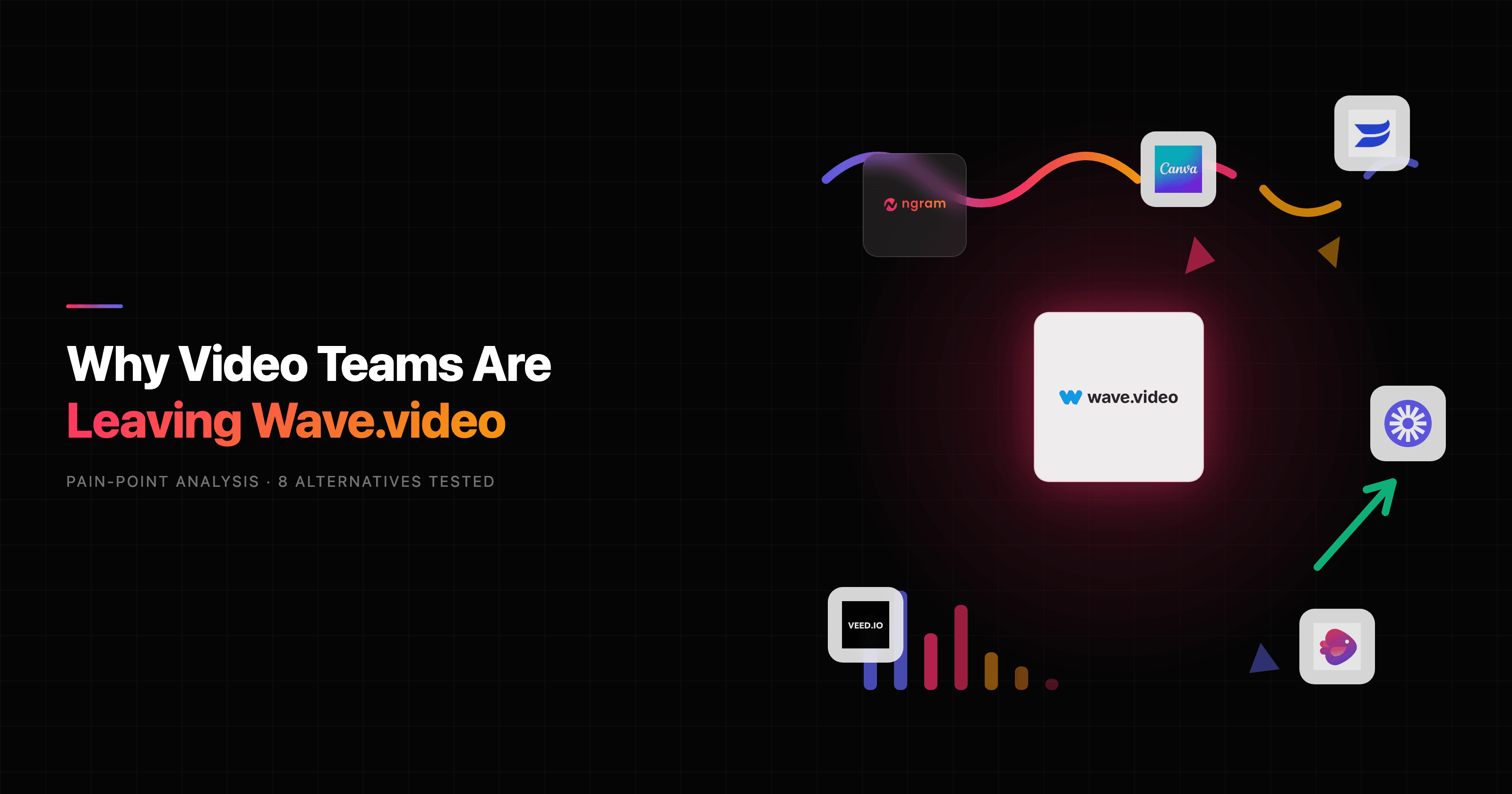

If you run video for a marketing, product, or social team and Wave.video has been your one tool for editing, streaming, and hosting, you have probably hit a familiar moment: the all-in-one bundle does five jobs at once, and the one you actually care about, getting a finished marketing video out the door, is the slowest of the five. That is the gap this guide digs into. We tested the strongest Wave.video alternatives through one lens that matters most for busy teams: which tool turns your raw material into a polished, on-brand video fastest, without making you assemble it clip by clip.
Wave.video earns real credit. It genuinely bundles a live streaming studio, a browser video editor, a recorder, a thumbnail maker, and ad-free video hosting into a single subscription, which is rare and useful if you broadcast and host as much as you edit. For a creator running weekly livestreams and embedding videos on a landing page, that consolidation is hard to replicate. Its Capterra reviews sit warm, with the drag-and-drop editor and the huge stock library called out again and again.
But "all-in-one" has a cost, and the cost is depth. The moment your job stops being a quick social trim and becomes a real video, a narrated product walkthrough, a launch explainer, a localized demo, three channel cuts of the same message, Wave.video starts asking for hours of manual timeline work it was never built to remove. Reviewers also flag a real stability problem, with some reporting four to five crashes in a single 30-minute editing session, plus a mobile app that lets you view projects but not meaningfully edit them. So below we line up the best Wave.video alternatives, lead with the one we think wins the finished-video job (ngram), and stay honest about the live streaming and hosting work where Wave.video still pulls ahead.
Where Wave.video falls short for video teams
Wave.video is a marketing-suite product, and that breadth shapes every limitation people run into once they push it toward serious, repeatable video production.
The editor is manual, and AI is bolted on. Wave.video has a text-to-video feature and auto-captions, but the core editor is still a drag-and-drop timeline where you assemble clips, time them, and place text by hand. Reviewers describe the AI tools as "slower and less advanced compared to dedicated tools." There is no script-and-storyboard step, so you are committing to direction at the timeline, which is the most expensive place to change your mind.
Stability complaints cluster around editing. This is the loudest pattern in recent reviews. Users report lag, slow rendering, frequent freezing, and crashes, with one review describing four to five crashes in 30 minutes. For a team on a deadline, an editor that drops your session is worse than a slow one.
The useful pieces sit behind higher tiers. The free plan caps video at 15 seconds with a watermark, and the 2 million asset library only expands to the full 200 million on Creator and Business plans. Several reviewers report being auto-charged for exceeding plan limits without explicit consent, and note that premium stock assets add unexpected costs on top of the subscription.
Mobile editing is effectively desktop-only. You can open and review projects on the mobile app, but meaningful editing requires the desktop. For social teams who shoot and post from a phone, that is a real workflow break.
It is built for marketing breadth, not video depth. Wave.video spreads itself across streaming, recording, hosting, and thumbnails. That is the point of the bundle, but it means the editing engine never gets the focus a dedicated video tool gives it. If editing finished videos is 80% of your week, you are paying for four products to get one.
None of this makes Wave.video a bad tool. It makes it the wrong tool when your main job is producing finished, on-brand videos at volume. Here is what we would reach for instead.
Quick comparison: Wave.video alternatives at a glance
| Tool | Best For | Starting Price | Key Differentiator |
|---|---|---|---|
| ngram | Finished video from any source | Free / $29/mo | Generates script, storyboard and cut for you |
| Vimeo | Hosting plus light creation | Free / $20/mo | Enterprise-grade hosting and player |
| Wistia | Marketing video hosting and analytics | Free / $19/mo | Deep engagement analytics and CTAs |
| VEED | Browser editing with AI captions | Free / $18/mo | Fast, friendly online editor |
| InVideo AI | Prompt-to-video with stock media | Free / $25/mo | Text prompt builds a stock-footage video |
| Canva Video | Design-led social clips | Free / $15/mo | Templates inside the Canva ecosystem |
| Descript | Editing recorded footage | Free / $24/mo | Transcript-based editing |
| Loom | Quick screen and webcam messages | Free / $15/mo | One-click async recording |
1. ngram
Watch how ngram turns an idea into a finished video:
ngram is the strongest Wave.video alternative when your job is creating finished videos, not assembling them. Instead of an all-in-one suite of editing, streaming, and hosting tools, ngram is an AI video engine: it reads your source material and produces a narrated, on-brand video you steer in plain language. That single difference is why it tops this list for marketing and product teams.
ngram comes at the problem from the opposite direction of an all-in-one editor. Instead of handing you a blank timeline and a stock library, it generates the video for you. You bring what you already have, a doc, a PDF, a URL, a deck, or a screen recording, and ngram writes the script, plans the storyboard, picks the visuals, adds voiceover and captions, and returns a finished, on-brand cut. For a Wave.video user, the difference is going from "assemble the video" to "approve and refine the video."
What makes ngram stand out
The headline difference is that ngram plans before it renders. You describe who the video is for, what it needs to do, and where it is going, and ngram produces a script and storyboard you review first. You fix direction in plain language while it is cheap to change, not after you have already cut 40 clips on a timeline. That is the step Wave.video's editor never gives you.
It also starts from your existing material. Paste release notes and get a launch video. Point it at a product URL and get a hero video. Upload a rough screen recording and ngram transcribes it, trims the dead air, smooths the cursor, adds smart zooms and callouts, and turns it into a polished demo. Where Wave.video expects you to bring footage and build, ngram extracts the story from what you already have.
Then there is the part that matters most for marketing teams shipping across channels: one source becomes many cuts. Ask for a channel-specific cut, a square ad, a sales walkthrough, and a German dub of the same message, and ngram adapts the structure, pacing, and voiceover for each, exports a finished MP4. That variant work, which is a full afternoon of manual resizing and re-timing in a timeline editor, becomes a single request. It is the same engine behind ngram's AI video generator for marketing.
Brand kits run underneath all of it. Logo, colors, fonts, intros and outros apply automatically to every render, so the tenth video looks as on-brand as the first without anyone policing it. For a detailed head-to-head, see our ngram vs Wave.video comparison.
Key features:
- Context-aware generation - Tell ngram your audience, goal, and channel; it adapts script, length, and CTA automatically.
- Plan first, generate second - Review the script and storyboard before anything renders, so direction stays human.
- Start from what you have - Text, PDFs, URLs, decks, and screen recordings become the source, not a blank canvas.
- Screen-recording polish - Auto cursor smoothing, dead-air trimming, smart zooms, and callouts on raw captures.
- MP4 export - Finished videos export as MP4 with captions; separate media tools can convert supplied media to GIF or WebM.
- Brand kits - Logo, colors, fonts, intros and outros applied to every video automatically.
Pros
- ✅ Generates a finished video instead of handing you a timeline to assemble
- ✅ Turns one source into social, sales, and localized cuts in one request
- ✅ Screen recordings become polished demos without manual editing
Cons
- ❌ No live streaming or multistreaming studio, so it does not replace Wave.video for broadcasts
- ❌ Web-based with no native mobile editing app yet
Who is ngram best for?
ngram fits product marketing, growth, sales enablement, and customer success teams who need polished videos out the door at volume without a freelancer budget or timeline skills. It is the strongest pick when your job is creating finished marketing videos from material you already have. ngram has a generous free plan, with paid plans starting at $29 per month.
Ready to try ngram? Create your first video in under 5 minutes. Start free
2. Vimeo
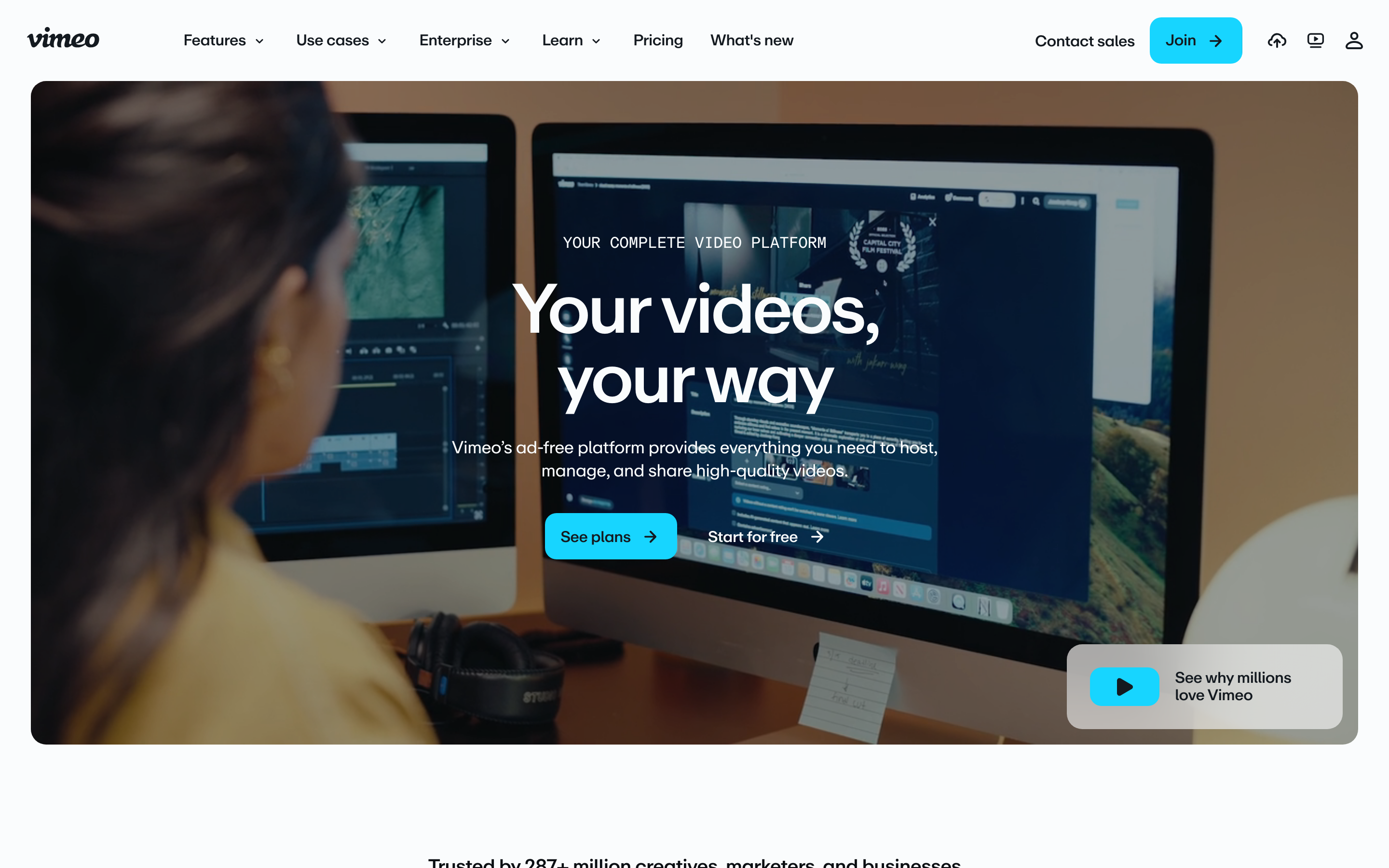
Vimeo evolved from a creator video platform into an all-in-one video tool for teams, leaning hardest into hosting, the area where Wave.video users most often want more headroom. It hosts more than 300 million videos and serves a reported 260 million-plus users, which gives it a hosting and player stack that is hard to match.
If your reason for leaving Wave.video is hosting limits or player control, Vimeo is the natural landing spot. It pairs a clean, ad-free, customizable player with privacy controls, basic creation tools, screen and webcam recording, and live streaming, so a team can host, embed, and broadcast from one account. Compared to Wave.video, Vimeo's hosting and enterprise features run deeper, while its editing stays lighter.
Key features
- Enterprise-grade hosting - Customizable, ad-free player with granular privacy and domain-level controls.
- Live streaming and events - Stream to the Vimeo player or simulcast to social channels.
- Screen and webcam recording - Capture and share async videos with a built-in recorder.
- AI script and basic editing - Lightweight creation tools for quick edits and text-to-video drafts.
- Analytics - Engagement and viewership data on hosted videos.
What users say
Reviewers consistently praise Vimeo's video quality, player customization, and reliability as a host. The phrase "the professional's YouTube" shows up often, and teams like that embedded videos carry no ads or outbound links. The honest knock is on creation: people describe the editing tools as serviceable for trims and captions but thin next to a dedicated editor, and several note that the most useful hosting and analytics features sit on the pricier business and enterprise tiers. As a place to store, protect, and embed video, though, it earns its reputation.
Pros
- ✅ Best-in-class hosting, player customization, and privacy controls
- ✅ Hosting, recording, and streaming in one account
Cons
- ❌ Editing is light compared to a dedicated video tool
- ❌ Strongest hosting and analytics features sit on higher tiers
Best for
Teams whose main need is professional hosting and embedding, with light creation on the side. Paid plans start around $20 per month.
3. Wistia
Wistia is the closest match for the marketing-team half of Wave.video's audience. It is built specifically for business video, with hosting, a customizable player, and the deepest engagement analytics in this roundup. If you host videos to drive pipeline and want to know exactly who watched what, Wistia is purpose-built for that job.
Used by more than 400,000 businesses, Wistia pairs ad-free hosting with heatmaps showing where viewers drop off, email-capture and CTA overlays inside the player, and direct integrations with marketing and CRM tools like HubSpot and Marketo. Where Wave.video hosts your video, Wistia treats the video as a marketing asset you measure and convert from.
Key features
- Engagement analytics - Per-viewer heatmaps, play rates, and drop-off data.
- Lead generation - Email capture forms and CTAs built into the player.
- Marketing integrations - Native HubSpot, Marketo, and Pardot connections.
- Customizable player - On-brand, ad-free embeds with color and control options.
- Basic recording and editing - Screen and webcam capture plus light trims.
What users say
Marketers describe Wistia as the tool they keep because of the data. The analytics and lead-gen features get specific praise for tying video to pipeline, and the player is called clean and genuinely on-brand. The recurring critique is price: reviewers say Wistia gets expensive as your video count grows, and that its creation and editing tools are basic, so most pair it with a separate editor. As an analytics-first hosting platform, though, few tools touch it.
Best for
Marketing teams that host video to generate and measure leads, and want analytics tied to their CRM. Paid plans start around $19 per month.
4. VEED
VEED is the browser editor Wave.video users reach for when they want the editing half done better and faster. It is a fast, friendly online video editor with strong AI captions, and it removes most of the friction people hit in heavier timelines.
VEED handles the everyday editing jobs cleanly: trim and cut, auto-subtitles with high accuracy, background removal, text and transitions, and a one-click resize for social formats. Its AI features (subtitle generation, translation, a basic avatar and text-to-video) are genuinely useful for social teams who live in short clips. Compared to Wave.video, VEED is lighter on hosting and streaming but smoother and more reliable as a pure editor.
What users say
Users love how quickly they get going. "I was editing within minutes" is a common refrain, and the auto-subtitle accuracy gets specific praise from teams captioning a lot of social content. The honest limitations: complex multi-track edits can feel constrained, exports on higher quality and longer videos can be slow, and the most useful features sit behind paid tiers with a watermark on free. For fast, caption-heavy social editing in the browser, it is a strong pick.
Best for
Social and content teams who want a fast browser editor with excellent captions and quick social resizing. Paid plans start around $18 per month.
5. InVideo AI
InVideo AI is the closest like-for-like on Wave.video's text-to-video feature, taken further. You type a prompt or paste a script, and InVideo assembles a complete video from a large stock library, with AI voiceover, automated scene selection, and captions, then lets you refine it with follow-up text commands.
The pitch is speed from a blank prompt. InVideo pulls from millions of stock clips and images, generates a voiceover, and stitches a watchable draft in minutes, which suits faceless social content, listicles, and quick explainers. Where Wave.video gives you a stock library and a timeline, InVideo does the assembly for you from the prompt. The tradeoff is control: stock-driven videos can feel generic, and brand consistency is harder than in a system built around a brand kit.
Key features
- Prompt-to-video - A text prompt or script generates a full draft.
- Large stock library - Millions of clips, images, and music tracks.
- AI voiceover and captions - Generated narration and auto-subtitles in many languages.
- Text-command editing - Refine the video by typing instructions.
- Templates - A wide template gallery for social formats.
What users say
Reviewers like how fast InVideo turns an idea into a draft, and faceless-content creators call it a real time-saver. The common critiques: the stock-footage look can feel generic without heavy customization, AI voiceovers sometimes need re-generation to sound right, and the credit and export limits on lower tiers catch people off guard. For prompt-driven, stock-based social video, it is one of the faster options.
Best for
Creators making faceless or stock-driven social videos from a text prompt. Paid plans start around $25 per month.
---
Looking for the fastest way to create professional videos? ngram turns your screen recordings, docs, and URLs into polished, on-brand videos in minutes, no timeline required. Try ngram free
---
6. Canva Video
Canva Video is the design-first option, and for teams already living in Canva it is the path of least resistance. It brings video editing into the same template-driven canvas you use for graphics and decks, so a marketer can make a social clip without learning a new tool.
Canva's strength is its template library and its ecosystem: drag-and-drop editing, a huge asset and stock catalog, brand kit support on paid tiers, and one-click resizing to social formats. For short, designed social videos, animated posts, and quick promos, it is fast and approachable. Compared to Wave.video, Canva is lighter on streaming and hosting but stronger on design polish and template breadth.
What users say
Users praise how easy and familiar it is, especially teams already standardized on Canva for design. The templates and brand kit get credit for keeping social content consistent. The limitations show up on longer or more complex videos: the timeline is basic, audio control is limited, and reviewers note it is built for designed clips rather than narrated, multi-scene videos. For template-led social content, it is hard to beat on ease.
Best for
Design and social teams already in the Canva ecosystem who need quick, on-template social videos. Paid plans start around $15 per month.
7. Descript

Descript solves a different slice of the video problem: editing recorded footage by editing its transcript. If your work is podcasts, interviews, webinars, or talking-head recordings, Descript's text-based editor is one of the most precise workflows available.
You record or import, Descript transcribes, and you cut, rearrange, and clean up the video by editing the words. It adds Studio Sound for audio cleanup, Overdub voice cloning, filler-word removal, and an AI co-editor. Compared to Wave.video, Descript is narrower (it is not a streaming or hosting suite) but far stronger at refining long recorded content. It is less suited to generating a marketing video from a doc or building designed social clips.
What users say
Creators who record a lot love it. Transcript editing gets described as a genuine unlock for long-form content, and Studio Sound earns praise for making home recordings sound professional. The honest critiques: there is a learning curve around the transcript model, and the 2025 pricing change to media-minutes-plus-AI-credits left some users finding costs hard to predict. For editing recorded audio and video, though, it is a category leader.
Best for
Podcasters and teams editing long recorded footage who want transcript-level control. Paid plans start around $24 per month.
8. Loom
Loom is the quick-message tool, and it earns its place for one job: recording your screen and webcam and sharing the link in seconds. If part of what you used Wave.video for was fast, async updates, Loom does that specific thing better than almost anyone.
Used by more than 25 million people across 400,000-plus companies, Loom is built for speed: hit record, talk through your screen, stop, and the shareable link is ready before you finish your sentence. It adds light AI features like auto-titles, summaries, and filler-word removal. Loom is not a marketing-video editor or a hosting suite, so it is a complement to the tools above, not a replacement for the editing job.
What users say
Users call Loom the fastest way to send a video instead of writing a long message, and teams love it for standups, feedback, and walkthroughs. The repeated limitation, in the words of one product marketer, is that it is "great for internal updates, but I'd never send a Loom to a prospect," because the editing is minimal and the output looks like a screen recording with a webcam bubble. For quick async communication, that is exactly the point.
Best for
Teams who need fast, async screen-and-webcam messages for internal updates and feedback. Paid plans start around $15 per month.
How entry pricing stacks up
Pricing is one of the loudest reasons people leave Wave.video, so here is how the entry paid plan of each tool compares. These are the lowest monthly paid tiers; what each unlocks varies, but it shows where the floor sits.
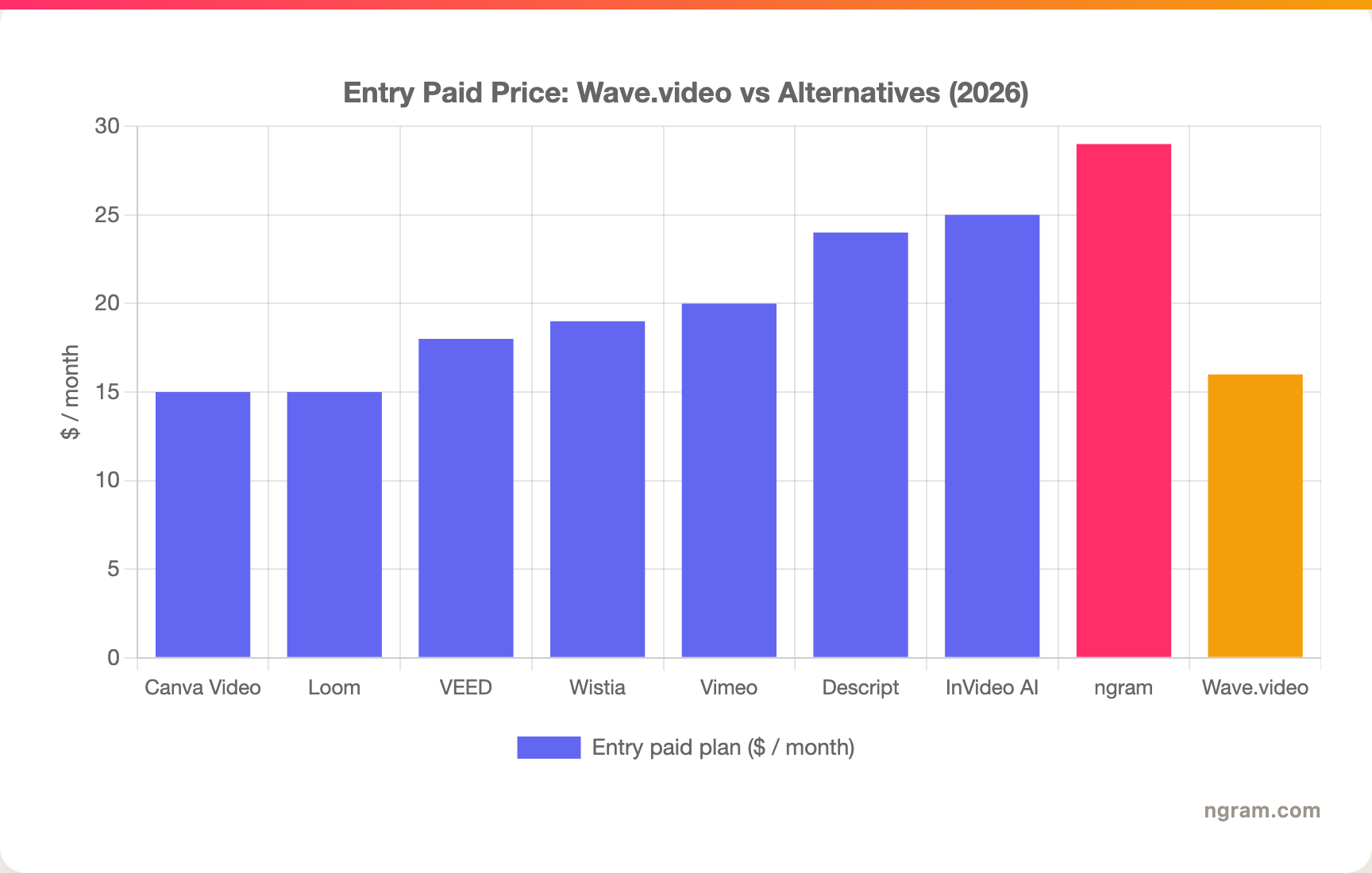
The entry prices cluster within a tight band. The real difference is what each unlocks: Canva and Loom are cheap because they are narrow, while ngram's $29 bundles AI generation, MP4 export, and brand kits that would otherwise mean paying for several point tools.
How we evaluated these Wave.video alternatives
We did not just list tools. We tested them, read through hundreds of user reviews across G2, Capterra, Reddit, and Product Hunt, and compared them on five weighted criteria built for this category:
| Criteria | Weight | What we looked at |
|---|---|---|
| Features | 25% | Editing depth, AI generation, hosting, streaming, and how much of the workflow each tool covers |
| Ease of Use | 25% | Time to a finished video, learning curve, and reliability during editing |
| AI Capabilities | 20% | Script generation, voiceover, captions, and how automated the creation step is |
| Value | 20% | What each plan actually unlocks, watermark and export limits, and predictability of cost |
| Support & Community | 10% | Documentation, responsiveness, and the depth of the user community |
We also factored in real user sentiment (qualitative, never numerical ratings) from G2, Capterra, TrustRadius, Reddit, and Product Hunt, each tool's market presence and stability, its integration ecosystem with common marketing and CRM tools, and where the broader video software market is heading. The video software market crossed an estimated $13 billion in 2026 and keeps shifting toward AI generation, which is why we weighted the AI creation step heavily for a category that used to be all manual timelines.
Frequently Asked Questions
What is the best Wave.video alternative?
It depends on the job you are leaving Wave.video for. For creating finished marketing videos from a doc, URL, or recording, ngram is the strongest pick because it generates the script, storyboard, and cut for you. For deeper hosting, Vimeo or Wistia win. For a better browser editor, VEED. For prompt-to-stock video, InVideo AI. Match the tool to the half of Wave.video you actually rely on.
Is there a free Wave.video alternative?
Yes. ngram, Vimeo, Wistia, VEED, InVideo AI, Canva Video, Descript, and Loom all offer free tiers. Most free plans add a watermark or cap export quality and length, so they work well for testing but usually need a paid plan for production work. ngram's free plan lets you generate real videos before committing.
Which Wave.video alternative is best for live streaming?
Wave.video itself is genuinely strong here, with multistreaming, scenes, and guest roles, so if live streaming is your main job, it is worth keeping. Among the alternatives, Vimeo offers the most complete live streaming and events stack. ngram does not do live streaming; it focuses on generating finished, on-brand videos, so it complements a streaming tool rather than replacing one.
How does ngram compare to Wave.video?
ngram and Wave.video solve different halves of video. Wave.video is an all-in-one suite for editing, streaming, and hosting, where you assemble videos on a timeline. ngram generates finished videos for you from a doc, URL, deck, or screen recording, then adapts them into social, sales, and localized cuts. If your main job is producing finished marketing videos at volume, ngram covers more of that workflow in one step; if you broadcast and host as much as you edit, Wave.video's bundle still fits.
What is the cheapest Wave.video alternative?
Canva Video and Loom start lowest, around $15 per month, though both are narrow: Canva for designed social clips, Loom for quick screen messages. For the broadest finished-video workflow at an entry price, ngram starts at $29 per month and includes AI generation, MP4 export, and brand kits, which usually replaces paying for several point tools.
The bottom line
The video tooling space in 2026 is crowded, and Wave.video's all-in-one bundle still makes sense if you broadcast, record, and host as much as you edit. But if your real job is producing finished, on-brand marketing videos at volume, an all-in-one timeline editor is the slow path. If you are a product, growth, or marketing team that needs polished videos out the door without a freelancer budget or timeline skills, ngram is the strongest fit, because it generates the video instead of making you build it. If live streaming and ad-free hosting are the features you cannot give up, keep Wave.video or pair Vimeo with a dedicated editor. Either way, a five-minute test on your own content is the fastest way to know.
---
Try ngram free, your first video in under 5 minutes. Turn docs, URLs, and rough screen recordings into polished, on-brand videos without touching a timeline. Start free