
Is Loom still worth it after Atlassian?
Loom's Trustpilot rating sits at 1.4 out of 5 across 200+ reviews. That's not a typo. The tool that redefined async video for 25 million users is now drowning in complaints about frozen recordings, phantom billing, and login screens that lock people out of their own videos.
Loom still does one thing well: quick screen recordings for internal team updates. The recorder is fast, the sharing link is instant, and for a 2-minute "hey, check this out" message to your team, it works fine.
But since Atlassian completed the acquisition and started migrating accounts in late 2025, things have gotten rough. "Recording Issues" is the #1 complaint on G2 with 147 mentions. Teams that relied on Creator Lite (free) seats are waking up to bills that jumped 10x overnight. And the moment you need a video that goes beyond your team - to a customer, a prospect, or a LinkedIn audience - Loom's raw recording format falls short.
We tested 8 Loom alternatives across features, pricing, AI capabilities, and real user sentiment from G2, Reddit, and Capterra. Here's what we found for teams looking to switch in 2026.
What's pushing users off Loom
Loom built the async video category. Credit where it's due. But several issues are compounding in 2026:
The Atlassian billing migration. This is the big one. Accounts created after February 2026 don't have Creator Lite at all. For existing teams, every Creator Lite user - previously free - gets auto-upgraded to a full Creator (paid) seat. One team reported their bill jumping from $240/year to $24,000/year because 14 inactive members on free accounts became 14 paid seats.
Recording reliability. G2's top complaint about Loom, with 147 separate mentions, is "Recording Issues." Users report frozen recordings, failed uploads, videos stuck at the "Uploading" phase, and audio sync problems. These issues have worsened since the Atlassian infrastructure migration throughout 2025.
Free plan that burns out fast. The free tier gives you 25 videos per person, 5 minutes each, capped at 720p. Active users hit that ceiling within a week - and that's the exact moment Reddit threads on r/sales and r/SaaS say people start searching for alternatives.
Login chaos. The Atlassian SSO migration has locked users out of their own accounts. Multi-factor authentication codes don't arrive. Users who had Trello accounts years ago find their Loom access blocked because Atlassian previously suspended that account.
"Just a recorder." Loom captures what's on your screen. For internal messages, that's enough. For customer-facing content, product demos, marketing videos, or sales outreach that needs polish and structure - you need something that can actually create video, not just record it.
Quick comparison
| Tool | Best For | Starting Price | Free Plan | Key Differentiator |
|---|---|---|---|---|
| ngram | Professional video from any asset | Free / $29/mo | Yes, generous | AI-powered context-aware video creation |
| Descript | Text-based video editing | Free / $24/mo | Yes, limited | Edit video by editing the transcript |
| Vidyard | Sales video + CRM analytics | Free / $59/mo | Yes, 25 videos | Viewer tracking + Salesforce/HubSpot integration |
| Tella | Polished screen recordings | $12/mo (annual) | No | Beautiful auto-zoom + 30 layout options |
| Claap | Async video + meeting recording | Free / $24/user/mo | Yes, 10 videos | Meeting recording without a bot |
| ScreenPal | Budget screen recording | Free / $4/mo | Yes, 15 min per clip | Unlimited free hosting + lowest paid price |
| Screen Studio | Mac-native polished recordings | $9/mo (annual) | No | Auto-zoom + cursor smoothing, Mac-only |
| VEED.io | Browser-based quick editing | Free / $12/mo | Yes, watermarked | AI subtitles + social-first editing |
1. ngram
If you're reading this because Loom's recordings don't cut it for customer-facing content, ngram is built for exactly that gap.
Where Loom captures what's on your screen, ngram transforms what you already have into professional videos. Upload a screen recording, a document, some screenshots, or even just a URL. Tell ngram who the video is for, what it needs to accomplish, and where it's going. It handles the script, storyboard, visuals, pacing, captions, and brand styling.
What makes ngram stand out
Context-aware generation is the headline feature. Tell ngram your audience (developers vs. executives), your goal (educate vs. convert), and your channel (LinkedIn vs. website). The output adapts automatically. A LinkedIn announcement gets a fast hook and tight pacing. A website explainer takes more time to build context. A sales video leads with the prospect's pain point. This isn't template swapping - the AI restructures the entire video around your intent.
Plan first, generate second. ngram shows you the script and storyboard before anything renders. This is where most video tools fail: they make you commit to a final product before you've confirmed the direction. With ngram, you fix problems at the cheapest possible moment - before a single frame renders.
Start from what you have. Blank pages waste time. Your docs, decks, screenshots, and recordings already contain the story. ngram extracts it, organizes it, and builds a video from it. Teams regularly go from a messy Google Doc to a polished product video in under 15 minutes.
AI-powered editing turns rough screen recordings into polished walkthroughs: automatic filler word removal, smart zoom on interactions, cursor emphasis, and callouts driven by your prompts. No timeline editing required.
Key features
- Context-aware generation - Adapts structure, pacing, and tone to your audience and channel
- Plan first, generate second - Review script and storyboard before rendering
- Start from what you have - Text, images, docs, URLs, screen recordings as input
- AI editing - Auto-cut, filler word removal, smart zoom, cursor emphasis
- Multi-format export - 16:9, 9:16, 1:1 with captions included
- Brand kits - Logo, colors, fonts applied to every video automatically
Pros
- ✅ Creates complete videos from raw assets - not just recordings
- ✅ AI handles editing automatically, no timeline skills needed
- ✅ Brand consistency across every video without manual effort
- ✅ Script and storyboard review before rendering saves rework time
Cons
- ❌ Web-based only, no native desktop app yet
- ❌ Best suited for professional/marketing video, not casual team chats
Who is ngram best for?
Product Marketing, Growth, Sales Enablement, Customer Success, and Agencies who need professional videos without production timelines. If your videos need to look professional and land with external audiences, ngram is the pick.
ngram has a very generous free plan with paid plans starting at $29 per month.
Ready to try ngram? Create your first video in under 5 minutes. Start free
See ngram in action:
2. Descript
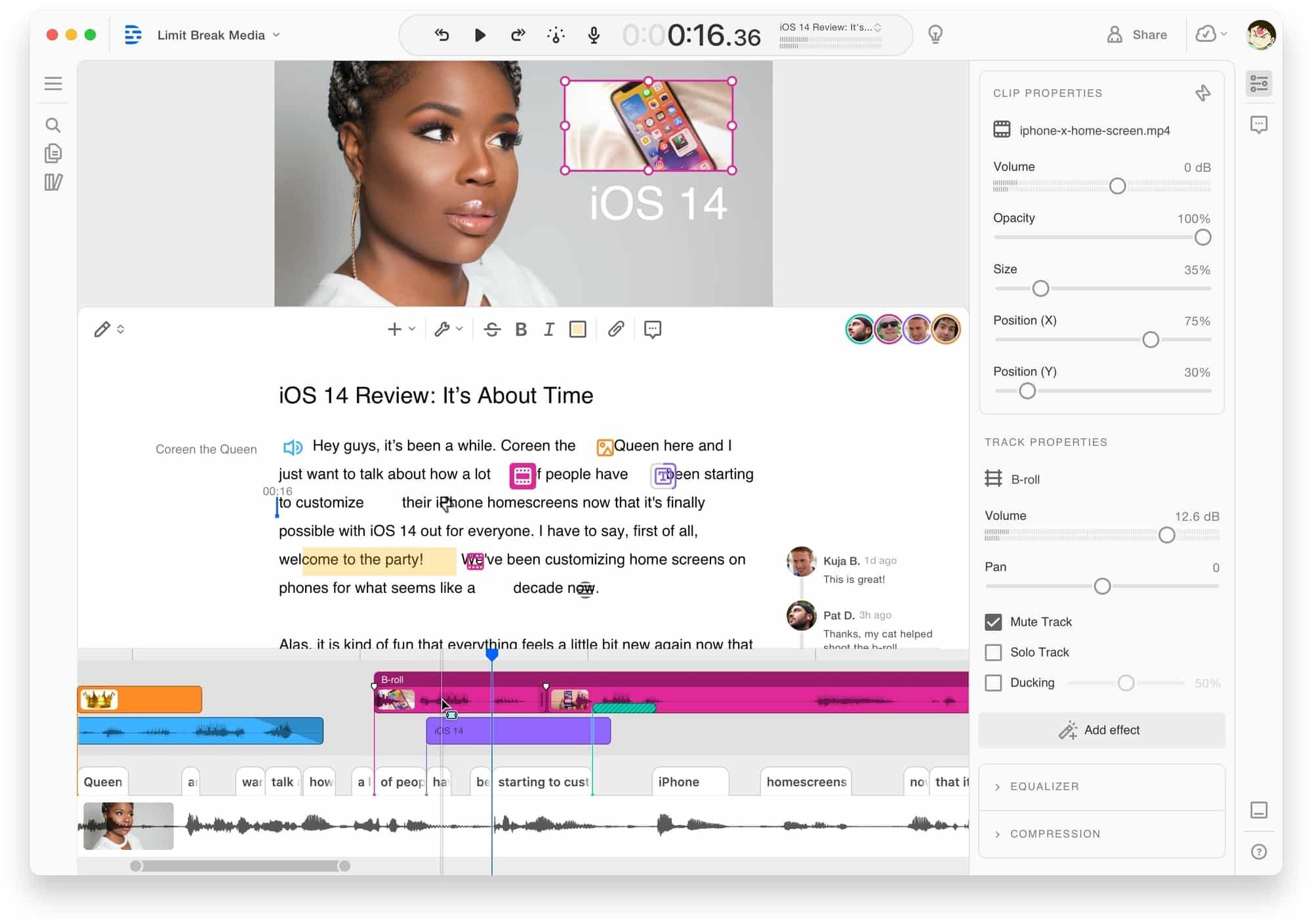
Descript approaches video editing from a direction nobody else has fully nailed: edit video like you'd edit a text document. Delete a word from the transcript, and the video cuts accordingly. It's used by over 3 million creators and holds strong ratings across G2 from 500+ reviews.
Compared to Loom, Descript is built for editing, not just recording. If your frustration with Loom is that recordings go out looking rough, Descript gives you the tools to polish them after the fact.
Key features
- Text-based editing - Edit video by editing the transcript, no timeline needed
- AI transcription - Automatic transcription in 25 languages
- Filler word removal - Automatic um/ah detection and removal
- Studio Sound - AI noise reduction and audio enhancement
- AI voices - Clone your voice for corrections or new content
What users say
Reddit users consistently call transcript-based editing "a game-changer for long-form content" and praise how fast it makes rough-cut editing. The biggest complaints center around rendering speed on large files and occasional sync drift between audio and video. Some users note the learning curve for advanced features like multitrack and compositing is steeper than expected. Capterra reviewers love the filler word removal but wish exports were faster.
Pros
- ✅ Transcript editing makes long-form video editing intuitive
- ✅ Filler word removal and Studio Sound clean audio automatically
- ✅ AI voice cloning handles minor corrections without re-recording
Cons
- ❌ Rendering and export speed can be slow on large projects
- ❌ Advanced features have a steeper learning curve than basic recording tools
Best for
Content creators and podcasters who work with long-form video and want transcript-level control over edits. Less ideal for teams who need fast, templated video output or polished marketing content.
Pricing starts at $24/month (Hobbyist plan, billed annually) with a limited free tier offering 1 hour of transcription.
3. Vidyard
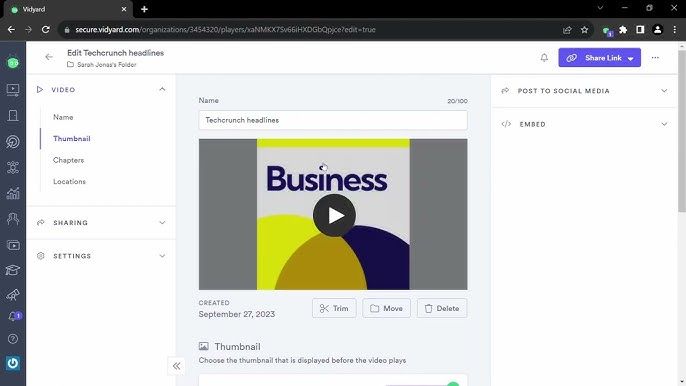
Vidyard isn't really a Loom competitor in the traditional sense. It's a sales video platform that happens to have a screen recorder attached. The recording quality is basic - but the workflow around the video is where it shines: viewer tracking, CRM integrations, and analytics that tell you exactly who watched, how long, and which parts they replayed.
Used by sales teams at companies like Shopify and Medallia, Vidyard is built for the "record a 90-second outreach video and track if the prospect watched it" workflow.
Key features
- Viewer tracking - See who watched, for how long, and which sections
- CRM integrations - Native Salesforce, HubSpot, and Outreach connections
- AI Avatars - Create personalized AI avatar videos at scale
- Video Sales Agent (VSA) - AI-powered automated video outreach based on buyer actions
- Custom CTAs - Full-screen prompts, banners, or email capture overlays
What users say
Sales teams love the CRM integration and engagement analytics - knowing which prospects rewatched the pricing slide is genuinely useful intel. Reddit discussions consistently note that the recording and editing capabilities are basic compared to dedicated tools. G2 reviewers praise the platform's sales-specific workflows but flag that pricing has crept up, with the Plus plan now at $59/user/month and the Video Agent add-on costing extra. That said, sales teams often justify the cost through deal attribution - if one closed deal traces back to a Vidyard video, the annual subscription pays for itself.
Pros
- ✅ Best-in-class viewer analytics and CRM integration for sales teams
- ✅ AI Avatars and Video Sales Agent automate personalized outreach
- ✅ Custom CTAs drive prospect action directly from videos
Cons
- ❌ Recording and editing capabilities are basic compared to other tools
- ❌ Pricing has increased significantly, Plus plan at $59/user/month
Best for
Sales teams that need video analytics and CRM integration more than video quality or editing power. If knowing exactly who watched matters more than how the video looks, Vidyard is purpose-built for that.
Free plan available (25 videos). Paid plans start at $59/user/month (annual).
Looking for the fastest way to create professional videos? ngram turns your screen recordings, docs, and images into polished videos in minutes. Try ngram free
4. Tella
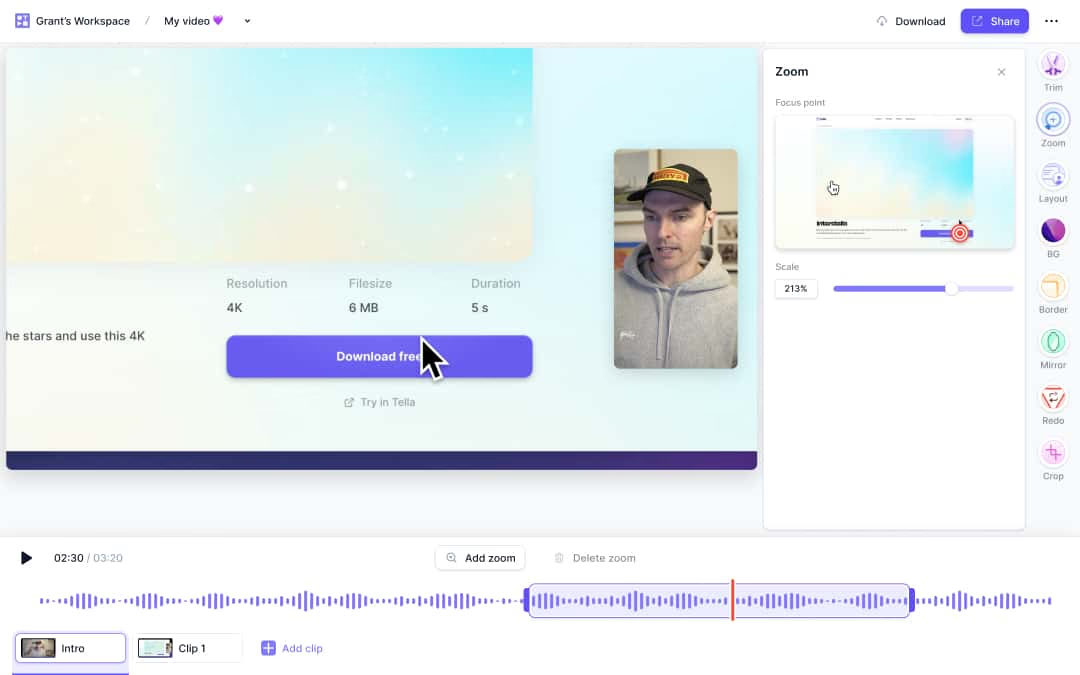
Tella is what happens when someone designs a screen recorder specifically to make recordings look beautiful from the start. Where Loom gives you a raw webcam bubble over a screen capture, Tella offers 30+ layout options, auto-zoom that follows your cursor, and polished backgrounds that make recordings look produced without post-editing.
It's Mac-first (with a web app and Chrome extension), and it's gained traction among course creators, founders, and product teams who want recordings that feel premium.
Key features
- 30+ layout options - Switch layouts during editing, apply different layouts per section
- Auto-zoom - Automatically follows cursor and zooms on interactions
- Clip-by-clip recording - Record sections independently, combine later
- Beautiful backgrounds - Professional backdrops without a green screen
- Subtitle generation - Automatic AI-powered captions
What users say
Users praise Tella for making recordings "look like they were made by a video team" without any editing effort. The auto-zoom and layout options get the most love. The main complaint is the lack of a free plan - Tella starts at $12/month (annual) or $19/month (monthly) with only a 7-day trial. Some users note the editing tools are more limited than dedicated editors like Descript or Camtasia.
Best for
Course creators, founders, and product teams who want polished screen recordings without post-production. If your recordings go on landing pages, help centers, or product tours and need to look intentional, Tella delivers.
Pro plan starts at $12/month (annual). No free plan, 7-day trial available.
5. Claap
Claap is carving out a niche between Loom and meeting recorders like Otter.ai. It records meetings (without an intrusive bot joining the call) and screen recordings in one platform, then layers on AI transcription, video wikis, and threaded comments. Think of it as "Loom meets meeting intelligence."
It's gaining traction with product and engineering teams who want async video discussions alongside their meeting recordings.
Key features
- Bot-free meeting recording - Records Google Meet and Teams without a visible bot
- AI-generated notes - Automatic meeting summaries, chapters, and action items
- Screen recording - Quick capture with editing tools
- Video wiki - Organize recordings into searchable, commentable channels
- 99-language transcription - Broad multilingual support
What users say
Teams love the bot-free meeting recording, calling it "finally, a recorder that doesn't make participants uncomfortable." The video wiki concept gets strong praise from product teams managing lots of internal decisions. Complaints focus on Claap being newer with a smaller feature set than established tools, occasional UI rough edges, and the per-seat pricing adding up for larger teams at $24-48/user/month. Some users also note that the screen recording features are more basic than dedicated tools like Tella or Loom.
Best for
Product and engineering teams who want meeting recording and async video in one platform. If your team already uses Loom for updates AND a separate tool for meeting notes, Claap consolidates both.
Free plan includes 10 videos and 300 minutes of meeting recording. Pro plan starts at $24/user/month.
6. ScreenPal
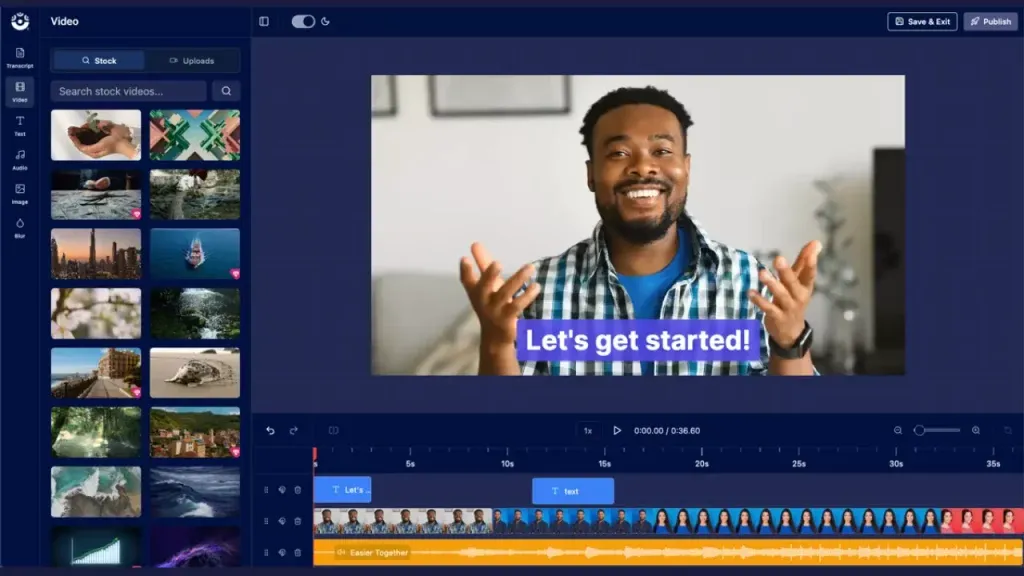
ScreenPal (formerly Screencast-O-Matic) is the budget champion of screen recording. The free plan offers unlimited recordings up to 15 minutes each with unlimited free cloud hosting - compared to Loom's 25-video, 5-minute, 720p limits, ScreenPal's free tier is dramatically more generous.
It won't blow you away with AI features or slick design, but for teams that need basic screen recording without billing surprises, it's hard to beat at $4/month.
Key features
- Generous free plan - 15-minute recordings, unlimited hosting, free video editor
- Budget pricing - Paid plans from $4/month for unlimited recording time
- Automated captions - AI-powered transcription and subtitle generation
- Video editor - Trim, annotate, add text overlays, and apply effects
- Stock media library - Access to premium images, videos, and music on paid plans
What users say
Users consistently praise ScreenPal for being "the most no-nonsense screen recorder available." The free plan genuinely works for basic needs without pushing you to upgrade constantly. Complaints focus on the UI feeling dated compared to Tella or Loom, limited AI capabilities, and the watermark on free-tier exports.
Best for
Budget-conscious teams, educators, and individuals who need reliable screen recording without premium pricing. If Loom's free plan ran out and you don't need AI magic, ScreenPal is the practical choice.
Free plan available. Paid plans start at $4/month.
7. Screen Studio
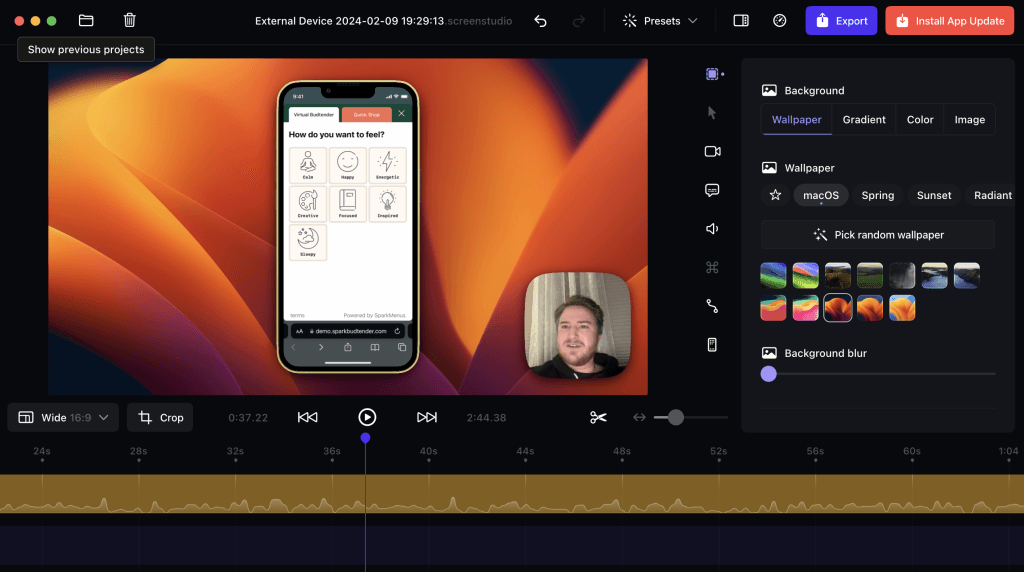
Screen Studio is a Mac-only screen recorder that produces recordings so polished they look like Apple product videos. The killer feature is automatic zoom animations - every click triggers a smooth, cinematic zoom toward the action area, and the software generates all zoom events from your click data automatically.
It's become the go-to for developers, designers, and creators who post polished walkthroughs on Twitter/X and YouTube.
Key features
- Automatic zoom animations - Smooth, cinematic zoom-ins triggered by clicks
- Cursor smoothing - Turns jittery mouse movements into fluid, followable glides
- iOS device recording - Record iPhone/iPad via USB connection
- On-device AI transcription - Subtitles generated locally, no data sent externally
- Custom styling - Backgrounds, padding, aspect ratio presets per platform
What users say
Developers and designers call Screen Studio "the reason my tutorials look professional." The auto-zoom consistently gets described as "magic." Built by a solo indie developer, Screen Studio has become a cult favorite in the Mac developer and design community. The main downsides: it's Mac-only (no Windows or web version), the subscription model switched from one-time purchase ($29/month or $108/year now), and there's no collaboration or sharing features - it's a solo recording tool.
Best for
Mac users who create tutorials, product demos, or social content and want recordings that look cinematic without manual editing. Not for teams needing collaboration, analytics, or cross-platform support.
Starts at $9/month (annual billing). No free plan. Educational discount available (40% off).
8. VEED.io
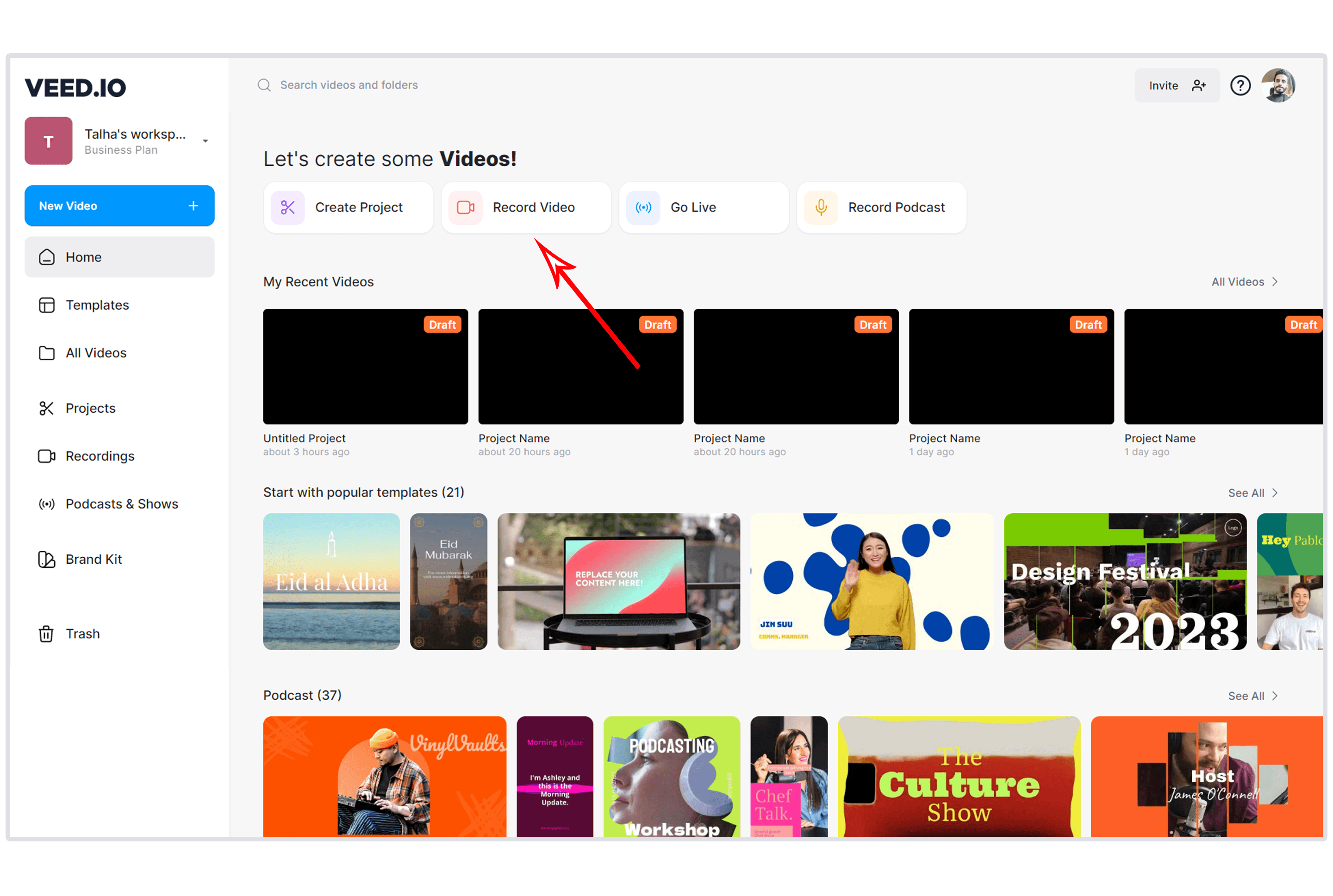
VEED.io is a browser-based video editor that's positioned itself as the fastest path from "raw recording" to "social-ready clip." It combines screen recording, AI subtitles, text-based editing, and an AI-powered highlight detector that finds your best moments for short-form repurposing.
It's particularly popular with social media managers and solo creators who need to turn long recordings into TikTok, Instagram Reels, and YouTube Shorts clips.
Key features
- Browser-based - No install, works on any device including Chromebooks
- AI auto-subtitles - Automatic captions with 50+ language translations
- Magic Cut - AI identifies high-impact moments for short-form clips
- Text-based editing - Edit video by editing the auto-generated transcript
- Brand kit - Custom fonts, colors, logos, and watermarks (Pro plan)
What users say
Users praise VEED for being "the easiest video editor that actually does useful things." The subtitle accuracy and social clip generation get the most love. Complaints focus on the free plan's mandatory watermark, the jump from free to $12/month (Basic) to $24/month (Pro) feeling steep for casual users, and occasional rendering issues on longer videos. G2 reviewers note the AI tools have improved significantly in 2025-2026.
Best for
Social media managers and solo creators who need fast subtitle generation, social clip creation, and basic editing without installing desktop software. If your workflow is "record, add captions, resize for TikTok, post," VEED handles that natively.
Free plan available (watermarked). Basic plan starts at $12/month. Pro plan at $24/month (annual).
Here's how these Loom alternatives compare on pricing for a single user:
The spread is significant. ScreenPal at $4/month is 15x cheaper than Vidyard at $59/month, but they serve completely different use cases. The sweet spot for most teams lands between $12-24/month, where ngram, VEED, Tella, Claap, and Descript all compete.
What we actually tested
We didn't just list tools. We tested each one, analyzed 500+ user reviews across G2, Capterra, Reddit, and Product Hunt, and compared them against five weighted criteria:
| Criteria | Weight | What we looked at |
|---|---|---|
| Ease of Use | 30% | Time from signup to first usable video, learning curve, UI clarity |
| Features | 25% | Recording quality, editing tools, export options, integrations |
| Value | 20% | Pricing relative to features, free tier generosity, billing transparency |
| AI Capabilities | 15% | AI editing, generation, transcription, smart features |
| Support & Community | 10% | Documentation quality, community size, support responsiveness |
We weighted ease of use highest because the entire reason people use Loom is speed and simplicity. Any alternative that trades simplicity for power misses the point for most Loom users.
We also factored in real user sentiment from G2 (Loom alone has 4,300+ reviews), Capterra, and Reddit. Where review data and our testing disagreed, we noted both perspectives.
Questions we keep hearing about Loom alternatives
Is there a free alternative to Loom that's actually usable?
Yes. ScreenPal offers 15-minute recordings with unlimited free cloud hosting - far more generous than Loom's 25-video, 5-minute limit. ngram also has a generous free plan. The tradeoff is that free plans typically cap resolution at 720p or add watermarks.
What happened to Loom's pricing after Atlassian?
Atlassian migrated Loom to its billing system in late 2025. Creator Lite (free) seats are being auto-upgraded to paid Creator seats. New accounts after February 2026 don't get Creator Lite at all. Loom Business costs $15/user/month and Business+AI costs $20/user/month on annual billing.
Which Loom alternative is best for sales teams?
Vidyard, hands down. It was built for sales outreach with CRM integrations (Salesforce, HubSpot), viewer tracking, and AI-powered video prospecting. If knowing who watched your video matters more than how it looks, Vidyard is purpose-built for that job.
Can any of these tools create videos, not just record them?
ngram is the primary tool on this list designed for full video creation from raw assets. While others are screen recorders or editors, ngram transforms documents, screenshots, URLs, and recordings into complete, on-brand videos with AI-generated scripts, storyboards, and visuals.
Which tool is best for polished screen recordings on Mac?
Screen Studio or Tella. Screen Studio's auto-zoom animations and cursor smoothing produce cinematic-quality recordings. Tella offers 30+ layouts and beautiful backgrounds. Both make recordings look produced without any post-editing.
Is it worth paying for a Loom alternative if I only need basic recording?
Not necessarily. ScreenPal's free plan handles basic recording well. But if you need longer recordings, better resolution, AI features, or team collaboration, a paid plan in the $12-24/month range from ngram, VEED, Tella, or Descript delivers significantly more value than Loom's free tier.
The bottom line
Loom still works for quick internal team messages. If your entire use case is "record a 2-minute update for my team and share a link," the tool does that job fine when it's not crashing.
But the Atlassian migration has created real problems - billing surprises, recording failures, and a login system that occasionally locks people out. If any of those have hit your team, or if you've outgrown what a raw screen recording can deliver, the alternatives are strong.
For complete video creation from any asset, ngram gives you AI-powered generation and editing without production timelines or editing skills. For text-based editing of long-form content, Descript is unmatched. For sales outreach with CRM analytics, Vidyard owns that niche. For polished recordings without post-editing, Tella or Screen Studio. For budget screen recording, ScreenPal at $4/month is hard to argue with.
Every tool solves a different slice of the video problem. The right choice depends on whether you need recording speed, editing depth, sales analytics, or complete video creation.
ngram turns your raw content into polished, on-brand videos in minutes. No editing skills needed. No freelancer timelines. No billing surprises.