Define once, stay on brand
Brand Kit stores the logo, colors, fonts, motion style, screenshot style, voice, tone, approved phrases, blocked phrases, CTAs, and example assets your videos should follow.
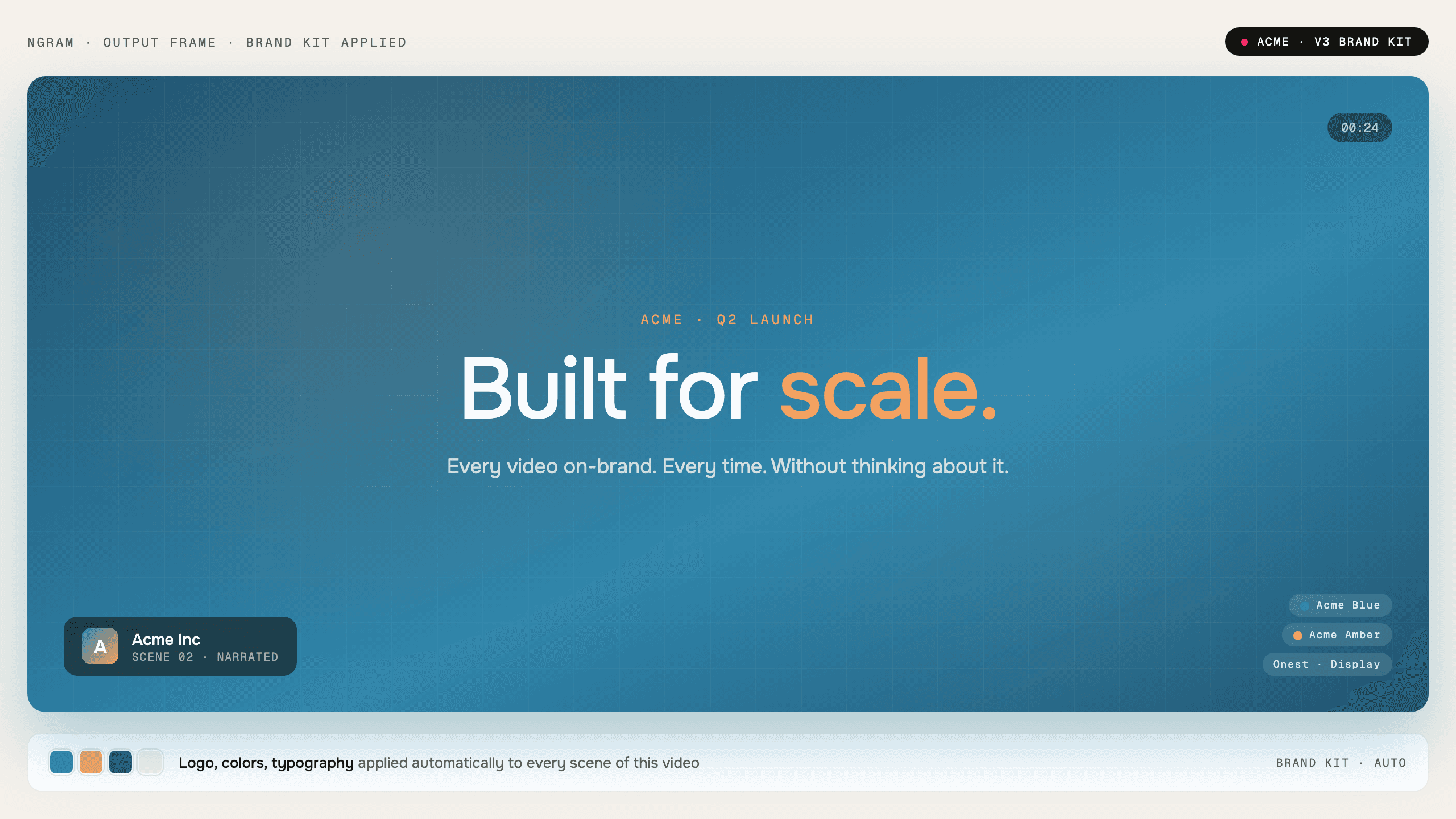
- Apply workspace brand rules to generated videos
- Keep logos, colors, fonts, and motion direction consistent
- Use approved and blocked phrases as guardrails during generation
Trusted by teams at









Brand drift shows up fast in video
Every video carries fonts, colors, logos, tone, captions, motion, and CTAs. When those choices live in separate briefs, teams spend the review cycle fixing style instead of improving the message.
Every creator interprets the brand differently
Two people can start from the same guide and still ship videos that look unrelated.
Approvals get stuck on small style fixes
Logo placement, colors, caption style, and tone corrections pile up late in review.
Blocked phrases are easy to miss
Brand and legal language rules need to shape the draft before the video is rendered.
Brand Kit makes those rules part of the generation workflow.
Your brand, applied automatically
Brand Kit stores the visual and voice rules ngram applies when a team turns source material into a polished video.
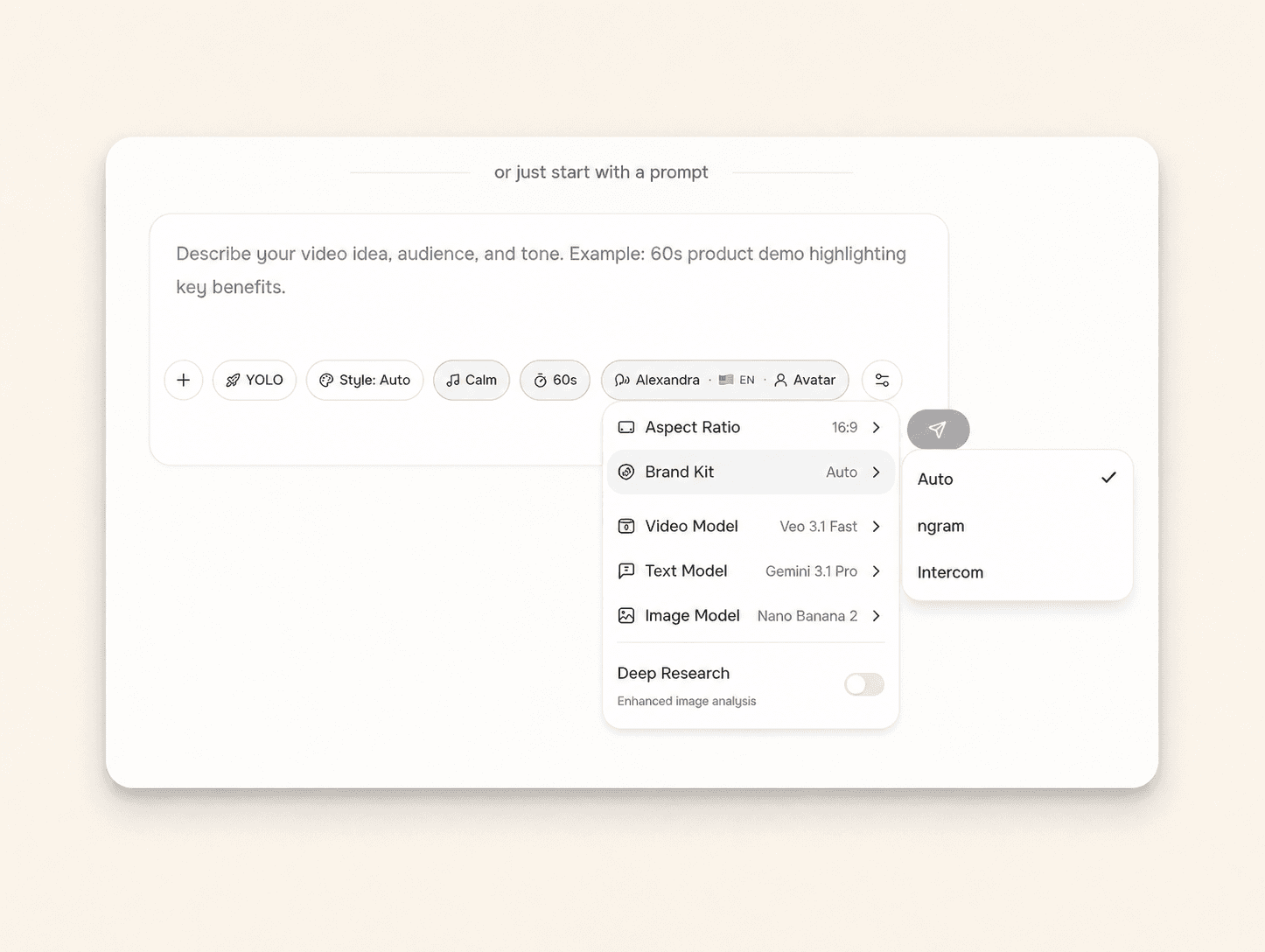
Every generated video starts from the same approved brand system.
Visual identity in one place
Logos, colors, fonts, motion style, image style, and screenshot style live in the workspace brand kit.
Voice and tone guidance
Tone preferences, approved phrases, blocked phrases, and CTAs guide scripts and on-screen copy.
Applied across output types
The same brand direction can shape videos, thumbnails, carousels, decks, and social graphics.
Brand rules become product settings
Instead of pasting a style guide into every brief, teams save brand decisions once and let ngram apply them during generation.
Logo, color, font, and motion rules
The core visual identity is available to the video generation workflow.
Voice, tone, and phrase controls
Approved and blocked phrases help generated copy stay within brand rules.
Shared workspace settings
Teams work from the same brand kit instead of rebuilding guidance project by project.
How Brand Kit works
Add the brand assets, define the rules, then generate projects with those choices already in the workflow.
Add brand assets
Upload logos and set the colors, fonts, screenshot style, and motion direction your team uses.
Set voice rules
Add tone preferences, approved phrases, blocked phrases, and default CTAs.
Generate with the kit
Create videos and supporting assets with the brand direction applied from the start.
Who uses Brand Kit
Brand Kit helps business teams turn existing material into clearer videos without separating the feature from the main ngram workflow.
Product marketing
Keep product launch videos aligned with the approved brand kit.
Agencies
Switch client brand kits without rebuilding every visual choice.
Customer success
Apply the same logo, color, font, and tone rules to customer education videos.
Founders
Make pitch clips and product updates feel like they came from one company.
Where Brand Kit fits in the real work.
Use Brand Kit in the moments where a business message needs to become a clear, polished video for a specific audience, channel, or workflow.
Marketing Brand Video
A brand video maker for marketing teams whose quarterly video budget covers three agency projects and nothing else. Drop in product footage, a positioning doc, or a brand-style URL. Get back a polished marketing brand video locked to your brand kit in under an hour.
PMM Product Launch
Stop briefing agencies while your launch window closes. A product launch video maker built for PMMs turns your positioning doc, screen recording, and brand kit into the hero film, the social cuts, and the sales walkthrough — all rendered the same afternoon.
Product Demo Video
Drop in a rough screen recording or paste your product URL. A product demo video maker built for SaaS hands you back a clean walkthrough with smart zooms, captions, and brand polish — no timeline editor in sight.
Agency Client Deliverable Video
A client deliverable video pipeline built for agencies running multiple retainers. Turn raw recordings, briefs, or client URLs into polished explainers, social cuts, and demo walkthroughs before the next status call — no editor backlog, no freelancer coordination.
LinkedIn Video
A LinkedIn video maker built for founders, marketers, and operators who keep meaning to post. Drop in a rough selfie clip or a blog post you already published. Get back a captioned, branded LinkedIn video sized 4:5 for the feed in about fifteen minutes.
PMM Social Content
Stop posting screenshots while competitors post 30-second product clips. A social media video maker built for PMMs spins a webinar recording, a product walkthrough, or a blog URL into platform-ready cuts for LinkedIn, Reels, Shorts, and TikTok in under twenty minutes.
Brand Kit compared with the usual alternatives
Brand Kit is built into the ngram video workflow. The comparison below uses conservative workflow categories instead of unsupported competitor claims.
| Capability | ngram | Manual workflow | Template editor | Point tool |
|---|---|---|---|---|
| Brand source | ● Workspace brand kit | × Separate files and briefs | ~ Template styles | ~ Design library only |
| Copy guardrails | ● Approved and blocked phrases | × Manual review | ~ Limited text controls | ~ Separate approval process |
| Video application | ● Applied during generation | × Applied by editors | ~ Applied by manual template edits | ~ Often outside video workflow |
| Team consistency | ● Shared settings across workspace | × Depends on each person | ~ Depends on template discipline | ~ Depends on design handoff |
Brand Kit is stronger as part of a full video workflow
Use Brand Kit with the adjacent ngram features that handle script, visuals, voice, brand, motion, collaboration, and export.
Script Generation
AI scripts that already speak in your brand voice
AI Voiceover
AI Voiceover generates natural-sounding narration directly from your script. Pick a voice from 40+ options across 20 languages, hit generate, and the audio appears in your timeline already synced to your sce...
Collaboration
Collaboration in ngram gives every video a comment thread anchored to specific frames. Reviewers click a moment to leave feedback, mentions notify teammates, and version history snapshots every change. Works...
Enterprise Integrations
Enterprise Integrations is the bundle of 8 ngram connectors that turn ngram into a one-pipe video distribution platform. Trigger renders from Chrome, Zapier, n8n, Make, or an MCP-connected AI agent, then pub...
Start Brand Kit from the source you already have
Already have a doc, recording, page, or deck? Use a converter to create the first draft, then refine the result with this feature in the editor.
URL to Video
Start from a branded page and carry its visual direction into the video draft.
Blog post to Video
Turn written content into a video that keeps the brand system intact.
Slides to Video
Convert branded decks into videos without losing the visual identity.
Image to Video
Animate brand imagery into short clips that keep the original look.
Product docs to Video
Create on-brand explainers from docs and release material.
Screenshots to Video
Wrap product screenshots in brand-aware backgrounds, callouts, and captions.
Small utilities that help finish Brand Kit videos
Use these focused tools on their own or as part of a bigger ngram workflow when a video needs cleanup, captions, conversion, or packaging.
AI Image Generator
Background Remover
Add Text to Video
Video Caption Generator
AI Avatar Video Generator
Image to Video
Video Editor
AI Video Generator
Connect ngram to the tools your team already uses
Use the live integration routes for automation, browser capture, agent access, and publishing. Keep video creation close to the work that starts it.

Zapier
Trigger ngram workflows from Zapier when a source event or form submission is ready for video.

Make.com
Build Make scenarios that pass prompts, files, or source material into ngram workflows.

n8n
Connect self-hosted or managed n8n workflows to ngram for repeatable video jobs.

MCP Server
Let AI agents call ngram through the Model Context Protocol endpoint when a video needs to be created.

Chrome Extension
Capture web context from the browser and send it into ngram as source material for a new video.

YouTube
Prepare finished videos for YouTube workflows and keep the source project in ngram.

Create business videos for LinkedIn campaigns, updates, launch posts, and social clips.

X (Twitter)
Turn source material into short update videos for X while keeping the edit workflow in ngram.
Need a custom workflow? Use the API, webhook support, or MCP route when your team needs a governed video pipeline.
Explore integrationsQuestions about Brand Kit
Still curious?
Create your next video with Brand Kit
Brand Kit works inside ngram, so the script, scenes, brand, assets, and export path stay connected from first draft to final video.
Built for business video teams. Connected to the ngram workflow.