

The best VEED alternatives in 2026, tested across 7 tools
VEED built a strong reputation as the browser-based video editor that just works - no downloads, no installs, open a tab and start editing. With auto-subtitles in 125+ languages, Magic Cut for filler word removal, and an AI Copilot for natural language editing, it earned its spot as a go-to for creators who want speed and simplicity.
But VEED's growth has come with growing pains. G2 reviewers flagged slow performance (231 mentions), limited features (226 mentions), AI limitations (167 mentions), and pricing concerns (186 mentions) as recurring complaints. The free plan caps exports at 720p with a watermark and limits videos to 10 minutes. The Pro plan at $29/month gives you 4K and AI tools, but that price point sits above several competitors that offer similar or broader features.
With "veed pricing" pulling 260 searches a month, teams are comparison-shopping before committing. We tested 7 VEED alternatives across editing capabilities, AI features, pricing transparency, and real user sentiment from G2, Capterra, and Reddit. Here's what we found.
Quick comparison
| Tool | Best For | Starting Price | Key Differentiator |
|---|---|---|---|
| ngram | Professional video from any asset | Free / $29/mo | AI-powered, context-aware generation |
| Descript | Transcript-based editing | Free / $24/mo | Edit video by editing text |
| CapCut | Mobile + desktop editing | Free / $9.99/mo | Powerful free tier with effects |
| Canva Video | Collaborative template editing | Free / $13/mo | Template library, team workflows |
| Clipchamp | Free editing on Windows | Free | Microsoft-backed, no watermark |
| InVideo AI | Text-to-video generation | Free / $28/mo | Sora 2 + VEO 3.1 built in |
| Kapwing | Browser-based team editing | Free / $16/mo | Real-time collaboration |
Why are teams looking for VEED alternatives?
VEED is a genuinely good browser editor, but these friction points keep surfacing.
Pricing scales quickly. The free plan is functional but capped at 720p, 10-minute videos, and 2GB storage with a watermark. The Lite plan ($12/month) removes watermarks but limits AI features. The Pro plan ($29/month) unlocks everything but sits above Canva Pro ($13), Kapwing Pro ($16), and Clipchamp (free). For teams producing volume content, the per-seat cost adds up.
Performance degrades with longer videos. G2 and Capterra reviewers report lag, freezing, and broken layout elements when editing longer or high-resolution content. Lost progress and forced restarts are common complaints. Browser-based editing has inherent limitations, and VEED hits them earlier than competitors.
AI features are inconsistent. The AI Copilot, background removal, and auto-subtitles work well for short clips, but users report varying results and tools sometimes unavailable for longer or more complex projects. Subtitle accuracy drops with overlapping dialogue or specialized terminology.
Support has gaps. No weekend support. Billing issues and cancellation requests often face delayed responses. Users report difficulty getting refunds.
1. ngram
If you're using VEED to edit screen recordings and existing footage, ngram takes a different approach entirely. Instead of giving you a browser timeline to scrub through, ngram starts from your existing assets - screen recordings, documents, images, URLs - and generates a professional, on-brand video with structure, pacing, and visuals matched to your audience.
What makes ngram stand out
Context-aware generation is the core difference. Tell ngram who the video is for (developers vs. executives), what it needs to do (educate vs. convert), and where it's going (LinkedIn vs. website). The output adapts automatically. VEED gives you editing tools; ngram gives you a finished first draft.
Plan first, generate second means you review the script and storyboard before rendering. No scrubbing through a timeline to fix direction after the fact.
AI-powered editing turns rough screen recordings into polished walkthroughs with auto-cut, filler word removal, smart zoom, cursor emphasis, and callouts. These are the editing tasks that take the most time in VEED, and ngram automates them.
Key features
- Context-aware generation - Adapts to audience, goal, and channel
- Plan first, generate second - Script and storyboard review before rendering
- Any asset in - Text, images, docs, URLs, screen recordings
- AI editing - Auto-cut, filler removal, smart zoom, cursor emphasis
- Multi-format export - 16:9, 9:16, 1:1 with captions
- Brand kits - Logo, colors, fonts applied automatically
Pros
- ✅ No 720p cap or watermarks on any plan
- ✅ Generates complete videos from assets, not just edits footage
- ✅ Context-aware output adapts to audience and channel
Cons
- ❌ Not a timeline editor (different paradigm from VEED)
- ❌ Web-based only - no native mobile app
Who is ngram best for?
Marketing teams, product managers, and agencies who need professional videos from existing content without timeline editing. If your use case is "turn this recording/doc into a polished video," ngram is faster than VEED.
ngram has a generous free plan with paid plans starting at $29 per month.
Ready to try ngram? Create your first video in under 5 minutes. Start free
See ngram in action:
2. Descript
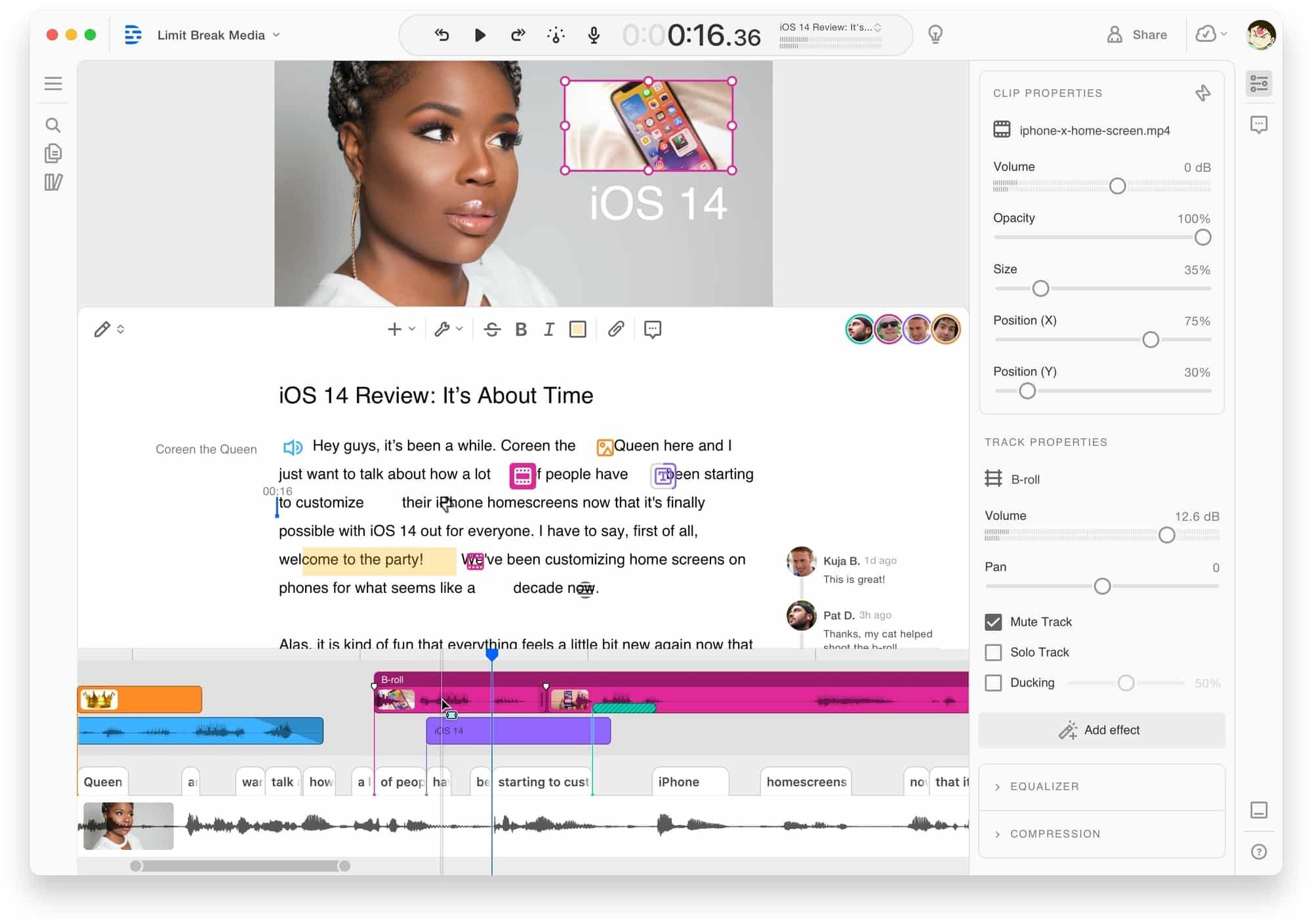
Descript is VEED's closest competitor in the browser-based editing space, but it takes a fundamentally different approach: edit the transcript, and the video follows. Delete a word from the text, and the video cuts accordingly. For creators who spend most of their editing time trimming and cutting (rather than adding effects), Descript's text-first workflow is faster than any timeline.
Descript includes AI filler word removal, studio sound enhancement, eye contact correction, and voice cloning.
Key features
- Transcript-based editing - Edit video by editing text
- AI filler word removal - Automatic um/ah detection
- Studio Sound - AI audio enhancement
- Eye contact correction - AI gaze adjustment
- Voice cloning - Synthetic voice from your recordings
What users say
G2 reviewers rate Descript higher than VEED on editing flexibility (Software Advice: 4.7 vs 3.8). Reddit users call transcript editing "mind-blowing for long-form content." The main complaints: rendering can be slow, and the learning curve is steeper than VEED's drag-and-drop simplicity. For talk-heavy content, Descript wins. For quick social edits with effects, VEED is simpler.
Pros
- ✅ Transcript-based editing is faster for talk-heavy content
- ✅ Higher user ratings than VEED on editing flexibility
- ✅ Voice cloning and studio sound are unique features
Cons
- ❌ Rendering speed can be slow for longer projects
- ❌ Steeper learning curve than VEED's drag-and-drop
Best for
Creators producing talk-heavy content (podcasts, tutorials, presentations). Free tier available; Hobbyist at $24/month.
See our ngram vs Descript comparison.
3. CapCut
CapCut is the mobile-first editor that expanded into a full desktop and web platform. Unlike VEED's browser-only approach, CapCut offers native apps for mobile, desktop, and web, with a more generous free tier that includes effects, transitions, and basic AI features. For creators who edit on both phone and desktop, CapCut's cross-platform presence is an advantage VEED doesn't match.
CapCut's free tier is more permissive than VEED's, though CapCut Pro recently doubled to $19.99/month in the US.
Key features
- Cross-platform - Mobile, desktop, and web apps
- Effects library - Transitions, filters, text animations
- Auto-captions - AI-generated subtitles (Pro feature)
- Speed ramping - Smooth speed adjustments
- Green screen - Chroma key removal
What users say
Reddit users praise CapCut's mobile editing power and effect variety. The main complaints: the January 2026 price hike to $19.99/month for Pro, and ByteDance's data privacy concerns. For creators who want a more powerful free editor than VEED's 720p capped tier, CapCut's free version delivers more out of the box.
Best for
Mobile-first creators who want cross-platform editing with powerful free features. Free; Pro at $9.99-$19.99/month depending on region.
See our ngram vs VEED comparison for a detailed breakdown.
Looking for the fastest way to create professional videos? ngram turns your screen recordings, docs, and images into polished videos in minutes. Try ngram free
4. Canva Video
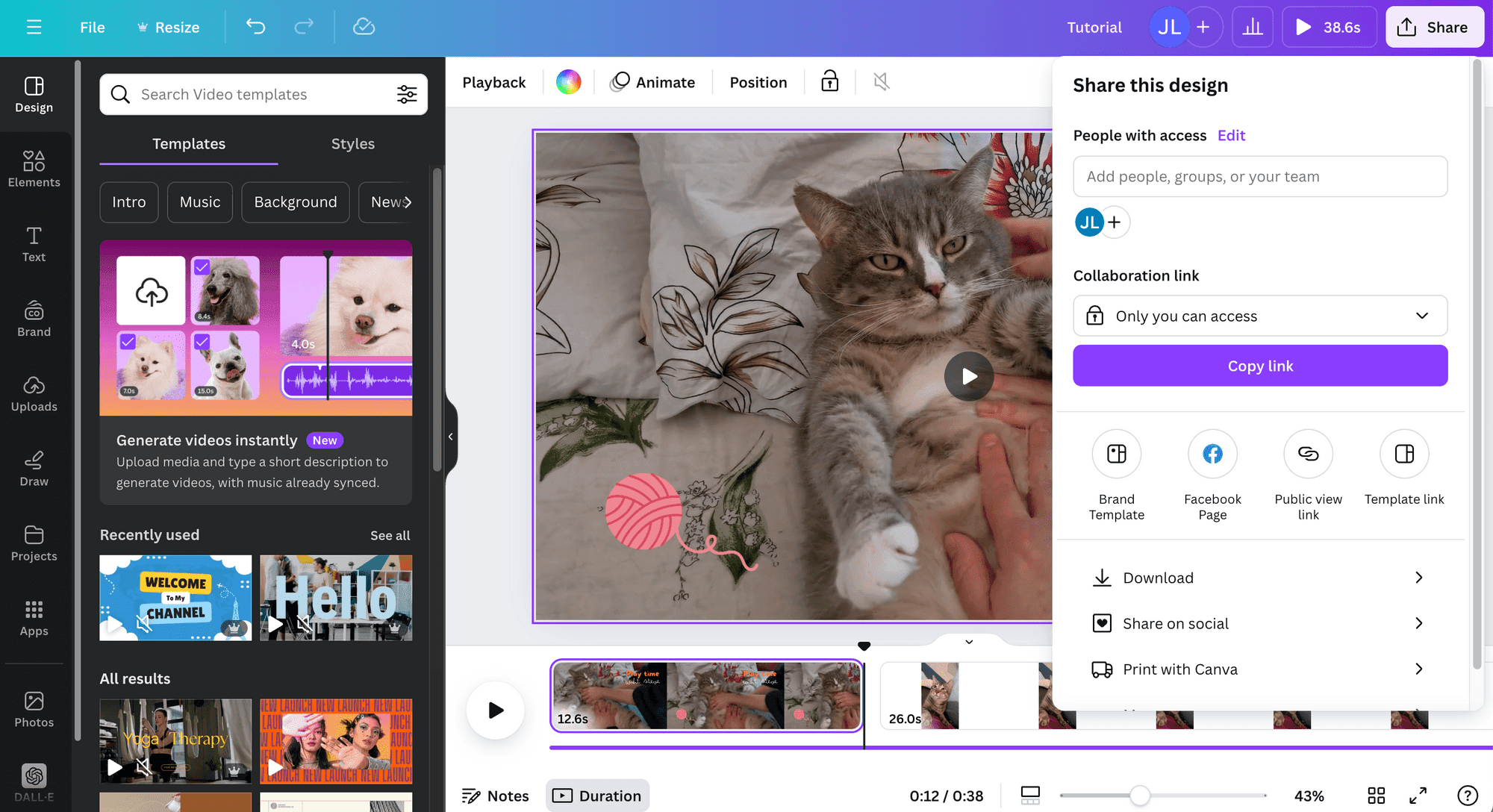
Canva's video editor competes directly with VEED for browser-based simplicity, but adds a massive template library and real-time team collaboration that VEED lacks. Canva Video is free with no watermark for standard content, includes 5GB of cloud storage, and doesn't require sign-in for collaborative editing.
Canva recently added Magic Media (AI-generated clips) and Magic Write (script assistance).
Key features
- Thousands of templates - Pre-designed video templates
- Real-time collaboration - Teams edit simultaneously
- Magic Media - AI-generated clips and images
- Brand kits - Shared branding across the team
- Free with no watermark - Core features free
What users say
G2 reviewers praise Canva for stability (4.7/5 from 4,497 reviews) and team workflows. Reddit users note timeline editing is basic compared to VEED's more advanced features. For teams that need collaborative video creation with consistent branding, Canva offers something VEED doesn't: real multi-user editing without per-seat pricing anxiety.
Best for
Teams creating social media and marketing videos collaboratively. Free; Pro at $13/month.
See our ngram vs Canva Video comparison.
5. Clipchamp
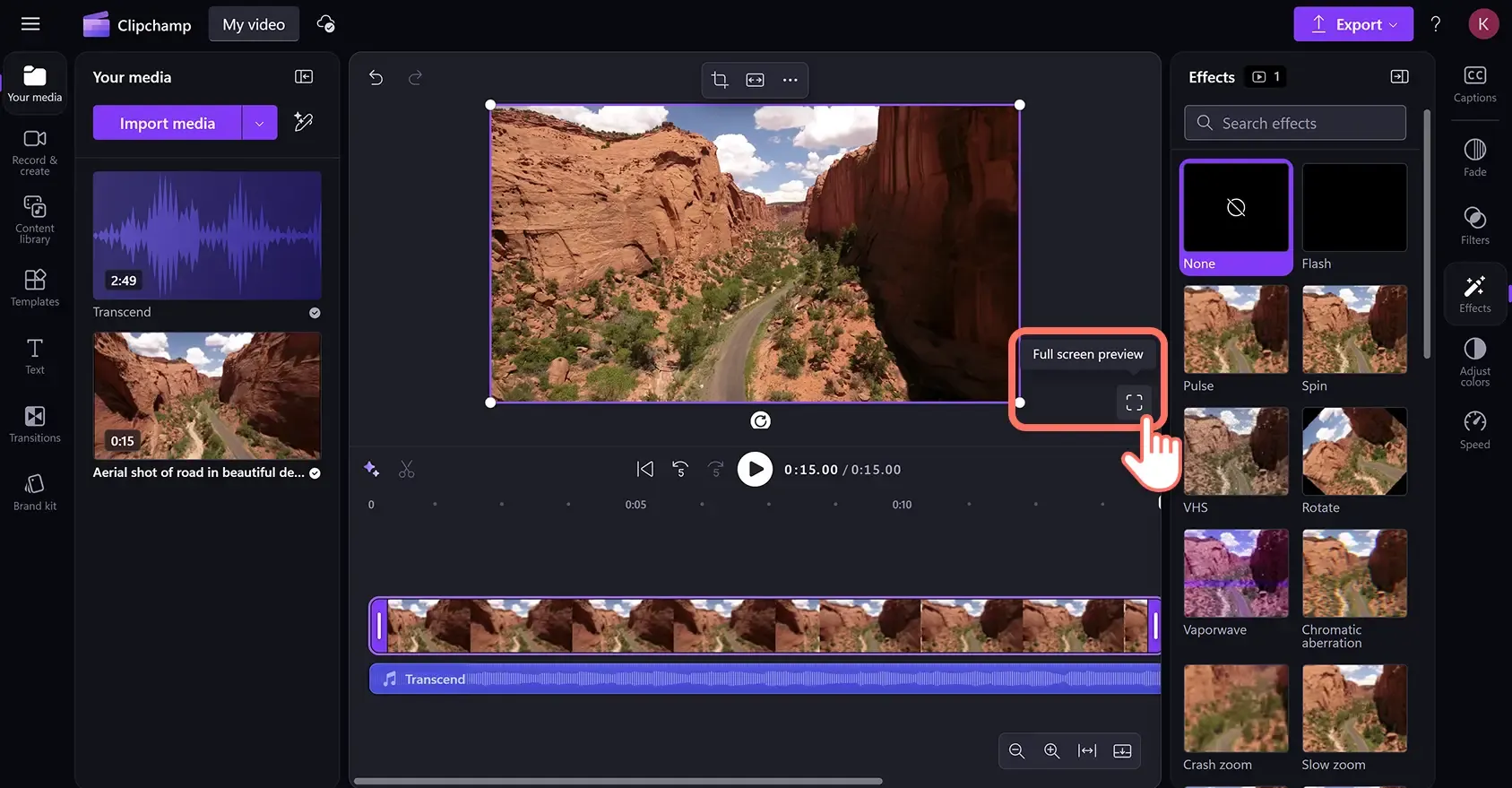
Clipchamp is Microsoft's free video editor, built into Windows 11. Where VEED charges for watermark-free 1080p exports, Clipchamp gives you that for free. The editor includes text-to-speech, auto-captions, stock media, and basic AI features with no subscription required for the core functionality.
Key features
- Free with no watermark - 1080p export included
- Built into Windows 11 - No download needed
- Text-to-speech - AI narration
- Stock library - Free video, images, and audio
- Auto-captions - AI-generated subtitles
What users say
Reddit users call Clipchamp "good enough for basic social content" and appreciate the zero cost. The biggest limitation: no 4K export and fewer AI features than VEED Pro. For Windows users who want what VEED's free plan doesn't give (watermark-free 1080p), Clipchamp is the obvious switch.
Best for
Windows users wanting free, watermark-free editing. Completely free; Premium at $11.99/month.
See our ngram vs Clipchamp comparison.
6. InVideo AI
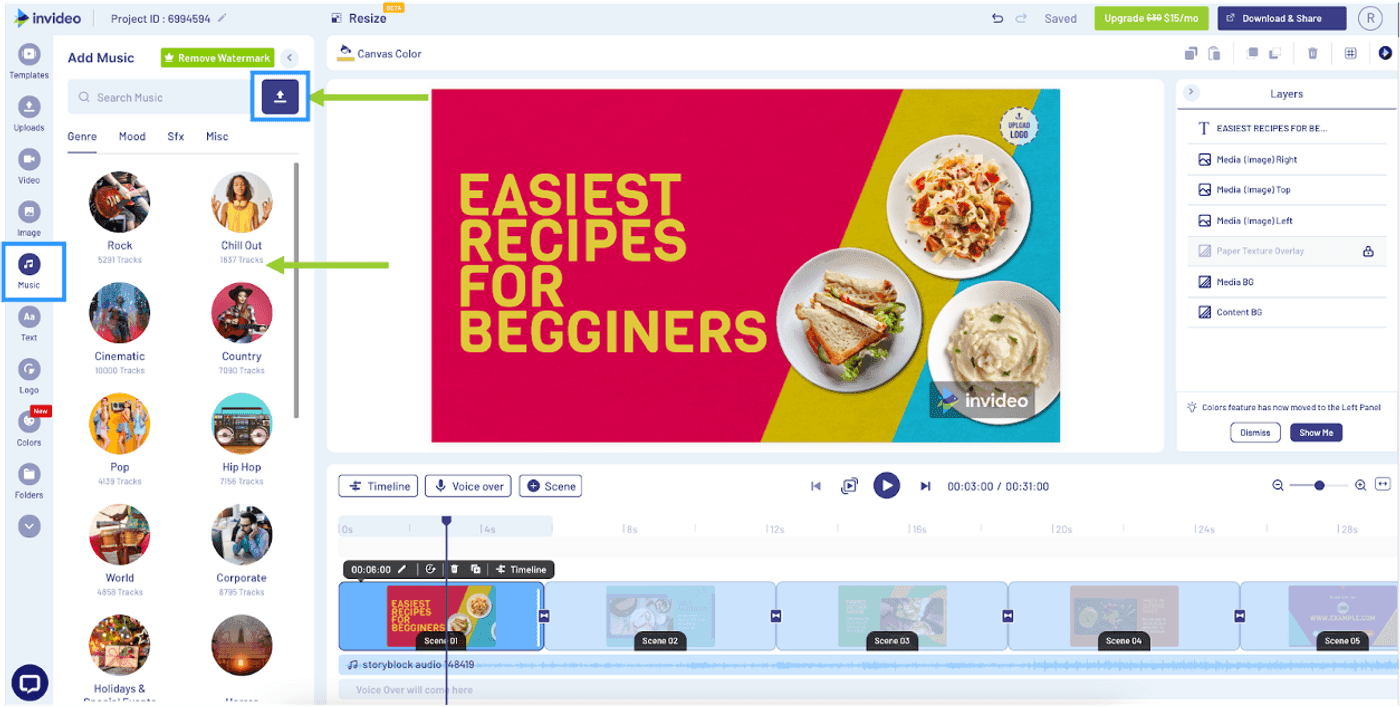
InVideo AI is the text-to-video tool for creators who want to skip editing entirely. Type a prompt, and InVideo generates a complete video with stock footage, voiceover, and transitions. With Sora 2 and VEO 3.1 now integrated, the generative quality has improved. This is a different paradigm from VEED's edit-your-own-footage approach.
Key features
- Sora 2 + VEO 3.1 - Generative AI models built in
- Voice cloning - Upload a sample, get a reusable voice
- Text-to-video - Complete videos from prompts
- Multi-format export - Simultaneous format output
- E-commerce tools - Product photo to ad reel
What users say
Reddit users praise InVideo's speed for social content. The main complaint: AI output is inconsistent, and the credit system burns minutes on failed generations. For creators who want AI-generated video rather than manual editing, InVideo fills a gap VEED doesn't target.
Best for
Creators wanting AI-generated social videos from text prompts. Free; Plus at $28/month.
See our ngram vs InVideo comparison.
7. Kapwing
Kapwing is the browser-based editor built for teams. Like VEED, it runs entirely in the browser. Unlike VEED, Kapwing's core differentiator is real-time collaboration - multiple editors on the same project, simultaneously, with shared brand kits. For marketing teams producing content at scale, Kapwing's team features fill a gap VEED hasn't closed.
Key features
- Real-time collaboration - Multiple simultaneous editors
- Smart background removal - AI-powered
- Auto-resize - One video, all social formats
- Brand kits - Team-wide consistency
- Auto-subtitles - AI transcription and captions
What users say
Reddit users praise Kapwing's collaboration and export quality. The free plan is limited to 720p with a watermark (same as VEED). At $16/month for Pro, Kapwing undercuts VEED's $29/month while offering team features VEED doesn't match.
Best for
Teams needing collaborative browser editing with shared branding. Free; Pro at $16/month.
Here's how browser-based video editor pricing compares:
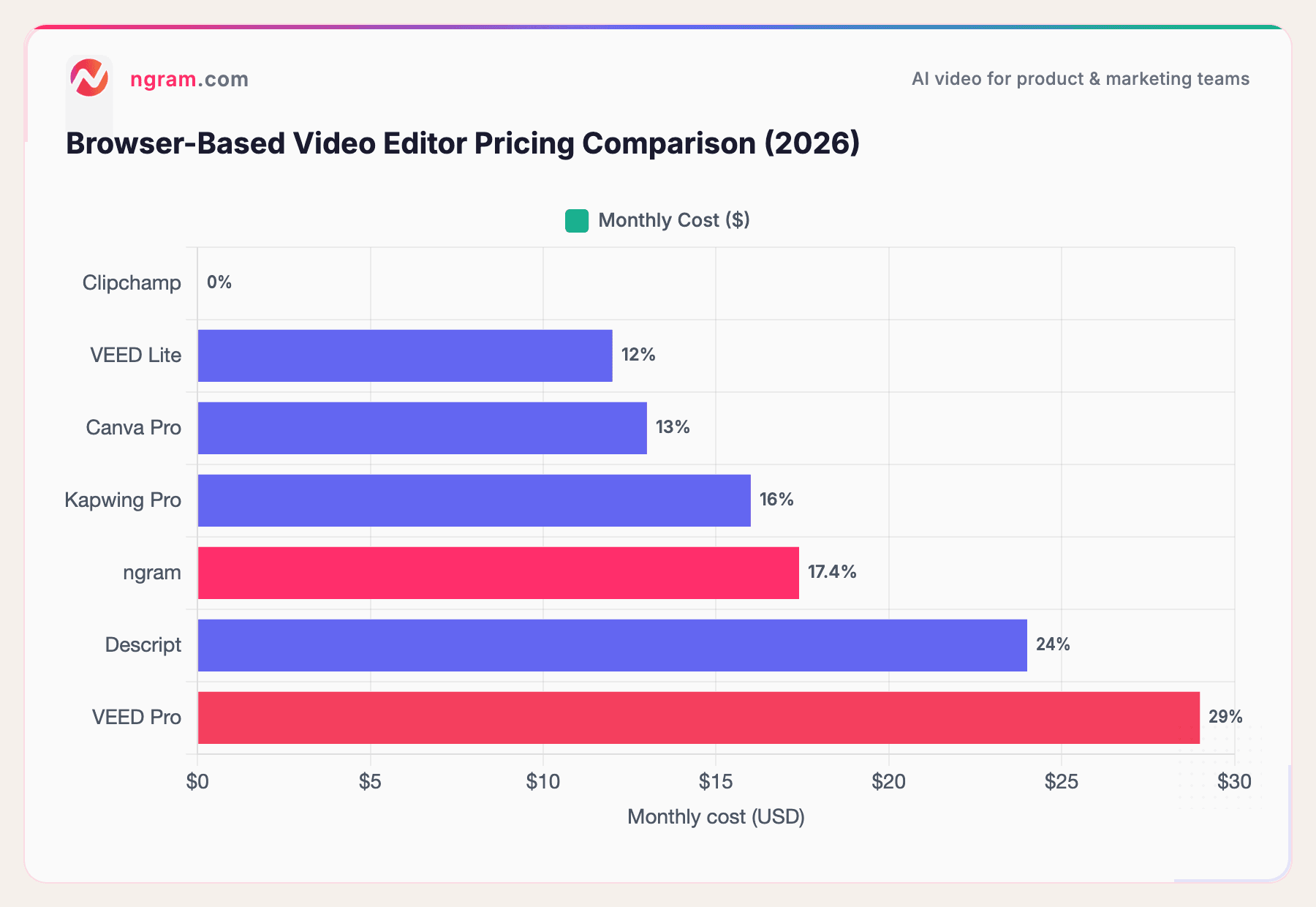
VEED Pro's $29/month price point is the highest on this list. Clipchamp at $0 and Canva Pro at $13/month offer the strongest value plays for teams that don't need VEED's specific AI Copilot features.
Our testing approach
We tested each tool, read hundreds of user reviews across G2 (800+ VEED reviews), Capterra, Reddit, and Product Hunt, and compared them across five weighted criteria:
| Criteria | Weight | What we looked at |
|---|---|---|
| AI Capabilities | 30% | Auto-subtitles, AI editing, copilot features, background removal |
| Features | 30% | Editing tools, effects, export options, templates |
| Ease of Use | 20% | Browser experience, learning curve, onboarding |
| Value | 15% | Free tier quality, pricing, watermark policy |
| Support & Community | 5% | Documentation, response time, community |
We also factored in:
- Real user reviews from G2, Capterra, Reddit, and Product Hunt (qualitative, not numerical scores)
- Browser performance since VEED users expect browser-based workflows
- Free tier generosity because many VEED users are price-sensitive
- Team features since collaborative editing is a common switching trigger
Frequently Asked Questions
Is there a free VEED alternative with no watermark?
Yes. Clipchamp exports up to 1080p without watermarks for free. Canva Video's free tier exports without watermarks for standard content. ngram's free plan includes watermark-free exports. DaVinci Resolve (desktop) offers 4K export with no watermark at no cost.
What's the best VEED alternative for subtitles?
Descript offers the most accurate transcription with transcript-based editing. Kapwing and Canva Video both include auto-subtitles. For subtitle-heavy workflows, Descript's approach of editing the transcript directly (which auto-edits the video) is faster than VEED's subtitle overlay method.
Is VEED worth the price in 2026?
For creators who need browser-based editing with the AI Copilot and 4K export, VEED Pro at $29/month delivers. But for teams on a budget, Canva Video ($13/month) and Kapwing ($16/month) offer comparable browser editing at lower prices. For free alternatives, Clipchamp gives watermark-free 1080p without paying anything.
How does VEED compare to Descript?
VEED is a traditional timeline editor in the browser with AI features layered on. Descript is a transcript-first editor where you edit text to edit video. VEED is better for visual-effects-heavy social content. Descript is faster for talk-heavy content like podcasts and tutorials. Descript rates higher on G2 for editing flexibility.
Can I use VEED for team video editing?
VEED supports sharing but lacks real-time multi-user editing. For team workflows, Canva Video and Kapwing both offer simultaneous editing with shared brand kits. If team collaboration is a priority, these alternatives fill a gap VEED hasn't closed.
What is the best VEED alternative for business?
For business teams producing professional video from existing assets, ngram adapts output to your audience, goal, and channel without requiring timeline editing skills. For teams that need collaborative editing, Canva Video and Kapwing offer team features at lower per-seat costs than VEED.
The bottom line
VEED is still a solid browser-based editor with genuinely useful AI features. But its pricing puts it at a disadvantage: $29/month for Pro when Canva offers team collaboration at $13/month and Clipchamp gives you watermark-free 1080p for free.
If you're a marketing team that needs professional video from existing content without mastering a timeline, ngram is the strongest fit. If you want transcript-based editing for podcasts and tutorials, Descript is faster. If you want VEED's simplicity at a lower price, Canva Video and Kapwing deliver.
The one creator who should stay on VEED: if the AI Copilot is part of your daily workflow and browser-based 4K export is a requirement, VEED Pro still has a meaningful edge in that specific niche.
Try ngram free - your first video in under 5 minutes. Skip the timeline. Turn raw recordings, docs, or images into polished, on-brand videos. Start free