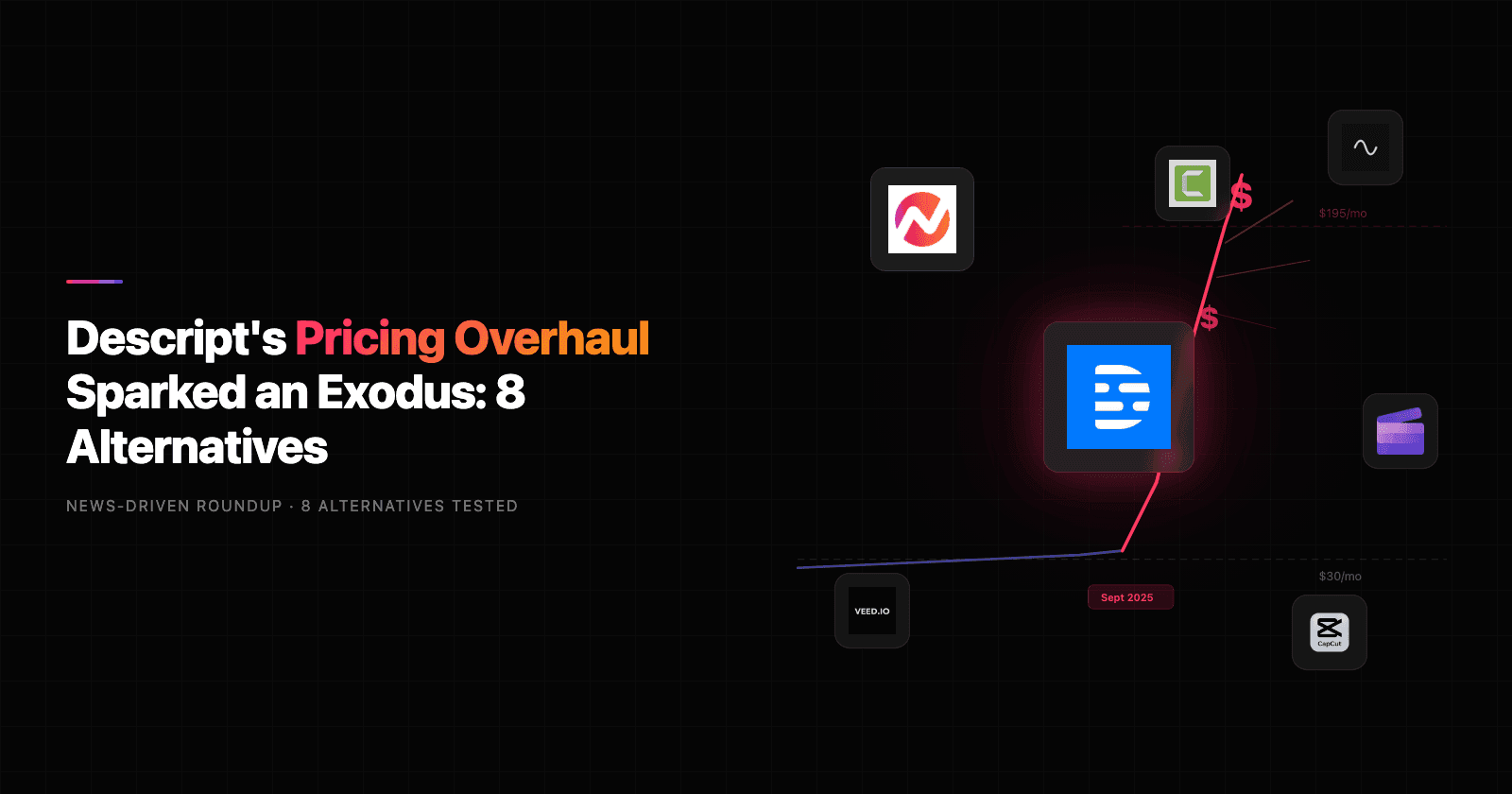


Descript's September 2025 pricing overhaul hit creators where it hurts: the wallet. One long-time customer on Reddit reported their bill jumping from $30 to $195 per month overnight after the switch to media minutes and AI credits. The backlash sent search interest in Descript alternatives to a 12-month high.
Descript earned that attention. With over 7 million users and $100 million in funding (including a $50 million Series C led by OpenAI), it proved that editing video should feel as natural as editing a document. Text-based editing is still genuinely innovative.
But pricing isn't the only friction. We dug into hundreds of reviews across G2, Capterra, Reddit, and TrustRadius, tested 8 alternatives head-to-head, and compared them on features, AI capabilities, real-world usability, and value. Here's what held up.
What's pushing users off Descript
Descript still has one of the most innovative editing interfaces in the market. But five recurring complaints keep surfacing across review platforms and Reddit threads.
The September 2025 pricing overhaul. Descript moved to a media minutes plus AI credits model. Plans now range from $24 to $65 per user per month, with the free tier limited to 60 media minutes and 100 one-time AI credits. For teams that relied on the old flat-rate pricing, the jump was brutal.
Stability issues during long sessions. Once a project crosses the one-hour mark or involves multiple tracks with effects, users report lag, freezes, and outright crashes. G2 reviewers consistently flag this as the most frustrating day-to-day issue.
Export quality compression. Reddit users documented a 500 MB source file getting compressed to just 23 MB on export, with video quality falling below YouTube's recommended specs. Limited control over export settings makes it worse.
Feature bloat. As Descript races to become an "everything app" with Underlord AI suites, multitrack mixing, and heavy graphics tools, it's drifting from what made it great: speed and simplicity. Users who just want to clean up a recording now wade through features they'll never use.
AI credits burn fast. Studio Sound, Overdub, and eye contact correction all consume credits. Frequent users report hitting their monthly cap within the first two weeks. As one Reddit user put it: "I'm paying more for fewer features than I had six months ago. The credit system punishes power users."
Quick comparison
| Tool | Best For | Starting Price | Key Differentiator |
|---|---|---|---|
| ngram | Professional video from any asset | Free / $29/mo | AI-powered, context-aware generation |
| Riverside | Podcast and interview recording | Free / $19/mo | Local 4K capture per participant |
| VEED | Social clips and quick edits | Free / $12/mo | Browser-based with text editing |
| CapCut | Short-form social content | Free / $9.99/mo | Mobile-first with 12M+ royalty-free assets |
| Reduct | Research teams and large video libraries | $15/mo/editor | Text-based editing for hours of footage |
| Camtasia | Tutorials and training content | $179.88/yr | Desktop editing with screen recording |
| DaVinci Resolve | Cinematic production and color grading | Free / $295 one-time | Hollywood-grade color tools, free |
| Kapwing | Team-based browser editing | Free / $16/mo | Real-time collaboration, no install |
1. ngram
If you're reading this because Descript's new pricing model doesn't match your workflow, ngram solves a fundamentally different problem. Where Descript edits what you've already recorded, ngram creates professional video from whatever you already have - a screen recording, a doc, some screenshots, or even a URL.
What makes ngram stand out
Context-aware generation is the core differentiator. Tell ngram your audience (developers vs. executives), your goal (educate vs. convert), and your channel (LinkedIn vs. website). The output adapts automatically. A LinkedIn announcement gets a fast hook and tight pacing. A website explainer takes more time to build context. It's rare to find this level of intent-awareness in a video tool.
Plan first, generate second means you review the script and storyboard before anything renders. This catches direction problems at the cheapest possible moment, instead of after you've already spent 40 minutes editing a timeline.
AI-powered editing turns rough screen recordings into polished walkthroughs. Automatic filler word removal, smart zoom on interactions, cursor emphasis, and callouts driven by your prompts. If you're coming from Descript's text-based editing, this is the closest equivalent, except ngram handles the creative decisions too.
Brand kits lock in your logo, colors, and fonts so every video looks intentional. For teams producing multiple videos per week, this alone saves hours of manual formatting. Learn more about ngram's AI editing capabilities.
Key features
- Context-aware generation - Adapts structure, pacing, and tone to your audience and channel
- Script and storyboard review - Fix direction before rendering, not after
- Any asset in - Text, images, docs, URLs, screen recordings as input
- AI editing - Auto-cut, filler removal, smart zoom, cursor emphasis
- Multi-format export - 16:9, 9:16, 1:1 with captions included
- Brand kits - Logo, colors, fonts applied to every video automatically
Pros
- ✅ Creates polished video from raw assets without timeline editing skills
- ✅ Context-aware output adapts to audience, goal, and channel automatically
- ✅ Script review before rendering catches mistakes early
- ✅ Brand kits keep every video on-brand without manual formatting
Cons
- ❌ Web-based only, no native desktop app yet
- ❌ Best suited for business video, not long-form entertainment content
Who is ngram best for?
Product Marketing, Growth, Sales Enablement, Customer Success, and Agencies who need professional videos without production timelines. If your videos go to customers, prospects, or public audiences and you need them fast, ngram is the pick.
ngram has a generous free plan with paid plans starting at $29 per month. For a detailed head-to-head, see our ngram vs Descript comparison.
Ready to try ngram? Create your first video in under 5 minutes. Start free
See ngram in action:
2. Riverside
Riverside approaches the Descript problem from the recording side. Instead of fixing bad recordings after the fact, it captures studio-quality audio and video upfront by recording locally on each participant's device. That means 4K video and 48 kHz audio regardless of internet quality.
The platform has grown rapidly among podcasters and interview-based content creators, earning a 4.8 rating on G2 from over 1,100 reviews.
Key features
- Local recording - Each participant records locally, eliminating internet-dependent quality drops
- 4K video capture - Up to 4K resolution on Pro plan
- Text-based editing - Edit video by editing the transcript (similar to Descript)
- Magic Clips - AI identifies high-impact moments and generates short clips automatically
- Background noise removal - AI-powered audio cleanup
What users say
Podcasters consistently praise the recording reliability. "I've done 200+ remote interviews and never lost a recording," one G2 reviewer noted. The text-based editing is solid but not as deep as Descript's. Reddit users point out that Riverside is built around the recording-first workflow, so if you're importing existing footage to edit, you're working against the grain. The AI clip generation saves significant time for teams repurposing long-form content into social posts.
Pros
- ✅ Local recording means studio-quality output even on poor internet
- ✅ Strong AI clip generation for content repurposing
- ✅ Clean, intuitive interface with fast onboarding
Cons
- ❌ Editing tools are recording-centric, limited for imported footage
- ❌ Pro features like 4K and transcription hours gated behind higher tiers
Best for
Podcasters, interview hosts, and remote recording teams who prioritize capture quality over post-production editing depth. Compare it directly in our ngram vs Riverside comparison.
Pricing starts at $19/month (Standard), with a free plan offering 2 hours of recording at 720p.
3. VEED
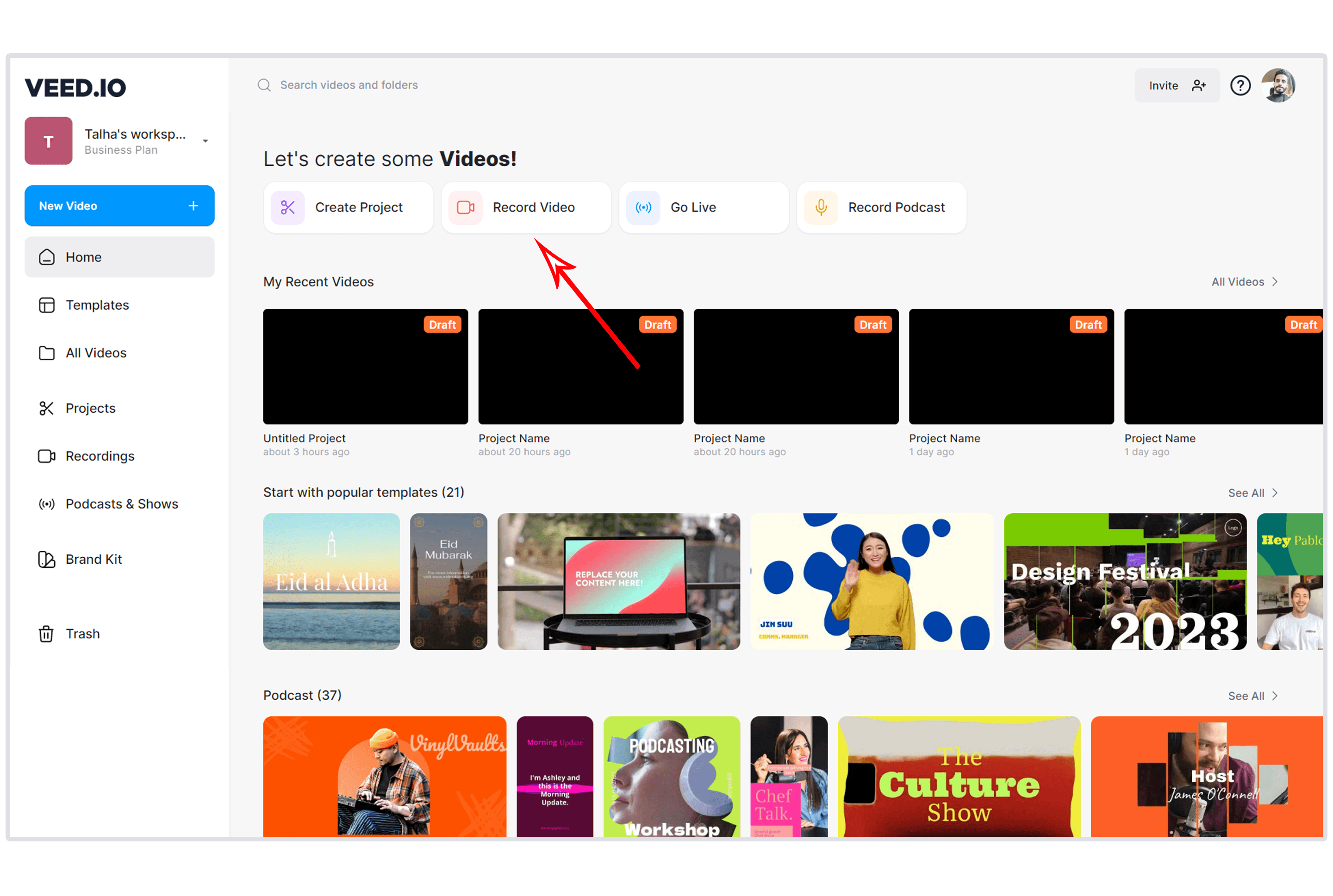
VEED is the browser-based video editor that social media teams love. It offers text-based editing alongside Descript and Reduct, but its real strength is speed. Drag in a clip, auto-subtitle it, trim to 60 seconds, and push to TikTok. The whole workflow takes minutes.
Key features
- Text-based video editing - Trim and refine video by editing captions or transcripts
- Auto subtitles - Generate and translate captions in 50+ languages
- AI Magic Tools - One-click noise removal, filler word removal, AI transitions, and auto B-roll
- AI avatars - Generate talking-head videos from scripts
- Social format presets - Quick resizing for TikTok, Instagram Reels, LinkedIn
What users say
Users love the Canva-like simplicity. "I went from raw recording to published LinkedIn video in under 10 minutes," one G2 reviewer shared. The biggest complaint is pricing transparency. VEED bills per workspace member, so adding collaborators can quietly double or triple your bill. Reddit users also note that VEED is strongest for short-form content. If you're editing 30-minute tutorials, the browser-based approach starts to feel limiting. The AI subtitle accuracy is frequently praised as best-in-class for quick turnarounds.
Pros
- ✅ Fastest path from raw clip to social-ready video
- ✅ Best-in-class auto-subtitling with 50+ language translation
- ✅ No software install, runs entirely in browser
Cons
- ❌ Per-seat billing adds up fast for teams
- ❌ Browser-based editor struggles with longer projects
Best for
Social media managers and marketing teams producing high volumes of short-form content. For a detailed comparison, see our ngram vs VEED comparison.
Pricing starts at $12/month (Lite plan) with a limited free tier.
Looking for the fastest way to create professional videos? ngram turns your screen recordings, docs, and images into polished videos in minutes. Try ngram free
4. CapCut
CapCut is ByteDance's free video editor, downloaded over 500 million times globally and installed on more phones than most paid editors combined. The mobile-first approach and deep TikTok integration make it the default choice for creators who live on their phones.
Key features
- Free editing suite - Cut, trim, merge, transitions, filters, and effects at no cost
- AI captions and voice effects - Auto-subtitle generation with speaker identification
- 12M+ royalty-free assets - Music, sound effects, stickers, and stock footage library
- Cross-platform - Desktop, web, and mobile apps with cloud sync
- 4K export - Available on Pro plan without watermarks
What users say
The free tier is genuinely impressive. "CapCut gives you 80% of what Premiere Pro does for zero dollars," one Reddit user wrote. The catch is the Pro pricing shift. Many users who were paying $7.99-$9.99/month report being pushed to the new $20/month tier without clear notice. For teams needing professional output, the editing workflow still requires manual effort that ngram handles automatically. CapCut excels at making good-looking content fast, but it's an editor, not a creator.
Best for
Individual creators making short-form social content, especially TikTok and Instagram Reels. Less ideal for business teams needing branded, multi-format video at scale. See our ngram vs CapCut comparison.
Free plan available. Pro starts at $9.99/month.
5. Reduct
Reduct is built for a specific problem: editing and transcribing hours of raw video and audio. If you're a UX researcher reviewing 20 hours of user interviews or a documentary team sifting through raw footage, Reduct's text-based editing is deeper than Descript's for this use case.
Key features
- Text-based video editing - Edit video by editing the transcript, with filler word removal and speaker identification
- Cross-project search - Search across all projects to find specific moments
- Highlight reels - Combine highlights from multiple projects into videoboards
- SOC2 Type II compliance - Enterprise-grade security for sensitive footage
- Unlimited storage - No caps on file storage across all plans
What users say
Research teams praise the transcription accuracy and cross-project search. "We process 50+ hours of user interviews per quarter, and Reduct cut our synthesis time in half," one G2 reviewer shared. The interface is functional but not polished. Reddit users note that the learning curve is steeper than Descript's, and the pricing structure (per-editor, with pooled transcription hours) can be confusing for smaller teams. For the specific job of video research, Reduct is purpose-built in a way that general editors like Descript aren't.
Best for
UX research teams, qualitative analysts, documentary editors, and anyone working with large volumes of recorded footage that needs transcript-based editing and cross-project search.
Personal plan starts at $15/month per editor. Professional at $50/month per editor.
6. Camtasia
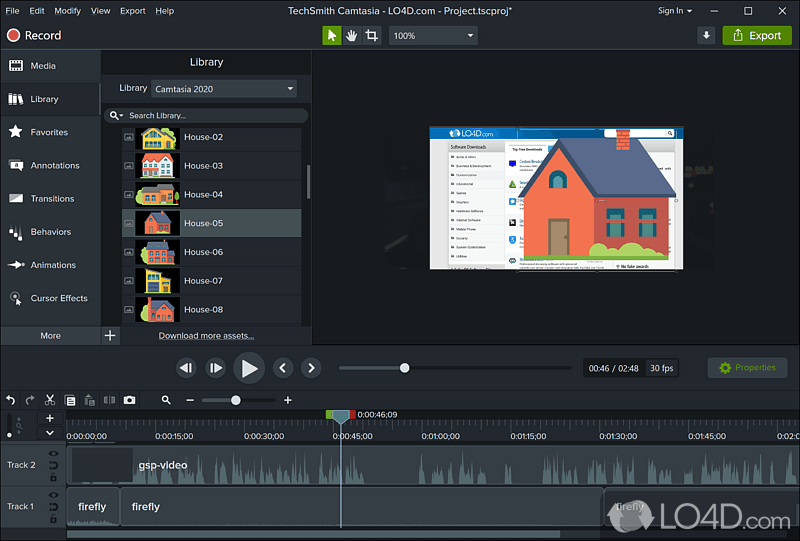
Camtasia has been the screen recording and tutorial creation tool of choice for over two decades. TechSmith's desktop app combines screen capture with a full editing suite, and for training content and software demos, it remains rock solid.
Key features
- Screen recording - Capture any part of your screen with webcam overlay and system audio
- Desktop editing suite - Timeline editor with drag-and-drop clips, images, and text
- Interactive quizzes - Embed quizzes directly in videos for training assessment
- AI features - Script generation, text-to-speech, auto translations, and avatar videos via Camtasia Rev
- SCORM export - Publish to LMS platforms for training compliance
What users say
The reliability is what keeps teams on Camtasia. "We've been using it for 8 years across our entire L&D department and it just works," one Capterra reviewer said. The downsides are the dated interface and the subscription model shift. Camtasia used to be a one-time purchase, and some long-time users resent the move to yearly billing. Compared to Descript, Camtasia lacks text-based editing but offers significantly deeper tutorial-specific features like interactive quizzes and annotations.
Best for
L&D teams, instructional designers, and IT departments creating software tutorials, training videos, and compliance content. See our ngram vs Camtasia comparison.
Individual subscription starts at $179.88/year. One-time license at $299.99.
7. DaVinci Resolve
DaVinci Resolve is the most powerful free video editor available. Used by Hollywood colorists and independent filmmakers alike, it packs professional-grade editing, color grading, visual effects, and audio post-production into a single application.
Key features
- Free professional editing - Full editing suite up to 4K 60fps with no watermarks
- Industry-leading color grading - The same color tools used in Hollywood post-production
- Fairlight audio - Professional audio editing and mixing built in
- Fusion VFX - Node-based compositing and visual effects
- AI features - IntelliSearch, SlateID, and text-based editing in version 21
What users say
The consensus is clear: "DaVinci Resolve's free version has more features than most paid editors," as one Reddit user put it. The trade-off is complexity. This is a professional tool with a professional learning curve. If you're coming from Descript hoping for simple transcript-based editing, DaVinci Resolve will feel like jumping from a scooter to a fighter jet. Version 21 added photo editing support and improved AI features, making it even more capable but no simpler.
Best for
Filmmakers, professional editors, and creators who need Hollywood-grade color grading and effects. Not ideal for teams who just want to ship a quick product demo.
Free version available with full editing capabilities. Studio version is a one-time $295 purchase.
8. Kapwing
Kapwing fills the collaboration gap that most video editors miss. It's a browser-based editor built for teams, with real-time collaboration features that let multiple people work on the same project simultaneously.
Key features
- Real-time collaboration - Multiple editors in the same project with timestamped comments
- Browser-based - No install required, works on any device
- AI Smart Cut - Auto-remove silences from videos
- Auto subtitles - Caption generation in 70+ languages
- Text-to-video - Generate video clips from text prompts
What users say
Marketing teams love the collaboration angle. "It's like Google Docs for video," one G2 reviewer summarized. The free plan is limited (1-minute exports, watermarked, 720p), which pushes teams to the Pro plan quickly. Reddit users note that Kapwing's editing depth doesn't match Descript or Premiere Pro. It's purposely simpler, built for speed and teamwork over precision. For teams producing social content together, the real-time editing eliminates the version-control chaos of passing files back and forth.
Best for
Marketing and social media teams who need collaborative, browser-based video editing without the overhead of desktop software.
Free plan available. Pro at $16/month. Business at $50/month per user.
Here's how the AI video market has grown compared to the broader video editing software market:
The AI video tools market reached $4.2 billion in 2025, growing 3.6x faster than traditional video editing software (Grand View Research). That gap is accelerating. By 2027, AI video tools are projected to nearly triple to $12.8 billion, while the traditional editing market inches along at single-digit growth. The shift explains why every tool on this list is racing to add AI features, and why tools like ngram that were built AI-first have a structural advantage.
What we actually tested
We didn't just list tools. We tested each one, read hundreds of user reviews across G2, Capterra, TrustRadius, and Reddit, and compared them across five weighted criteria:
| Criteria | Weight | What we looked at |
|---|---|---|
| Ease of Use | 30% | Onboarding time, learning curve, UI clarity, how fast you go from zero to published video |
| Features | 25% | Core editing capabilities, export options, format support, recording quality |
| Value | 20% | Pricing relative to features, free tier generosity, cost per user for teams |
| AI Capabilities | 15% | AI editing, generation, transcription accuracy, automation depth |
| Support & Community | 10% | Documentation quality, community size, customer support responsiveness |
We also factored in:
- Real user reviews from G2, Capterra, TrustRadius, Reddit, and Product Hunt (qualitative sentiment, not numerical scores)
- Market presence and company stability (funding, user base, years in market)
- Integration ecosystem with common business tools
- Industry trends and where the AI video market is heading
With 64% of enterprise-level users already adopting AI-powered editing features (Grand View Research), the question isn't whether to use AI in your video workflow, it's which tool matches your specific needs. For a direct competitor like Descript, ease of use matters most because the core promise is "editing should feel like writing." Any alternative needs to match or beat that simplicity, or offer enough additional value to justify extra complexity.
Frequently Asked Questions
Is Descript still worth it in 2026?
For solo creators who stay within the Hobbyist plan limits (10 hours, 400 AI credits), Descript's text-based editing is still genuinely innovative. The problems start when you outgrow those limits. Teams consistently report that the media minutes model makes costs unpredictable, and the stability issues with longer projects remain unresolved.
What is the free alternative to Descript?
DaVinci Resolve offers the most powerful free video editor available, with professional editing up to 4K with no watermarks. For audio-only editing, Audacity is completely free and open-source. ngram, CapCut, VEED, Riverside, and Kapwing all offer free tiers with varying limitations.
How does Descript compare to Riverside?
Descript is an editing tool that happens to record. Riverside is a recording tool with built-in editing. If you record remote interviews or podcasts, Riverside's local capture produces consistently higher quality. If you import existing footage and need transcript-based editing, Descript is stronger. For creating professional video from any asset, ngram covers both workflows.
Is there a text-based video editor cheaper than Descript?
Yes. VEED offers text-based editing starting at $12/month (vs Descript's $24/month Hobbyist plan). Reduct starts at $15/month per editor with deeper transcript editing for research teams. ngram takes a different approach, using AI to handle the editing automatically so you don't need to edit a transcript manually at all.
Can I migrate my projects from Descript?
Descript doesn't offer a direct export-to-competitor feature, but you can export your projects as video files (MP4) or audio files and import them into any alternative. The transcript data doesn't transfer. For Riverside and VEED, re-transcription happens automatically on import. Plan to budget 1-2 hours for migrating a library of 20+ projects.
What's the best Descript alternative for podcasts?
Riverside is the strongest pick for podcasters who prioritize recording quality. Its local capture ensures studio-grade audio and video even on unstable internet connections. For podcasters focused on post-production editing, Reduct offers the deepest text-based editing capabilities for long-form audio content.
Our verdict
The Descript alternatives landscape in 2026 breaks into clear lanes, and the right choice depends on what your video tool needs to do.
If you're a marketing, product, or sales team that needs polished, on-brand video from whatever assets you already have, without learning timeline editing, ngram is the strongest option. It's the only tool on this list that creates video from intent, not just edits what you've already captured. The AI handles scripting, storyboarding, visuals, and brand consistency so you ship in minutes instead of days.
If you're a podcaster who needs reliable remote recording, Riverside wins that job. If you're cutting TikToks on your phone, CapCut's free tier is hard to beat. For teams collaborating on social content in a browser, Kapwing fills that gap. And if you need Hollywood-grade color grading for zero dollars, DaVinci Resolve is in a class by itself.
Descript still owns the "edit video like a document" niche, and for solo creators who stay within the plan limits, it's a fine tool. But for teams whose video needs have outgrown transcript editing, the market has moved on, and the September 2025 pricing shift gave everyone a reason to look around.
Try ngram free - your first video in under 5 minutes. Turn raw screen recordings, docs, or images into polished, on-brand videos without touching a timeline. Start free