
"We use Guidde for internal how-tos, but every time marketing asks for a product video or sales needs a demo walkthrough, we end up in a completely different tool." That line from a product ops lead on G2 captures the friction 74,000 monthly Guidde searchers are navigating right now.
Guidde is excellent at one thing: turning screen recordings into structured how-to guides with AI voiceover. It raised $50 million in Series B funding in February 2026, serves 4,500+ customers including Nasdaq and Bayer, and reports 3x annual revenue growth for three consecutive years. The product works.
But the same focus that makes Guidde fast for documentation makes it limiting when your team's video needs grow beyond help articles. Marketing videos, sales demos, onboarding content, LinkedIn clips, product announcements - these need structure, pacing, brand styling, and distribution flexibility that a documentation tool wasn't built for.
We tested 7 Guidde alternatives across features, AI capabilities, pricing, and real user sentiment. Some compete directly in the documentation space. Others, like ngram, take a fundamentally different approach to AI video creation.
Quick comparison
| Tool | Best For | Starting Price | Key Differentiator |
|---|---|---|---|
| ngram | Professional video from any asset | Free / $17.40/mo | Context-aware AI video for any audience and channel |
| Clueso | AI-polished product videos | $120/mo | Studio-quality editing from screen recordings |
| Scribe | Automated step-by-step text guides | Free / $17/seat/mo | Zero-effort written documentation |
| Loom | Quick async screen recordings | Free / $15/mo | Fastest record-to-share workflow |
| Tango | In-app workflow walkthroughs | Free / $22/user/mo | Real-time guidance overlays in live apps |
| Descript | Transcript-based video editing | Free / $24/mo | Edit video by editing text |
| Supademo | Interactive product demos | $27/mo | Click-through demo tours with branching |
1. ngram
If Guidde handles your internal how-tos but you're using a separate tool (or no tool) for everything else, ngram consolidates that gap.
Guidde takes a screen recording and generates a structured guide. ngram takes whatever you have - a screen recording, a document, screenshots, a URL, or plain text - and builds a complete, professional video tailored to the audience, goal, and channel. The output isn't a documentation page; it's a video that works on LinkedIn, in an email sequence, on a landing page, or in a help center.
What makes ngram stand out
Context-aware generation is the core difference. Tell ngram who the video is for (developers vs. executives), what it needs to accomplish (educate vs. convert), and where it's going (website vs. email). The structure, pacing, and tone adapt automatically. A customer onboarding video looks different from a sales demo without you rebuilding the project.
Plan first, generate second. You review the script and storyboard before anything renders. Guidde generates the guide immediately from the recording. ngram lets you fix direction before committing to output - the cheapest point to catch mistakes.
Any asset in, polished video out. Guidde requires a screen recording as input. ngram works with text, images, PDFs, URLs, existing recordings, or combinations. If you have a doc that needs to become a video, you don't need to record anything first.
AI-powered screen recording editing turns rough captures into polished walkthroughs - auto-cut, filler word removal, smart zoom, cursor emphasis, and branded callout labels. For the recording-to-polished workflow Guidde users know, ngram matches the capability but wraps it in a broader creation platform.
Key features
- Context-aware generation - Adapts structure, pacing, and tone to audience and channel
- Plan first, generate second - Script and storyboard review before rendering
- Any asset in - Text, images, docs, URLs, screen recordings as input
- AI editing - Auto-cut, filler removal, smart zoom, cursor emphasis
- Multi-format export - 16:9, 9:16, 1:1 with captions included
- Brand kits - Logo, colors, fonts applied to every video automatically
Pros
- ✅ Creates marketing, sales, and onboarding video - not just documentation
- ✅ Works with any input format, not only screen recordings
- ✅ No per-seat pricing - free plan available, paid starts at $17.40/mo
- ✅ Brand kits keep every video on-brand without manual styling
Cons
- ❌ Not a documentation tool - no text guide output alongside video
- ❌ Web-based only, no native desktop app yet
Who is ngram best for?
Product Marketing, Growth, Sales Enablement, and Customer Success teams who need professional video across multiple channels. If Guidde covers your how-to documentation but your team still needs a separate solution for everything else, ngram is the consolidation play.
ngram has a generous free plan with paid plans starting at $17.40 per month. For a detailed head-to-head, see our ngram vs Guidde comparison.
Ready to try ngram? Create your first video in under 5 minutes. Start free
See ngram in action:
2. Clueso
Clueso is the closest direct competitor to Guidde - both turn screen recordings into polished product videos with AI voiceovers, captions, and transitions. Backed by Y Combinator with $1.9M in funding and used by 1,000+ companies, Clueso focuses on studio-quality output rather than Guidde's speed-first approach.
Where Guidde generates a guide in seconds, Clueso offers deeper editing control: auto-zoom, filler word removal, transition effects, and 37+ language translations. The tradeoff is pricing - Clueso starts at $120/month for 2 users with a 6-hour annual export cap.
Key features
- AI video editing - Auto-zoom, transitions, filler word removal
- AI voiceovers - 37+ language translations with captions
- PDF-to-video - Convert documents into video walkthroughs
- SOC 2 Type II certified - Enterprise-grade security
- Article generation - Text documentation alongside video output
Pros
- ✅ Deeper editing control than Guidde's automated workflow
- ✅ Enterprise security certifications (SOC 2, ISO 27001)
- ✅ Dual output: video + written articles from one recording
Cons
- ❌ $120/month starting price with only 2 user seats
- ❌ 6-hour annual export cap on Starter plan
- ❌ Fewer integrations than Guidde (no Zendesk, Salesforce, Confluence)
What users say
G2 reviewers praise Clueso's AI editing quality - auto-zoom and transitions produce noticeably polished output. The consistent criticism is the pricing model: export caps and per-seat costs add up fast for growing teams. For a detailed comparison, see our ngram vs Clueso comparison.
Best for
Small teams that prioritize video production quality over volume and can work within the export limits. Not ideal for teams producing high-volume documentation.
3. Scribe
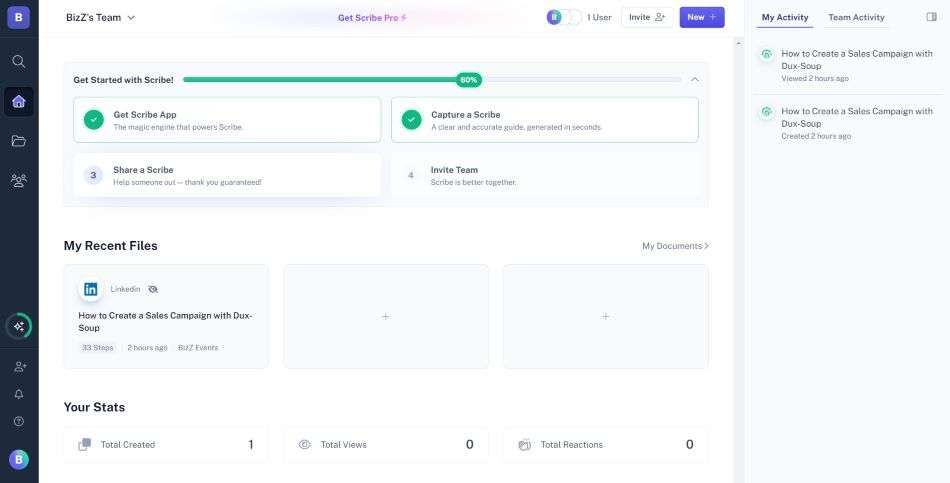
Scribe takes the opposite approach from Guidde: no video at all. Install the Chrome extension, click record, complete your workflow, and Scribe auto-generates a written step-by-step guide with annotated screenshots, arrows, and click indicators.
With over 3 million users, Scribe is the market leader for text-based process documentation. If your team's documentation needs don't require video, Scribe is faster and cheaper than Guidde.
Key features
- Auto-capture - Records browser actions into step-by-step text guides
- Guide Me - Interactive in-browser walkthroughs
- AI workflow analysis - Identifies process improvements
- Instant translation - Guides in multiple languages
- Sidekick - Contextual guide discovery on any website
What users say
Users praise Scribe's zero-effort documentation generation. The main complaints: AI-generated descriptions sometimes lack context, the team plan requires minimum 5 users ($75/month minimum), and enterprise pricing runs higher than expected (users on Reddit report $18,000/year quotes).
Best for
Teams that need internal process documentation, SOPs, and training guides where video isn't necessary. If Guidde's video output is more than you need, Scribe delivers text guides faster.
Need video that goes beyond documentation? ngram creates professional video for marketing, sales, onboarding, and support from any asset. Try ngram free
4. Loom
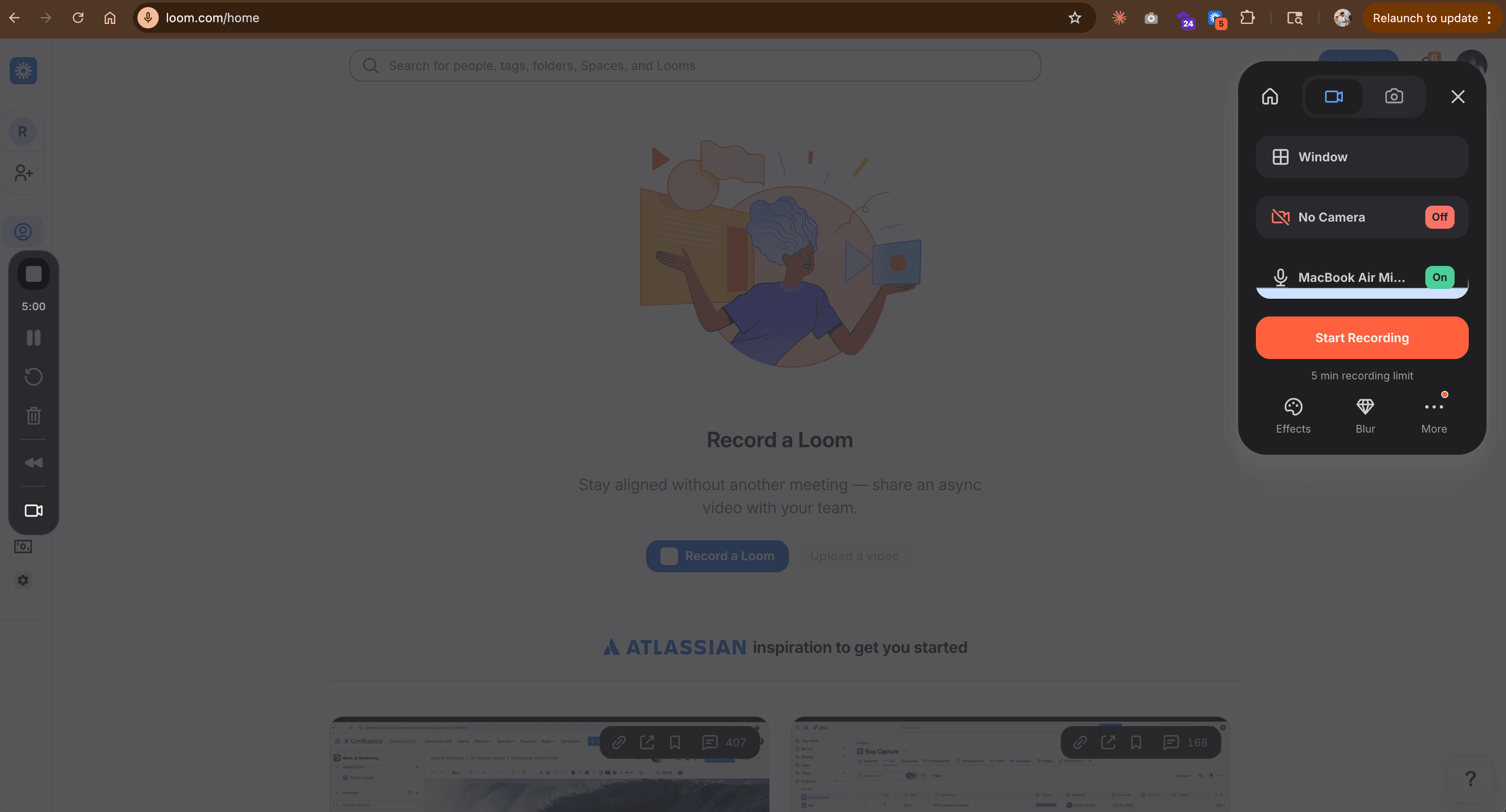
Loom is the default async video tool - over 25 million users record quick screen captures and share them with a link. If your Guidde use case is "record a walkthrough and share it with the team," Loom does that with less friction than any tool on this list.
But Loom's output is a raw recording. There's no AI-powered editing, no auto-generated documentation, no voiceover replacement, and limited brand customization. For a detailed comparison, check our ngram vs Loom comparison.
Key features
- Instant recording - Click, record, share in under a minute
- AI summaries - Auto-generated video summaries and chapters
- Viewer analytics - Who watched, how long, engagement data
- Integrations - Slack, Notion, Gmail, Chrome extension
- Free tier - 25 videos on the free plan
What users say
Users love the speed. The universal complaint: "Great for internal updates, but I'd never send a Loom to a prospect." Loom doesn't generate documentation, doesn't add AI voiceover, and doesn't produce polished output - it's a recording tool, not a production tool.
Best for
Teams that prioritize sharing speed over production quality. Ideal for internal async communication where raw recordings are acceptable.
Free plan available. Paid plans start at $15/month.
5. Tango
Tango captures step-by-step guides automatically from browser workflows - screenshots, not video. The standout feature is Nuggets: in-app guided walkthroughs that overlay directly onto web applications, coaching users through processes in the live interface.
Founded in 2021, Tango differentiates from Guidde by focusing on in-app guidance rather than standalone video documentation.
Key features
- Auto-capture - Screenshots at each click during browser workflows
- Nuggets - In-app walkthroughs overlaid on live web apps
- Smart annotations - Auto-generated callouts and highlights
- Export flexibility - PDF, HTML, Markdown, and embed options
- Team management - Shared libraries with permissions
What users say
G2 reviewers highlight Tango's strength for software rollouts and change management. The in-app guidance is powerful for training at scale. The main limitation: zero video capability. No voiceovers, no motion, no multimedia output.
Best for
IT and operations teams needing in-app guidance overlays for software training. Not a fit if you need video documentation.
Pricing starts at $22/user/month (annual). Key features gated behind Enterprise.
6. Descript
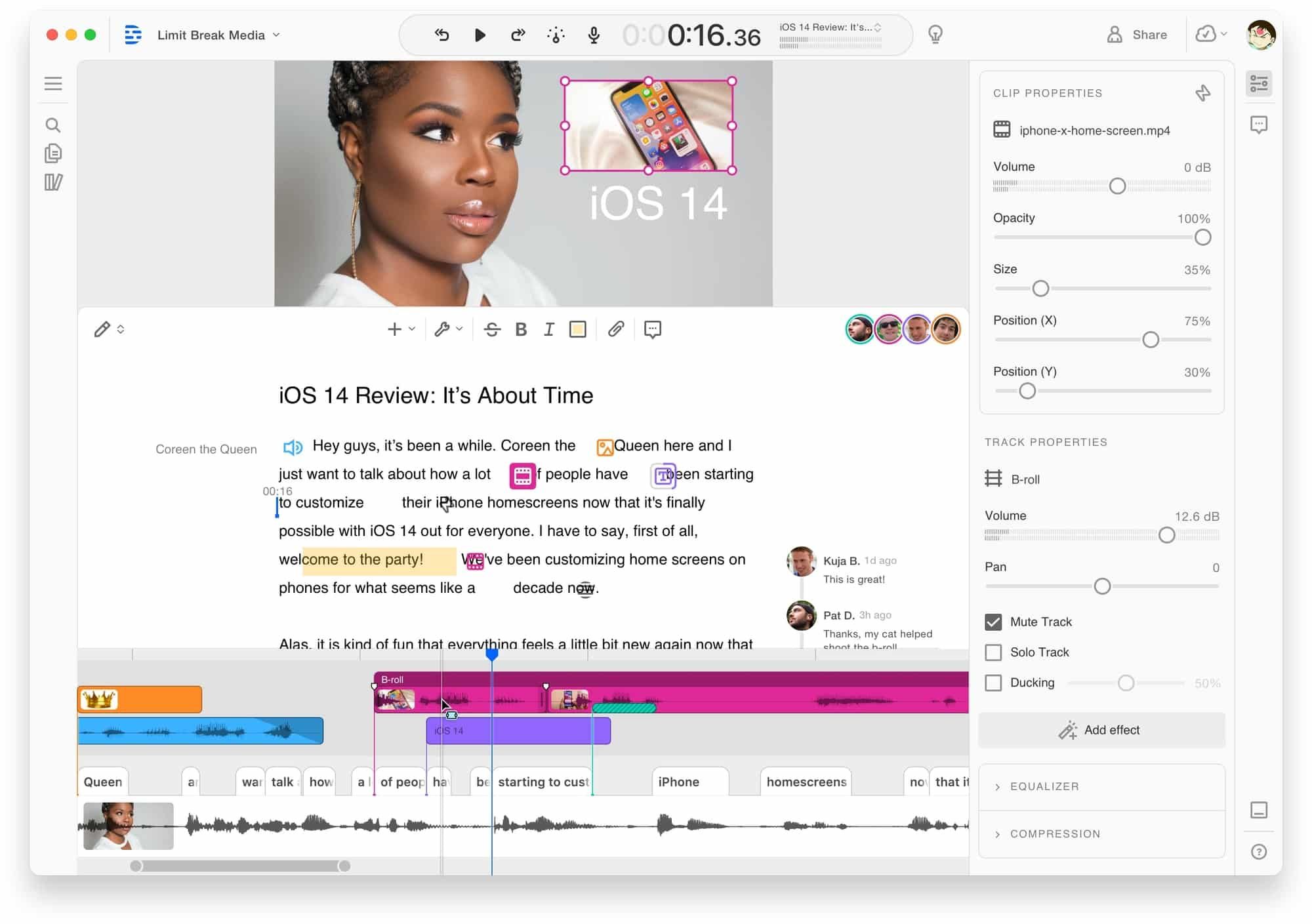
Descript is a full video and audio editor built on transcript-based editing. Record a screen capture, Descript transcribes it, and you edit the video by editing the text. Delete a word from the transcript, the video cuts accordingly.
With over $100M in funding and a large user base among content creators, Descript offers far deeper editing control than Guidde - but at the cost of speed and simplicity. For a detailed comparison, see our ngram vs Descript comparison.
Key features
- Text-based editing - Edit video by editing the transcript
- AI voice cloning - Fix mistakes without re-recording
- Filler word removal - Automatic um/ah detection and removal
- Screen recording - Built-in recorder with webcam overlay
- AI features - Green screen, eye contact correction, studio sound
What users say
Reddit users call transcript-based editing "mind-blowing for long-form content." Complaints center on rendering speed and a steep learning curve for advanced features. Descript doesn't auto-generate documentation - it's a manual editing tool, not an automated one like Guidde.
Best for
Content creators and teams working with long-form video who want deep, transcript-level editing control. Not a fit for teams seeking Guidde's automation speed.
Pricing starts at $24/month with a limited free tier.
7. Supademo
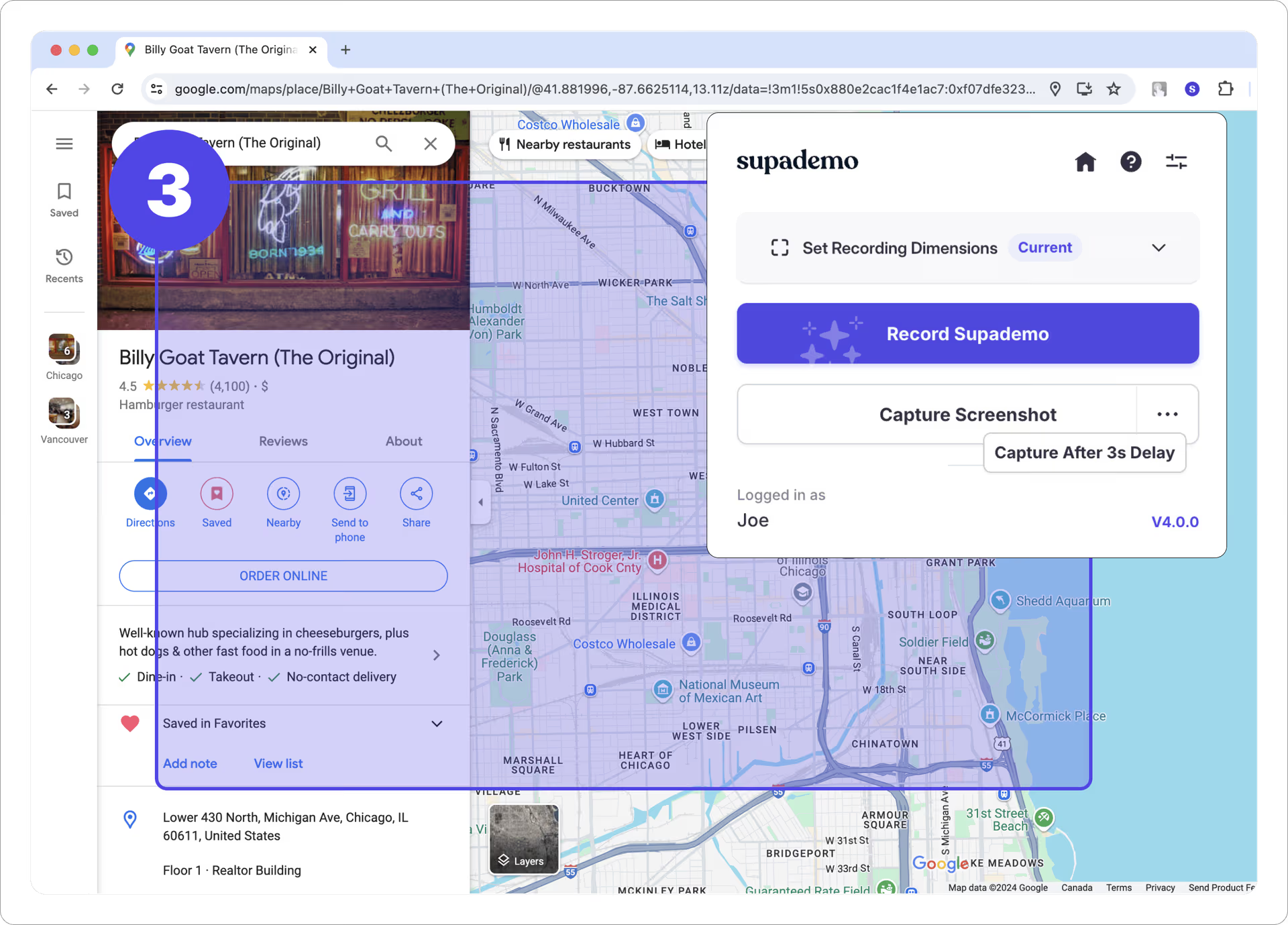
Supademo creates interactive click-through product demos - not video. Capture screenshots, add hotspots and tooltips, and publish an interactive tour that prospects can explore at their own pace. Over 10,000 teams use Supademo for product-led growth, presales, and customer education.
If your Guidde use case is customer-facing product tours rather than internal documentation, Supademo's interactive format often converts better than a passive video guide. For a detailed comparison, see our ngram vs Supademo comparison.
Key features
- Interactive demos - Click-through product tours with hotspots
- Branching paths - Different flows based on viewer choices
- AI voiceover - Narrated demo walkthroughs
- Analytics - Track demo views, completion rates, and engagement
- Embed anywhere - Website, email, help center, sales sequences
What users say
G2 reviewers praise the speed and simplicity. The main complaint: the pricing cliff between Scale ($38/month) and Growth ($350/month) is steep, and customization options feel limited as teams scale.
Best for
Product-led growth and presales teams who need interactive demos rather than video documentation. Not a direct Guidde replacement unless your primary use case is product tours.
Pro plan at $27/month. Growth at $350/month.
The case for switching off Guidde
Guidde is a strong product - $80.6M in total funding, 4,500+ enterprise customers, 90%+ retention rate. But four friction points consistently push teams to evaluate alternatives:
Editing control is limited. Guidde prioritizes speed over polish. G2 reviewers note that fine-tuning content, adjusting voiceover timing, and customizing visual elements is restricted. Teams producing client-facing or marketing-quality video hit this ceiling fast.
AI voiceovers still sound robotic. Despite 200+ voice options, G2 and Capterra reviewers flag that voiceovers lack natural cadence. For internal documentation this is acceptable; for customer-facing content it's noticeable.
Organization doesn't scale. Managing growing guide libraries - folders, access controls, versioning - becomes cumbersome. Users report that video organization for team access management isn't well-designed, especially at the Pro tier.
The tool does one thing. Guidde generates how-to documentation from screen recordings. Marketing videos, sales demos, onboarding content, product announcements, social clips - these all need separate tools. Teams with broader video needs end up paying for Guidde plus another tool.
To be clear, for the specific job of turning screen recordings into structured documentation with AI voiceover, Guidde is among the fastest tools available. The question is whether documentation is all your team needs.
Here's how the AI video creation market has grown, reflecting why teams are investing in tools that go beyond documentation:
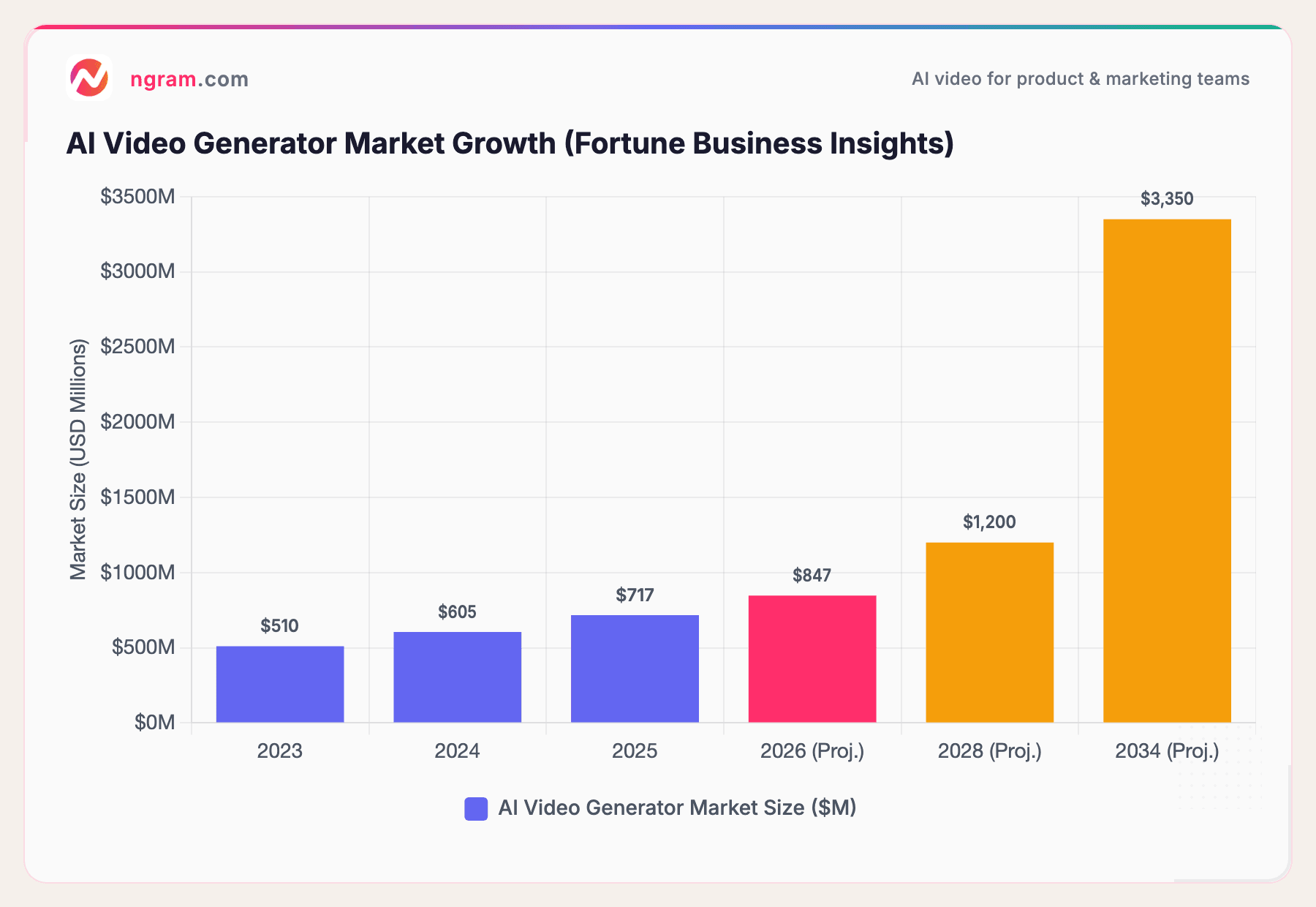
The AI video generator market hit $717 million in 2025 and is projected to reach $3.35 billion by 2034 at 18.8% CAGR, per Fortune Business Insights. Guidde's $50M Series B reflects the opportunity, but the market is growing faster than any single documentation tool can serve. Teams increasingly need video that works across marketing, sales, support, and product - not just help articles.
Our testing approach
We tested each tool, read hundreds of user reviews, and compared them across five weighted criteria:
| Criteria | Weight | What we looked at |
|---|---|---|
| Ease of Use | 30% | Time from signup to first output, learning curve, UI clarity |
| Features | 25% | Output types, editing depth, AI capabilities, export options |
| Value | 20% | Pricing relative to features, free tier generosity, scaling costs |
| AI Capabilities | 15% | Voiceover quality, automation depth, smart editing features |
| Support & Community | 10% | Documentation, customer success, community size |
We also factored in:
- Real user reviews from G2, Capterra, Product Hunt, and Reddit (qualitative sentiment, not numerical scores)
- Market presence and company stability (funding, user base, years in market)
- Integration ecosystem with help desks, CRMs, and knowledge base tools
One note: we deliberately included tools from different categories (video editors, text documentation, interactive demos) because teams evaluating Guidde alternatives often need a different output format entirely, not just a cheaper version of the same thing.
Questions teams actually ask
Is there a free Guidde alternative?
Yes. Guidde itself has a free plan (limited to 25 videos). Loom's free tier includes 25 recordings. Scribe has a free individual plan. ngram offers a free tier for AI video creation. Supademo's free plan includes 5 demos with watermark.
How does Guidde compare to Clueso?
Both turn screen recordings into polished video documentation with AI voiceover. Guidde is faster and cheaper ($18/creator/month vs. Clueso's $120/month). Clueso offers deeper editing control and enterprise security certifications (SOC 2, ISO 27001). Guidde has more integrations; Clueso has better output quality per video.
Can I create marketing videos with Guidde?
Guidde is built for documentation, not marketing. Its output is structured how-to guides with AI voiceover. For marketing videos, product announcements, sales demos, or social clips, you need a tool like ngram that adapts video to different audiences and channels.
What's the cheapest Guidde alternative for video documentation?
Guidde's Pro plan at $18/creator/month (annual) is already one of the cheapest in the AI video documentation category. For even lower cost, Loom's free tier handles basic recording. For text-based documentation (no video), Scribe's free plan works. ngram starts at $17.40/month with no per-seat pricing.
Is Guidde good for enterprise teams?
Guidde serves enterprise customers like Nasdaq and Bayer, with $80.6M in funding and 90%+ retention. The Business plan ($39/creator/month) adds analytics, desktop recording, and advanced features. Enterprise adds SSO, Magic Redaction (auto PII detection), and custom branding. The main concern for enterprise is the limited editing control compared to purpose-built video production tools.
Should I use Guidde or an interactive demo tool?
Different use cases. Guidde creates video documentation viewers watch passively. Interactive demo tools (Supademo, Storylane, Navattic) create click-through experiences viewers navigate actively. For help centers and training, Guidde's video format works well. For presales and product-led growth, interactive demos typically convert better.
The honest answer
Guidde is the fastest path from screen recording to structured documentation. If that's all your team needs, it's hard to beat - especially at $18/creator/month with unlimited guides. But if your video needs extend beyond how-to articles into marketing, sales, onboarding, or social content, ngram fills that gap with context-aware AI video creation from any asset. And if you don't need video at all, Scribe generates text documentation even faster than Guidde generates video.
Record once, create for every channel. ngram turns screen recordings, docs, and images into polished, on-brand videos for marketing, sales, and support. Start free