
Quick comparison
| Tool | Best For | Starting Price | Key Differentiator |
|---|---|---|---|
| ngram | Professional video from any asset | Free / $17.40/mo | Context-aware AI generation from docs, recordings, URLs |
| Synthesia | Enterprise AI avatar videos | $22/mo | 230+ avatars in 140+ languages |
| InVideo AI | Text-to-video with stock library | Free / $25/mo | 16M+ stock assets, prompt-to-video |
| Pictory | Blog-to-video repurposing | $19/mo | Text-to-video with auto-highlights |
| HeyGen | Personalized avatar video at scale | $24/mo | Voice cloning and avatar personalization |
| Murf AI | AI voiceover and narration | Free / $23/mo | 200+ voices with emotion and tone control |
| VEED | Browser-based team editing | Free / $12/mo | Cloud collaboration with AI tools |
Fliki carved out a niche by combining two things most tools kept separate: AI text-to-video generation and AI text-to-speech. You could write a script, pick from 2,000+ voices in 80+ languages, and Fliki would generate a video with matched stock visuals and professional narration. For content creators who needed both audio and video from text, it was a compelling bundle.
But the AI video space in 2026 has moved fast, and Fliki's bundle advantage has shrunk. The biggest complaints across G2, Trustpilot, and Reddit center on the same issues: AI-generated visuals that contain random pseudo-text artifacts ("gibberish text" embedded in scenes that ruins professional use), a credit system that runs out too fast on the Standard plan, and customer support that goes silent after initial responses.
The AI video generator market reached $788.5 million in 2025, growing at 20.3% CAGR according to Grand View Research. Tools like Synthesia, HeyGen, and InVideo AI now bundle voice features that used to differentiate Fliki, while offering stronger video generation. We tested 7 Fliki alternatives across voice quality, video output, AI capabilities, and pricing. Here's what we found.
1. ngram
If you used Fliki because you wanted AI to handle the production work, ngram takes that idea further. Where Fliki generates video from a text script using stock footage and AI voices, ngram generates video from any content you already have, adapting the output to who it's for and where it's going.
The difference: Fliki is fundamentally a text-to-stock-footage engine with voice synthesis. ngram is an AI production assistant that builds complete, purpose-driven video from your existing assets.
What makes ngram stand out
Context-aware generation adapts every video to its audience, goal, and channel. A LinkedIn launch gets different pacing than an internal training walkthrough. Fliki treats every script the same way: match keywords to stock footage, add voice.
Start from anything. Fliki needs a text script. ngram accepts screen recordings, documents, images, URLs, and combinations. Your existing content becomes the video instead of getting replaced by stock footage.
No credit system. Fliki's credit-based pricing limits how many minutes you can generate per month, and users report running out fast. ngram's pricing is flat and predictable.
Key features
- Context-aware generation - Adapts structure, pacing, and tone to audience and channel
- Script and storyboard first - Review the plan before rendering
- Any asset in - Text, images, docs, URLs, screen recordings as input
- AI-powered editing - Auto-cut, filler removal, smart zoom, cursor emphasis
- Multi-format export - 16:9, 9:16, 1:1 with captions included
- Brand kits - Logo, colors, fonts applied to every video automatically
Pros
- ✅ No credit limits, flat monthly pricing
- ✅ Works with any content type, not just text scripts
- ✅ Output adapts to audience and channel automatically
Cons
- ❌ Web-based only, no desktop app
- ❌ Not a text-to-speech tool (different workflow than Fliki's audio features)
Who is ngram best for?
Product Marketing, Growth, Sales, Customer Success, and Agency teams who need professional video from existing content. If you used Fliki primarily for its video output (not just the voices), ngram produces more polished, context-aware results.
ngram offers a generous free plan with paid plans starting at $17.40 per month.
Ready to try ngram? Create your first video in under 5 minutes. Start free
See ngram in action:
For a detailed head-to-head, see our ngram vs Fliki comparison.
2. Synthesia
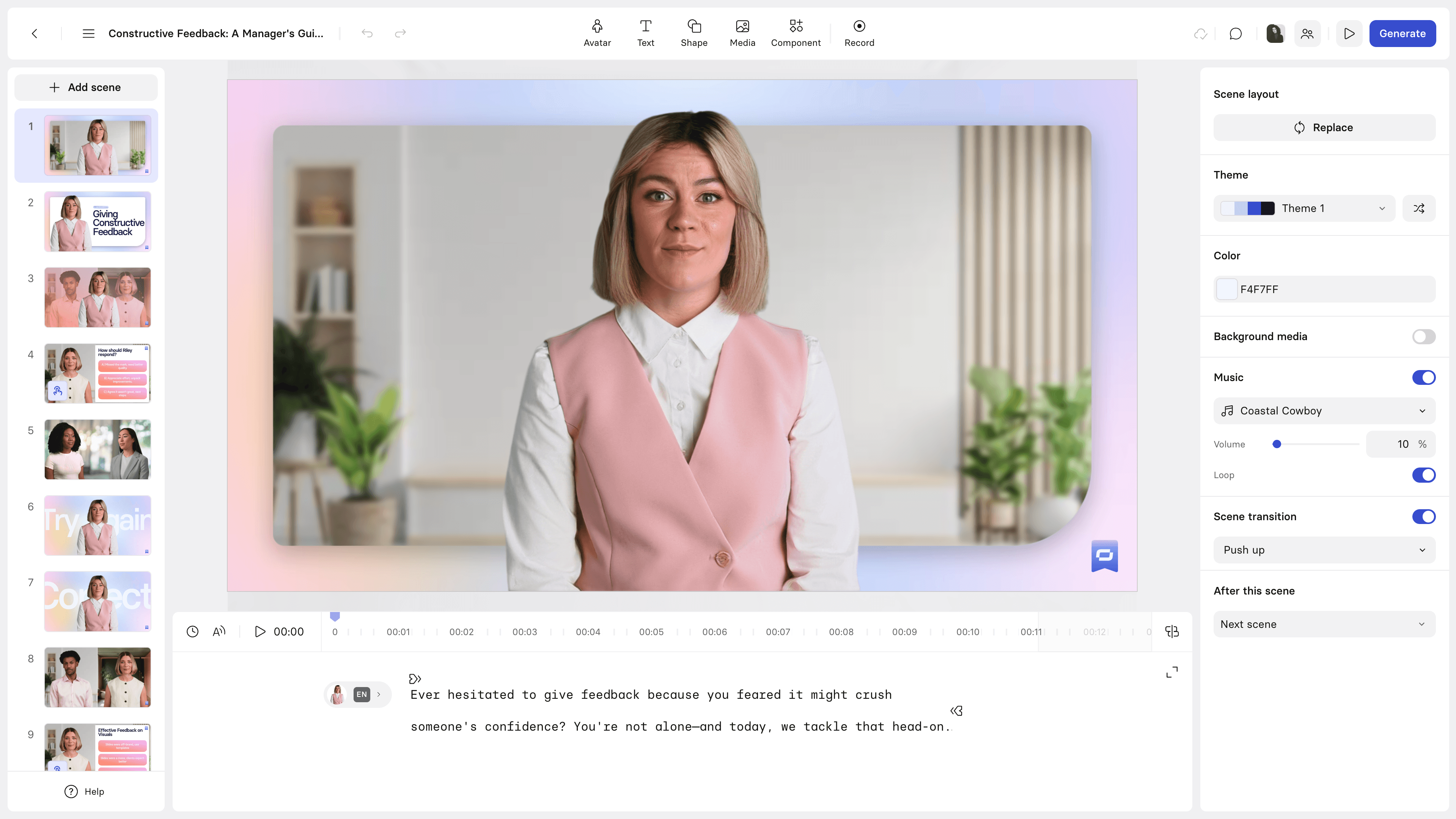
Synthesia is the enterprise standard for AI avatar video. Where Fliki matches stock footage to scripts, Synthesia puts a realistic AI presenter on screen delivering your message. For training, onboarding, and corporate communications, this is a fundamentally different output quality.
With 230+ avatars speaking 140+ languages, Synthesia addresses Fliki's voice variety advantage while adding visual presenters. 90% of Fortune 100 companies use Synthesia for at least part of their video production. For a detailed comparison, see our ngram vs Synthesia comparison.
Key features
- 230+ AI avatars - Realistic presenters with lip-synced narration
- 140+ languages - Instant localization of any video
- Custom avatar creation - Build avatars from your own team members
- Slides integration - Import PowerPoint as video backgrounds
- Enterprise controls - SOC 2 compliance, SSO, team workspaces
What users say
Enterprise L&D teams consistently praise Synthesia for replacing expensive production cycles with minutes-long generation. Users who switched from Fliki cite the avatar quality as a significant upgrade over stock footage. The main complaints: pricing starts at $22/month but enterprise features require $67/month, and longer clips still show "uncanny valley" effects.
Pros
- ✅ AI avatar presenters deliver far more professional output than Fliki's stock footage
- ✅ 140+ languages with lip-synced avatars (Fliki has voices but no visual presenters)
- ✅ Enterprise-grade security and compliance
Cons
- ❌ Pricing jumps significantly for enterprise features ($67/month)
- ❌ Avatar-based format isn't suited for all content types (social clips, product demos)
Best for
Enterprise teams creating training, onboarding, and multilingual content at scale. Stronger than Fliki for any use case involving a human presenter.
3. InVideo AI
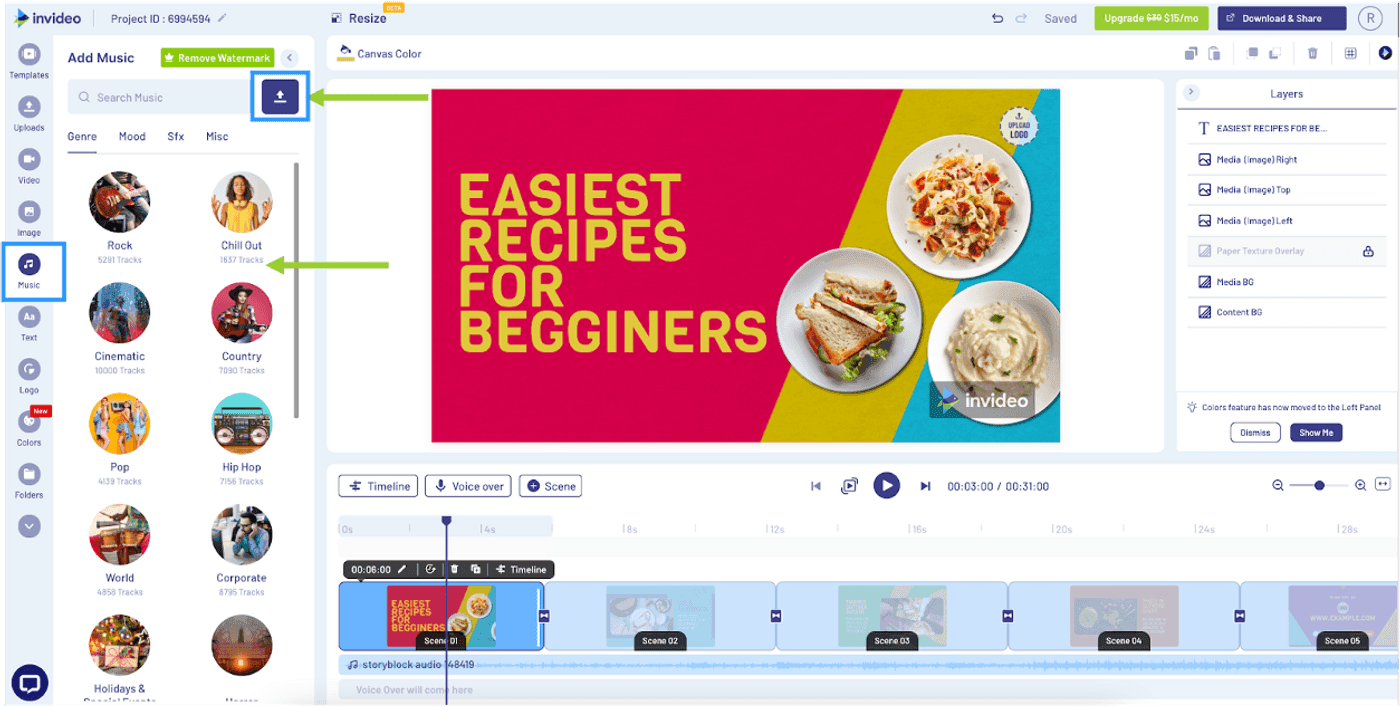
InVideo AI is the most direct Fliki replacement for text-to-video workflows. Both tools convert text descriptions into video, but InVideo AI's natural language prompt system is more flexible than Fliki's script-based approach, and the stock library (16 million+ assets from iStock and Storyblocks) is significantly deeper.
InVideo has been in the video space since 2019, and the AI-first version launched in 2023. For a detailed comparison, see our ngram vs InVideo comparison.
Key features
- Prompt-to-video - Describe your video in natural language
- 16M+ stock library - iStock and Storyblocks assets included
- AI voiceover - Multiple voices in 50+ languages
- Post-generation editing - Swap clips, adjust pacing, change narration
- Multi-language - Generate videos in 50+ languages
What users say
Users who switched from Fliki praise InVideo AI's stock library depth and natural language flexibility. The prompt-to-video workflow produces more varied output than Fliki's template matching. Complaints focus on rendering speed for complex prompts and the $25/month price point.
Pros
- ✅ 16M+ stock assets (deeper than Fliki's built-in library)
- ✅ Natural language prompts give more creative control than Fliki's script format
- ✅ 50+ language support with AI voiceover included
Cons
- ❌ $25/month is higher than Fliki's Standard plan
- ❌ Voice quality varies by language (Fliki's voices are more consistent across languages)
Best for
Marketers and content teams who want Fliki's text-to-video workflow with better stock footage and more flexible AI.
Need more than stock footage on text slides? ngram turns your screen recordings, docs, and images into polished, on-brand videos in minutes. Try ngram free
4. Pictory

Pictory specializes in converting blog posts and long-form content into short videos. While Fliki needs a script, Pictory can take a blog URL and auto-extract the key points, match them with visuals, and produce a shareable video.
Pictory's auto-highlight feature identifies the most engaging moments in long-form content, making it particularly strong for content repurposing. For a detailed comparison, see our ngram vs Pictory comparison.
Key features
- Blog-to-video - Paste a URL, get a video with matched visuals
- Auto-highlights - AI identifies key moments in long-form content
- Script-to-video - Similar workflow to Fliki but with better visual matching
- Auto-captions - SRT export and burnt-in subtitles
- Brand kit - Custom fonts, colors, intros/outros
What users say
G2 reviewers describe Pictory as solid for blog-to-video conversion at a lower price point than Fliki. The main limitation: it lacks Fliki's text-to-speech engine, relying on simpler voiceover options. Pricing starts at $19/month with brand kits included.
Best for
Content marketers doing blog and article repurposing who want a simpler, cheaper alternative to Fliki for video generation.
5. HeyGen
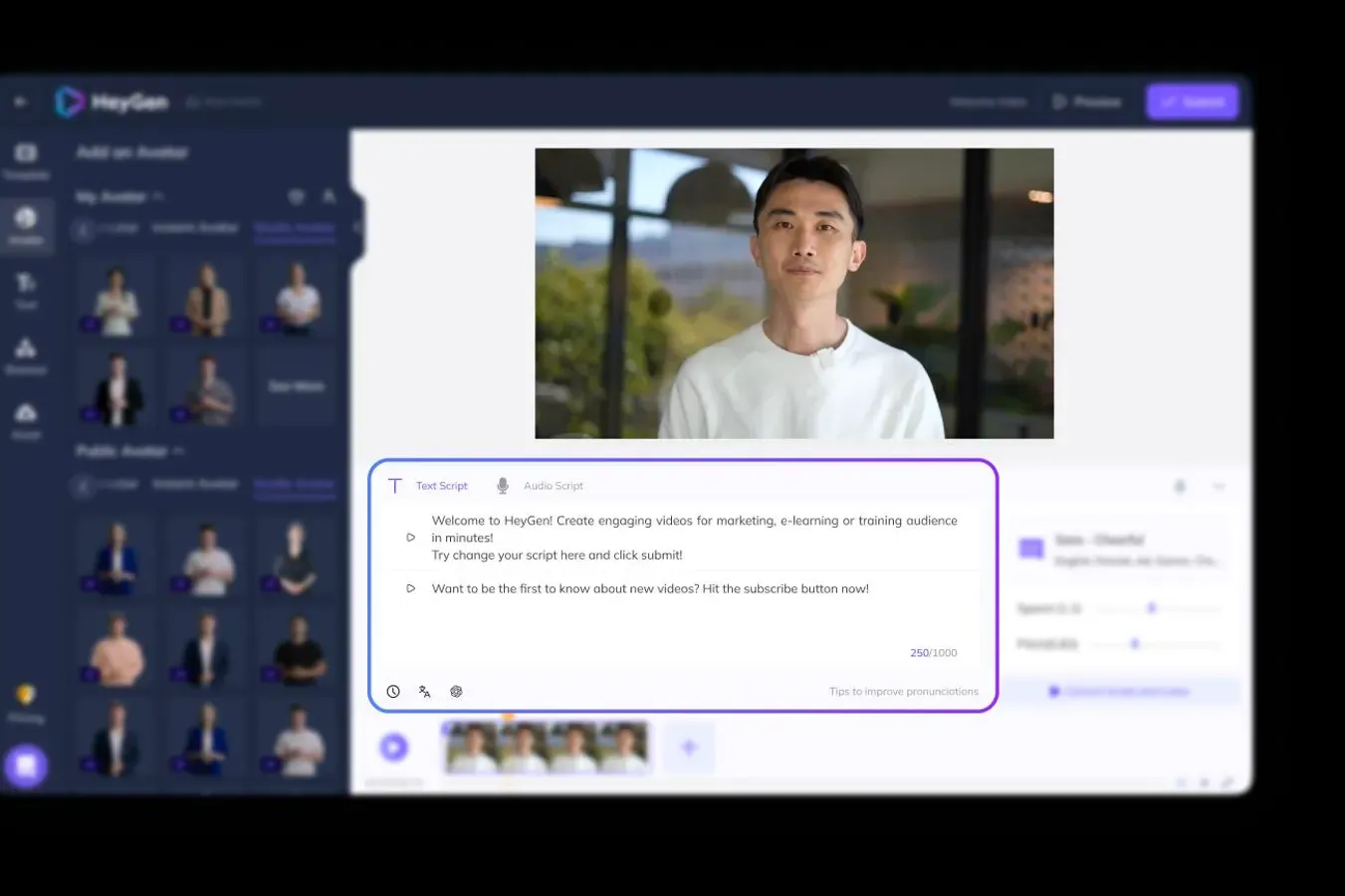
HeyGen competes in the AI avatar space alongside Synthesia but focuses more on personalization and scale. You can clone your own voice, create custom avatars, and generate personalized video variants for sales outreach and marketing campaigns.
For teams using Fliki's voice features for personalized content, HeyGen takes personalization much further with visual avatars and voice cloning. For a detailed comparison, see our ngram vs HeyGen comparison.
Key features
- Voice cloning - Clone your voice for AI-narrated videos
- Custom avatars - Create a digital version of yourself
- Personalization at scale - Generate hundreds of personalized variants
- 120+ languages - Translation and localization with lip-sync
- API access - Programmatic video generation
What users say
Sales and marketing teams praise HeyGen's personalization capabilities. Users who switched from Fliki say the voice cloning is more natural than Fliki's standard AI voices. The main complaints: credit-based pricing makes high-volume usage expensive, and lip-sync quality varies.
Pricing starts at $24/month for the Creator plan.
Best for
Sales and marketing teams creating personalized video at scale. Stronger than Fliki for any use case involving human presenters or voice cloning.
6. Murf AI
Murf AI focuses specifically on what many consider Fliki's strongest feature: AI voiceover. If you used Fliki primarily for its text-to-speech capabilities, Murf AI is a dedicated voiceover platform with deeper control over voice characteristics.
Murf offers 200+ voices in 20+ languages with controls for emphasis, pronunciation, emotion, pauses, intonation, pitch, and volume. This level of audio fine-tuning goes well beyond what Fliki's voice engine offers.
Key features
- 200+ AI voices - Diverse voices with accent and language variety
- Emotion and tone control - Adjust emphasis, pauses, pitch per sentence
- Pronunciation editor - Fine-tune how specific words sound
- Voice cloning - Create custom voices from recordings
- API access - Integrate voiceover generation into workflows
What users say
Users praise Murf's voice quality as more natural than Fliki's, particularly for professional narration. The fine-grained audio controls (emphasis, emotion, pitch) let you dial in exactly the tone you need. The downside: Murf is an audio-first tool. It doesn't generate video like Fliki does. You get the voiceover and need to pair it with a separate video editor.
Pricing starts at $23/month for the Creator plan with a free tier available.
Best for
Teams who used Fliki primarily for voiceover quality and want deeper audio control, even if it means using a separate tool for video.
7. VEED
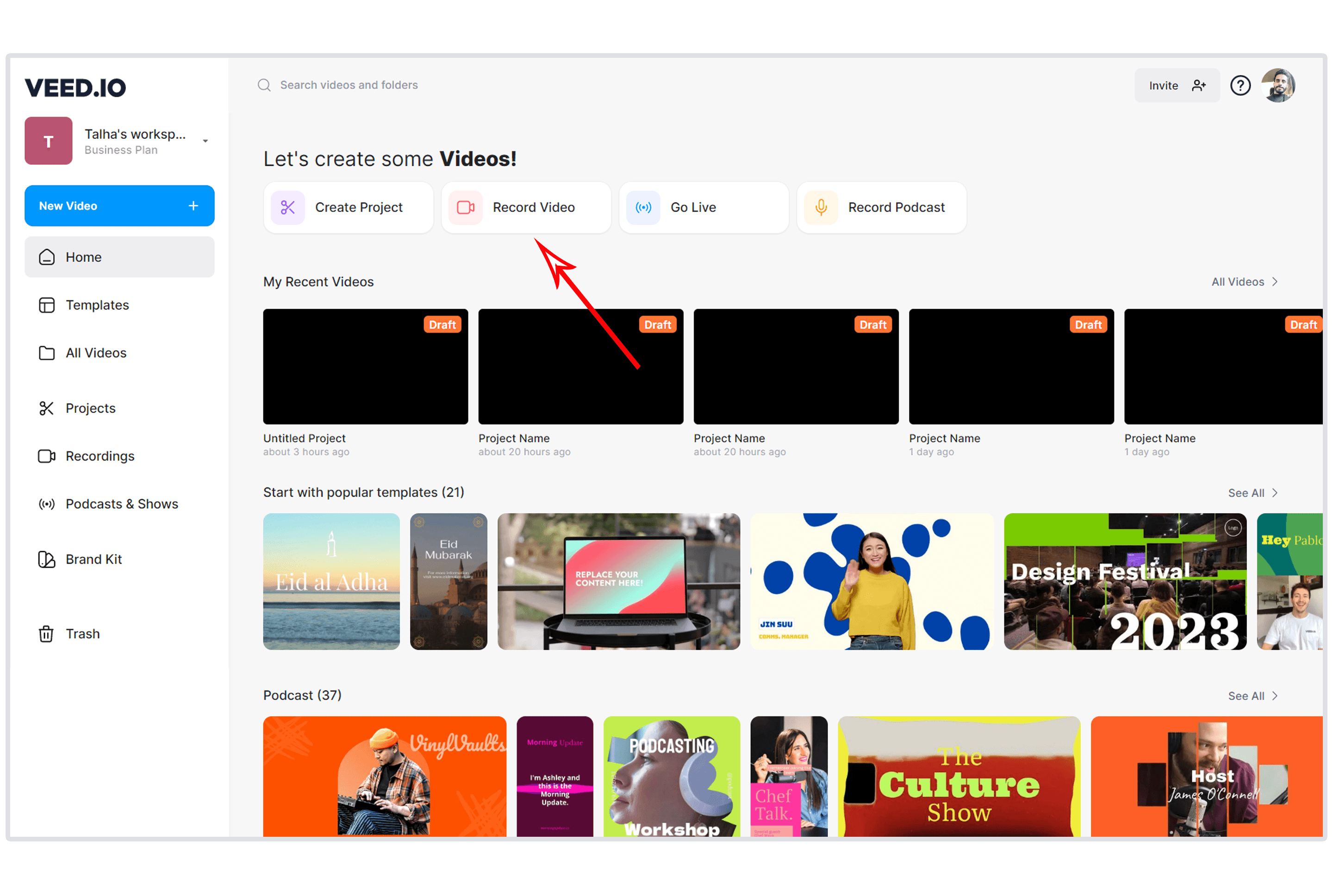
VEED is the browser-based video editor with AI tools layered on top. It doesn't do Fliki's text-to-video generation, but it offers AI subtitles, AI voiceover, background removal, eye contact correction, and a full editing suite. For teams who outgrew Fliki's template-based output, VEED gives more control. For a detailed comparison, see our ngram vs VEED comparison.
Key features
- Browser-based editor - Full editing suite, no downloads
- AI subtitles - Accurate auto-captioning with style customization
- AI voiceover - Text-to-speech narration
- Team collaboration - Real-time editing with feedback workflows
- Video hosting - Share via URL with analytics
What users say
G2 reviewers who switched from Fliki cite the editing flexibility as the biggest upgrade. VEED costs $12/month with AI features that match Fliki's voice capabilities and adds a full editing suite. Complaints focus on slower rendering for complex projects.
Best for
Teams who need editing control alongside AI tools. Better than Fliki for any workflow that requires post-generation editing.
Where Fliki falls short in 2026
Fliki earned its user base by bundling text-to-video and text-to-speech into one tool. But the category has evolved, and Fliki's advantages have eroded.
AI-generated visuals contain text artifacts. Multiple Trustpilot reviewers report gibberish or random pseudo-text appearing in Fliki's AI-generated scenes. This is a known issue in AI image generation that other tools have solved, but Fliki's visual engine still produces artifacts that make videos unusable for professional purposes.
The credit system runs out fast. Fliki's Standard plan gives a limited number of generation minutes per month. Users report running out before completing their planned content calendar. Unlike ngram's flat pricing, Fliki's credit system creates unpredictable monthly costs.
Customer support goes silent. Across Trustpilot and G2, users describe a pattern: initial response within hours, then silence for weeks. Paying customers report being ignored for over a month when reporting generation issues.
Voice advantage has narrowed. Fliki's 2,000+ voices in 80+ languages was a differentiator in 2023. In 2026, Synthesia (140+ languages), InVideo AI (50+ languages), HeyGen (120+ languages), and Murf AI (200+ voices with emotion control) all offer comparable or better voice options.
What we actually tested
We tested each tool hands-on, read hundreds of user reviews across G2, Capterra, Trustpilot, Reddit, and Product Hunt, and compared them across five weighted criteria:
| Criteria | Weight | What we looked at |
|---|---|---|
| Voice & Language Support | 30% | Voice quality, language count, emotion/tone control, naturalness |
| Features | 30% | Video generation, editing tools, stock library, export options |
| Ease of Use | 20% | Onboarding speed, workflow intuitiveness, script-to-output time |
| Value | 15% | Pricing, credit generosity, free tier quality |
| Support & Community | 5% | Documentation, responsiveness, community size |
We weighted voice and language support at 30% (swapped from the standard AI Capabilities criterion) because Fliki's core differentiator is its voice engine, and users evaluating alternatives need to know whether the voice quality holds up.
Quick answers
Is there a free Fliki alternative?
Yes. ngram, InVideo AI, VEED, and Murf AI all offer free tiers. VEED's free tier includes AI voiceover and subtitles. ngram's free plan includes AI-powered video generation. Fliki's free plan limits you to 5 minutes of generation with watermarks.
What's the best Fliki alternative for AI voiceover?
Murf AI offers the deepest voice control with 200+ voices and fine-grained adjustments for emotion, pitch, emphasis, and pronunciation. If you used Fliki primarily for voice quality, Murf is the dedicated upgrade. For video + voice together, Synthesia and HeyGen bundle both.
Does Fliki still have the best AI voices?
Fliki's 2,000+ voice library is large, but quality matters more than quantity. Murf AI offers better per-voice control. HeyGen's voice cloning produces more natural-sounding output for personalized content. Synthesia's avatar lip-sync adds visual realism that Fliki can't match.
Can I use Fliki alternatives for YouTube content?
InVideo AI and VEED are both strong for YouTube. InVideo AI generates complete videos from prompts, while VEED provides the editing depth needed for YouTube-quality output. ngram produces professional video from docs and recordings suited for YouTube product demos and explainers.
What's the cheapest Fliki alternative with good video quality?
VEED at $12/month offers browser-based editing with AI voiceover and subtitles. Pictory at $19/month handles text-to-video conversion with better visual matching. ngram at $17.40/month generates professional video from any content type.
Is Fliki still worth paying for in 2026?
Fliki works for teams who need text-to-video with integrated voiceover and don't mind the credit system. But the visual artifact issues, credit limitations, and support gaps make it harder to recommend when InVideo AI, Synthesia, and ngram offer stronger alternatives at comparable prices.
The honest answer
Fliki's pitch, text in, video with voiceover out, is still valid. The execution is where it falls behind. AI visual artifacts, credit restrictions, and support issues are real friction points in 2026.
If you need professional video from existing content (not just text scripts), ngram is the strongest fit. If you want the best AI voices with fine-grained control, Murf AI is the dedicated upgrade. If you need AI avatar presenters for enterprise content, Synthesia is the standard. And if you want the closest text-to-video replacement at a lower price, InVideo AI or Pictory both deliver.
Fliki still works for quick text-to-video drafts. But for anything going to customers, prospects, or public audiences, the alternatives have pulled ahead.
Turn any content into professional video. ngram goes beyond text-to-video templates. Start from recordings, docs, images, or URLs. Start free


