

Quick comparison
| Tool | Best For | Starting Price | Key Differentiator |
|---|---|---|---|
| ngram | Professional video from any asset | Free / $17.40/mo | Context-aware, plan-first workflow |
| Synthesia | Enterprise AI avatars | $22/mo | 230+ avatars, 140 languages |
| HeyGen | Marketing avatar videos | Free / $24/mo | Instant avatar cloning |
| InVideo | Template-based video | Free / $25/mo | 5,000+ templates |
| Pictory | Text-to-video | Free / $19/mo | Blog-to-video conversion |
| Fliki | AI voiceover videos | Free / $28/mo | 2,000+ voices, 80 languages |
| CapCut | Free video editing | Free | No watermarks, full editor |
Steve AI made animated video creation accessible. Drop in a script, pick a template, and get an animated explainer without hiring a motion designer. For small teams and educators, that pitch worked.
But the cracks have widened. Users report "Asset fetching failed" errors that leave videos stuck in rendering for days. The pricing model charges $40/month for just 15 downloads. And the decision to exclude lifetime deal holders from new Generative AI features drew sharp criticism on Trustpilot and AppSumo.
We tested 7 Steve AI alternatives across features, AI capabilities, pricing, and real user reviews. Here's what delivers more reliable video creation in 2026.
Why are teams looking for Steve AI alternatives?
Steve AI (owned by Animaker) built its user base on accessible animated video creation. The template library and character animations remain useful for basic explainers. But several issues push teams to look elsewhere.
Rendering failures. Users report videos failing with "Asset fetching failed" errors, with support providing copy-paste responses that don't resolve the issue. Some users spent two weeks troubleshooting before canceling.
Pricing that doesn't match value. At $40/month for 15 downloads, Steve AI's per-video cost runs higher than competitors offering unlimited exports. Users argue the price should cover at least one video per day.
Lifetime deal controversy. Steve AI unilaterally excluded lifetime deal holders from new Generative AI features, a move that lifetime users across Trustpilot and AppSumo called a breach of the original agreement.
Limited animation quality. AI-generated images sometimes produce characters with missing limbs or merged features. The template-based approach limits creative flexibility for branded or niche content.
No refund flexibility. Multiple Trustpilot reviewers report refund requests denied even within 24 hours of purchase, making it risky to test the premium tiers.
With Steve AI pricing starting at $20/month (Basic) and $40/month (Starter), here are alternatives worth evaluating.
1. ngram
If Steve AI's template limitations and rendering failures have you questioning the animated video approach entirely, ngram takes a different path to professional video.
Where Steve AI relies on pre-built animated templates, ngram starts from what you already have - screen recordings, documents, images, URLs. You define the audience, goal, and channel. ngram builds a script, storyboard, and complete video with your brand styling applied automatically.
What makes ngram stand out
Context-aware generation adapts every video to its purpose. A product demo for developers gets different pacing and structure than a marketing announcement for LinkedIn. Steve AI's templates look the same regardless of audience.
Plan first, generate second. ngram shows you the script and storyboard before rendering. You approve direction early, catch problems cheaply, and get predictable output every time. No rendering failures, no "Asset fetching" errors.
AI-powered editing handles the polish: auto-cut, filler word removal, smart zoom, cursor emphasis, and callouts. Learn more about ngram's AI editing features.
Key features
- Context-aware generation - Adapts to audience, goal, and channel
- Plan first, generate second - Script and storyboard before rendering
- Any asset in - Text, images, docs, URLs, screen recordings
- AI editing - Auto-cut, smart zoom, filler removal, cursor emphasis
- Multi-format export - 16:9, 9:16, 1:1 with captions
- Brand kits - Logo, colors, fonts on every video
Pros
- ✅ No rendering failures - plan-first workflow produces predictable output
- ✅ Works from existing assets, not limited to templates
- ✅ Unlimited exports on paid plans (no 15-download cap)
Cons
- ❌ Web-based only, no native desktop app
- ❌ Not designed for animated cartoon-style content
Who is ngram best for?
Product Marketing, Growth, Sales, Customer Success, and Agencies creating professional video from existing content. If you need on-brand, intentional video without animation template constraints, ngram is the pick.
Generous free plan. Paid plans start at $17.40/month.
Ready to try ngram? Create your first video in under 5 minutes. Start free
See ngram in action:
2. Synthesia
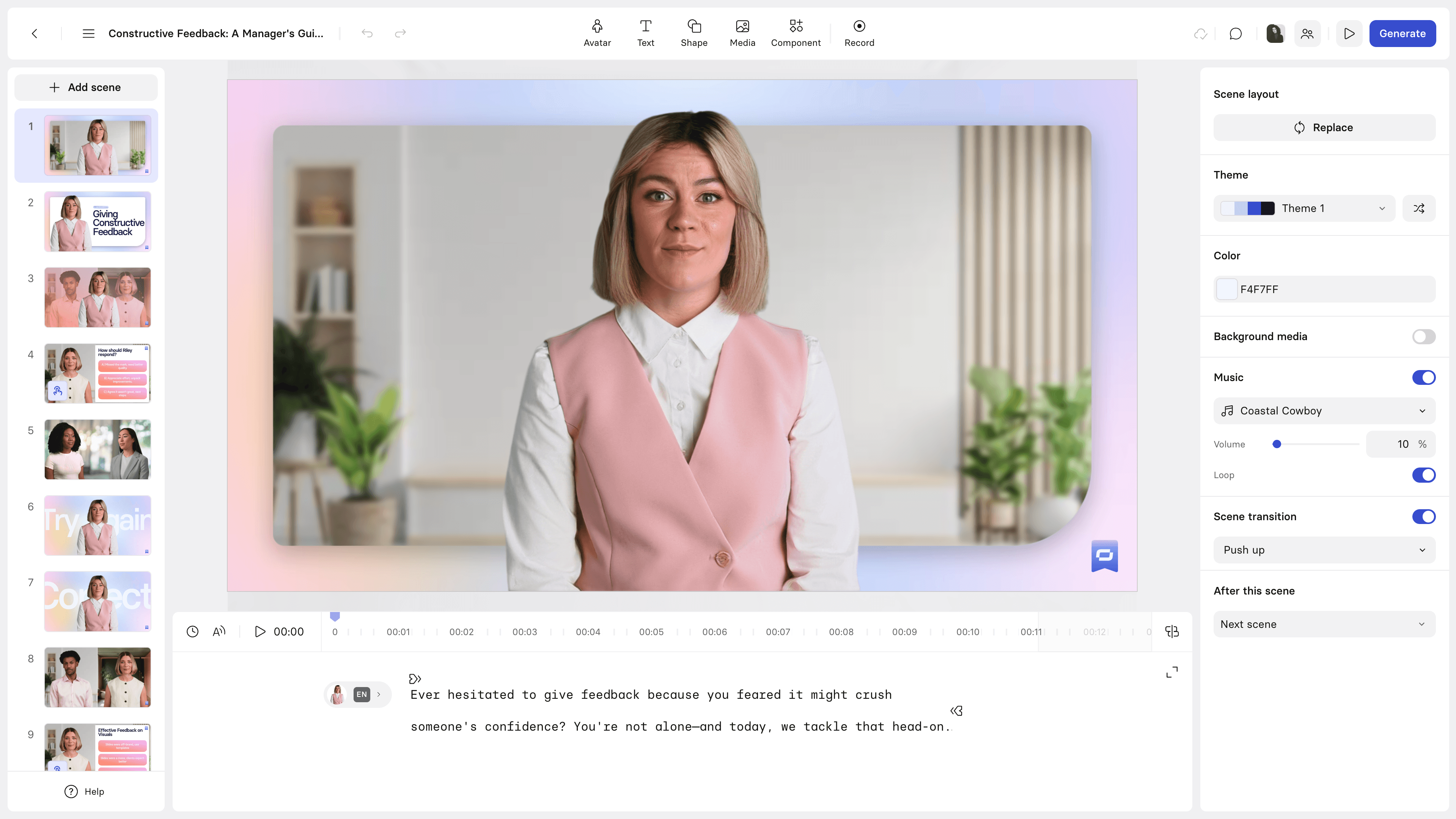
Synthesia is the enterprise-grade alternative to Steve AI's animated approach. Instead of cartoon characters, Synthesia uses photorealistic AI avatars that present your content in 140+ languages.
With 230+ avatars, SOC 2 compliance, and over 18 million videos processed according to Synthesia, it's the go-to for enterprise training and internal communications. See our ngram vs Synthesia comparison.
Key features
- 230+ AI avatars - Photorealistic presenters
- 140+ languages - Lip-synced translation
- Script-to-video - Paste text, generate
- Custom avatars - Digital twins (enterprise)
- SOC 2 compliance - Enterprise security
Pros
- ✅ Professional avatars replace Steve AI's cartoon characters
- ✅ Multilingual at scale without re-recording
- ✅ Enterprise-grade security and compliance
Cons
- ❌ Avatars can feel uncanny for customer-facing marketing
- ❌ Higher starting price ($22/mo) than Steve AI
What users say
Enterprise L&D teams praise Synthesia for speed and multilingual capabilities. The avatar quality is a significant upgrade from Steve AI's animated characters. Main limitation: avatars look AI-generated, which works for training but may not suit marketing content.
Best for
Enterprise teams creating training, onboarding, and multilingual content at scale. A direct upgrade from Steve AI for teams that outgrew cartoon-style animations.
Plans start at $22/month.
3. HeyGen
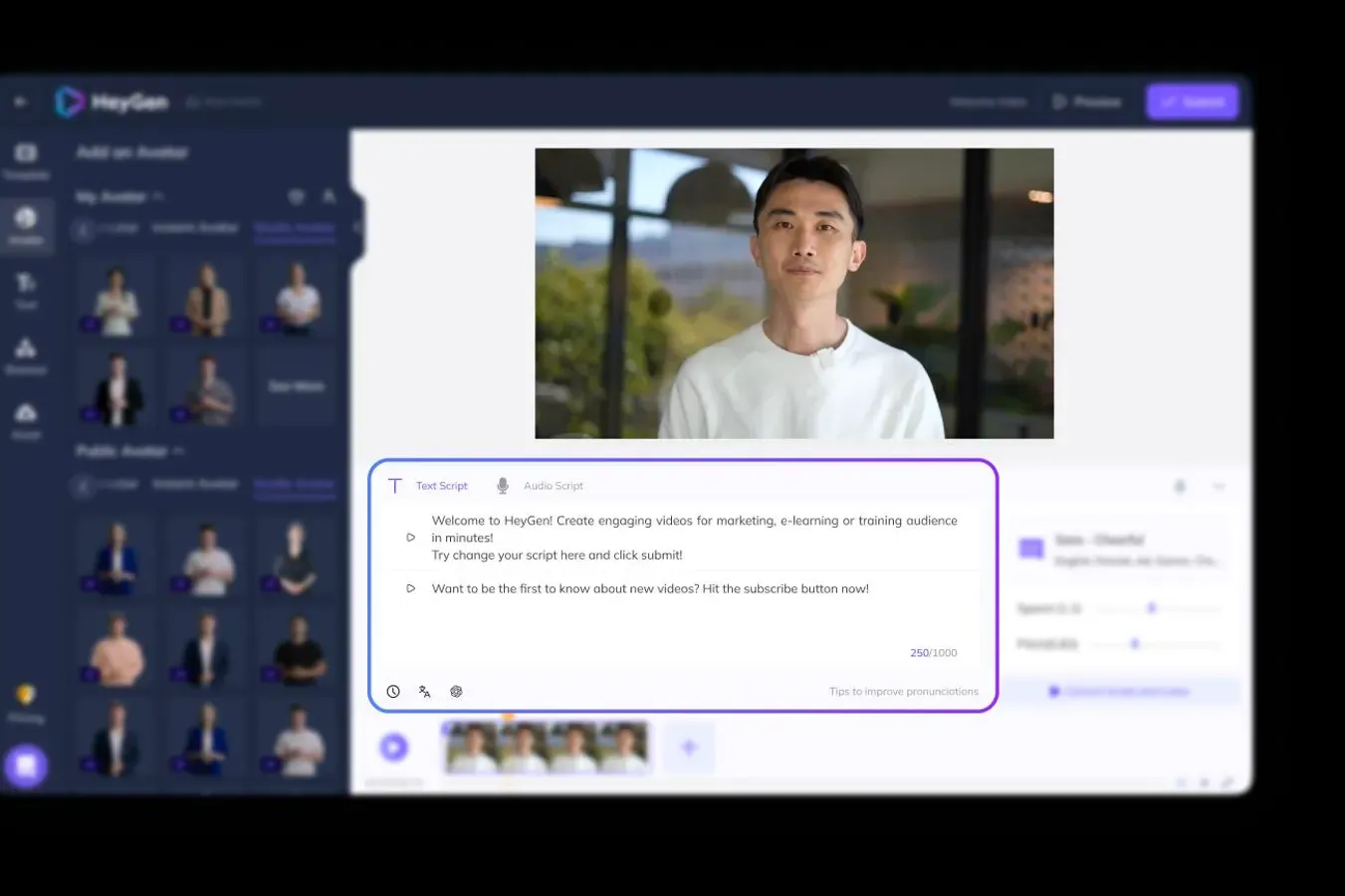
HeyGen brings the avatar approach to marketing and social media. Its Instant Avatar feature clones your appearance from a 2-minute recording - a capability Steve AI doesn't offer at all. See our ngram vs HeyGen comparison.
Key features
- Instant Avatar cloning - Digital twin from 2-minute recording
- Video translation - Lip-sync across languages
- Streaming avatars - Real-time interactions
- Template library - Marketing-focused designs
- API access - Programmatic generation
What users say
Reddit users call HeyGen's avatar cloning "the most convincing" in the category. For marketers who want a personal touch without filming every video, HeyGen solves a problem Steve AI's cartoon characters never could.
Best for
Marketers creating personalized avatar videos for social media and outreach. A fundamentally different approach from Steve AI's animated templates.
Free tier. Creator: $24/month.
Need professional video without template limitations? ngram turns your recordings, docs, and images into polished, on-brand videos in minutes. Try ngram free
4. InVideo
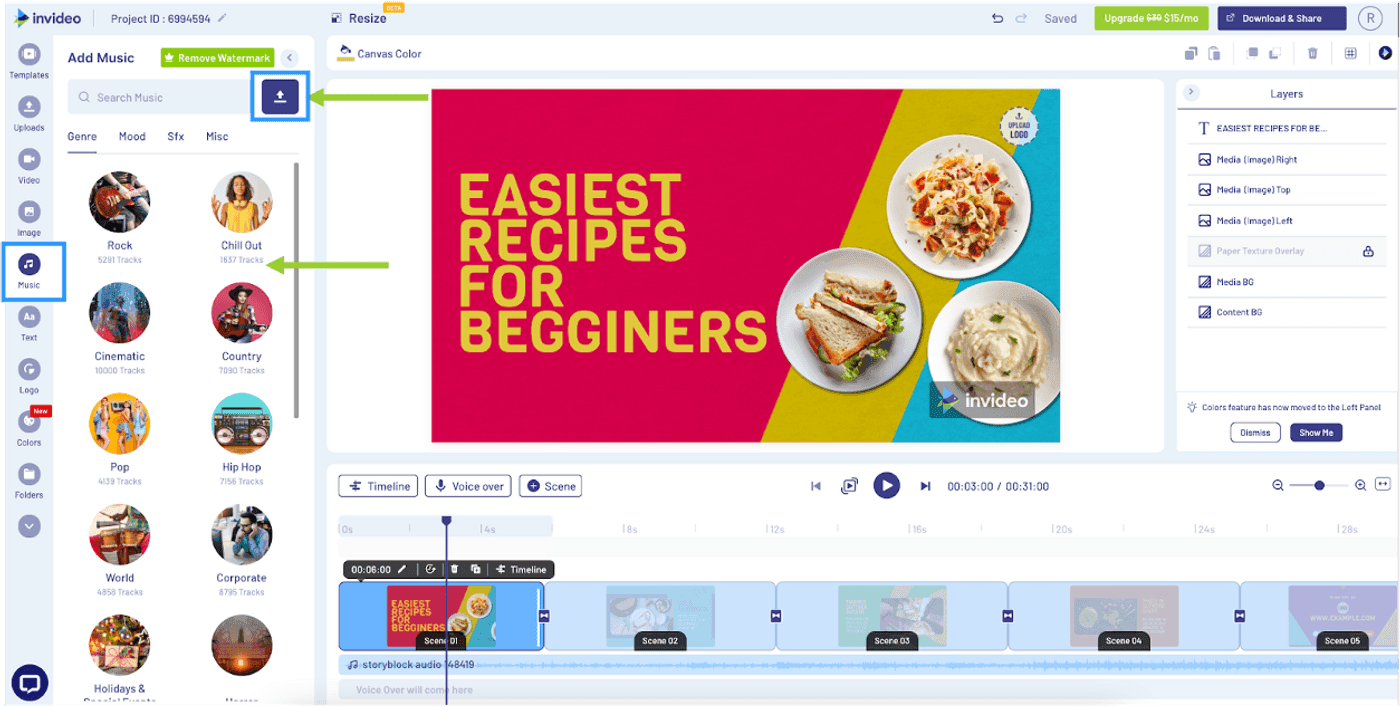
InVideo is the most direct Steve AI competitor for template-based video creation. With 5,000+ templates and AI generation, it delivers what Steve AI promises but with more reliable rendering and more generous export limits. See our ngram vs InVideo comparison.
Key features
- 5,000+ templates - Far larger library than Steve AI
- Text-to-video AI - Generate from text descriptions
- Stock library - Built-in footage and images
- Collaboration - Team editing and sharing
- Multi-platform export - Social presets
What users say
Users switching from Steve AI praise InVideo's reliability - videos render consistently without the "Asset fetching" errors. The template variety is substantially larger. Main complaint: watermarks on the free tier.
Best for
Teams wanting Steve AI's template approach with better reliability and more options.
Free plan. Business: $25/month.
5. Pictory
Pictory specializes in converting text content into video - blog posts, scripts, and long-form articles become short videos automatically. Where Steve AI focuses on animated explainers, Pictory targets content repurposing.
Key features
- Blog-to-video - Convert articles to video automatically
- Script-to-video - Text-based generation with stock visuals
- Auto-captioning - Built-in subtitle generation
- Brand customization - Colors, fonts, logos
- AI summarization - Condense long content into short clips
What users say
Content marketers praise Pictory for turning existing blog posts into shareable videos without starting from scratch. The output is less polished than hand-crafted animation but far more scalable. Complaints focus on limited creative control compared to full editors.
Best for
Content marketers and bloggers who want to repurpose existing written content as video. A different use case than Steve AI's animated explainers.
Free trial. Starter: $19/month.
6. Fliki
Fliki combines text-to-video with one of the largest AI voice libraries in the category. With 2,000+ voices across 80 languages, it's the pick for teams who need narrated video content at scale.
Key features
- 2,000+ AI voices - Largest voice library
- 80 languages - Global content creation
- Text-to-video - Script-based generation
- Stock media - Built-in footage and music
- Blog-to-video - URL-based content conversion
What users say
Fliki gets strong marks for voice quality and language breadth. Users who need narrated explainers find Fliki's voice selection far superior to Steve AI's limited options. The trade-off: higher starting price ($28/month) and less focus on animated characters.
Best for
Teams creating narrated, multilingual video content. Stronger on voice than animation.
Free tier. Standard: $28/month.
7. CapCut
CapCut is the free alternative from ByteDance. Full editing suite, AI features (auto-captions, background removal, style transfer), zero watermarks. Not a generator like Steve AI, but it handles video editing that Steve AI can't touch. See our ngram vs CapCut comparison.
Key features
- Free, no watermarks - Complete editing suite
- AI editing - Captions, background removal, style transfer
- Templates - Social presets
- Multi-platform - Desktop, web, mobile
- TikTok integration - Direct publishing
What users say
CapCut wins on value. Full features, no credit system, no export limits, no watermarks. The limitation: you need source footage. It edits video, it doesn't generate it.
Best for
Teams with existing footage who need free editing with AI features.
Free.
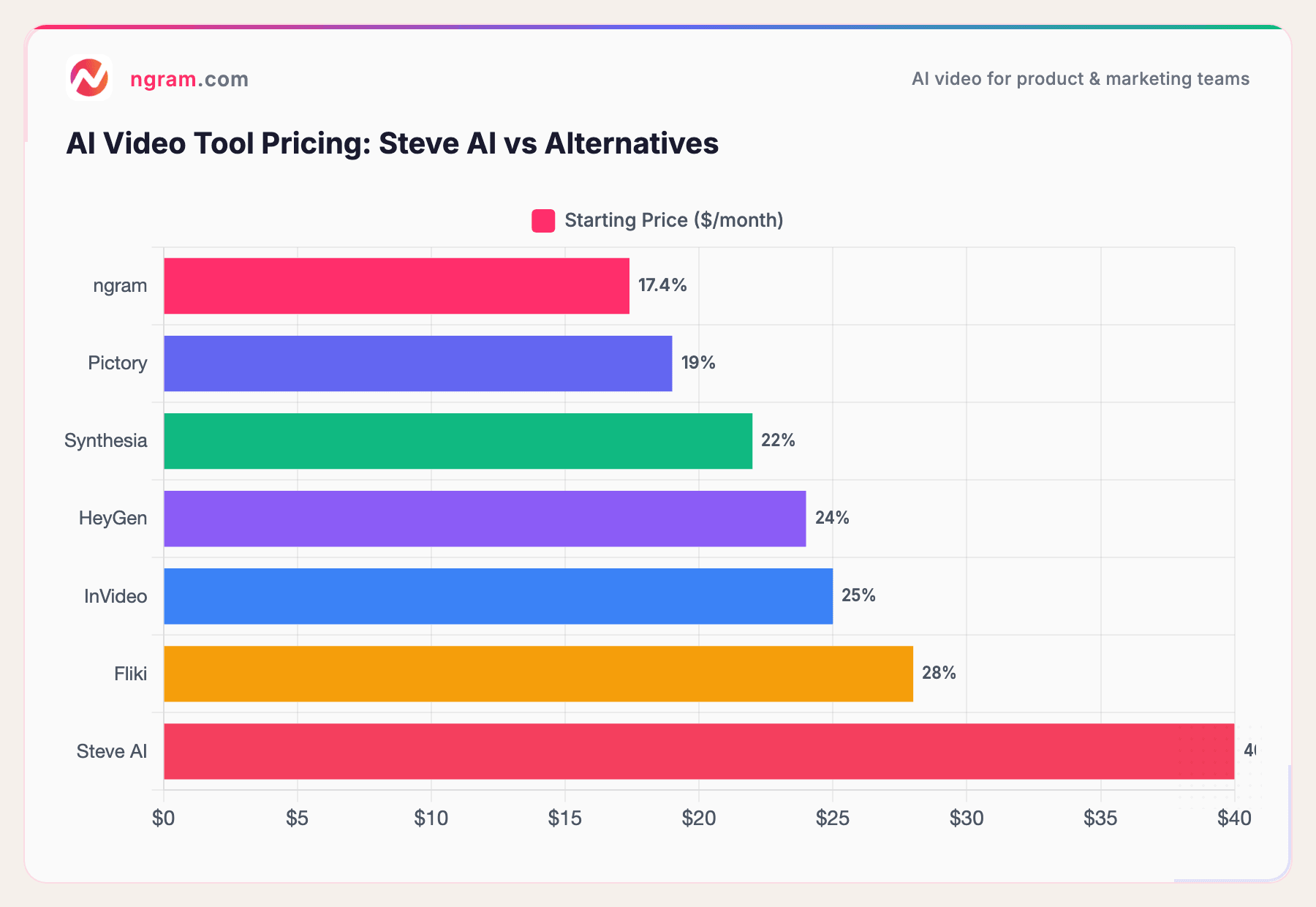
Steve AI's $40/month Starter plan is the most expensive option on this list, and it only includes 15 downloads per month. Every alternative offers either unlimited exports or a significantly lower per-video cost.
How we compared these tools
We tested each tool, read hundreds of user reviews from G2, Capterra, Trustpilot, and AppSumo, and scored across five weighted criteria:
| Criteria | Weight | What we looked at |
|---|---|---|
| AI Capabilities | 30% | Generation quality, avatar realism, voice quality, consistency |
| Features | 30% | Templates, editing, export options, collaboration |
| Ease of Use | 20% | Learning curve, onboarding, UI quality |
| Value | 15% | Price per export, free tier generosity, download limits |
| Support & Community | 5% | Response times, refund policy, documentation |
We focused on qualitative user sentiment rather than aggregate scores, with special attention to rendering reliability and refund experiences.
Quick answers
Is there a free alternative to Steve AI?
Yes. CapCut provides a full video editor with AI features and no watermarks for free. InVideo and Fliki offer free tiers with limitations. For professional video from existing assets, ngram has a generous free plan.
How does Steve AI compare to Synthesia?
Steve AI focuses on animated cartoon-style characters, while Synthesia uses photorealistic AI avatars. Synthesia supports 140+ languages vs Steve AI's limited language options, and offers enterprise-grade security. Steve AI is cheaper ($20/mo Basic) but less professional.
What's the best Steve AI alternative for explainer videos?
For animated explainers, InVideo offers more templates and reliable rendering. For professional explainer videos from existing content, ngram produces higher-quality output. For avatar-presented explainers, Synthesia or HeyGen are stronger options than Steve AI's cartoon characters.
Can Steve AI make realistic videos?
No. Steve AI specializes in animated, cartoon-style videos. For realistic AI-generated video, Synthesia and HeyGen produce photorealistic avatar content. For professional video from real footage and assets, ngram is the better fit.
Why is Steve AI so expensive?
Steve AI's Starter plan at $40/month includes only 15 downloads. At $2.67 per video, it's the highest per-export cost among AI video tools. Alternatives like ngram ($17.40/mo) and Pictory ($19/mo) offer more generous export limits at lower prices.
Which one should you pick?
Steve AI carved out a niche in animated explainer videos, but the rendering issues, pricing, and lifetime deal controversy have eroded trust.
If your team creates professional video from existing content (docs, recordings, URLs), ngram delivers on-brand results without template constraints or rendering lottery.
If you need AI avatars for training and internal communications, Synthesia is the enterprise upgrade from Steve AI's cartoon characters.
If you want the template approach with better reliability, InVideo has 5,000+ templates that actually render.
And if budget is the deciding factor, CapCut gives you a complete editor with AI features at $0.
Try ngram free - your first video in under 5 minutes. No template constraints. No rendering failures. Turn recordings, docs, or images into polished, on-brand videos. Start free


