

Quick comparison
| Tool | Best For | Starting Price | Key Differentiator |
|---|---|---|---|
| ngram | Professional video from any asset | Free / $17.40/mo | AI-powered generation from recordings and docs |
| Synthesia | Enterprise AI avatar videos | $22/mo | 230+ avatars, 140+ languages, SOC 2 certified |
| HeyGen | Avatar cloning and personalization | $24/mo | Instant avatar cloning from 2-minute video |
| InVideo | Template-based video at scale | Free / $25/mo | 5,000+ templates with AI script generation |
| Pictory | Blog-to-video conversion | $19/mo | Turns articles and scripts into video automatically |
| VEED | Browser-based video editing | Free / $12/mo | Full editor with AI subtitles and avatars |
| Canva Video | Quick social video content | Free / $13/mo | Integrated with Canva's full design suite |
The case for switching off Vidnoz
Vidnoz built traction by offering free AI video credits and a library of 1,900+ avatars. For teams that needed quick avatar-narrated videos without a production budget, the free tier and low entry price were appealing.
But the credit-based pricing model has created growing frustration.
Credits that vanish fast. Vidnoz's paid plans start at $23.99/month for 500 credits, but credits get consumed quickly. A 2-minute video with a high-quality avatar, voice cloning, and 1080p export can burn through 50-80 credits. Multiple Trustpilot reviewers report running out of credits mid-month.
Subscription-only since February 2026. Vidnoz removed the option to buy credits as needed and now requires monthly subscription plans. Users who previously topped up credits when they had a project now pay monthly whether they produce videos or not.
Free credit bait-and-switch. Multiple Product Hunt and Trustpilot reviewers report that advertised free credit offers were never activated on their accounts. Some describe this as deliberately misleading, with one reviewer calling it "fraudulent marketing."
Limited customization. While Vidnoz offers 1,900+ avatars and 2,800+ templates, users report that creating anything beyond the templates is frustrating. The platform prioritizes speed over creative control.
Avatar quality inconsistency. In the AI avatar category, Vidnoz's avatars receive mixed reviews on realism. Users searching for Vidnoz alternatives in 2026 frequently cite avatar quality, facial stability, and motion consistency as the primary triggers for their search, according to G2 and community discussions.
We tested 6 Vidnoz alternatives across AI capabilities, pricing transparency, and output quality. Here is what held up.
1. ngram
If you started with Vidnoz because you needed video content without a production team and found that AI avatars introduce their own set of problems, ngram skips avatars entirely.
Where Vidnoz puts an AI presenter in front of your script, ngram creates professional videos from your actual content. Upload a screen recording, a document, screenshots, or a URL. Tell ngram who the video is for and what it needs to accomplish. It handles the script, storyboard, visuals, pacing, captions, and brand styling automatically.
No credits. No avatars. No uncanny valley. Real content, professionally produced.
What makes ngram stand out
Context-aware generation adapts every video to its audience and channel. A product demo for enterprise buyers gets different structure than a social clip for LinkedIn. You set the audience, goal, and destination. ngram adapts automatically.
Plan first, generate second. You review the script and storyboard before anything renders. Vidnoz and most AI avatar tools generate the final video from a text prompt with minimal review. With ngram, you confirm direction before burning credits or time.
Transparent pricing. ngram's free plan has no credit traps. Paid plans start at $17.40/month with clear feature tiers, no per-video surcharges, and no credits that expire.
Key features
- Context-aware generation - Adapts structure, pacing, and tone to audience and channel
- Plan first, generate second - Script and storyboard review before rendering
- Any asset in - Screen recordings, docs, images, URLs as input
- AI editing - Auto-cut, filler removal, smart zoom, cursor emphasis
- Multi-format export - 16:9, 9:16, 1:1 with captions included
- Brand kits - Logo, colors, fonts applied automatically
Pros
- ✅ No credit-based pricing or per-video charges
- ✅ Professional video from real content, not AI avatars
- ✅ Works with any input format: recordings, docs, screenshots, URLs
Cons
- ❌ Does not produce AI avatar presenter videos
- ❌ Web-based only, no desktop app
Who is ngram best for?
Product Marketing, Growth, Sales, and Customer Success teams who want professional video output without the credit-counting anxiety. If you left Vidnoz because the costs kept creeping up or because AI avatars did not land with your audience, ngram delivers polished video from real content at a predictable price.
ngram has a generous free plan with paid plans starting at $17.40 per month.
Ready to try ngram? Create your first professional video in under 5 minutes - no credits required. Start free
See ngram in action:
2. Synthesia
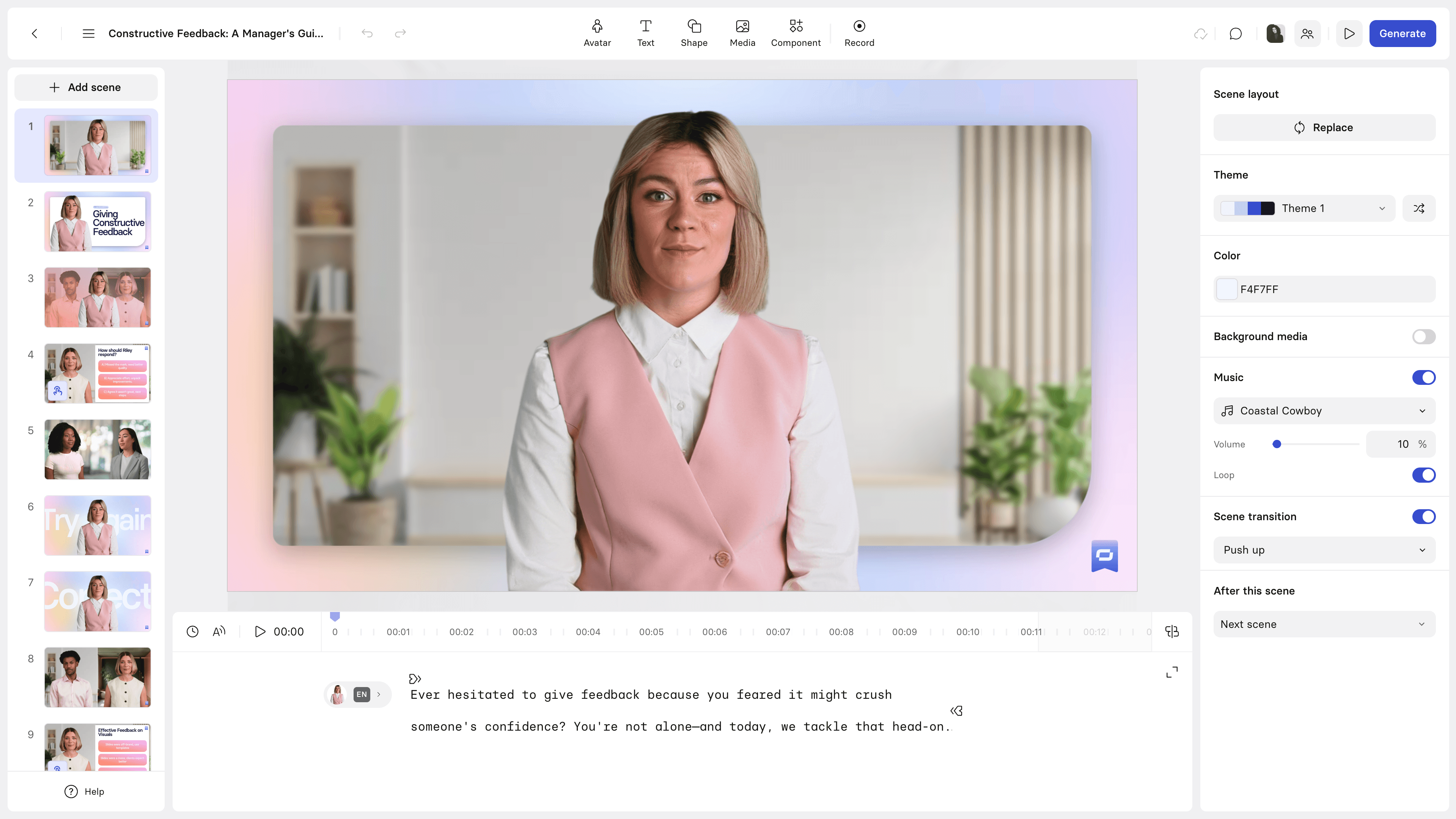
Synthesia is the market leader in AI avatar video, serving over 50,000 companies. If you are leaving Vidnoz specifically because you want better avatar quality and enterprise-grade security, Synthesia is the most direct upgrade.
The platform offers 230+ AI avatars with natural lip-sync across 140+ languages. Synthesia raised $90 million in Series C and holds SOC 2 Type II certification. The pricing model is straightforward: per-seat monthly or annual plans, not credit-based.
Key features
- 230+ AI avatars - Realistic digital presenters with natural lip-sync
- 140+ languages - Text-to-video with native accent support
- Custom avatars - Create avatars from your team's likeness
- Enterprise security - SOC 2 Type II certified
- No credit system - Flat monthly pricing based on minutes, not credits
Pros
- ✅ Best avatar quality in the category, far ahead of Vidnoz
- ✅ No credit-based pricing surprises
- ✅ Enterprise security that regulated industries require
Cons
- ❌ Starter plan limits to 10 minutes of video per month
- ❌ Premium pricing compared to budget AI video tools
What users say
G2 reviewers consistently rank Synthesia's avatar quality above Vidnoz. Training departments report cutting production time from weeks to hours. The most common complaint is the video minute limits on lower tiers. Reddit users on r/elearning note that Synthesia avatars feel noticeably more natural than Vidnoz's, especially for extended narration. For a detailed comparison, see our ngram vs Synthesia comparison.
Best for
Enterprise L&D and training teams that need high-quality avatar videos without credit-counting. The most direct Vidnoz upgrade for teams committed to the avatar format. Pricing starts at $22/month.
3. HeyGen
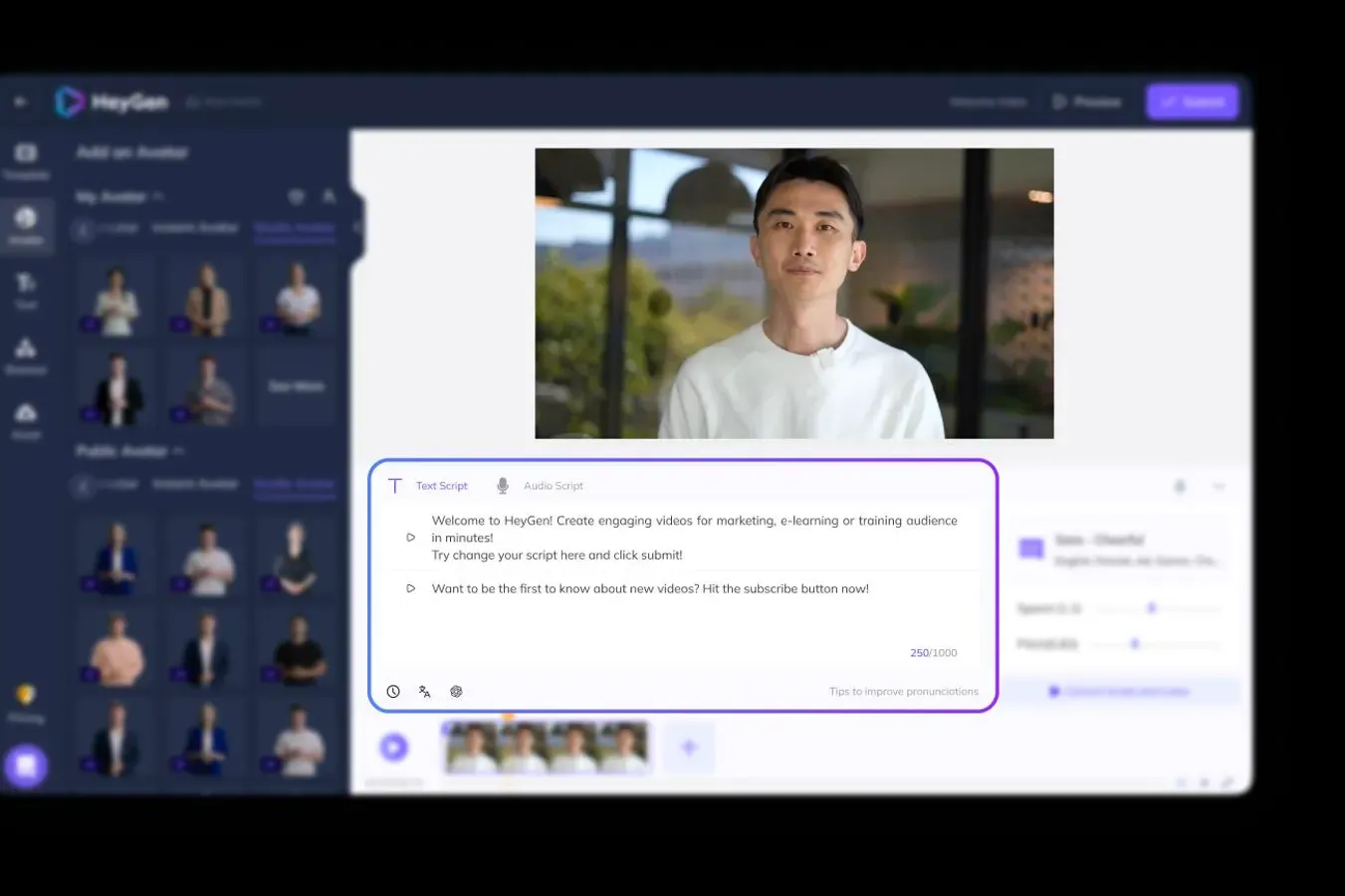
HeyGen crossed 3 million users in 2025 as the fastest-growing AI avatar platform. The standout feature that Vidnoz cannot match: instant avatar cloning. Record a 2-minute video of yourself, and HeyGen creates a digital twin that speaks any script in any language with matching lip movements.
HeyGen also offers video translation with lip-sync across 40+ languages, turning one video into localized versions without re-recording.
Key features
- Instant avatar cloning - Digital twin from 2 minutes of video
- Video translation - Lip-synced translations across 40+ languages
- 100+ stock avatars - Pre-built avatars for immediate use
- Personalized video at scale - Hundreds of personalized videos from one template
- API access - Programmatic video generation for developer workflows
What users say
HeyGen users praise the avatar cloning quality as a generation ahead of Vidnoz. Product Hunt named it a top product multiple times. The most common complaint is pricing at scale. G2 reviewers note that HeyGen's personalization features, particularly the ability to create videos featuring your own likeness, give it a clear advantage over Vidnoz's stock avatar approach. See our ngram vs HeyGen comparison.
Best for
Sales teams and marketers who want personalized avatar videos at scale. If Vidnoz's stock avatars felt generic for outreach, HeyGen's instant cloning makes every video feel personal. Pricing starts at $24/month.
Tired of credit-based video tools? ngram creates professional videos from your real content with transparent, predictable pricing. Try ngram free
4. InVideo
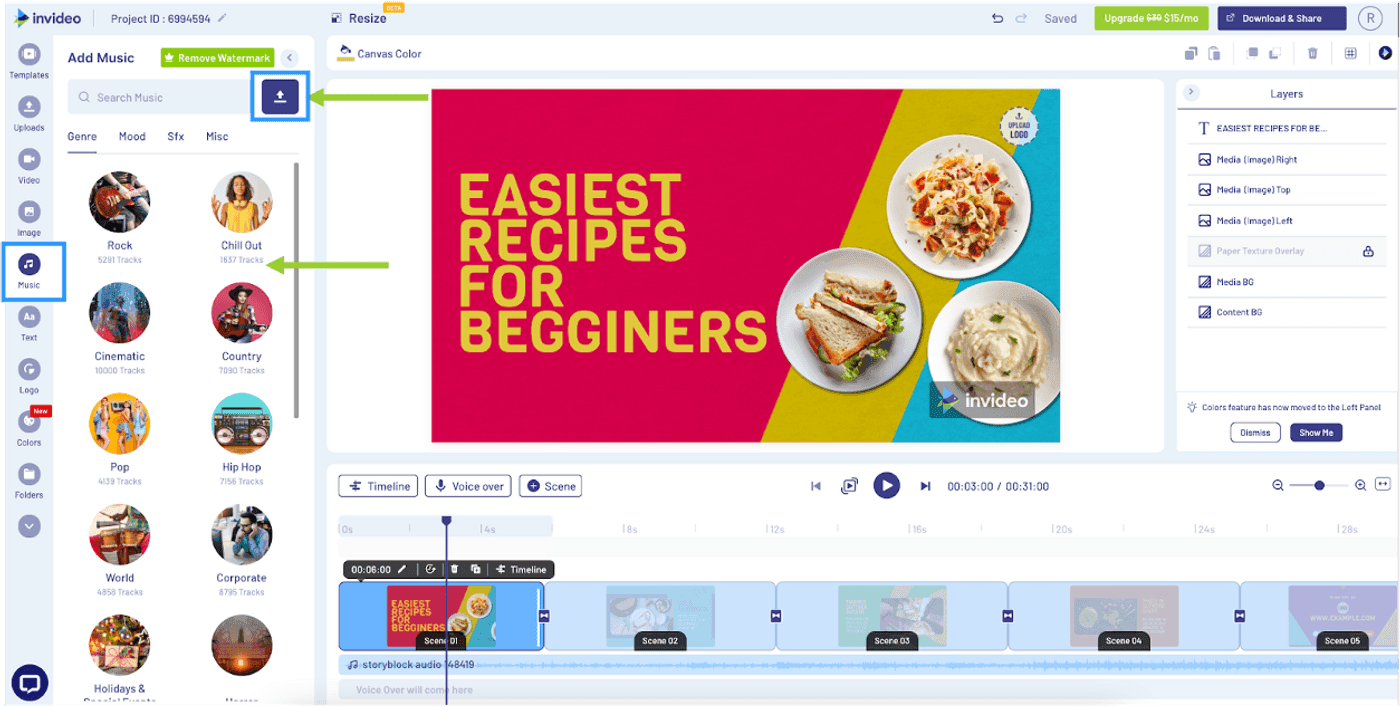
InVideo serves over 7 million users across 190+ countries with a template-based approach to video creation. Where Vidnoz focuses on AI avatars, InVideo provides 5,000+ video templates with an AI script generator that turns text prompts into complete video drafts.
The platform includes an 8-million-asset stock library (iStock and Storyblocks integration) and supports 50+ languages. InVideo's AI features include script generation, scene suggestions, and text-to-video conversion.
Key features
- 5,000+ templates - Pre-built templates for every video type
- AI script generator - Generate scripts from text prompts
- Text-to-video - Paste an article, get a video draft
- 8M+ stock assets - iStock and Storyblocks integration
- 50+ languages - Create content in multiple languages
What users say
G2 reviewers praise InVideo's template variety and production speed. The most common complaint is that template-driven output can feel generic. Reddit users note InVideo produces more polished marketing content than Vidnoz for non-avatar use cases. Several users migrating from Vidnoz appreciate the transparent pricing without credit anxiety.
Best for
Content teams producing marketing videos at scale who need templates, not avatars. If your Vidnoz use case was marketing explainers rather than avatar-narrated content, InVideo delivers comparable output with better templates. Free plan available, paid starts at $25/month.
5. Pictory
Pictory specializes in turning text content into video automatically. Paste a blog post, article, or script, and Pictory generates a complete video with relevant stock footage, transitions, captions, and background music.
The platform uses AI to analyze your text, identify key points, and select matching visuals from its stock library. Pictory serves content marketers who need to repurpose written content into video without starting from scratch.
Key features
- Blog-to-video - Paste a URL, get a video draft with stock footage
- Script-to-video - Turn scripts into narrated video automatically
- AI highlights - Extract key moments from long videos
- Auto captions - Accurate transcription and subtitle generation
- Brand customization - Apply brand colors, logos, and fonts
What users say
Content marketers praise Pictory for repurposing blog content into video without production effort. G2 reviewers note that the AI scene matching is hit-or-miss but improving. The main complaint is that the stock footage library can feel repetitive for teams producing many videos in the same niche. Reddit users compare Pictory favorably to Vidnoz for content repurposing, noting that Pictory's text-based workflow feels more natural than Vidnoz's avatar-first approach.
Best for
Content marketers who want to turn blog posts and articles into video content automatically. If your Vidnoz workflow was typing a script and generating avatar video, Pictory provides a similar text-to-video pipeline with stock footage instead of avatars. Pricing starts at $19/month.
6. VEED
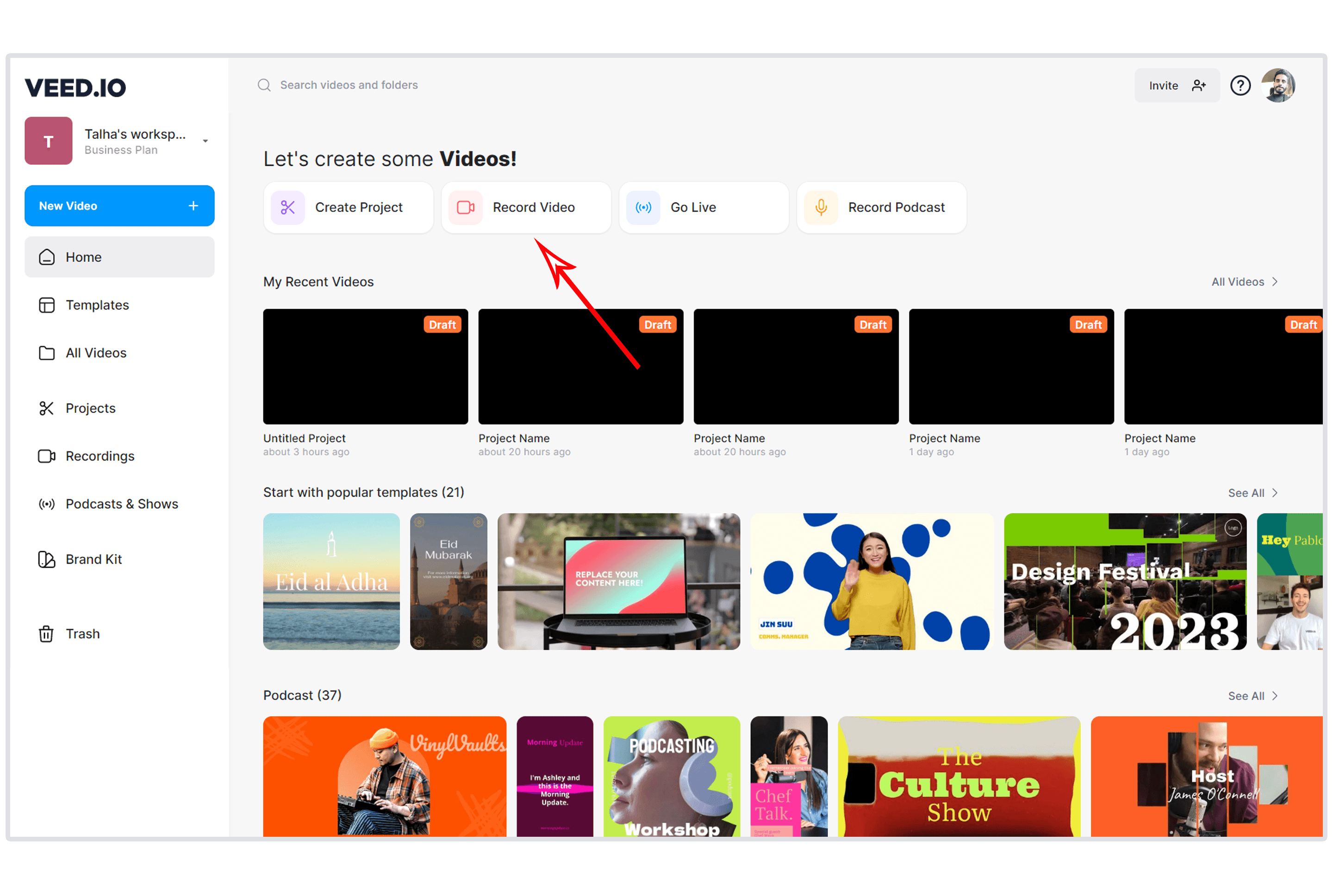
VEED is the browser-based video editor with over 4 million users that bundles AI features on top of a full editing suite. Where Vidnoz is avatar-first with limited editing, VEED gives you AI subtitles, background removal, basic AI avatars, and a complete video editor in one platform.
The combination of editing power and AI features makes VEED the pick for teams that need to edit real footage alongside occasionally generating AI avatar content.
Key features
- Browser-based editor - Full video editing without downloads
- AI subtitles - Accurate auto-transcription and subtitle styling
- AI avatars - Basic AI presenter generation
- Background removal - One-click AI background removal
- Screen recording - Built-in capture with webcam overlay
What users say
VEED users praise the all-in-one approach: edit, subtitle, and generate in one platform. G2 reviewers note that VEED's AI avatars are less advanced than Vidnoz but the editing tools more than compensate. The main advantage over Vidnoz is that VEED does not use a credit system. Reddit users in r/videography recommend VEED for teams that need editing capabilities alongside AI features.
Best for
Teams that need video editing with occasional AI avatar content. If Vidnoz's limited editing tools frustrated you, VEED bundles a full editor with AI features at $12/month. See our ngram vs VEED comparison.
7. Canva Video
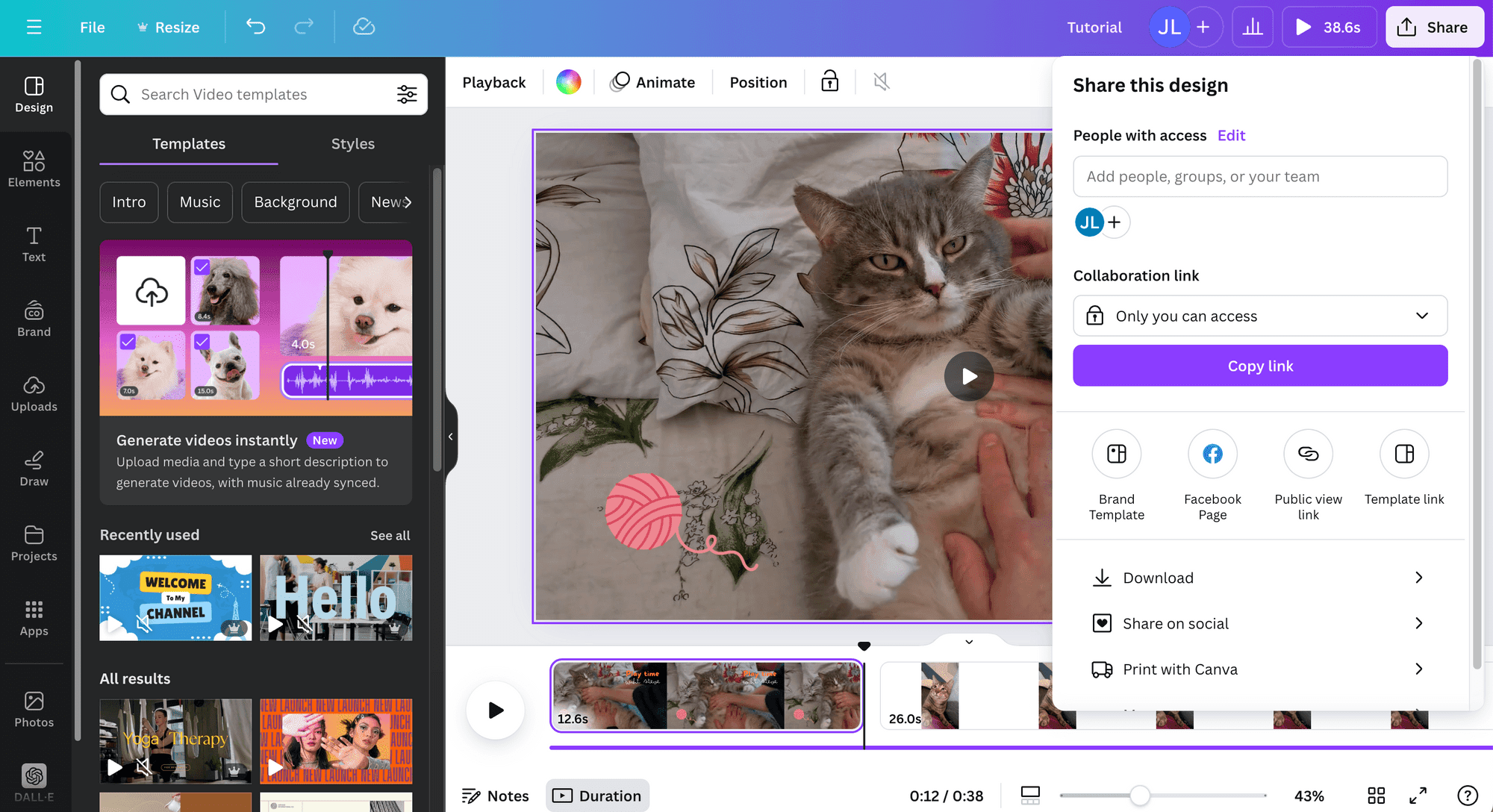
Canva Video is part of the design suite used by over 190 million monthly users. For teams already in the Canva ecosystem, adding video creation eliminates the need for a separate tool like Vidnoz.
Canva's video editor includes templates, animations, stock footage, and basic text-to-video capabilities. The output is not avatar-driven, but for social media clips, marketing content, and quick explainers, Canva Video delivers polished results without credits or per-video charges.
Key features
- Integrated design suite - Video alongside graphics, presentations, and documents
- Templates - Thousands of video templates for every platform
- Stock library - Photos, videos, music, and sound effects
- Collaboration - Real-time team editing with approvals
- No credit system - Flat pricing, no per-video charges
What users say
Teams that switch from Vidnoz to Canva Video cite the predictable pricing and integrated design workflow as the primary draw. G2 reviewers note that Canva's video editor is less powerful than dedicated video tools but "good enough for 80% of marketing video needs." Reddit users praise Canva Video for quick social content but note it cannot match Vidnoz for avatar-narrated video.
Best for
Marketing teams already using Canva who need quick video content without learning another tool or managing credits. Not a Vidnoz replacement for avatar content, but a simpler path for marketing and social video. Free plan available, Pro at $13/month.
Our testing approach
We tested each platform, read user reviews, and compared them across five weighted criteria:
| Criteria | Weight | What we looked at |
|---|---|---|
| Features | 30% | Video creation depth, templates, export options |
| Voice & Language Support | 30% | Voice quality, language count, accent accuracy |
| Ease of Use | 20% | Time to first video, interface quality, learning curve |
| Value | 15% | Pricing transparency, credit systems, free tier quality |
| Support & Community | 5% | Documentation, community, responsiveness |
We also factored in:
- Real user reviews from G2, Capterra, Product Hunt, Trustpilot, and Reddit
- Pricing transparency (credit-based vs flat-rate vs per-minute)
- Avatar quality where applicable (realism, lip-sync, emotion range)
- Output versatility (marketing, training, social, sales use cases)
The "Voice & Language Support" criterion matters more for Vidnoz alternatives than most categories because multilingual content creation is a primary reason teams choose AI video tools.
Common questions
Is there a free alternative to Vidnoz?
Yes. VEED, Canva Video, and InVideo all offer free tiers. ngram also has a generous free plan. Synthesia and HeyGen offer limited free trials. None of these free tiers use the credit system that Vidnoz employs.
What is the best Vidnoz alternative for AI avatars?
Synthesia leads with 230+ avatars and 140+ languages with the highest avatar quality in the category. HeyGen is the pick for custom avatar cloning. Both use flat monthly pricing instead of Vidnoz's credit-based model.
Can I create videos without AI avatars?
Absolutely. ngram creates professional videos from screen recordings, documents, and URLs without any AI avatars. Pictory converts blog posts and articles into video with stock footage. InVideo uses templates and stock media. All three produce polished content without the uncanny valley concerns of avatar-based tools.
Is Vidnoz's credit system worth it?
That depends on volume. If you produce 2-3 short videos per month, the starter plan may suffice. But power users report that credits deplete faster than expected, especially at 1080p with voice cloning. The switch to subscription-only in February 2026 removed the flexibility of buying credits as needed. Several users on Trustpilot describe the pricing as a "bait and switch."
How does Vidnoz compare to Synthesia?
Vidnoz offers more avatars (1,900+ vs 230+) but Synthesia's avatar quality is noticeably higher. Synthesia uses flat monthly pricing while Vidnoz uses credits. Synthesia has SOC 2 certification for enterprise use. For teams prioritizing avatar realism and pricing predictability, Synthesia wins. For teams that need variety on a budget, Vidnoz's larger library may still appeal.
Can I turn blog posts into video without an AI avatar?
Yes. Pictory converts blog URLs and articles into narrated videos with stock footage automatically. ngram converts documents and URLs into professional video with AI-powered editing and brand styling. Both skip avatars entirely. Learn more about ngram's script generation capabilities.
Which one should you pick?
The AI video market in 2026 has moved beyond credit-based pricing models. If you need professional video from real content without avatars or credits, ngram delivers at a predictable price. If you want the best AI avatars available, Synthesia's quality and enterprise security lead the category. And if you need a video editor that happens to include AI features, VEED gives you the most complete package at $12/month.
Vidnoz's 1,900+ avatars still represent the largest library in the category. But a large library matters less when the pricing model makes teams anxious about every render.
Try ngram free - no credits, no avatars, no surprises. Turn real content into polished, on-brand videos in minutes. Start free


