

Quick comparison
| Tool | Best For | Starting Price | Key Differentiator |
|---|---|---|---|
| ngram | Professional video from any asset | Free / $17.40/mo | Context-aware, plan-first workflow |
| Loom | Async bug walkthroughs | Free / $12.50/mo | 25M+ users, AI summaries |
| BetterBugs | AI-powered bug reports | Free / $15/mo | AI auto-generates descriptions + steps |
| LogRocket | Session replay + monitoring | $99/mo | Full session replay with error tracking |
| Replay | Time-travel debugging | Free / $75/mo | Rewind and inspect any moment |
| CapCut | Free screen recording editing | Free | No watermarks, full editor |
Jam.dev changed bug reporting for development teams. One click to record, automatic console and network log capture, and a shareable link that gives developers the context they need without a 10-message Slack thread. With 200,000+ users, the tool proved that visual bug reports save everyone time.
But as teams rely on Jam for daily workflows, the friction points add up. The Chrome extension crashes frequently enough to lose recordings mid-session. It interferes with website CSS on some pages. And the tool only works in Chrome, leaving Opera, Brave, and Firefox users without coverage.
We tested 6 Jam.dev alternatives across features, reliability, pricing, and real user reviews. Here's what holds up for teams who need bug reporting that works beyond Chrome.
Where Jam.dev falls short
Jam.dev's core value proposition is strong: record a bug, capture technical logs automatically, share a link. The limitations are about reliability and scope.
Chrome extension crashes. G2 and Product Hunt reviewers report frequent crashes that cause lost recordings. For a tool designed to capture bugs, crashing mid-capture is a painful irony. Users describe losing work when the extension fails during a recording session.
CSS interference. The Jam extension modifies page CSS on some websites, causing visual glitches that didn't exist before Jam was installed. For QA teams testing visual layouts, this creates false positives in their bug reports.
Chrome-only limitation. Jam works in Chrome but not in Opera, Brave, or Firefox. Teams with mixed browser environments can't standardize on Jam without leaving some developers unsupported.
5-minute recording limit (free tier). The free version caps recordings at 5 minutes. Complex bug reproductions that require multi-step workflows often hit this limit.
Privacy concerns. Users express anxiety about the GitHub login scopes Jam requests, particularly around repository access permissions that feel broader than necessary for a bug recording tool.
With Jam.dev offering a free tier and paid plans for teams, here are alternatives worth evaluating.
1. ngram
If your team needs more than raw bug recordings - if your video needs to look professional for client bug reports, stakeholder updates, or documentation - ngram takes a fundamentally different approach.
Where Jam captures raw screen recordings with console logs, ngram starts from what you already have - screen recordings, documents, images, URLs - and builds structured, polished video with AI-powered editing. For bug documentation that needs to look intentional and professional, ngram fills the gap Jam doesn't touch.
What makes ngram stand out
Context-aware generation adapts every video to its purpose. A bug report for an engineering team gets different structure than a client-facing incident summary. Jam treats every recording identically.
Plan first, generate second. ngram shows you the script and storyboard before rendering. You control the narrative - which steps to highlight, what to annotate, how to structure the walkthrough.
AI-powered editing polishes automatically: auto-cut dead air, filler word removal, smart zoom on key interactions, cursor emphasis, and auto-captions. Learn more about ngram's screen recording editor. For a detailed comparison, see our ngram vs Jam comparison.
Key features
- Context-aware generation - Adapts to audience, goal, and channel
- Plan first, generate second - Script and storyboard before rendering
- Any asset in - Text, images, docs, URLs, screen recordings
- AI editing - Auto-cut, smart zoom, filler removal, captions
- Multi-format export - 16:9, 9:16, 1:1 with captions
- Brand kits - Logo, colors, fonts on every video
Pros
- ✅ Professional output for client-facing bug reports and documentation
- ✅ AI editing turns raw recordings into polished walkthroughs
- ✅ Works across all browsers (web-based, no extension needed)
Cons
- ❌ No automatic console/network log capture (different use case than Jam)
- ❌ Not designed for quick one-click bug captures
Who is ngram best for?
Product teams, Customer Success, and Agencies who need professional bug documentation and product walkthroughs that go beyond raw screen captures. If your bug reports need to look polished before reaching clients, ngram is the fit.
Generous free plan. Paid plans start at $17.40/month.
Ready to try ngram? Create your first video in under 5 minutes. Start free
See ngram in action:
2. Loom
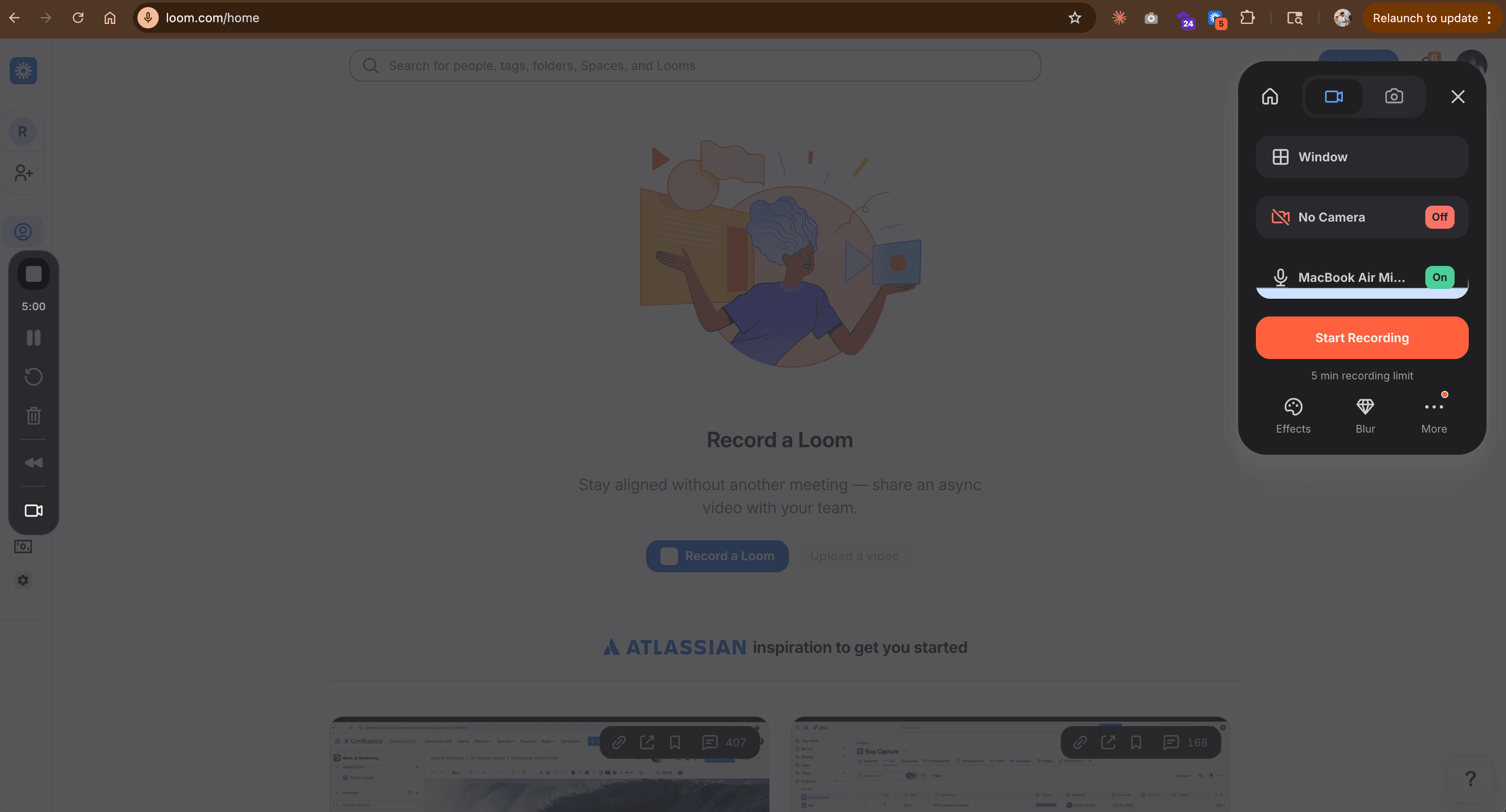
Loom is the general-purpose async video tool that many teams use for bug reporting alongside other workflows. It lacks Jam's automatic console log capture, but makes up for it with reliability, AI summaries, and a 25M+ user base.
Loom's Chrome extension is notably more stable than Jam's, and it works across browsers via its desktop app. AI-generated transcripts and summaries add context that raw Jam recordings don't include. See our ngram vs Loom comparison.
Key features
- Reliable recording - Cross-browser via desktop app
- AI summaries - Automatic transcription, chapters, and takeaways
- No viewer account needed - Anyone can watch via link
- Drawing tools - Annotate while recording
- Team workspaces - Organized video libraries
Pros
- ✅ More stable than Jam's Chrome extension
- ✅ AI summaries add context automatically
- ✅ Works across browsers via desktop app
Cons
- ❌ No automatic console/network log capture
- ❌ Less developer-specific than Jam
What users say
Development teams that use Loom for bug reporting praise the reliability and AI transcription. The trade-off: no automatic technical log capture means developers need to manually include console output in recordings. For teams who value reliability over dev-specific features, Loom wins.
Best for
Teams who want a reliable async video tool for bug reporting and general communication. Less developer-specific than Jam but more stable and versatile.
Free plan (25 videos, 5 min each). Business: $12.50/month per user.
3. BetterBugs
BetterBugs is the closest direct competitor to Jam.dev. Like Jam, it captures screen recordings with automatic technical data. But BetterBugs adds an AI assistant that automatically generates bug descriptions and reproduction steps from the recording.
Where Jam captures the recording and leaves the bug report writing to you, BetterBugs drafts the entire report. For QA teams filing dozens of bugs per day, that automation saves meaningful time.
Key features
- AI bug descriptions - Auto-generates title, description, and repro steps
- Screen recording + logs - Console, network, and device data captured
- Browser extension - One-click capture similar to Jam
- Jira/Linear integrations - Push directly to issue tracker
- Annotation tools - Mark up screenshots during capture
What users say
QA teams praise the AI-generated bug reports as BetterBugs' strongest differentiator from Jam. Instead of recording and then writing a separate bug report, BetterBugs combines both steps. Complaints focus on being newer and less proven than Jam's larger user base.
Best for
QA teams who file high volumes of bug reports and want AI to draft the descriptions automatically. The most direct Jam competitor with a stronger AI layer.
Free tier available. Pro: $15/month.
Need professional bug documentation beyond raw recordings? ngram turns your screen recordings and docs into polished, on-brand walkthroughs in minutes. Try ngram free
4. LogRocket
LogRocket operates at a different level than Jam. Instead of recording individual bugs, LogRocket captures full user sessions automatically - every click, scroll, network request, and console error. When a bug is reported, you can replay the exact user session that caused it.
For engineering teams, LogRocket replaces the "can you reproduce that?" conversation entirely. The session replay shows exactly what happened without anyone needing to manually record.
Key features
- Session replay - Automatic recording of every user session
- Error tracking - Automatic capture of JavaScript errors
- Performance monitoring - Page load times and API latency
- User analytics - Behavioral data tied to sessions
- Integrations - Jira, Slack, GitHub, Sentry, Datadog
What users say
Engineering teams praise LogRocket's session replay as "the end of 'works on my machine' conversations." The trade-off: it's a full monitoring platform, not a quick recording tool. At $99/month minimum, it's an order of magnitude more expensive than Jam.
Best for
Engineering teams who want automatic session capture for every user interaction. Overkill for teams who just need quick bug recordings, but invaluable for production debugging.
Starts at $99/month.
5. Replay
Replay is a time-travel debugger. Record a browser session, then rewind to any moment and inspect the DOM, network requests, and JavaScript state as if you had developer tools open at that exact moment.
For complex bugs that are hard to reproduce, Replay captures everything and lets developers investigate after the fact. It's the most developer-specific alternative to Jam on this list.
Key features
- Time-travel debugging - Rewind and inspect any moment in a recording
- Full DevTools integration - Console, network, DOM inspection at any point
- Team collaboration - Share recordings with teammates
- CI integration - Record test runs automatically
- Open source foundation - Built on Mozilla's Record Replay technology
What users say
Developers who try Replay describe it as "debugging from the future." The ability to inspect browser state at any point in a recording changes how teams investigate complex bugs. Complaints center on performance overhead during recording and the learning curve.
Best for
Development teams debugging complex, hard-to-reproduce bugs. More powerful than Jam's console log capture but with a steeper learning curve and higher cost.
Free plan. Team: $75/month.
6. CapCut
CapCut is the free editing companion for teams who record bugs in Jam or Loom but need to clean up the recording before sharing. Trim mistakes, add captions, highlight key moments - all at $0 with no watermarks. See our ngram vs CapCut comparison.
Key features
- Free, no watermarks - Complete editing suite
- AI editing - Auto-captions, background removal
- Templates - Quick formatting presets
- Multi-platform - Desktop, web, mobile
- Screen recording - Built-in capture option
What users say
Teams pair CapCut with Jam or Loom: capture the bug in one tool, clean it up in CapCut for free. The combination delivers recording + editing at $0.
Best for
Teams who want free editing to polish bug recordings. Pair with any capture tool.
Free.
How we compared these tools
We tested each tool, analyzed user reviews from G2, Product Hunt, and developer forums, and scored across five criteria:
| Criteria | Weight | What we looked at |
|---|---|---|
| Features | 25% | Recording, log capture, annotations, integrations |
| Ease of Use | 25% | One-click capture, onboarding, browser compatibility |
| AI Capabilities | 20% | Transcription, auto-generated reports, summaries |
| Value | 20% | Price per user, free tier, features-per-dollar |
| Support & Community | 10% | Documentation, community, browser extension stability |
We weighted features and ease of use equally because bug reporting tools must be frictionless - if capturing a bug takes more than 10 seconds, developers won't use it.
Common questions
Is there a free alternative to Jam.dev?
Yes. Loom offers 25 free videos with AI summaries. CapCut provides free editing with no watermarks. BetterBugs has a free tier for basic bug capture. For professional video from existing assets, ngram has a generous free plan.
How does Jam.dev compare to Loom?
Jam focuses on developer-specific bug reporting with automatic console and network log capture. Loom is a general-purpose async video tool with AI summaries and broader browser support. Jam is more developer-specific; Loom is more reliable and versatile.
What's the best Jam alternative for QA teams?
BetterBugs is the most direct competitor, adding AI-generated bug descriptions to Jam's recording + log capture approach. For teams filing dozens of bugs daily, the AI automation saves significant time.
Does Jam.dev work outside Chrome?
No. Jam is Chrome-only. For cross-browser bug recording, Loom's desktop app works across browsers, and ngram is web-based (no extension needed). LogRocket and Replay capture sessions automatically without browser extensions.
Is Jam.dev reliable enough for daily use?
Jam works well when it works, but G2 and Product Hunt reviewers report frequent crashes and CSS interference. For teams who can't afford lost recordings, Loom's more stable extension or LogRocket's automatic session capture may be safer choices.
Our verdict
Jam.dev pioneered one-click visual bug reporting with automatic technical context, and for Chrome-based teams it remains a strong tool. But the crashes, CSS interference, and Chrome-only limitation push teams to look for alternatives.
If you need professional, polished video documentation beyond raw bug captures, ngram delivers on-brand output at $17.40/month.
If you want Jam's simplicity with better reliability and AI summaries, Loom at $12.50/month works across browsers.
If you want AI to write your bug reports automatically, BetterBugs at $15/month adds the automation layer Jam lacks.
And if you want the deepest debugging tool for complex bugs, Replay's time-travel debugger goes far beyond what any screen recorder can capture.
Try ngram free - your first video in under 5 minutes. Turn bug recordings, docs, or screenshots into polished walkthroughs. No Chrome extension needed. Start free


