

You record a 20-minute product walkthrough, open Trupeer, and 90 seconds later you have a polished video with AI voiceover, auto-zoom, and captions in 50+ languages. That's the pitch, and for thousands of teams, it delivers.
Trupeer is one of the fastest-growing AI video tools in 2026. Brand searches tripled from 390 to 1,300 per month in the past year. The company raised $3 million in seed funding from RTP Global and Salesforce Ventures in July 2025, and over 10,000 teams now use it for product demos, customer education, and training content.
But fast growth creates gaps. Trupeer runs exclusively through a Chrome extension - no desktop app. Custom voice options are limited in many languages. And the pricing jump from Pro ($40/month) to Scale ($199/month) catches growing teams off guard.
We tested 7 Trupeer alternatives across features, AI capabilities, pricing, and real user sentiment from G2, Product Hunt, and Reddit. Here's what held up.
Where Trupeer falls short in 2026
Trupeer's core technology is strong - the AI pipeline that removes filler words, generates voiceovers, adds intelligent zoom, and tracks cursor actions is genuinely impressive for a seed-stage product. But four friction points surface consistently:
Chrome-only limits where you can record. Trupeer works exclusively via Chrome extension. If your product runs on a desktop app, mobile interface, or non-Chrome browser, you can't capture it. Teams with multi-platform products hit this wall immediately.
The pricing cliff is steep. Pro costs $40/month with limited recording time. Scale jumps to $199/month for up to 100 minutes and custom branding. There's no middle tier - a 5x price increase with no step between.
Custom voices are thin outside English. The AI voiceover sounds polished in English, but users report limited custom voice options in languages like Dutch, German, and Portuguese. For global teams producing content across markets, this is a real constraint.
The feature set is still growing. Founded in 2025, Trupeer doesn't yet offer filler word removal in the base plan, captions and subtitles are limited compared to mature tools, and there's no video upload capability - you must record through the extension.
To be clear: for the specific job of turning a Chrome-based screen recording into a polished product video with AI voiceover, Trupeer is fast and affordable. The question is whether that narrow workflow covers your team's full video needs.
Quick comparison
| Tool | Best For | Starting Price | Key Differentiator |
|---|---|---|---|
| ngram | Professional video from any asset | Free / $17.40/mo | Context-aware AI video for any audience, channel, and input type |
| Clueso | Studio-quality product videos | $120/mo | Deep AI editing with auto-zoom, transitions, 37+ languages |
| Guidde | High-volume documentation | Free / $18/creator/mo | Unlimited video creation, 200+ AI voices, help desk integrations |
| Loom | Quick async recordings | Free / $15/mo | Fastest record-to-share, 25M+ users |
| Descript | Transcript-based editing | Free / $24/mo | Edit video by editing text, AI voice cloning |
| Camtasia | Desktop tutorial editing | $179.88/yr | Full timeline editor with 20+ years of development |
| VEED | Browser-based editing | Free / $12/mo | Simple online editor with AI subtitles and templates |
1. ngram
Trupeer starts with a screen recording and polishes it. ngram starts with whatever you have - a screen recording, a document, screenshots, a URL, or plain text - and builds a complete, professional video from it.
That flexibility is the core difference. If Trupeer's Chrome-only recording workflow limits your content pipeline, ngram removes the constraint entirely.
What makes ngram stand out
Any input, polished video out. You don't need to record a screen capture to create a video. Drop in a product doc, a changelog, a set of screenshots, or a URL. ngram builds the script, storyboard, and video from your assets. Trupeer requires you to record through Chrome first - ngram doesn't.
Context-aware generation adapts the video to your audience and channel automatically. Tell ngram who the video is for (developers vs. executives), what it needs to do (educate vs. convert), and where it's going (LinkedIn vs. help center). A sales demo gets different pacing than a training walkthrough without you rebuilding the project.
Plan first, generate second. You review the script and storyboard before anything renders. With Trupeer, the AI processes your recording immediately. With ngram, you catch direction mistakes before they become expensive re-records.
AI-powered screen recording editing turns rough captures into polished walkthroughs with automatic filler word removal, smart zoom, cursor emphasis, and branded callout labels. This matches Trupeer's core capability but adds brand kits, multi-format export (16:9, 9:16, 1:1), and no Chrome-extension requirement.
Key features
- Context-aware generation - Adapts structure, pacing, and tone to audience and channel
- Plan first, generate second - Script and storyboard review before rendering
- Any asset in - Text, images, docs, URLs, screen recordings as input
- AI editing - Auto-cut, filler removal, smart zoom, cursor emphasis
- Multi-format export - 16:9, 9:16, 1:1 with captions included
- Brand kits - Logo, colors, fonts applied to every video automatically
Pros
- ✅ Works with any input format - not locked to Chrome screen recordings
- ✅ Context-aware output adapts to audience, goal, and channel
- ✅ No per-seat pricing cliff - free plan available, paid at $17.40/mo
- ✅ Brand kits keep every video on-brand without manual styling
Cons
- ❌ Web-based only, no native desktop app yet
- ❌ Newer platform with a smaller community than established tools
Who is ngram best for?
Product Marketing, Growth, Sales Enablement, and Customer Success teams who need video across multiple channels and formats. If Trupeer's Chrome recording covers some of your videos but you still need marketing content, sales demos, and onboarding videos from other inputs, ngram consolidates the workflow.
ngram has a generous free plan with paid plans starting at $17.40 per month. For a detailed head-to-head, see our ngram vs Trupeer comparison.
Ready to try ngram? Create your first video in under 5 minutes. Start free
See ngram in action:
2. Clueso
Clueso is the closest direct competitor to Trupeer - both turn screen recordings into polished product videos with AI voiceovers, auto-zoom, and transitions. Backed by Y Combinator with $1.9M in funding and SOC 2 Type II certification, Clueso targets teams that need enterprise-grade security alongside their video production.
Where Trupeer focuses on speed ($40/month Pro), Clueso focuses on output quality ($120/month Starter). The AI editing tools are deeper - transitions, filler word removal, and 37+ language translations produce noticeably more polished results.
Key features
- AI video editing - Auto-zoom, transitions, filler word removal
- AI voiceovers - 37+ language translations with captions
- PDF-to-video - Convert documents into video walkthroughs
- SOC 2 Type II + ISO 27001 - Enterprise security certifications
- Article generation - Written documentation alongside video
Pros
- ✅ Deeper editing control than Trupeer's automated pipeline
- ✅ Enterprise security certifications (SOC 2, ISO 27001)
- ✅ Dual output: video + written articles from one recording
Cons
- ❌ $120/month starting price with 2-user limit
- ❌ 6-hour annual export cap on Starter plan
- ❌ Fewer integrations than Guidde or Trupeer
What users say
G2 reviewers praise Clueso's AI editing quality but consistently flag the pricing model. The export caps and per-seat costs create friction for growing teams. For a detailed comparison, see our ngram vs Clueso comparison.
Best for
Small teams that prioritize video production quality and need enterprise security certifications. Not ideal for high-volume documentation.
3. Guidde
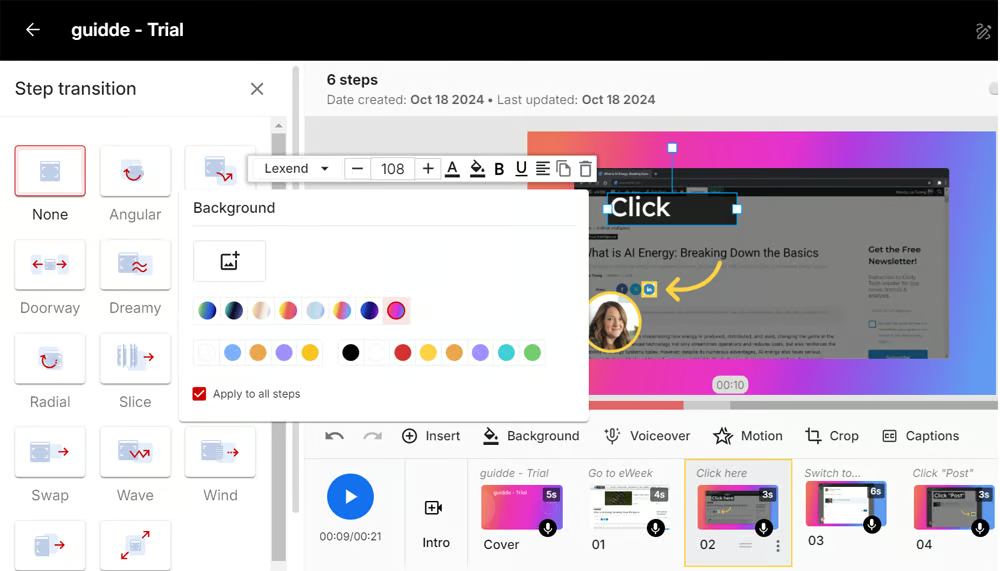
Guidde is the volume play. Where Trupeer limits recording minutes per plan, Guidde offers unlimited video creation on every paid plan starting at $18/creator/month. With $80.6M in total funding, 4,500+ enterprise customers, and 200+ AI voices across 100+ languages, Guidde is the most established tool in this category.
The tradeoff: Guidde's editing control is limited. It prioritizes documentation speed over production polish. If Trupeer's output quality matters to you, Guidde's automated approach may feel like a step backward.
Key features
- Unlimited video creation - No caps on paid plans
- 200+ AI voices - Across 100+ languages
- Magic Capture - Auto-generates guides from recordings
- Deep integrations - Zendesk, Salesforce, Slack, Confluence
- Dual output - Video and written docs from one recording
What users say
G2 reviewers praise speed and ease of use. The main criticism is limited fine-tuning control - if you want Trupeer-level visual polish, Guidde's automation doesn't offer the same depth. For a detailed comparison, see our ngram vs Guidde comparison.
Best for
Customer success and support teams producing high-volume documentation who need help desk integrations and unlimited output.
Free plan available. Pro at $18/creator/month (annual).
Looking for video that works beyond Chrome recordings? ngram creates professional video from screen recordings, docs, images, and URLs - for any channel. Try ngram free
4. Loom
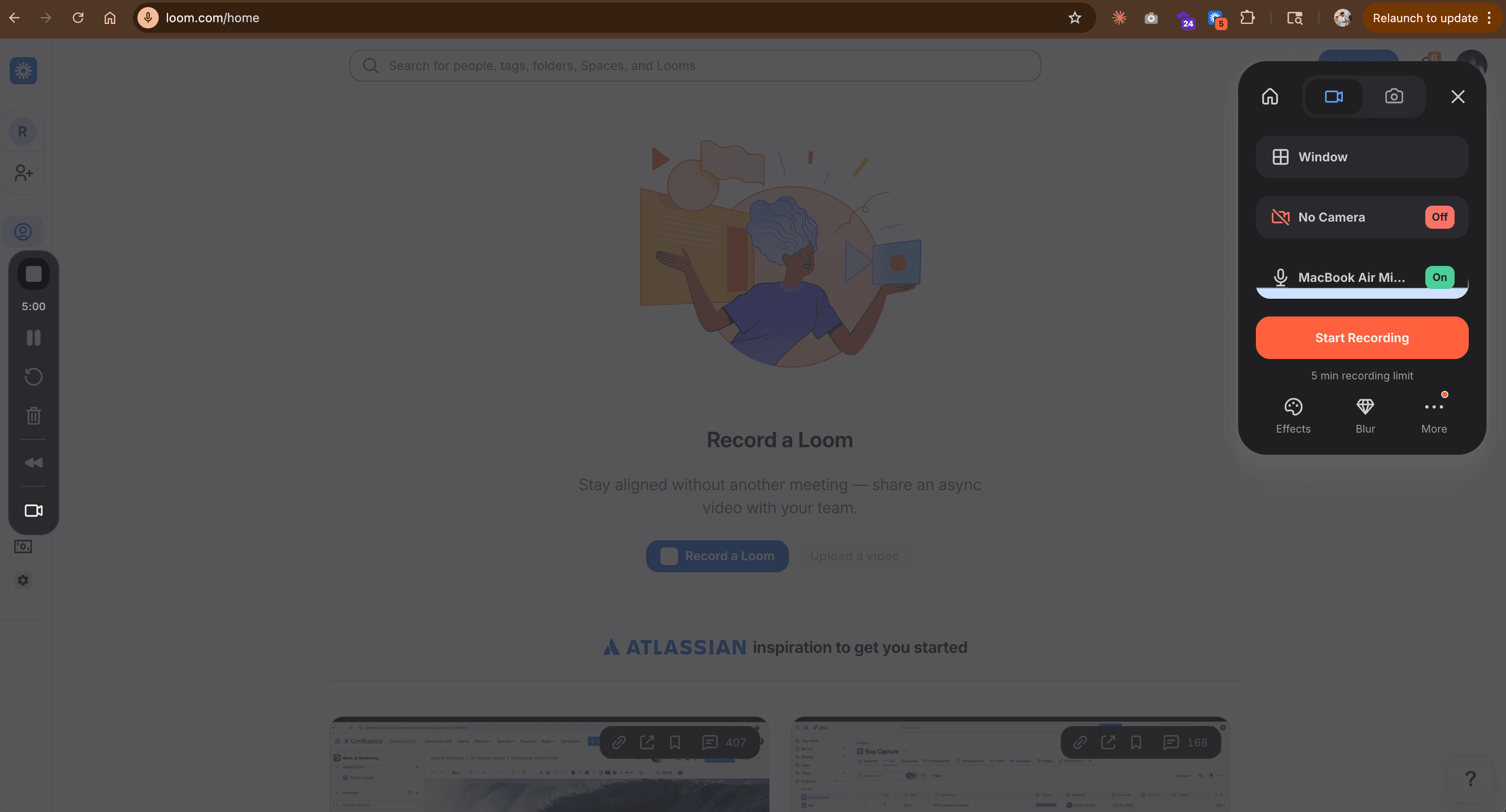
Loom is the async video standard - over 25 million users record and share screen captures daily. If your Trupeer use case is "record a quick walkthrough and send it to the team," Loom does that faster with less friction.
But Loom's output is a raw recording. No AI editing, no auto-zoom, no voiceover replacement, no polished output. It's a recording tool, not a production tool. For a detailed comparison, check our ngram vs Loom comparison.
Key features
- Instant recording - Click, record, share in under a minute
- AI summaries - Auto-generated video summaries and chapters
- Viewer analytics - Who watched, how long, engagement data
- Integrations - Slack, Notion, Gmail, Chrome extension
- Free tier - 25 videos on the free plan
What users say
Users love the speed. The consistent complaint across Reddit and G2: the output looks like a raw recording, not a produced video. For internal updates that's fine; for customer-facing content it's not.
Best for
Teams prioritizing sharing speed over production quality. Ideal for internal async communication.
Free plan available. Paid starts at $15/month.
5. Descript
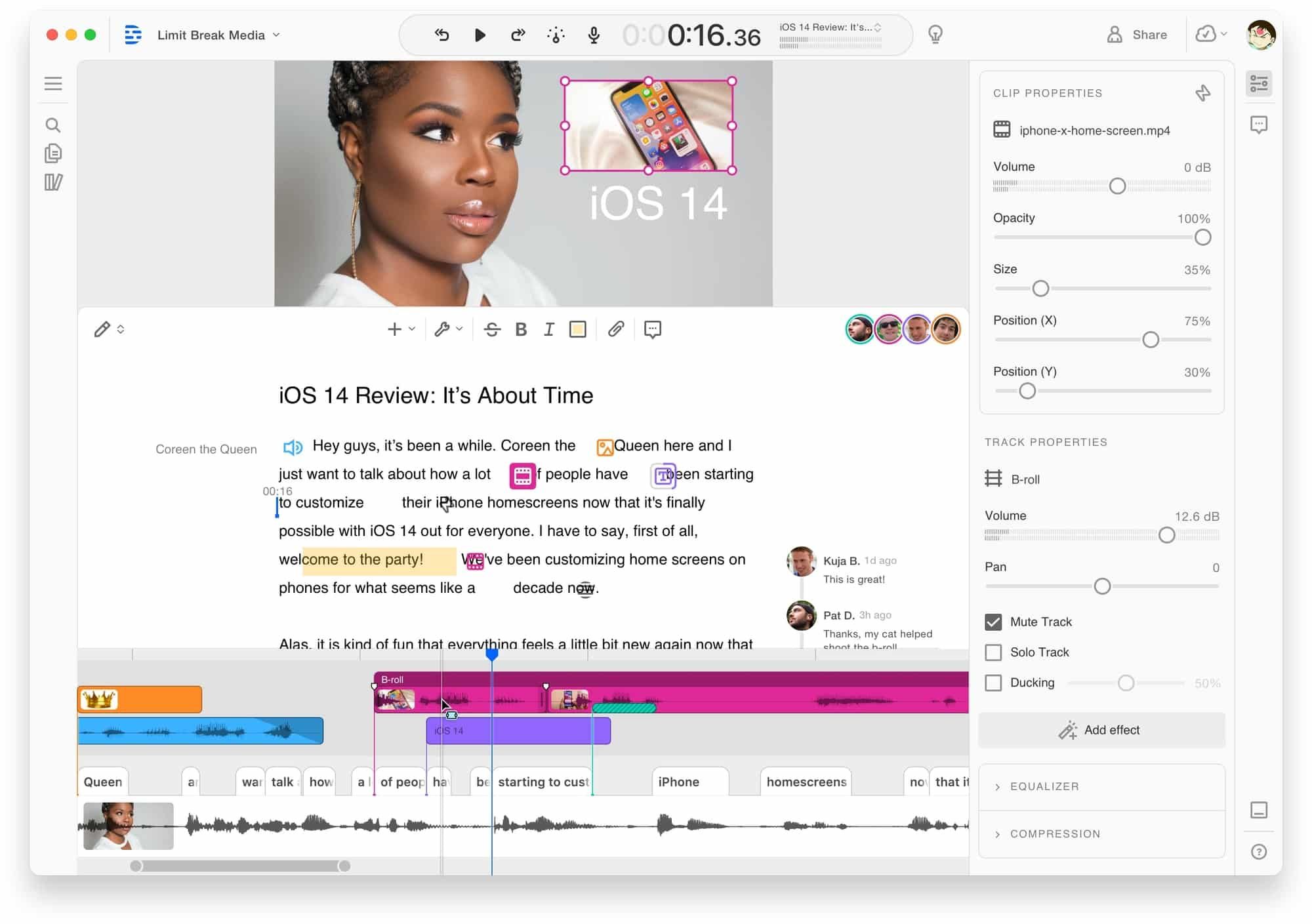
Descript is the transcript-first video editor. Record a screen capture, Descript transcribes it, and you edit the video by editing the text. Delete a word from the transcript, the video cuts accordingly. Over $100M in funding and a large user base among content creators.
Compared to Trupeer's automated pipeline, Descript gives you far more editing control - but requires more manual work. For a detailed comparison, see our ngram vs Descript comparison.
Key features
- Text-based editing - Edit video by editing the transcript
- AI voice cloning - Fix mistakes without re-recording
- Filler word removal - Automatic um/ah detection
- Screen recording - Built-in recorder with webcam overlay
- AI features - Green screen, eye contact correction, studio sound
What users say
Reddit users call the transcript-based editing "mind-blowing for long-form content." Complaints center on rendering speed and a learning curve steeper than Trupeer's one-click workflow.
Best for
Content creators working with long-form video who want deep editing control. Less ideal for teams seeking Trupeer's speed.
Pricing starts at $24/month.
6. Camtasia
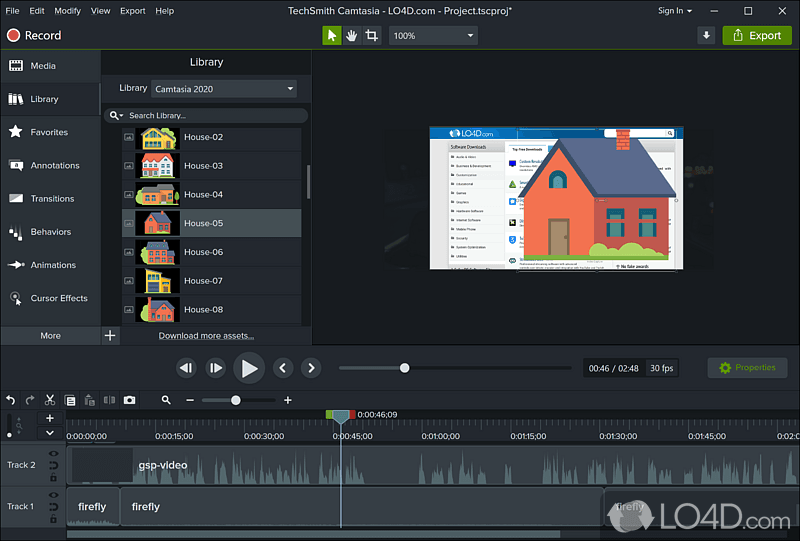
Camtasia is the desktop veteran - TechSmith has been building it since 2002. If Trupeer's Chrome-only capture feels limiting and you want frame-by-frame control on any screen, Camtasia records and edits everything: desktop apps, mobile emulators, multi-monitor setups, any browser.
No AI automation, no one-click voiceover, no cloud collaboration. But the editing depth is unmatched on this list. For a detailed comparison, see our ngram vs Camtasia comparison.
Key features
- Full timeline editor - Keyframes, tracks, transitions, annotations
- Screen recording - Any screen, any app, any size
- Template library - Pre-built themes for tutorials
- Cursor effects - Custom highlighting and smoothing
- PowerPoint integration - Import presentations directly
What users say
Long-time users praise the editing depth. Newer users report a steep learning curve compared to AI-automated tools. The annual pricing ($179.88/yr) is straightforward compared to Trupeer's per-seat model.
Best for
Individual creators and training teams who need full editing control on any platform. The anti-Trupeer: manual everything, but no limits on what you can capture or edit.
7. VEED
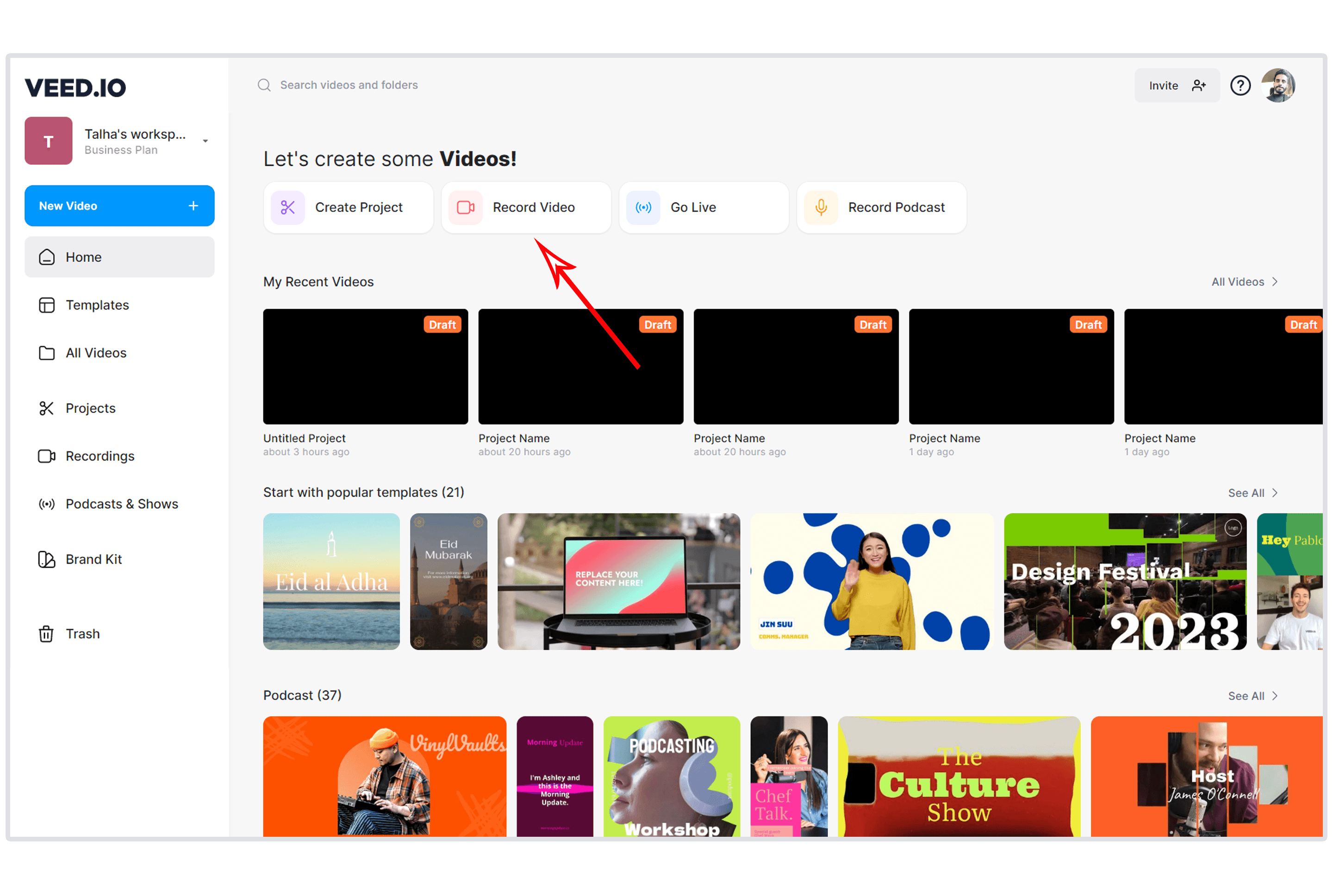
VEED is the browser-based video editor for teams that want something between Trupeer's automation and Descript's editing depth. Record or upload a video, and VEED offers AI subtitles, background removal, templates, and basic editing in a clean web interface.
With over 3 million users and pricing starting at $12/month, VEED is the most accessible editor on this list. For a detailed comparison, see our ngram vs VEED comparison.
Key features
- Browser-based editor - No download required
- AI subtitles - Auto-generated captions in 100+ languages
- Templates - Pre-built layouts for social, ads, and tutorials
- Background removal - AI-powered green screen effect
- Screen recording - Built-in recorder with webcam
What users say
G2 reviewers praise VEED's simplicity for quick edits. The main limitation: it's a general-purpose editor, not a product demo tool. If you need auto-zoom on product interactions or AI-generated documentation alongside video, VEED doesn't offer that.
Best for
Teams that need a simple, affordable browser-based video editor for social clips, ads, and quick edits. Not a direct Trupeer replacement for product demo videos.
Free plan available. Paid starts at $12/month.
Here's how the AI video creation market has grown, reflecting the surge of tools like Trupeer entering the space:
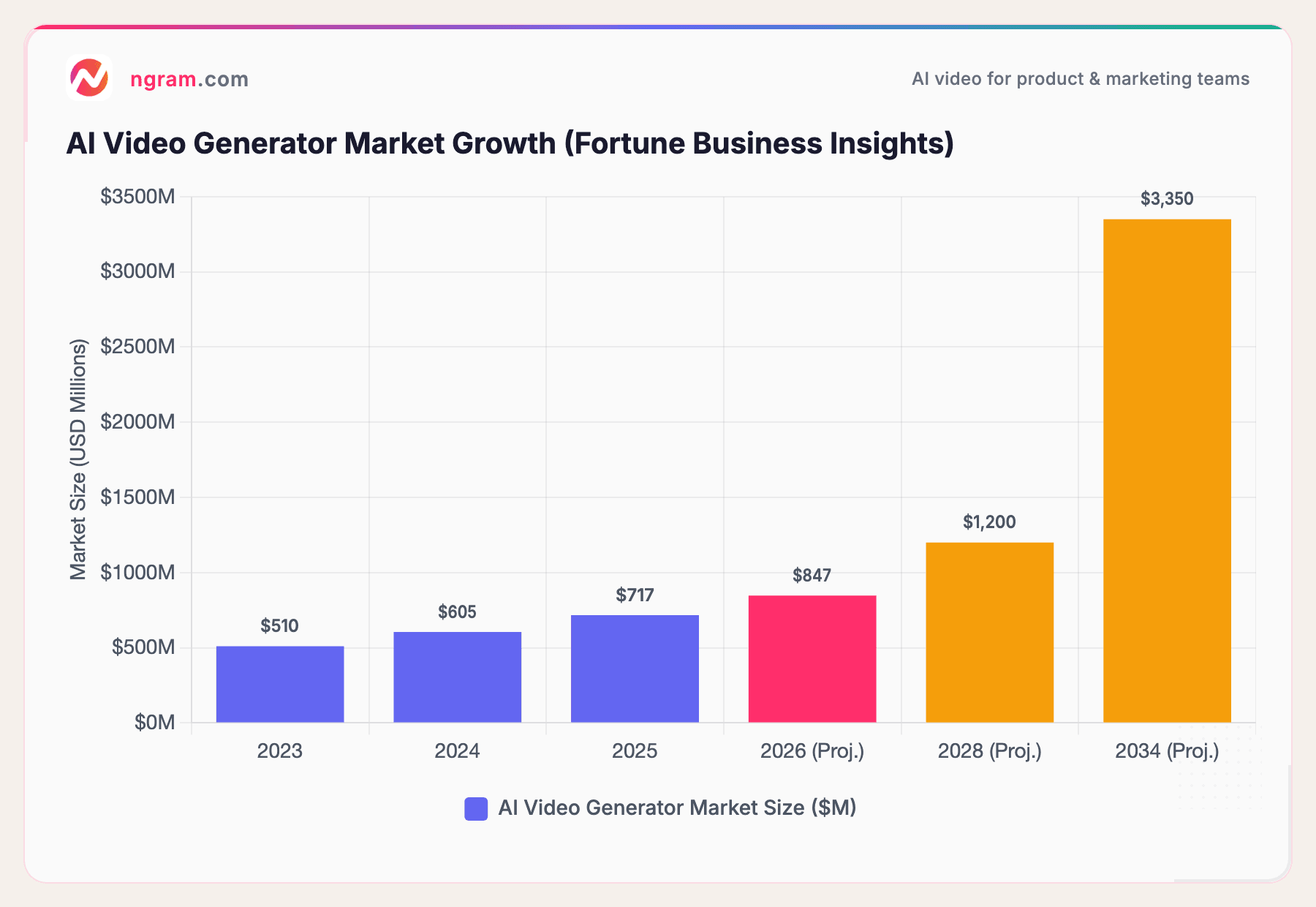
The AI video generator market hit $717 million in 2025 and is projected to reach $3.35 billion by 2034 at 18.8% CAGR, per Fortune Business Insights. Trupeer's $3M seed from RTP Global and Salesforce Ventures reflects investor confidence in this trajectory, but the market is growing faster than any single tool can serve - which is exactly why so many alternatives exist.
What we actually tested
We tested each tool, read hundreds of user reviews, and compared them across five weighted criteria:
| Criteria | Weight | What we looked at |
|---|---|---|
| Ease of Use | 30% | Time from signup to first output, learning curve, UI clarity |
| Features | 25% | Recording quality, editing depth, output formats, AI automation |
| Value | 20% | Pricing relative to features, free tier, scaling costs |
| AI Capabilities | 15% | Voiceover quality, auto-zoom, filler removal, avatar features |
| Support & Community | 10% | Documentation, customer success, community size |
We also factored in:
- Real user reviews from G2, Capterra, Product Hunt, and Reddit (qualitative sentiment, not numerical scores)
- Market presence and company stability (funding raised, user base size, years in market)
- Integration ecosystem with common business tools (Slack, Jira, Confluence, CRMs)
Trupeer is a 2025-founded startup with $3M in funding. Several alternatives on this list have 10-100x more funding, larger teams, and longer track records. We factored company maturity into the Value and Support scores.
Frequently Asked Questions
Is there a free Trupeer alternative?
Yes. Loom's free tier includes 25 recordings. Guidde offers 25 free videos. VEED has a free plan with basic editing. ngram has a free tier for AI video creation. Trupeer itself offers a limited free plan.
How does Trupeer compare to Clueso?
Both turn screen recordings into polished product videos with AI voiceover and auto-zoom. Trupeer is cheaper ($40/month vs. Clueso's $120/month) and faster. Clueso offers deeper editing control, enterprise security (SOC 2, ISO 27001), and article generation alongside video. Trupeer has AI avatars; Clueso does not.
Can I use Trupeer without Chrome?
No. Trupeer works exclusively via Chrome extension as of 2026. If you need to record desktop applications, mobile interfaces, or other browsers, you'll need a tool like Camtasia (any screen), ngram (any input format), or Loom (Chrome + desktop app).
What's the cheapest Trupeer alternative?
VEED starts at $12/month for a browser-based editor. Loom's free tier covers basic recording. Guidde at $18/creator/month is the cheapest AI video documentation tool with unlimited output. ngram starts at $17.40/month with no per-seat pricing.
Is Trupeer good for enterprise teams?
Trupeer's Scale plan ($199/month) includes custom branding and 100 minutes of recording. Enterprise offers SSO and dedicated support. However, Trupeer was founded in 2025 and lacks the security certifications (SOC 2, ISO 27001) that tools like Clueso carry. Enterprise buyers should evaluate maturity alongside features.
Should I wait for Trupeer to mature or switch now?
Trupeer is improving rapidly - the $3M seed from Salesforce Ventures signals continued investment. If Chrome-only recording covers your needs and the current feature set works, staying is reasonable. If you need multi-platform capture, deeper editing, or broader video creation beyond recordings, the alternatives on this list are more mature today.
The bottom line
Trupeer is a fast, promising tool for turning Chrome screen recordings into polished product videos. The AI pipeline is strong for a seed-stage product, and the 10,000+ team user base validates the core use case. But Chrome-only capture, the $40-to-$199 pricing jump, and limited language support mean growing teams will likely evaluate alternatives sooner than later. If you need video that works beyond Chrome recordings and across multiple content types, ngram fills that gap with context-aware AI video creation from any asset. If you need maximum editing control, Camtasia or Descript are the picks. And if documentation volume is the priority, Guidde's unlimited plan at $18/month is the best value.
Beyond Chrome recordings. Beyond tutorials. ngram creates polished, on-brand video from screen recordings, docs, or images - for any audience and channel. Start free


