
Why Tella users are testing alternatives in 2026
Tella carved out a niche that didn't exist before: screen recordings that look genuinely beautiful. Custom backgrounds, smooth zoom effects, polished layouts, and automatic subtitles turned raw captures into content that teams were proud to share. For solo creators and small marketing teams, Tella proved that screen recordings don't have to look like screen recordings.
But Tella's ambition outpaced its reliability. Users on G2 and Capterra report that the app records the wrong screen more than half the time on first launch. Corrupt video segments force re-records. There's no free tier, just a 7-day trial before you're locked out at $12-39/month. And the biggest structural limitation: Tella is Mac-only. Windows users, which make up roughly 72% of the desktop market per StatCounter's 2026 data, are excluded entirely.
The "tella vs loom" comparison draws 70 searches per month and is growing, a signal that users are actively weighing whether Tella's polish is worth the friction. We tested 6 alternatives across features, ease of use, AI capabilities, and value. Here's the ranking.
Quick comparison
| Tool | Best For | Starting Price | Key Differentiator |
|---|---|---|---|
| ngram | Professional video from any asset | Free / $17.40/mo | AI-powered, context-aware generation |
| Loom | Async team communication | Free / $15/user/mo | Speed and cross-platform reliability |
| Screen Studio | Polished Mac screen recordings | $9/mo (annual) | Auto-zoom and cursor smoothing |
| Descript | AI-powered video editing | Free / $24/mo | Edit video by editing the transcript |
| ScreenPal | Budget screen recording | Free / $3/mo | Cross-platform, lowest price |
| Camtasia | Tutorial creation | $180/year | Recording + full timeline editor |
| VEED | Browser-based editing | Free / $12/mo | No download, instant editing |
1. ngram
If Tella's value is "make recordings look beautiful," ngram's is "make professional videos from whatever you already have." That's a fundamentally different proposition. Instead of recording your screen and hoping the output looks good, ngram takes any input - a rough recording, a document, screenshots, a URL - and produces a polished, on-brand video with structure, pacing, and purpose.
Where Tella polishes the capture, ngram builds the video.
What makes ngram stand out
Context-aware generation adapts the output to your audience, goal, and channel. Tell ngram you're making a product demo for enterprise buyers on your website and it adjusts structure, pacing, and tone. A LinkedIn clip gets a different treatment entirely. Tella gives you one recording style regardless of where it's going.
AI-powered editing handles what Tella can't: filler word removal, smart zoom on interactions, cursor emphasis, and callouts driven by prompts. No separate editor needed. Check out ngram's auto-cut feature for details.
Cross-platform and browser-based. Unlike Tella (Mac-only), ngram works in any browser on any device. No install, no platform lock-in.
Key features:
- Context-aware generation - Adapts to audience, goal, and channel
- Script and storyboard review - Fix direction before rendering
- Any asset in - Text, images, docs, URLs, screen recordings
- AI editing - Auto-cut, filler removal, smart zoom
- Multi-format export - 16:9, 9:16, 1:1 with captions
- Brand kits - Logo, colors, fonts applied automatically
Pros
- ✅ Creates professional video from raw assets without editing skills
- ✅ Works on any platform (browser-based, not Mac-only)
- ✅ Context-aware output adapts to audience and channel
Cons
- ❌ Not a screen recorder itself (use alongside your existing recorder)
- ❌ Best for produced content, not quick informal captures
Who is ngram best for?
Product Marketing, Growth, Sales Enablement, and Agencies who need polished, on-brand videos without timeline editing. If you've outgrown Tella's recording-only workflow, ngram is the next step. For a head-to-head, see our ngram vs Tella comparison.
Free plan available. Paid plans from $17.40/month.
Ready to try ngram? Create your first video in under 5 minutes. Start free
See ngram in action:
2. Loom
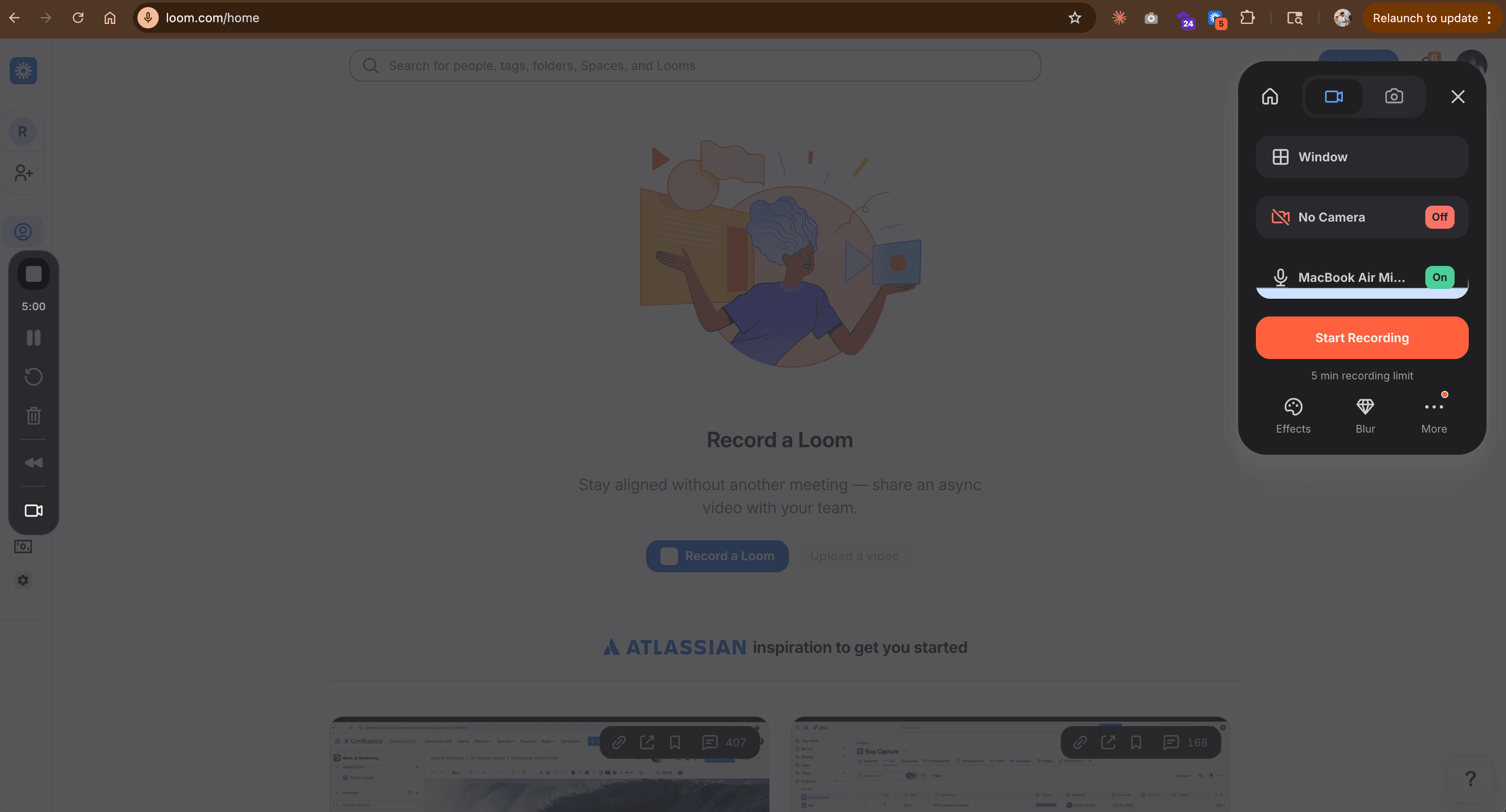
Loom is the most common tool Tella users compare against. The "tella vs loom" search gets 70+ queries per month and is trending upward. Acquired by Atlassian for $975 million in 2023, Loom has over 25 million users and the most reliable recording experience on the market.
Where Tella focuses on making recordings look polished, Loom focuses on making them happen fast. Click the extension, record, share a link. The recording itself is simpler (webcam bubble over screen, no custom backgrounds), but it works on Mac, Windows, Chrome, and mobile without the technical issues Tella users report.
Key features
- Cross-platform recording - Chrome, desktop (Mac + Windows), mobile
- AI summaries and chapters - Auto-generated on Business + AI plan
- Filler word removal - Available on higher-tier plans
- Instant sharing - One-click link generation
- Atlassian integration - Native Jira and Confluence embeds
Pros
- ✅ Rock-solid recording reliability across all platforms
- ✅ Fastest path from idea to shared video link
- ✅ 25 million users means your audience already knows the format
Cons
- ❌ Recordings look more utilitarian than Tella's polished output
- ❌ Limited customization (no custom backgrounds, minimal layouts)
What users say
Reddit users who've tried both consistently say Loom is "more reliable" while Tella is "prettier." G2 reviewers note the Atlassian acquisition raised pricing concerns with tier-based seat billing. The practical tradeoff: if you need videos that look great, Tella wins on aesthetics. If you need videos that ship consistently without technical issues, Loom wins on reliability. See our ngram vs Loom comparison.
Best for
Teams that need async communication across Mac and Windows. Free plan with 25 videos. Business at $15/user/month.
3. Screen Studio
Screen Studio is Tella's closest competitor in the "beautiful recordings" space. It's Mac-only (same limitation), but the auto-zoom and cursor smoothing features are more advanced. Every click triggers a smooth, animated zoom-in. Cursor movement is smoothed into fluid glides instead of twitchy raw movement.
The key difference: Screen Studio launched as a one-time purchase but moved to subscriptions in 2026. Plans start at $9/month (billed annually). For Tella users who like polished output but want it at a lower price point, Screen Studio delivers comparable aesthetics.
Key features
- Auto-zoom - Smooth animated zoom on every click
- Cursor smoothing - Fluid cursor movement (not raw twitchy paths)
- On-device AI transcription - Subtitles generated locally, no audio sent to servers
- iOS recording - Record iPhone/iPad via USB
- Custom branding - Backgrounds, padding, shadows, rounded corners
What users say
Reddit users praise Screen Studio's output quality, calling it the "gold standard for Mac screen recordings." The main complaints are the subscription shift (users who bought lifetime licenses feel locked in) and the Mac-only limitation. G2 reviewers note it's better for longer recordings than Tella since it's more stable. See our ngram vs Screen Studio comparison.
Best for
Mac users who want Tella-quality aesthetics with more stable recording and lower pricing. $9/month annual, $29/month monthly.
Looking for the fastest way to create professional videos? ngram turns your screen recordings, docs, and images into polished videos in minutes. Try ngram free
4. Descript
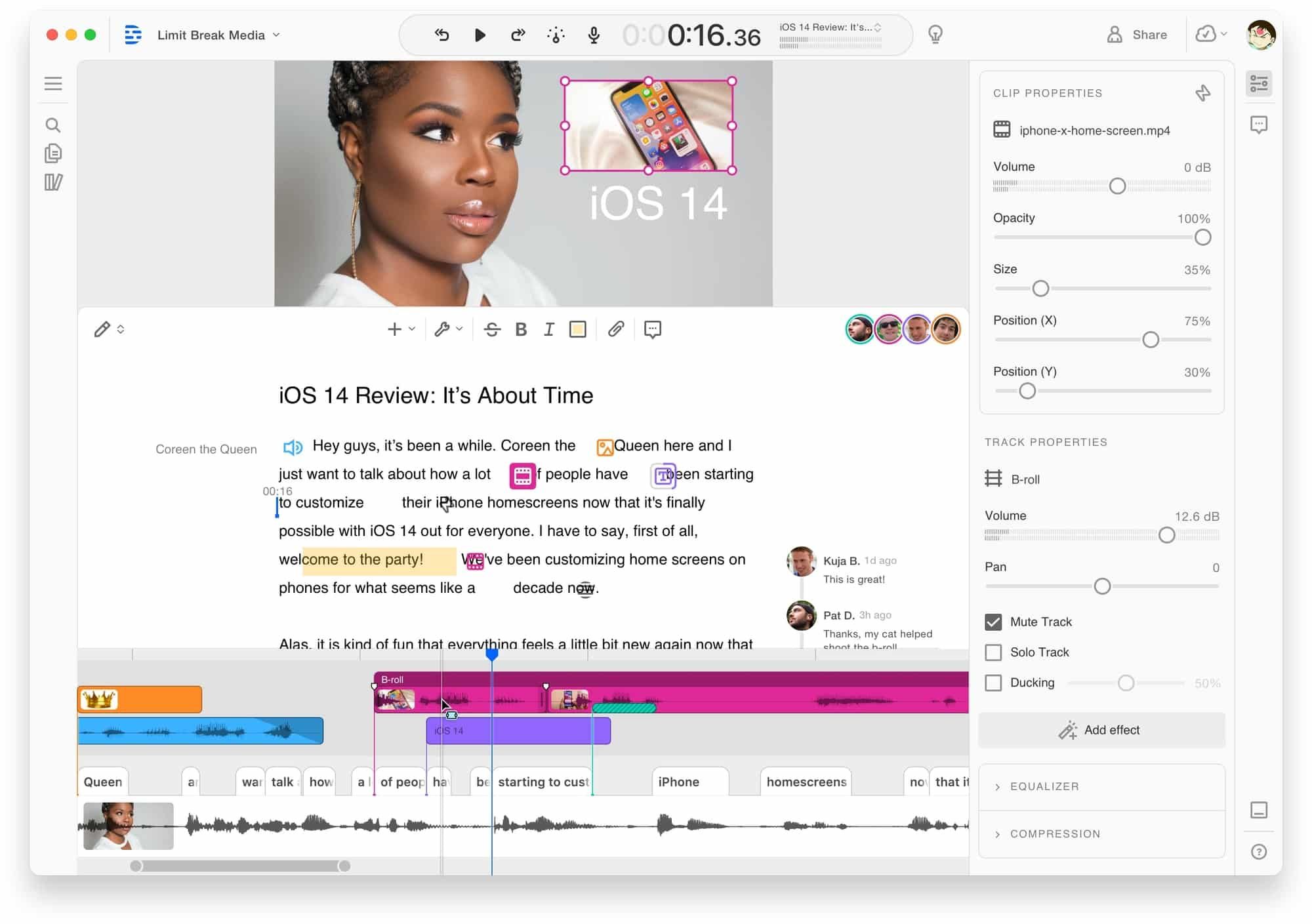
Descript approaches the problem from the editing side. Where Tella and Screen Studio make recordings look better, Descript makes editing easier. Record or import footage, get a transcript, and edit the video by editing the text. Delete a word from the transcript and the video cuts accordingly.
For teams that record in Tella (or any other tool) and then need to edit, Descript collapses the editing step into something anyone can do without timeline skills. AI filler word removal, eye contact correction, and voice cloning for pickups are included.
Key features
- Transcript-based editing - Edit video by editing text
- AI filler word removal - Automatic um/ah detection
- Eye contact correction - AI adjusts gaze to camera
- Voice cloning - Re-record sections in your voice
- Screen recording - Built-in recorder with webcam
What users say
Reddit users call transcript-based editing "mind-blowing." G2 reviewers flag rendering speed and occasional sync issues. The learning curve is moderate. See our ngram vs Descript comparison.
Best for
Content creators who need powerful editing for long-form video. Free tier available. Hobbyist at $24/month.
5. ScreenPal
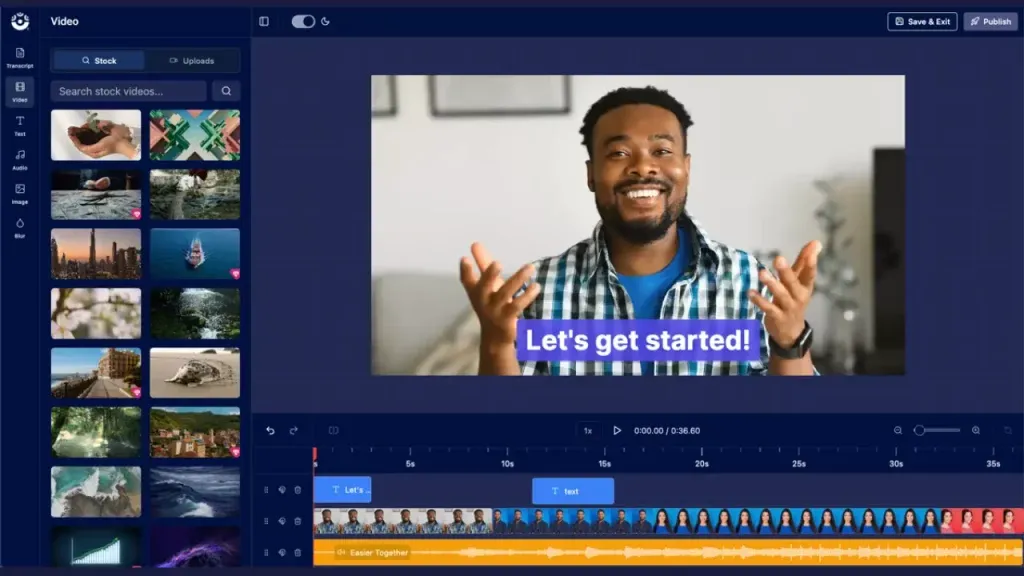
ScreenPal is the budget answer to Tella's pricing problem. At $3/month for Deluxe, it offers screen recording, basic editing, and video hosting on Windows, Mac, iOS, Android, and Chromebooks. No platform lock-in, no $12-39/month entry point.
The recordings won't look as polished as Tella's. But for teams that need functional recordings at scale without spending $15+ per user per month, ScreenPal delivers. See our ngram vs ScreenPal comparison.
Key features
- Cross-platform - Works everywhere including Chromebooks
- Built-in editor - Trim, annotate, add captions
- Video hosting - Unlimited secure hosting with analytics
- Stock library - Photos and music on all paid plans
Best for
Educators, students, and budget-conscious teams. Free plan available. $3/month Deluxe.
6. Camtasia
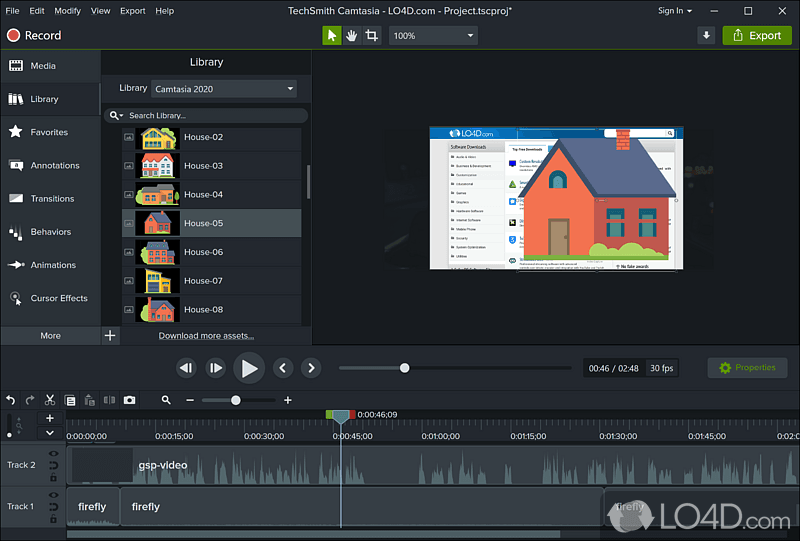
Camtasia is for teams that need both recording and serious editing in one tool. TechSmith has been building it since 2002, and in 2026 it includes AI features, SCORM export for e-learning, and an annotation library. Where Tella records a polished clip, Camtasia records and edits a polished tutorial.
The tradeoff: Camtasia is heavier software with a steeper learning curve. At $180/year, it's an investment. But for instructional designers and training teams, it's the all-in-one pick. See our ngram vs Camtasia comparison.
Key features
- Screen recorder + timeline editor - All-in-one workflow
- AI features - Text-based editing, filler word removal
- Annotations and callouts - Built-in visual element library
- SCORM export - Push to learning management systems
Best for
Educators and instructional designers creating tutorials and courses. $180/year.
7. VEED
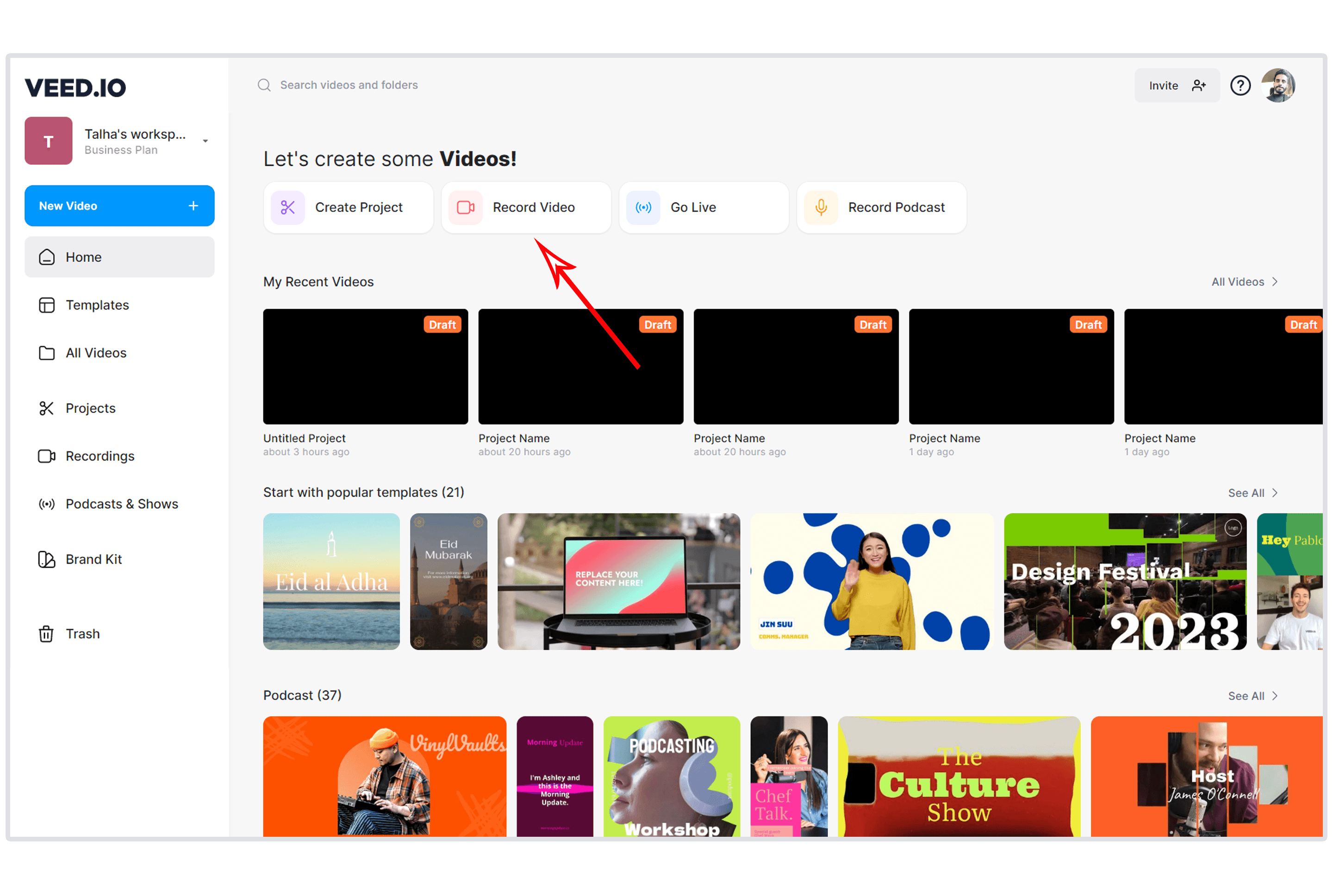
VEED is the zero-install option. Browser-based recording, editing, automatic subtitles, templates, and export. For teams that don't want to install Tella (or any desktop app), VEED runs entirely in the browser.
Over 1 million creators use VEED for quick social media clips, internal communications, and lightweight editing. The trade-off: browser-based means no access to system audio on some platforms, and performance drops with longer recordings. See our ngram vs VEED comparison.
Key features
- Browser-based - No download on any device
- Auto subtitles - AI captions in 100+ languages
- Templates - Social media presets
- Screen recording - In-browser with webcam
Best for
Social media teams needing fast browser-based editing. Free with watermark. Paid from $12/month.
Here's how monthly pricing compares:
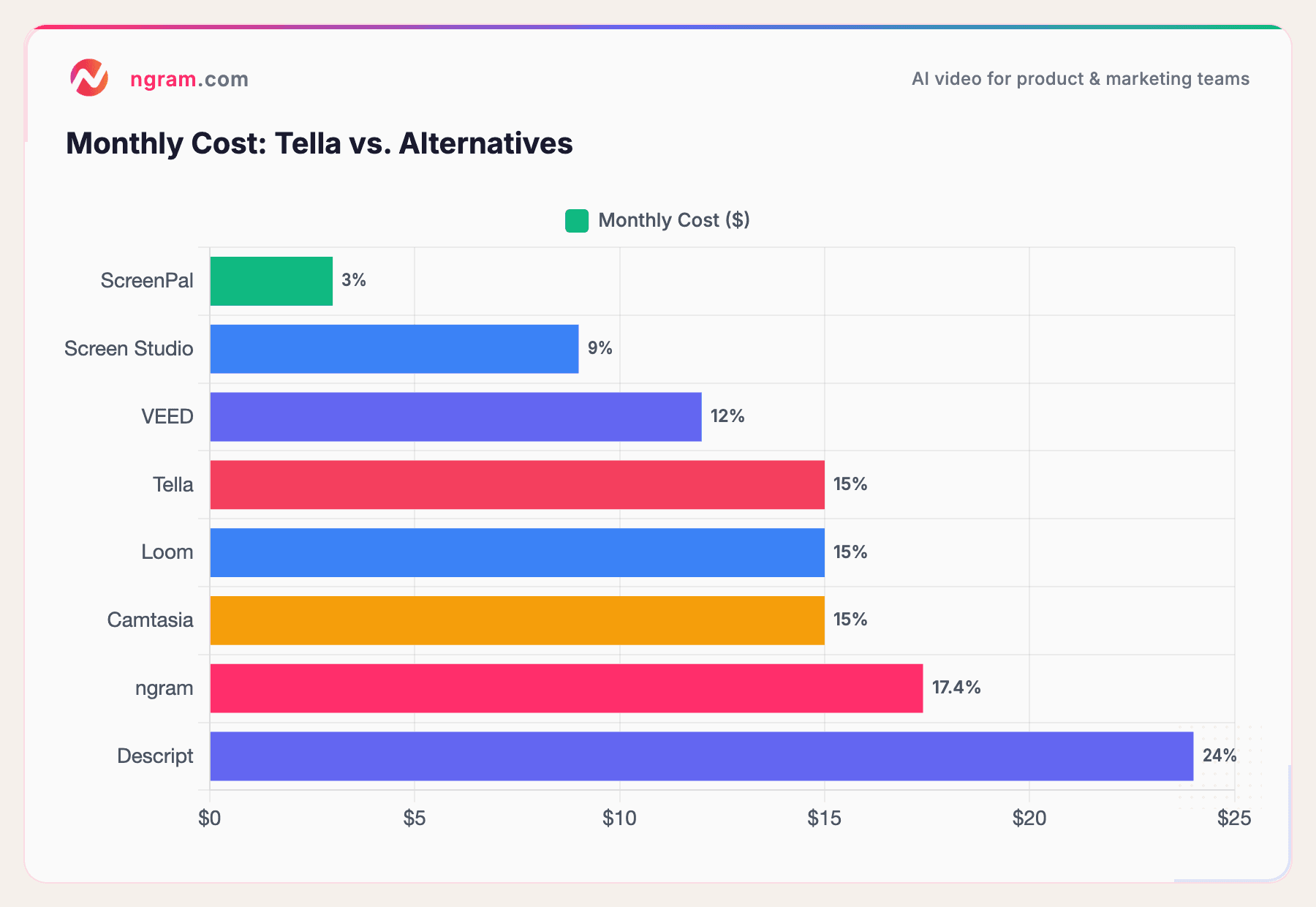
Tella sits in the middle of the pack on price, but ScreenPal ($3/month) and Screen Studio ($9/month) deliver comparable or better value for specific use cases.
How we compared these tools
We tested each tool, read hundreds of user reviews across G2, Capterra, Reddit, and Product Hunt, and compared across five criteria:
| Criteria | Weight | What we looked at |
|---|---|---|
| Ease of Use | 30% | Learning curve, onboarding, time-to-first-video |
| Features | 25% | Recording quality, editing tools, export options |
| Value | 20% | Pricing relative to features, free tier generosity |
| AI Capabilities | 15% | AI editing, generation, automation |
| Support & Community | 10% | Documentation, community size, responsiveness |
We also factored in platform compatibility (Mac vs. cross-platform), recording reliability, and real user sentiment across review platforms.
Frequently Asked Questions
Is there a free alternative to Tella?
Yes. Loom offers a free plan with 25 videos. ScreenPal's free plan includes recording on nearly every platform. ngram has a free tier for AI-powered video creation. Tella has no free plan, only a 7-day trial.
How does Tella compare to Loom?
Tella produces more visually polished recordings (custom backgrounds, layouts, zoom effects). Loom is faster, more reliable, and works on Windows. The "tella vs loom" search gets 70+ queries per month. Choose Tella for aesthetics, Loom for speed and cross-platform support.
What's the best Tella alternative for Windows?
Loom, ScreenPal, Camtasia, and Descript all work on Windows. Tella and Screen Studio are Mac-only. VEED and ngram are browser-based and work on any platform.
Is Screen Studio better than Tella?
Screen Studio offers more advanced auto-zoom and cursor smoothing, is more stable for longer recordings, and costs less ($9/month vs. Tella's $15/month). Both are Mac-only. Screen Studio is the better pick for technical content; Tella is better for quick, styled clips.
Can I use Tella recordings with ngram?
Yes. Record in Tella, then upload the recording to ngram for AI-powered editing, brand styling, and multi-format export. ngram adds the production layer that Tella's recording workflow doesn't include.
Is Tella worth the price in 2026?
For Mac users who prioritize beautiful recordings and don't need editing, Tella delivers a polished output that Loom can't match visually. But the reliability issues (wrong screen captures, corrupt segments) and lack of a free tier make it a harder sell against Screen Studio ($9/month) or Loom (free tier).
The bottom line
Tella pioneered the "beautiful screen recording" category and still produces the most visually distinctive output in this list. But reliability issues, Mac-only limitation, and no free tier have opened the door for alternatives.
If you need to go beyond recording into full video creation with AI-powered editing and brand consistency, ngram is the strongest pick. If you want Tella-quality aesthetics on Mac at a lower price, Screen Studio is the direct competitor. And if cross-platform reliability matters more than visual polish, Loom is the safe choice.
Most teams don't need the prettiest recording. They need the right video for the job.
Try ngram free - your first video in under 5 minutes. Turn raw recordings into polished, on-brand videos without touching a timeline. Start free