


You document a 15-step workflow in Tango. The screenshots look clean. The annotations are clear. Then your product marketing lead asks: "Can you turn this into a video for the onboarding email?" And the answer is no - because Tango doesn't do video.
That gap is why 110 people search for "Tango alternatives" every month and another 170 search for "Tango competitors." Tango is excellent at what it does: auto-capturing browser workflows into step-by-step guides with annotated screenshots. Over 400,000 teams have installed the Chrome extension, and the Nuggets in-app guidance feature is genuinely innovative for software training.
But Tango is pivoting. New pricing starts at $12,500/year for Enterprise features, and the company's R&D focus is shifting toward AI Agents and sales automation. If you're buying Tango purely for documentation, you're paying for a platform that's building toward a different future.
We tested 7 alternatives across features, output formats, pricing, and real user sentiment. Here's what held up.
Where Tango falls short in 2026
Tango earned its 400,000+ installs by being fast, simple, and focused. But five friction points push growing teams to evaluate alternatives:
No video output. Tango produces text guides with screenshots. Period. No voiceover, no motion, no video walkthroughs. For teams that need customer-facing video content, marketing demos, or training videos, Tango requires a separate tool.
Per-user pricing scales fast. Pro costs $22-26/user/month. A 15-person team where half need to document processes costs $1,980/year before accessing any Enterprise features. The per-seat model punishes growing teams.
Key features are gated behind Enterprise. Nuggets (in-app walkthroughs), PII blurring, and advanced analytics require Enterprise pricing - which starts at $12,500/year with no published rate card. Teams that evaluated Tango specifically for Nuggets discover the cost late in the process.
The free tier is limited. 15 workflows, 10 users per workspace. Growing teams hit that ceiling fast and face an immediate upgrade decision.
Screenshot reliability isn't perfect. G2 reviewers report missing captures, inconsistent auto-zoom, and editing friction (multiple save steps, no undo button). For complex, multi-state workflows, these issues add real time to the documentation process.
Quick comparison
| Tool | Best For | Starting Price | Key Differentiator |
|---|---|---|---|
| ngram | Professional video from any asset | Free / $17.40/mo | AI video creation for any audience and channel |
| Scribe | Auto-captured text guides | Free / $23/user/mo | 5M+ users, strongest text documentation |
| Guidde | AI video documentation | Free / $18/creator/mo | Unlimited video creation, 200+ AI voices |
| Loom | Quick async screen recordings | Free / $15/mo | Fastest record-to-share, 25M+ users |
| Clueso | Studio-quality product videos | $120/mo | Deep AI editing with auto-zoom and transitions |
| Supademo | Interactive product demos | Free / $27/mo | Click-through demos with branching paths |
| Camtasia | Desktop tutorial editing | $179.88/yr | Full timeline editor, any-screen capture |
1. ngram
Tango captures browser screenshots. ngram creates professional video. If the reason you're evaluating Tango alternatives is that your team needs video for customer-facing content, marketing, sales, or onboarding, ngram addresses that gap directly.
What makes ngram stand out
Video is the output. Tango produces text guides with static screenshots. ngram produces polished video with pacing, transitions, voiceover, captions, and brand styling. The output works on LinkedIn, in email, on landing pages, in help centers, and in sales decks - channels where screenshot guides can't reach.
Any input, not just browser actions. Tango's Chrome extension captures browser workflows only. ngram works with screen recordings, documents, screenshots, URLs, or plain text. You don't need to perform the workflow live to create the video.
Context-aware generation adapts video to audience and channel. A customer onboarding video gets different pacing than a sales demo, without rebuilding the project. Tango produces the same guide for every reader.
AI-powered editing turns rough screen recordings into polished walkthroughs with auto-cut, filler word removal, smart zoom, cursor emphasis, and branded callout labels.
Key features
- Context-aware generation - Adapts structure, pacing, and tone to audience and channel
- Plan first, generate second - Script and storyboard review before rendering
- Any asset in - Text, images, docs, URLs, screen recordings as input
- AI editing - Auto-cut, filler removal, smart zoom, cursor emphasis
- Multi-format export - 16:9, 9:16, 1:1 with captions included
- Brand kits - Logo, colors, fonts applied to every video automatically
Pros
- ✅ Video output works across every channel where screenshot guides can't
- ✅ No per-user pricing - free plan available, paid at $17.40/mo
- ✅ Any input format, not locked to Chrome browser actions
- ✅ Brand kits keep every video on-brand automatically
Cons
- ❌ Not a documentation tool - no step-by-step text guide output
- ❌ Web-based only, no native desktop app
Who is ngram best for?
Product Marketing, Growth, Sales, and Customer Success teams who need polished video alongside (or instead of) text documentation. If Tango handles your internal SOPs but you need a separate solution for video, ngram consolidates the video side.
ngram has a generous free plan with paid plans starting at $17.40 per month. For a detailed head-to-head, see our ngram vs Tango comparison.
Ready to try ngram? Create your first video in under 5 minutes. Start free
See ngram in action:
2. Scribe
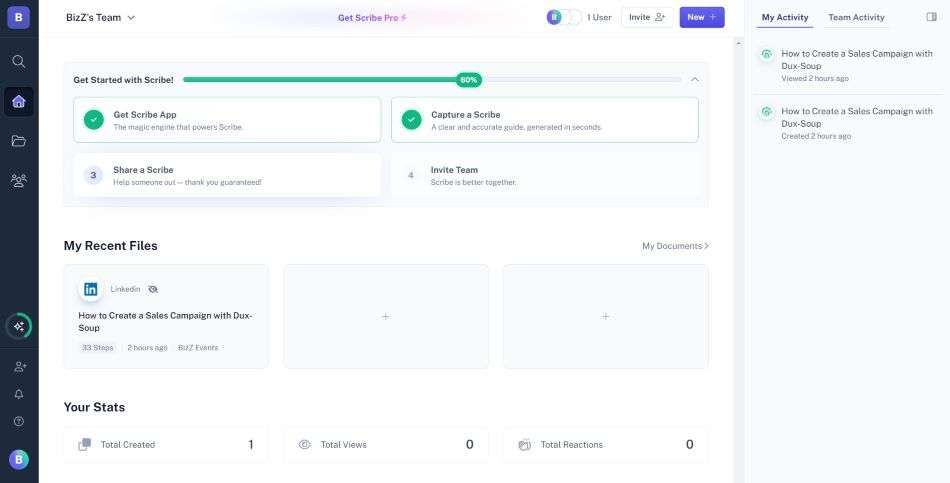
Scribe is Tango's closest direct competitor. Both auto-capture browser workflows into step-by-step text guides with annotated screenshots. Scribe has the larger user base (5 million+ users, 78,000 paying organizations, 94% of Fortune 500) and recently reached a $1.3 billion valuation after raising $75 million in Series C.
The key advantage over Tango: Scribe's AI-generated descriptions are more detailed, the editing tools are more mature, and the platform's scale means better integrations and a larger template library.
Key features
- Auto-capture - Records browser actions into step-by-step guides
- Guide Me - Interactive in-browser walkthroughs
- AI workflow analysis - Identifies process improvements
- Sidekick - Contextual guide discovery on any website
- Instant translation - Guides in multiple languages
Pros
- ✅ 5M+ users and $1.3B valuation - the most established documentation tool
- ✅ Stronger AI descriptions than Tango's auto-generated steps
- ✅ Guide Me feature competes with Tango's Nuggets for in-browser guidance
Cons
- ❌ No video output, same limitation as Tango
- ❌ Team plan requires 5-seat minimum ($75/mo)
- ❌ Enterprise pricing can surprise ($18K/year reported on Reddit)
What users say
G2 reviewers switching from Tango cite Scribe's larger ecosystem and more polished output. The main complaint: pricing escalation from personal to team plans. For a detailed comparison, see our ngram vs Scribe comparison.
Best for
Teams that need the most mature text documentation platform with the largest ecosystem. A direct Tango upgrade for teams staying in the screenshot-guide format.
3. Guidde
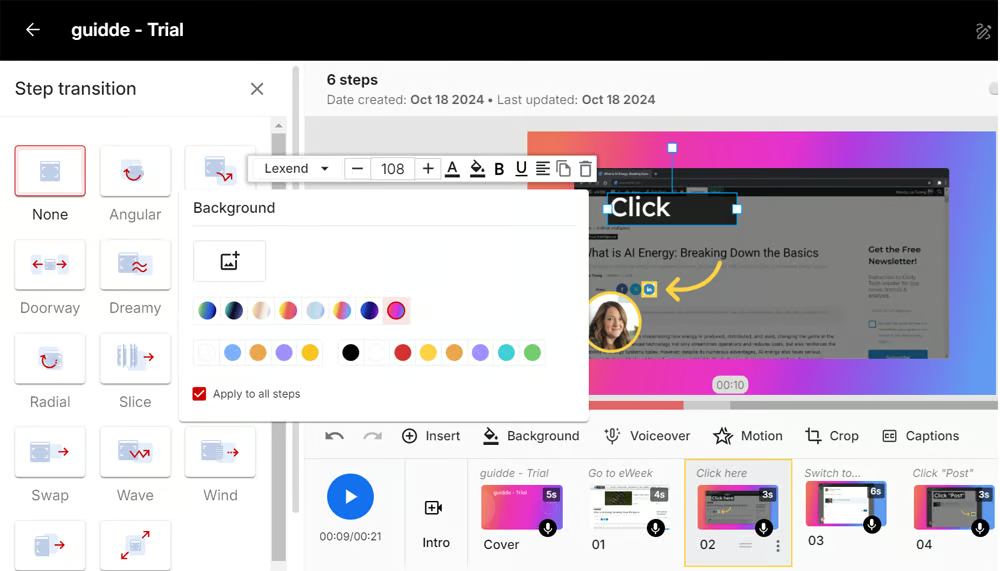
Guidde is what Tango would be if it produced video instead of screenshots. Record your workflow, and Guidde generates both a video walkthrough with AI voiceover AND written step-by-step documentation simultaneously. With $80.6M in total funding, 4,500+ enterprise customers, and 200+ AI voices across 100+ languages, Guidde is the video-first alternative to Tango's screenshot approach.
Unlimited video creation on every paid plan at $18/creator/month makes Guidde the most accessible video documentation tool for teams outgrowing Tango's text-only output.
Key features
- Dual output - Video and written guides from one recording
- 200+ AI voices - Across 100+ languages
- Unlimited creation - No caps on paid plans
- Deep integrations - Zendesk, Salesforce, Slack, Confluence
- Brand Kit - Custom logos, fonts, colors
What users say
G2 reviewers praise the speed and multilingual support. Teams switching from Tango cite the video output as the primary motivation. Limited manual editing is the main tradeoff. For a detailed comparison, see our ngram vs Guidde comparison.
Best for
Customer success and support teams who need video documentation with help desk integrations. The most direct "Tango but with video" swap.
Free plan available. Pro at $18/creator/month (annual).
Screenshots don't travel. Video does. ngram creates professional video from screen recordings, docs, and images for any channel. Try ngram free
4. Loom
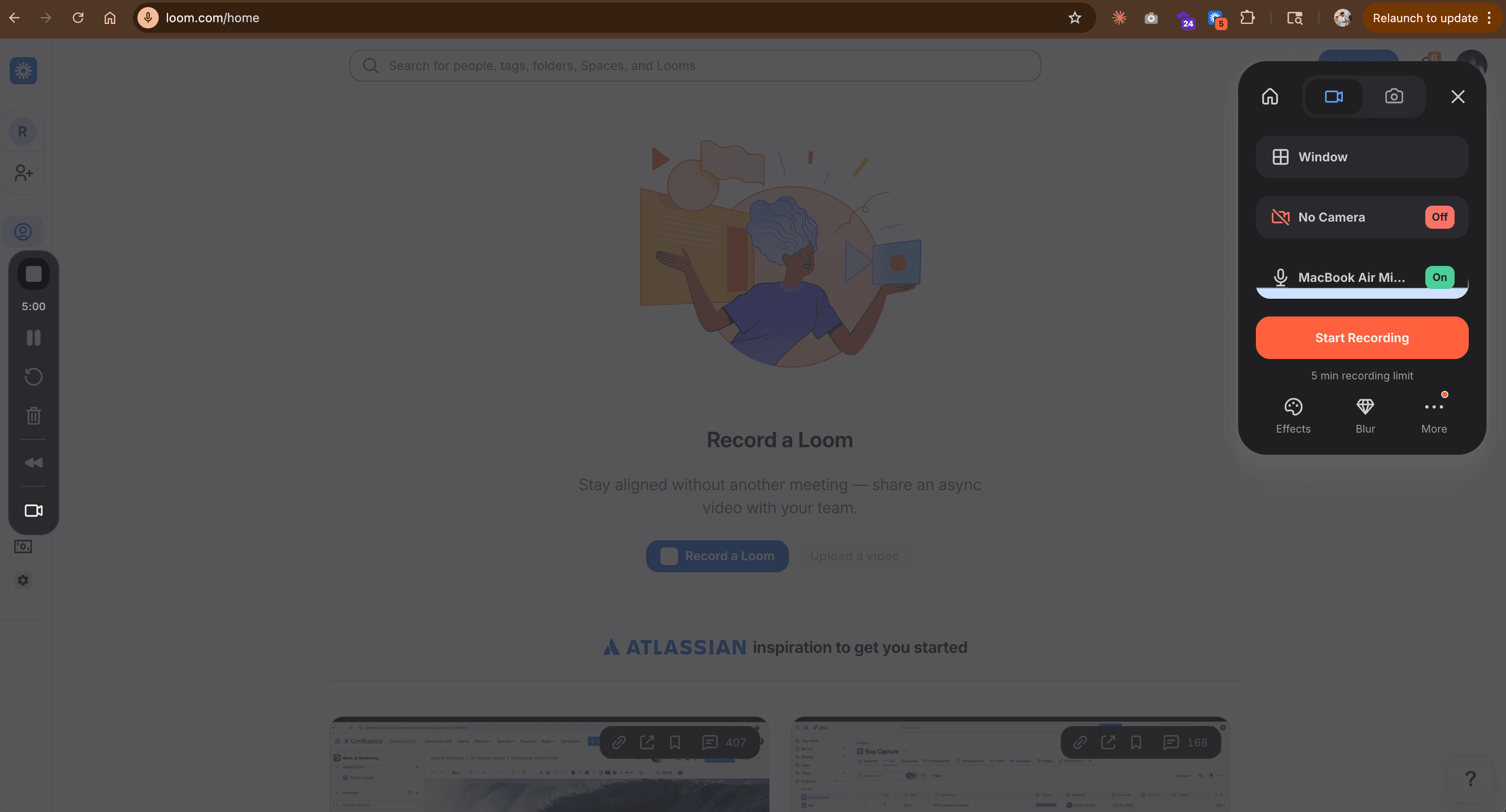
Loom is the simplest video alternative to Tango - 25 million users record screen captures and share them with a link. If your Tango use case is "show someone how to do something" and video would work better than screenshots, Loom gets you there with minimal friction.
No documentation generation, no step numbering, no annotations. Just fast recording and sharing. For a detailed comparison, check our ngram vs Loom comparison.
Key features
- Instant recording - Click, record, share in under a minute
- AI summaries - Auto-generated summaries and chapters
- Viewer analytics - Engagement tracking per viewer
- Integrations - Slack, Notion, Gmail, Chrome extension
- Free tier - 25 videos on the free plan
What users say
Users love Loom for quick async walkthroughs. The limitation for Tango users: Loom doesn't generate structured documentation. If you need step-by-step guides with annotations, Loom's raw recordings won't replace Tango's organized output.
Best for
Teams prioritizing sharing speed over documentation structure. Ideal for internal walkthroughs where structured guides aren't needed.
Free plan available. Paid starts at $15/month.
5. Clueso
Clueso turns screen recordings into studio-quality product videos with AI voiceovers, auto-zoom, transitions, and 37+ language translations. Backed by Y Combinator with $1.9M in funding and SOC 2 Type II certification, Clueso targets teams that need polished video output from their recordings.
Compared to Tango's static screenshots, Clueso's AI editing pipeline produces noticeably more professional results. The tradeoff: $120/month starting price with a 6-hour annual export cap. For a detailed comparison, see our ngram vs Clueso comparison.
Key features
- AI video editing - Auto-zoom, transitions, filler word removal
- AI voiceovers - 37+ languages with captions
- PDF-to-video - Convert documents into video walkthroughs
- SOC 2 + ISO 27001 - Enterprise security certifications
- Article generation - Written docs alongside video
What users say
G2 reviewers praise the AI editing quality. The consistent complaint is the pricing model - export caps and per-seat costs add up.
Best for
Small teams that prioritize production quality over volume and need enterprise security certifications.
6. Supademo
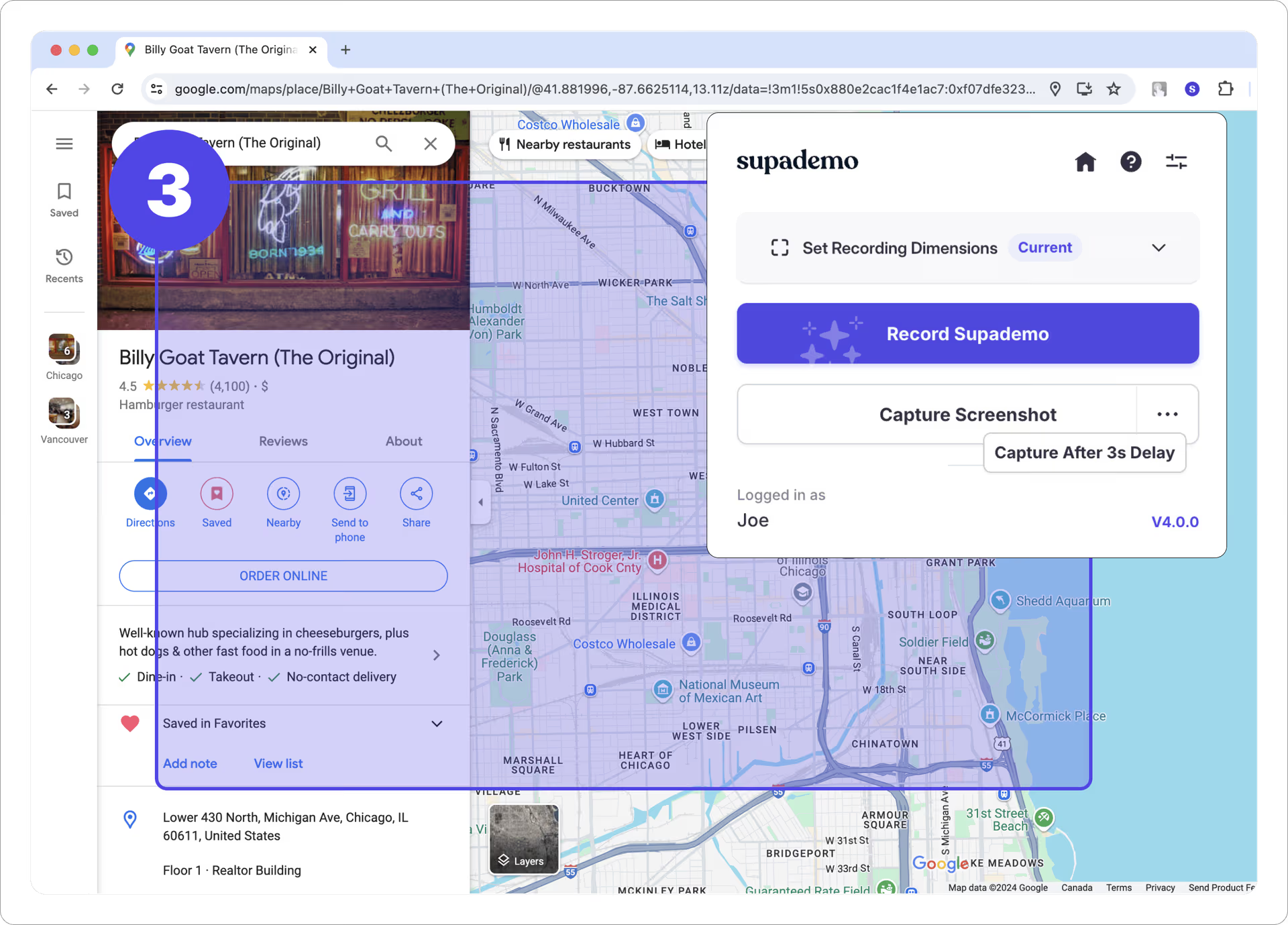
Supademo creates interactive click-through product demos - not video, not text guides. Capture screenshots, add hotspots and tooltips, and publish an interactive tour. Over 10,000 teams use Supademo for product-led growth and customer education.
For teams where Tango's static screenshots feel flat but video feels like overkill, Supademo's interactive format sits in between. For a detailed comparison, see our ngram vs Supademo comparison.
Key features
- Interactive demos - Click-through tours with hotspots
- Branching paths - Different flows for different viewers
- AI voiceover - Narrated walkthroughs
- Analytics - Track views, completion, engagement
- Free plan - 5 demos with watermark
What users say
G2 reviewers praise speed and affordability. The interactive format works better than static screenshots for customer-facing content, though it's not as universal as video.
Best for
Product-led growth teams needing interactive demos for websites and sales sequences. A different output format, not a direct Tango replacement.
Free plan. Pro at $27/month.
7. Camtasia
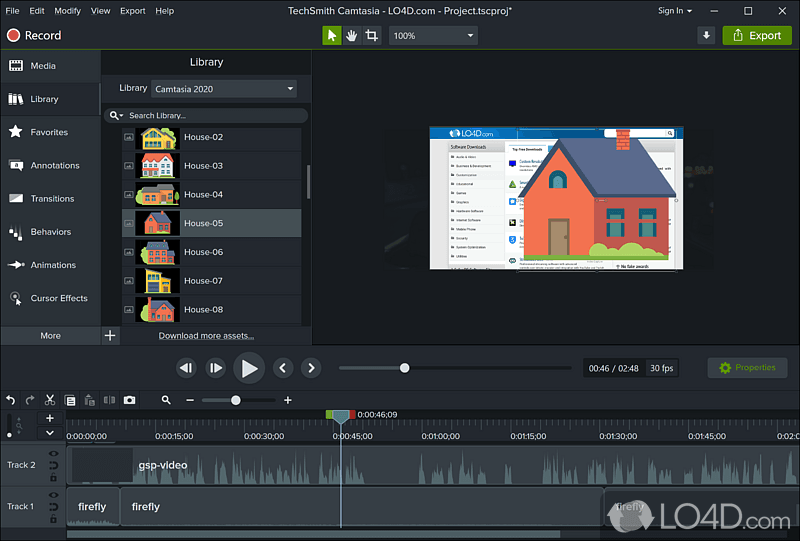
Camtasia is the desktop editor for teams that need full control. TechSmith has been building it since 2002. Where Tango auto-captures browser screenshots, Camtasia records any screen (desktop apps, mobile emulators, multi-monitor) and gives you a full timeline editor with keyframes, transitions, and audio mixing.
No automation, no AI, no one-click anything. But for teams that need production-quality tutorials with precise editing control, Camtasia's depth is unmatched on this list. For a detailed comparison, see our ngram vs Camtasia comparison.
Key features
- Full timeline editor - Keyframes, tracks, transitions, annotations
- Any-screen recording - Desktop, mobile, multi-monitor
- Template library - Pre-built themes for tutorials
- Cursor effects - Custom highlighting and smoothing
- PowerPoint integration - Import presentations directly
What users say
Long-time users praise the editing depth. Newer users report a steep learning curve. The annual pricing ($179.88/yr) is straightforward with no per-seat model.
Best for
Training teams who need full editing control on any platform. The manual-everything alternative to Tango's automated-everything approach.
Here's how the documentation and video tool landscape has evolved:
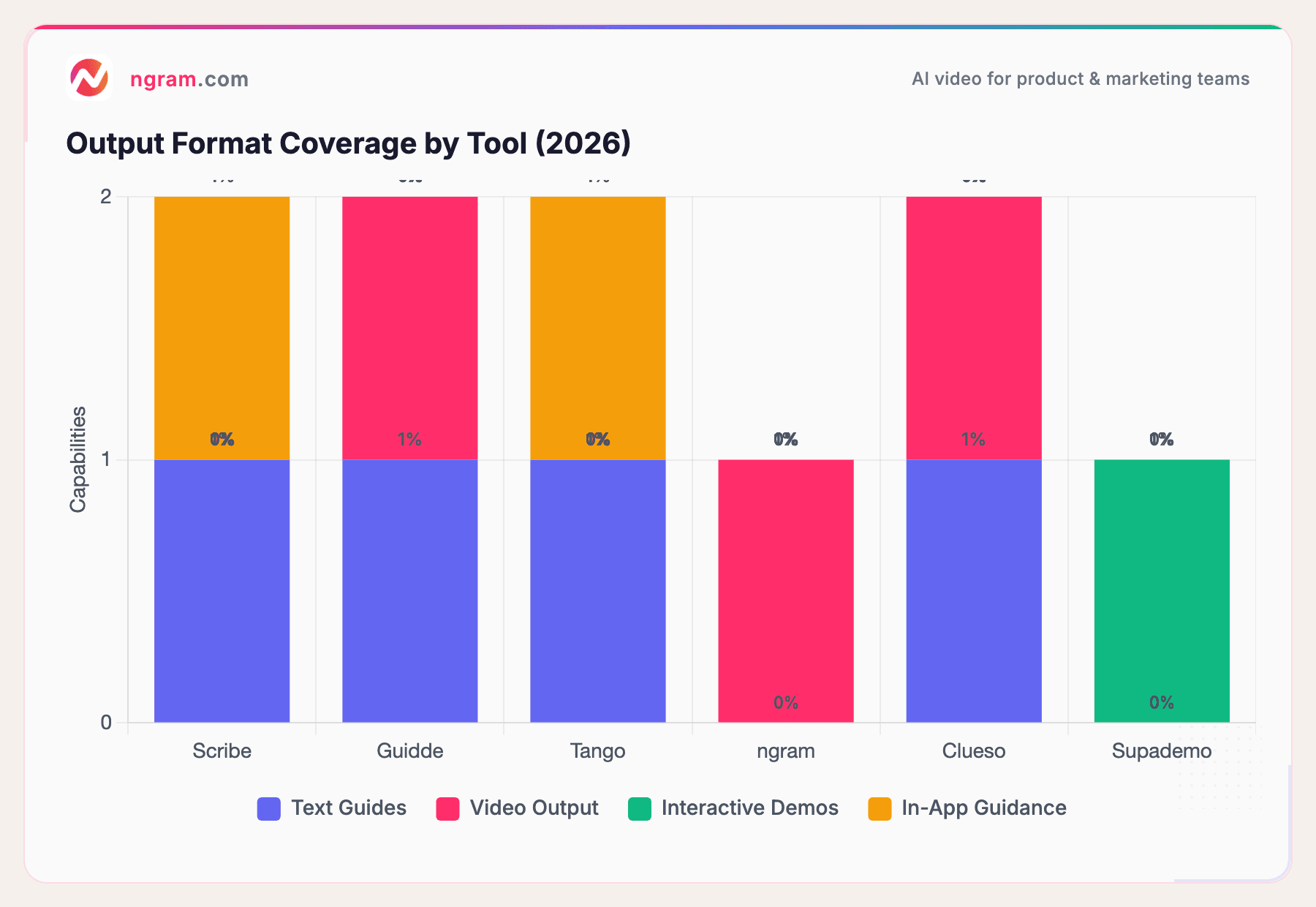
The documentation tool market has fragmented into specialized output formats. Scribe and Tango focus on text guides. Guidde, ngram, and Clueso produce video. Supademo creates interactive demos. No single tool covers all four output types, which is why many teams use two or three tools in combination. The AI video generator market alone hit $717 million in 2025 and is projected to reach $3.35 billion by 2034, per Fortune Business Insights.
How we compared these tools
We tested each tool, read hundreds of user reviews, and compared them across five weighted criteria:
| Criteria | Weight | What we looked at |
|---|---|---|
| Features | 25% | Output types, capture methods, AI capabilities, integrations |
| Ease of Use | 25% | Time to first output, learning curve, editing friction |
| AI Capabilities | 20% | Auto-capture quality, AI voiceover, descriptions, translation |
| Value | 20% | Pricing model, free tier, per-seat scaling, Enterprise gating |
| Support & Community | 10% | Documentation, customer success, ecosystem size |
We factored in:
- Real user reviews from G2, Capterra, and Reddit (qualitative, not numerical scores)
- Output format diversity because teams often need text + video + interactive, not just one
- Pricing transparency because Tango's Enterprise tier has no published pricing
Common questions
Is there a free Tango alternative?
Yes. Scribe has a free individual plan. Guidde offers 25 free videos. Loom's free tier includes 25 recordings. Supademo's free plan includes 5 demos. ngram has a free tier for AI video creation. Tango itself offers a free plan (15 workflows, 10 users).
How does Tango compare to Scribe?
Both auto-capture browser workflows into step-by-step text guides. Scribe has the larger user base (5M+ vs. 400K+), stronger AI descriptions, and deeper enterprise features. Tango's differentiator is Nuggets - in-app walkthroughs overlaid on live web applications. Scribe's Guide Me offers similar but browser-only functionality.
Can I create video documentation instead of screenshot guides?
Yes. ngram creates professional video from any asset. Guidde creates video walkthroughs with AI voiceover from screen recordings. Clueso produces studio-quality product videos. Loom records raw screen captures. Tango and Scribe are text-and-screenshot only.
What's the real cost of Tango?
Free: 15 workflows, 10 users. Pro: $22-26/user/month. Enterprise: starts at $12,500/year (no published rate card). Nuggets, PII blurring, and advanced analytics require Enterprise. A 10-person team on Pro costs $2,640-$3,120/year before Enterprise features.
Is Tango pivoting away from documentation?
Tango's R&D focus is shifting toward AI Agents and sales automation features. The new Enterprise pricing ($12,500/yr+) reflects this broader platform ambition. If you're buying Tango purely for documentation, the platform may evolve away from your core use case.
Should I use text guides or video documentation?
Text guides (Tango, Scribe) work best for internal SOPs where search and scan-ability matter. Video (ngram, Guidde) works better for customer-facing content, marketing, and onboarding where engagement and retention matter. Many teams use text internally and video externally.
Our verdict
Tango is fast and focused for browser-based workflow documentation. The Nuggets in-app guidance feature is genuinely innovative. But the no-video limitation, Enterprise pricing gating, and platform pivot toward sales automation mean growing teams will likely need alternatives sooner than later. If you need video, ngram or Guidde fill the gap. If you need a more mature text documentation platform, Scribe is the upgrade. And if you need interactive demos for prospects, Supademo is the cheapest entry point.
From screenshots to polished video in minutes. ngram creates professional, on-brand video from recordings, docs, or images for any channel. Start free


