Product Update: Blank Canvas, Script Editing, and More Editor Controls — August 24, 2026
Start videos from a blank canvas, edit narration scene by scene, and use new Record, Elements, music-volume, and Screencast layout controls in the editor. Presenter Studio also joins the avatar-video styles, alongside fixes for exports, upgrades, translated setup screens, project deletion, and annual-offer redemption.
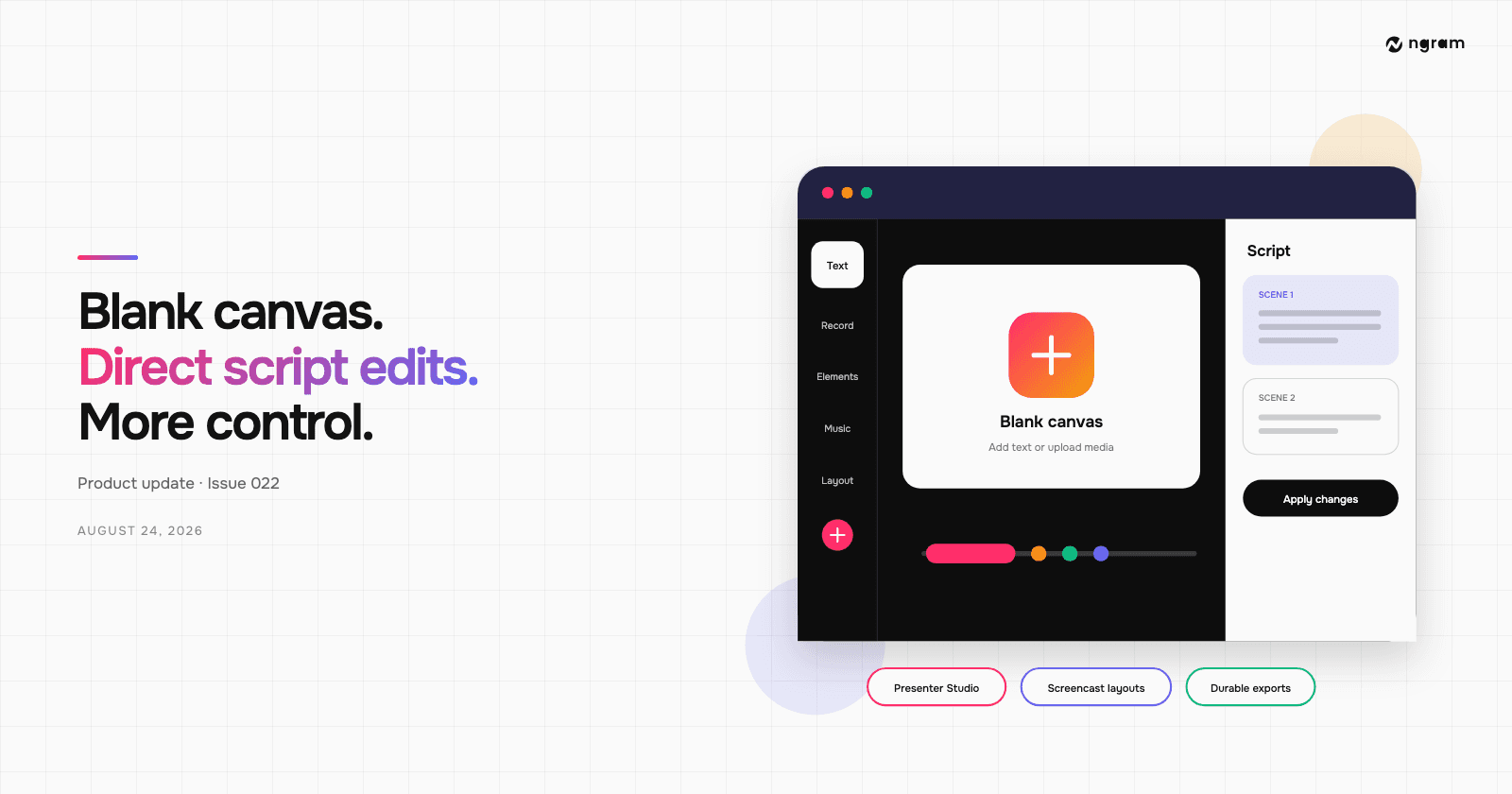


You can now start a video from a blank canvas, then add text or upload your own image and video files before continuing in the editor or agentic chat. Finished agentic videos also have a Script panel for direct, scene-by-scene narration changes. This release adds more controls for recording, visual elements, background-music volume, and Screencast layouts, plus a new Presenter Studio avatar style and nine fixes.
What's new
Start from a blank canvas
Subscribers on desktop can open the blank editor without generating a video first. Add text or upload image and video files, then keep editing directly or ask ngram for help in the connected conversation. The blank project is saved from the start, so it appears with your other work.
Edit narration scene by scene
Video owners can open Edit, choose Script, and change narration for one scene at a time. The current word follows playback and can be selected to seek. Apply changes re-voices the affected scene while keeping its visuals; when the new narration changes timing too much, use Regenerate scene instead.
Presenter Studio for avatar videos
Presenter Studio is a new avatar-video style with 12 starting looks. Choose it when you want the presenter to lead the video, then keep refining the script and scenes in the usual workflow.
Editor improvements
Record and add more elements
The editor rail now has a Record action that opens the recorder and inserts the result into the active scene. Elements now includes shapes and searchable GIFs, stickers, clips, and memes, so common additions no longer require leaving the editor.
Control music and Screencast layouts
Edit → Music now has a background-music volume slider with immediate preview; select Save to keep the level. Screencast scenes also have a Layout rail with Full video, Video + panel, Video + steps, and Video + callout. Depending on the layout, you can adjust callout position, panel width, and spacing.
Bug fixes
- Annual-offer links now redeem correctly for people who had already received the offer notification.
- Preferences now separates email notifications from browser and in-app job alerts. Video-ready and product-update emails can be turned off; billing and account emails are always sent.
- Translated preflight and setup screens no longer crash when Chrome Translate rewrites the primary button.
- Deleting an Agent chat from Projects now also removes its linked project instead of leaving an orphaned project behind.
- Upgrading in another tab now removes an outdated free-plan watermark without requiring a reload.
- Multi-word domain pronunciation hints keep their spaces, preventing names such as “Cost Logic” from being read as a hyphenated phrase.
- Motion-graphics exports now preserve the colors shown in the editor.
- Native scene video is muted during export so its source audio cannot play twice.
- Exports now use durable jobs and reconnectable progress, fixing cases that remained on Rendering after a scheduler or browser interruption.
Past issues
Product Update: Creator Video Hosting, Unified Screencast Editing, and Cancellation Surveys — August 15, 2026
Product Update: Intent-First Onboarding, Tool Continuations, and Publish Fixes — August 8, 2026
Product Update: Clip Studio, Independent Editor Copies, and Embed Branding Controls — August 1, 2026
Product Update: Video Version History, Self-Serve Subscription Pause, and Repurpose Kits — July 25, 2026

Product Update: Multi-Speaker Voiceover, Custom Video Thumbnails, and On-Demand Background Music — July 18, 2026

Product Update: Lip-Synced Video Translation, Screencast + Avatar for Everyone, and Background Remover Backdrops — July 11, 2026
Product Update: New AI Models, Logo Animation Creator, and Live n8n/MCP Integrations — July 4, 2026
Product Update: Message Queue, Delete Uploads, and Brand Kit in the Wizard — June 27, 2026