
Why Product Demo Videos Matter for Your Business
When someone lands on your site, you've got seconds to explain what you do. A product demo video cuts through the noise. According to Wyzowl's 2026 Video Marketing Report, 91% of businesses now use video as a marketing tool, and demo videos consistently rank among the highest ROI formats. But here's the thing: not all demo videos convert. The difference lies in how you frame the problem, showcase the solution, and guide viewers toward action.
In this guide, we'll walk through the exact framework we recommend for building demos that don't just explain your product, but actually drive signups and purchases.
The Conversion-Optimized Demo Framework
The best product demos follow a simple narrative arc: Problem > Discovery > Solution > CTA. Let's break down each phase and why it matters for conversions.
Phase 1: The Hook (First 5-10 seconds)
Your opening 5 seconds determine whether viewers stay or bounce. Skip the product introduction. Instead, lead with a pain point your audience already feels.
Say your product is project management software. Don't start with "We built an amazing tool." Start with: "Your team spends 3 hours a week in status meetings that could've been a Slack message."
This works because people don't buy features. They buy relief from pain. A strong hook creates immediate recognition, which triggers curiosity.
Phase 2: The Problem Demonstration (10-20 seconds)
After the hook, briefly show the problem in action. If you're demoing a video editing tool, show raw, unedited footage. If you're demoing a CRM, show a cluttered spreadsheet of customer data.
Visualizing the problem makes it concrete. People relate to what they see. This is where conversion optimization diverges from standard demos. Most demos jump straight to the product. We're deliberately staying in the problem a bit longer because it builds buy-in.
Phase 3: The Solution Walkthrough (30-60 seconds)
Now introduce your product. But here's the critical part: only show features that directly solve the problem you just highlighted. Nothing more.
If you mentioned status meetings eating time, show how your product automates that. Don't show 10 other features. One core workflow, executed cleanly, converts better than a feature showcase.
Phase 4: The Resolution (10-20 seconds)
Show the outcome. Before and after. "What used to take 3 hours now takes 15 minutes." Make the benefit quantifiable.
Phase 5: Call-to-Action (5-10 seconds)
Close with a single, clear CTA. "Try free for 14 days." Not multiple links or options. One next step.
Target Your Audience First
Before you script or record anything, define who this video is for. Your demo for a CFO sounds completely different from your demo for a frontline manager.
Create a simple audience profile:
- Job title / Role: Who is the decision maker?
- Main pain point: What keeps them awake at night?
- Current solution: What are they using now (if anything)?
- Success metric: How will they measure if your product "works"?
Let's say you're selling a proposal software. Your demo for sales managers focuses on closing deals faster. Your demo for finance directors focuses on approval workflows and contract compliance. Same product, different angles.
This targeting changes every word you write. It tightens your message and increases conversion because you're speaking directly to what your audience cares about.
Write Your Script for Conversion
A great demo script is conversational, specific, and benefit-driven. Here's a template:
[HOOK] "Most sales teams spend 30% of their time building proposals instead of selling."
[PROBLEM] "You're piecing together templates, tracking approvals in email, and hoping the client doesn't request changes at the last minute."
[DISCOVERY] "What if you could build a professional proposal in 10 minutes?"
[WALKTHROUGH] "With ngram, you start with pre-built templates for your industry. Drag in your data. Add custom branding. The client reviews it in a secure link, and you get notifications when they open it. If they request changes, version control keeps you sane."
[BENEFIT] "Sales teams using this close deals 24% faster."
[CTA] "See it in action. Start your free trial."
Notice what we did: problem first, features second, benefit third. The script is under 90 seconds. Every sentence moves toward the CTA. No filler.
While scripting, write for the ear, not the eye. Read it aloud. If it sounds stiff, rewrite it. Short sentences. Active voice. Conversational language.
Chart 1: Demo Video Length by Conversion Rate
Optimal video length depends on where in the funnel your viewer sits. Let's visualize how length impacts engagement and conversion across different audience stages.
Source: Wyzowl 2026 Video Marketing Report
The data shows a peak at 1-2 minutes for conversion-optimized demos. Longer isn't always better. You want long enough to credibly solve the problem, short enough to hold attention.
Choosing Your Demo Format
You have three main formats. Pick based on your product and budget.
Screen Recording (Software / SaaS)
Show your actual product interface. Click through a real workflow. This works best for software because people want to see exactly how it feels to use.
Tools like ngram, Loom, and Camtasia make this simple. Record a clean workflow, edit for mistakes, add captions.
Animated UI Demo (Complex Workflows)
Motion graphics can explain abstract concepts better than live action. Use animation to highlight specific features, show data flow, or guide the viewer's eye.
Animated demos are flexible. You can change them quickly as your product evolves. The trade-off is cost and production time.
Live Action (Physical Products)
If you're selling hardware or something people touch, show it in use. A real person holding your product, solving a real problem.
Get close-ups, show details, and film from multiple angles. Poor lighting kills credibility on physical products.
Chart 2: Demo Format Preference by Audience
Different audiences have different format preferences. Here's what we see across industries:
Source: HubSpot 2026 Product Video Benchmarks
Notice that screen recording dominates B2B SaaS. That's where demos shine. Hardware and e-commerce lean on live action. Choose the format that lets your audience see themselves using your product.
CTA Placement: Where and When
Don't bury your CTA at the very end. By then, half your viewers have already left.
Place CTAs strategically:
1. Early mention (5-10 seconds in): "If you want to see how this works in 90 seconds, keep watching." This is a soft CTA that keeps attention.
2. Mid-demo CTA (overlay text): "Try free - no credit card required." Keep it subtle. A text overlay or soft button, not a popup that blocks the video.
3. End card (last 5 seconds): Clear, single CTA button. "Start free trial" or "See it in action." Make it impossible to miss.
4. Post-video HTML: The moment the video ends, show a prominent button below the video player. People who watched to the end are warm leads.
The key is clarity. Don't give 3 options. One CTA per video.
Distribution Strategy: Getting Your Demo in Front of the Right People
You could make the perfect demo and still flop if it reaches the wrong audience.
Landing Pages
Your demo is the hero of your landing page. Use it above the fold. Let people watch before they scroll. Pair it with a form or CTA button alongside the video.
Email Sequences
Send your demo to warm leads. A prospect who clicked on your ad but didn't convert? Send them the demo via email. Email + video = much higher conversion than email alone.
Sales Enablement
Give your sales team branded demos to send to prospects. A sales rep can say, "Here's a 2-minute video showing how we'd solve your specific issue." More personal, more effective.
Social Media
Short, snappy demo clips on LinkedIn, TikTok, and YouTube drive awareness. A 60-second cut from your full demo, posted weekly, builds a following. Tease more detailed demos on your landing pages.
Paid Ads
Demo videos have lower CPMs and higher CTR than image ads. Use your demo as creative in Facebook, LinkedIn, and Google ads. Target by job title and industry for maximum ROI.
Chart 3: Distribution Channel Performance
Here's how demo videos perform across distribution channels for B2B SaaS companies:
Source: Demand Gen Report 2026 Survey
Landing pages win because they're purpose-built. Video on a dedicated landing page with a single CTA converts best. Email performs well because it reaches warm leads. Paid ads require volume to succeed, but the ROI can be strong if your targeting is tight.
Production Best Practices
Now for the mechanics of actually making your demo.
Pre-Production
- Write and rehearse your script. Read it aloud multiple times until it feels natural. If you stumble, rewrite that sentence.
- Plan your recording. Create a simple storyboard. Which screens will you show? In what order? Where will you pause for emphasis?
- Test your setup. Check your mic, lighting, and screen resolution. A bad audio track will kill even great content.
- Set up your environment. Close unnecessary tabs, turn off notifications, and clear your desktop. You're on camera.
Recording
- Record in chunks. Don't try to nail the whole thing in one take. Record each section of your workflow separately. It's easier to stitch clean clips together than to edit out mistakes from a long recording.
- Slow down. Click slower than you normally would. Your brain processes information faster on video than in real life. What feels slow to you is often the right pace for viewers.
- Use keyboard shortcuts instead of mouse clicking for menus. It's faster and looks more professional.
- Pause briefly at key moments. When you complete an action, pause for 1-2 seconds before moving to the next step. This gives viewers time to absorb.
Editing
- Cut ruthlessly. Remove long pauses, false starts, and anything that doesn't directly support your message. The best demos are tight.
- Add captions. According to research, captions increase watch time by 41% and social shares by 89%. Use bold, readable fonts.
- Add subtle background music. Keep it low volume and professional. Music sets tone and masks awkward silence.
- Use callouts to highlight important elements. Arrows, boxes, or zooms draw the viewer's eye to what matters.
- Optimize for playback speed. Most viewers watch at 1x or slightly faster. Make sure your pacing works at normal speed, not sped-up.
Measuring Success
You've launched your demo video. Now what?
Key Metrics to Track
View count: How many people watched?
Completion rate: What percentage finished the entire video? Below 50% means your opening or structure isn't working.
Click-through rate: What percentage clicked your CTA? This directly measures conversion intent.
Time to click: How long did people watch before clicking? If they click early, your hook is strong. If they wait until the end, the walkthrough convinced them.
Bounce rate (post-video): After watching, do they leave your site or take action? Bounce rates reveal if your CTA is compelling.
Conversion rate: How many viewers became customers? This is the ultimate metric.
Optimization Loop
After 100 views, start analyzing. Look for patterns:
- If completion rate is low (under 30%), your hook or opening isn't working. Recut the beginning.
- If people click-through but don't convert, your CTA or post-click experience needs work.
- If watch time peaks at 30 seconds, your demo is likely too long. Cut to the essentials.
Take these insights and iterate. Cut a new version. A/B test it against the original. Measure again. This cycle compounds.
Common Mistakes to Avoid
Mistake 1: Starting with Features
Features are not benefits. Your feature is "one-click exports." Your benefit is "save 2 hours per week on admin work." Lead with benefits.
Mistake 2: No Clear Script
Winging it looks unprofessional and confuses viewers. Write it down. Practice it. Every word should earn its place.
Mistake 3: Too Many CTAs
One CTA per video. Multiple options paralyze viewers. Pick one action you want them to take and guide them toward it.
Mistake 4: Poor Audio Quality
People forgive bad video. They don't forgive bad audio. Invest in a decent microphone. Audio quality is your baseline.
Mistake 5: Forgetting Your Audience
You're not demoing for yourself. You're demoing for prospects who don't know your product. What seems obvious to you is confusing to them. Get feedback from someone who doesn't use your product.
Creating Faster with ngram
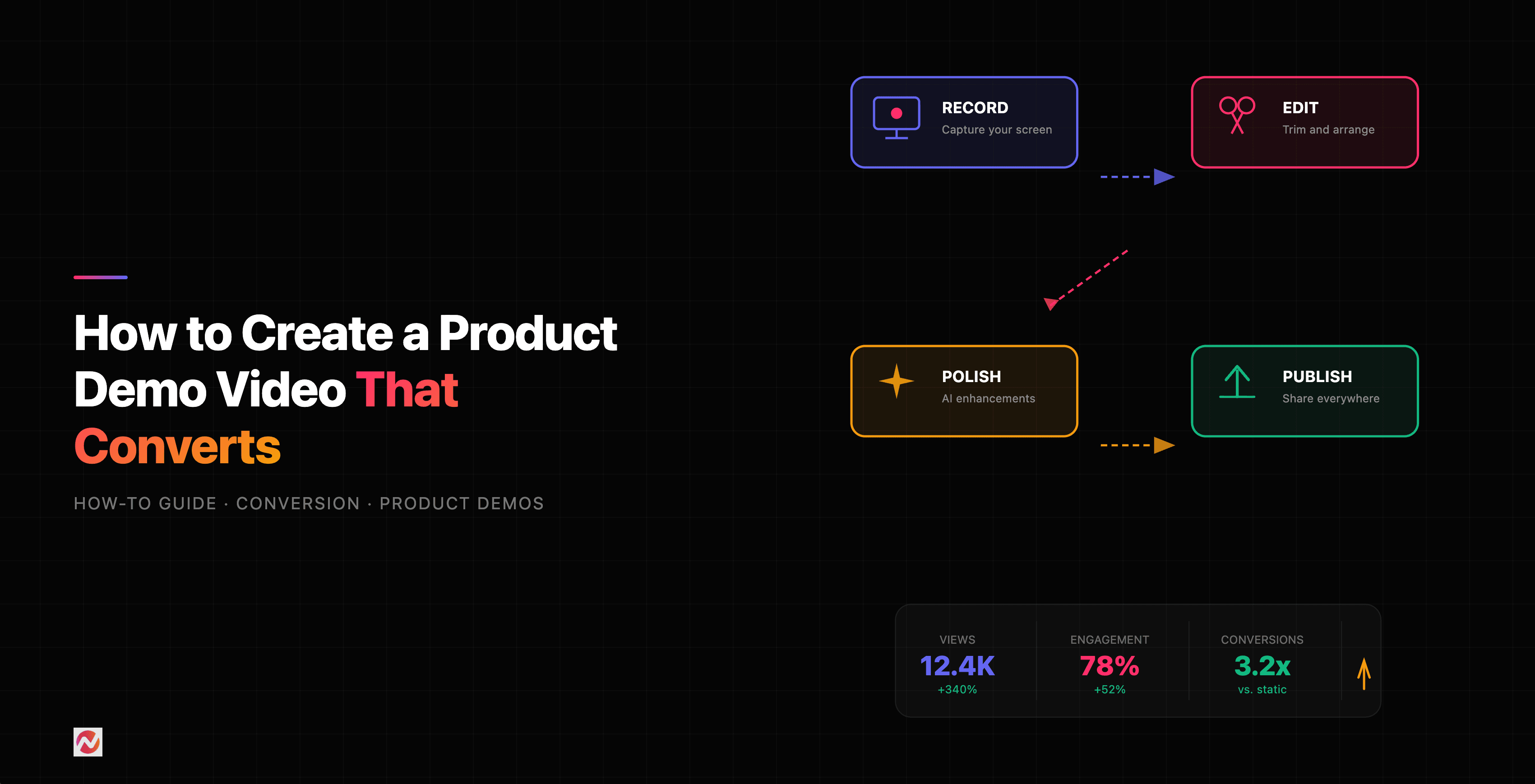
If you're recording screen-based demos, you don't need to struggle through manual editing. Tools like ngram let you record once and edit intelligently. Auto-cut removes dead air and long pauses. AI visuals add motion and polish. Captions are generated automatically.
What takes an hour to edit manually takes 15 minutes with the right tool. You can test more variations faster, which means faster optimization cycles.
For building product demo videos specifically, check out ngram's demo video creation feature. It's built for exactly this workflow.
Internal Resources
Want to dive deeper into specific aspects of video creation? We've got guides on most of this:
- Learn more about how to create product demo videos from start to finish.
- Explore ngram's demo video maker if you want to streamline your production process.
- Check out our comparison with other demo tools if you're evaluating software.
Frequently Asked Questions
How long should a product demo video be?
The sweet spot for conversion is 1-2 minutes. This is long enough to credibly explain how your product works but short enough to maintain attention. For top-of-funnel awareness, 30-60 seconds works. For sales enablement, 2-3 minutes is acceptable.
Should I include music in my demo?
Yes, but use it sparingly. Subtle, royalty-free background music sets tone and masks awkward silence. Keep the volume low so your voiceover dominates. Skip music entirely if you're relying on natural sound (like clicking, typing, or the product's native sounds).
What if my product is too complex to explain in 2 minutes?
Focus your demo on one use case or one workflow, not the entire product. Create multiple short demos if you have different customer segments. You can always link to longer educational content for people who want depth.
Do I need to show my face in a product demo?
No. Screen recordings work fine without a presenter. In fact, for SaaS, viewers prefer to see the product. A face-on-camera demo works better for hardware or if you're building personal connection. Choose based on your product and audience.
How often should I update my demo video?
Update it whenever your product changes significantly or your messaging evolves. Minor updates (new logo, refreshed CTA) don't require a full rerecord. Major feature changes warrant a new demo. Most companies update quarterly or semi-annually.
Should I A/B test different demos?
Yes. Create 2-3 variations with different hooks, CTAs, or formats. Run them against each other for 100-200 views each. Measure completion rate and click-through rate. The winner becomes your new baseline. Then test variations of that.
What's the best platform to host a demo video?
For landing pages, use your own domain with a service like Vimeo, Wistia, or YouTube private. This gives you full control over analytics and branding. For email, embed a thumbnail that links to your landing page. For social, host natively (YouTube, LinkedIn, TikTok).
Can I reuse the same demo video across all my marketing channels?
Partially. Your core 2-minute demo works on landing pages and in email. For social media, create 30-60 second cuts. For ads, test even shorter 15-30 second versions. Same core content, different formats for different contexts.
The Bottom Line
Product demo videos are one of the highest ROI marketing assets you can create. They work because they answer the question every prospect has: "Will this solve my problem?"
The framework in this guide works because it's built on how people actually buy. Lead with problem, show solution, make the benefit clear, and call them to action. Keep it tight. Target your audience. Test and iterate.
Start with your highest-value use case. Record a 1-2 minute demo. Launch it on a landing page. Measure. Optimize. Then repeat for your next audience segment.
The companies that compound demo video success aren't the ones who make perfect first demos. They're the ones who make good demos, measure them ruthlessly, and improve them constantly. You'll get there.