
What Is a Demo Video?
A demo video is a short, focused recording that shows your product or service in action. Unlike product walkthroughs that cover every feature, a demo video tells a story: here's a real problem, here's how you solve it, and here's why your audience should care.
At ngram, we see demo videos as one of the most powerful tools in a marketer's arsenal because they compress complex features into something viewers can actually understand and feel motivated by. According to Wyzowl's 2026 Video Marketing Report, 85% of people have been convinced to buy a product or service by watching a video, and 80% have bought or downloaded an app after watching an app demo specifically. That's the power of showing, not telling.
Demo videos are different from explainer videos (which teach a concept), tutorial videos (which teach how-to steps), or testimonial videos (which showcase customer results). A demo video focuses on a single use case and the value it delivers.
Source: Wyzowl 2026 Video Marketing Report
These numbers show that demo videos don't just look good on your marketing dashboard - they actually move people toward buying.
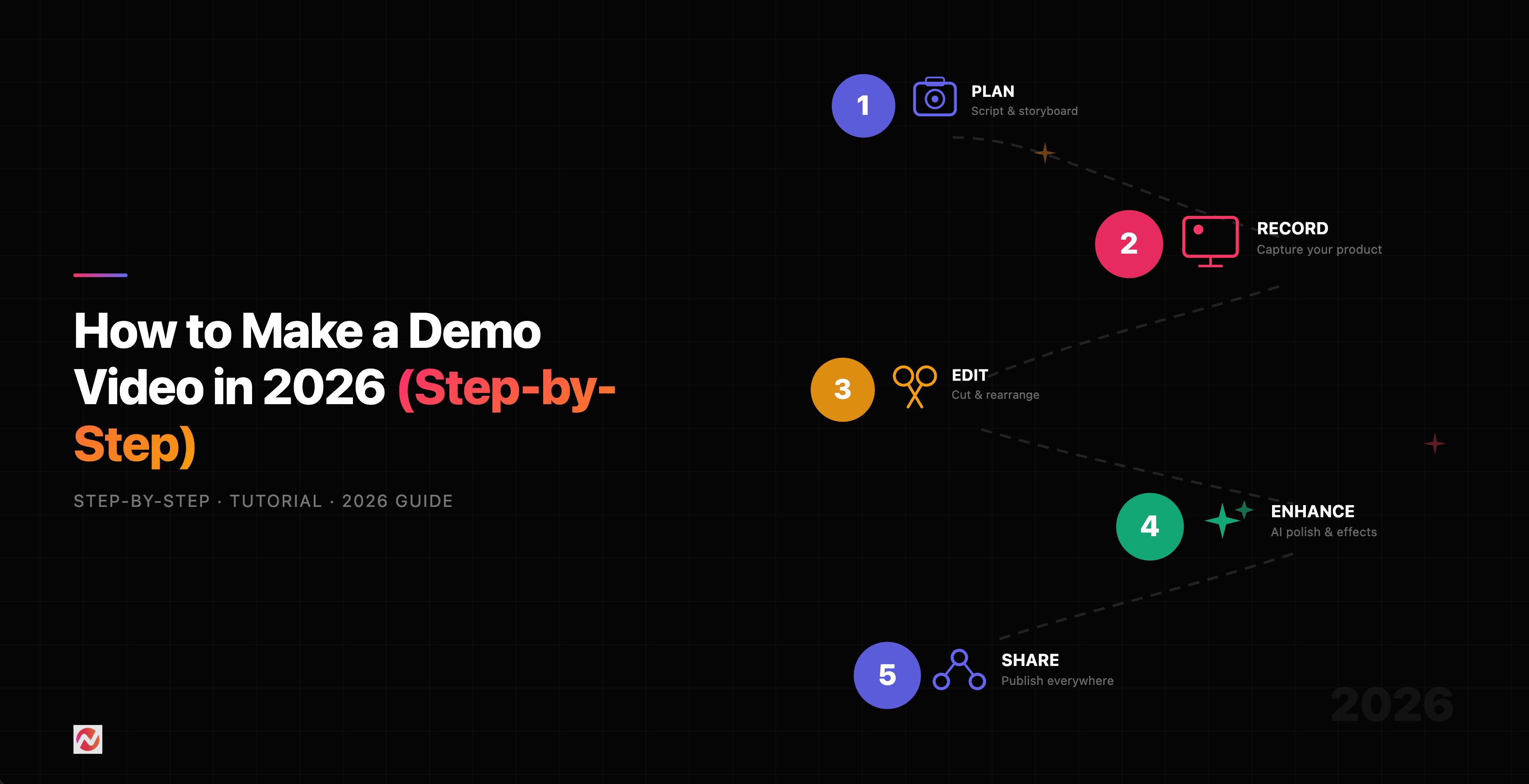
Step 1: Define Your Goal and Audience
Before you record a single frame, know exactly what this demo is for and who will watch it. The answer shapes everything that follows: the length, the tone, the features you highlight, and even the script.
Ask yourself:
- Who is this for? A brand new prospect seeing your product for the first time? A trial user trying to learn the basics? A current customer getting onboarded? A partner integrating your API?
- What is the one thing you want them to understand or feel after watching? ("This product saves time" or "It handles our exact use case" or "It's easier than we expected.")
- What action do you want them to take next? Sign up for a trial, upgrade their plan, contact sales, or complete onboarding?
For example, if your goal is top-of-funnel awareness, you might create a 45-second demo showing a common problem and your product's immediate solution. If your goal is onboarding, you might create a 5-minute deep-dive into specific workflows.
This clarity prevents you from making a demo that tries to show everything to everyone - which almost always fails.
Step 2: Write a Clear Script
The script is your skeleton. It determines pacing, emphasizes the right moments, and makes sure you don't ramble when the camera is rolling.
Your script should follow this structure:
Hook (5-10 seconds): Start with the problem your audience faces. Make it relatable. "Manually updating spreadsheets takes hours every week" or "Finding the right assets feels like searching a library."
Transition (5 seconds): Introduce your product as the solution. Keep it brief. "Here's how [Product Name] changes that."
Demo (main body): Walk through the feature step-by-step. Pause at moments that matter. Let viewers absorb what they're seeing. Don't rush. For a 2-minute demo, this is usually 90-100 seconds.
Outcome (10-15 seconds): Show the result. Hours saved. Process completed. Value delivered. Make it visual.
Call-to-Action (5 seconds): Tell viewers what comes next. "Start your free trial" or "See this in action" or "Schedule a demo call."
Write naturally, like you're explaining to a colleague. Avoid corporate jargon. If you'd never say it in conversation, don't write it.
Step 3: Plan Length and Format
Length matters more than most people think. According to Wyzowl research, 71% of viewers believe videos between 30 seconds and 2 minutes are most effective.
Here's a practical breakdown:
30-60 seconds: Top-of-funnel awareness. Quick problem-solution pairing. Best for social media and landing pages.
90 seconds to 2 minutes: Sweet spot for most demo videos. Enough time to show genuine value without losing attention.
3-5 minutes: Product education or onboarding. Deeper workflows. More suitable for existing customers or qualified leads.
Over 5 minutes: Only use this if your process genuinely needs it - and be honest about that. Most viewers drop off after this point.
Also decide your format. Screen recording (showing your software) is the most common. Some teams use webcam recording (you talking while showing the screen). Others use animated explainers or a combination. For simplicity and credibility, screen recording usually wins.
Step 4: Record Your Demo
Here are the practical steps:
Set up your screen. Close unnecessary tabs. Hide sensitive information. Set your screen to 1920x1080 resolution for clarity. Test your microphone separately - audio quality matters more than video quality.
Practice first. Read your script out loud 2-3 times. Get comfortable. Notice where you naturally pause. This isn't about perfection; it's about familiarity.
Record deliberately. Move slowly through your interface. Pause between major steps. Let viewers absorb what they're seeing. If something feels rushed when you play it back, it is rushed. Re-record that section.
Capture one use case. Don't try to show every feature. Pick one workflow from start to finish. That's your demo. Everything else is noise.
Keep it in one take when possible. You can splice multiple recordings together in post, but a single continuous flow feels more authentic.
Common recording tools include Camtasia, OBS, Loom, or ScreenFlow depending on your platform. We at ngram also include built-in screen recording and editing, which lets you record, trim, and add callouts all in one place.
Step 5: Edit for Clarity and Impact
Editing is where a good demo becomes a great one.
Trim the fluff. Remove stutters, long pauses that don't serve the story, and moments where nothing changes on screen. Every second should earn its place.
Add captions. Not everyone watches with sound. Not everyone wants sound. Captions increase accessibility, boost watch time, and improve search ranking. Keep them brief and synchronized with what's on screen.
Include callouts or annotations. Use arrows, circles, or text highlights to draw attention to what matters. If you're clicking a button, highlight it. If a number changes, call it out.
Use transitions sparingly. A clean cut usually works better than a fancy transition. Let your content speak.
Add background music or voiceover if needed. Keep audio crisp and at a consistent level. Avoid music that competes with your voiceover. Consider audio leveling to prevent jarring volume shifts.
Ensure timing is correct. Rewatch the full demo. Does the pacing feel right? Does the story land? Would a stranger understand what they're watching?
Source: Wyzowl Video Marketing Research 2026
As you can see, engagement drops significantly after 2 minutes. Respect that attention curve.
Step 6: Choose Where Your Demo Lives
The platform matters. Different channels have different expectations.
Landing pages: Usually 60-90 seconds. Include a play button and clear CTA below or beside the video. Videos on landing pages can boost conversion rates by 34% to 86% depending on implementation.
Email: Keep it under 60 seconds or create a still-frame preview with a play button that links to the full version. Add context above the video explaining what viewers will see.
Social media: Adapt to platform norms. LinkedIn demos tend to be 60-90 seconds with captions. TikTok or Instagram Reels often work at 15-30 seconds. YouTube allows longer form (up to 5-10 minutes).
Sales collateral: Send via email or personalized video message. 90 seconds to 2 minutes works best. Include your voiceover so it feels personal.
Help center or onboarding: 3-5 minutes is appropriate here since viewers are already customers or committed prospects.
Each placement affects how you should edit and optimize your demo. A 2-minute demo works everywhere; a 5-minute one doesn't.
Step 7: Add a Clear Call-to-Action
Never end a demo without telling viewers what comes next. Don't assume they know.
Weak CTA: "Thanks for watching."
Strong CTA: "Ready to see this with your own data? Start your free 14-day trial at [URL] or book a 15-minute walkthrough with our team."
On landing pages, include the CTA both in the video (text overlay or spoken) and below the player. Email demos should have the CTA in the email body as well. Make it stupidly easy to take the next step.
Step 8: Track Performance and Iterate
A demo isn't finished after publication. Track these metrics:
View count: How many people watched? This tells you reach.
Watch time: Where do viewers drop off? If most people leave at the 45-second mark, your hook might be weak. If they leave at 90 seconds, your main demo might drag.
Click-through rate: Of people who watched, how many clicked your CTA? A low CTR might mean your CTA is unclear or your demo didn't convince them.
Conversion rate: Of people who clicked the CTA, how many became leads or customers? This tells you if your demo is actually effective.
Use these signals to refine future demos. If you notice viewers drop off when you discuss features, lead with benefits instead. If CTR is low, make your CTA more prominent. If conversion is low, your demo might be targeting the wrong audience.
Source: Wyzowl 2026 Video Marketing Report
Including video on landing pages nearly doubles conversion rates, but only if your demo is actually compelling and well-targeted.
Best Practices for Maximum Impact
Lead with problem, not features. Viewers connect with problems they recognize, not feature lists. "Do you spend hours manually updating spreadsheets?" lands better than "Our product has 47 integrations."
Show the interface, not just talk. A voiceover explaining a workflow doesn't land like actually seeing it happen on screen. Let the screen recording do the heavy lifting.
Make audio crystal clear. Poor video is forgiven; poor audio is not. Invest in a decent microphone or use professional voice talent.
Slow down more than feels natural. When you're recording, you know what's coming. Viewers don't. What feels slow to you probably feels normal to them.
Choose one thing per demo. Show one feature, one workflow, one result. Trying to show everything dilutes the message.
Include genuine outcomes. Don't just show the feature working. Show the time saved, the problem solved, the metric improved. That's what viewers actually care about.
If you're looking for a tool that automates much of this process, try ngram for free. We handle screen recording, editing with AI-powered cut, adding captions, and exporting - often reducing a 2-hour creation process down to 15 minutes. Your first video takes under 5 minutes to set up.
Tools for Creating Demo Videos
You have options depending on your budget and needs.
Free or low-cost tools:
- Clipchamp (free with paid premium) - Browser-based, includes screen recording and editing
- OBS Studio (free) - Powerful but steep learning curve
- Canva (free tier available) - Good for animated demos
- Loom (free tier available) - Super easy for quick screen recordings
Professional tools:
- Camtasia - Industry standard, includes advanced editing
- Snagit + Camtasia - One-two punch for capture and editing
- Synthesia - AI-powered, great for personalized product demos
- TechSmith Camtasia - Trusted by 1000s of companies
- ngram - Built for video creators, combines recording, editing, and AI optimization
For team collaboration and fast turnaround, ngram includes brand kit management, team editing, and cloud storage. You can also check our demo video maker for specific features if you want to see how this works in practice.
Demo Videos by Use Case
Different scenarios call for different approaches:
Sales enablement: 60-90 seconds, personalized feel, focus on customer-specific outcomes, include personal voiceover or message
Product launches: 90-120 seconds, emphasize the problem solved or new capability unlocked, include multiple angles of the feature
Customer onboarding: 3-5 minutes per feature, step-by-step, assume no prior knowledge, include helpful pauses
Support/help center: 2-3 minutes per topic, clear title and topic tag, include captions, make searchable
Marketing campaigns: 45-90 seconds, hook first, strong CTA, designed for social sharing
Each use case has a slightly different rhythm and expectation. Tailor accordingly.
Frequently Asked Questions
How long should a demo video be?
The sweet spot is 90 seconds to 2 minutes. This range captures attention while showing genuine value. Wyzowl's 2026 research shows 71% of viewers believe videos in this length are most effective. Shorter (30-60 seconds) works for top-of-funnel, longer (3-5 minutes) for product education. Never go longer than 5 minutes unless absolutely necessary.
Do I need professional equipment?
No. A decent microphone (even a $30 USB microphone beats your laptop's built-in mic) matters more than camera quality. For screen recording, your existing monitor and computer are enough. Record in 1920x1080 resolution minimum. Audio clarity is non-negotiable; video perfection is optional.
What should I script vs. improvise?
Script the key moments: your opening hook, the transition to your product, the outcome, and your CTA. The middle demo section can be more natural - you're showing the product, after all. Improvisation in that section sounds more authentic, but you still need a clear roadmap of which steps to show.
How many demo videos should we create?
Start with one solid demo targeting your primary audience. Measure performance. Then create variations: one for different audience segments, one for different use cases, one in a different length. We at ngram recommend starting with 1-3, testing, then scaling based on what converts.
Should we update our demo video regularly?
Yes. If your product changes significantly or your UI is redesigned, update the demo. Outdated demos hurt credibility. Check annually and refresh any that look visually dated. Product demo videos are assets you'll use repeatedly, so keeping them current pays dividends.
Wrapping Up
Making an effective demo video isn't complicated. It's story-driven clarity: here's a real problem, here's how you solve it, here's what comes next. Record deliberately, edit for pace, and let the product do the work.
The hardest part is often restraint - saying no to showing every feature, no to rambling, no to complexity. The best demo videos are simple. They trust the viewer to get it.
Start with your primary use case. Record it once. Edit it well. Publish it. Measure what happens. Then make your next one better based on what you learned.
If you want to see this process in action, try ngram free and record your first demo video. Most teams finish their first one in under 30 minutes.