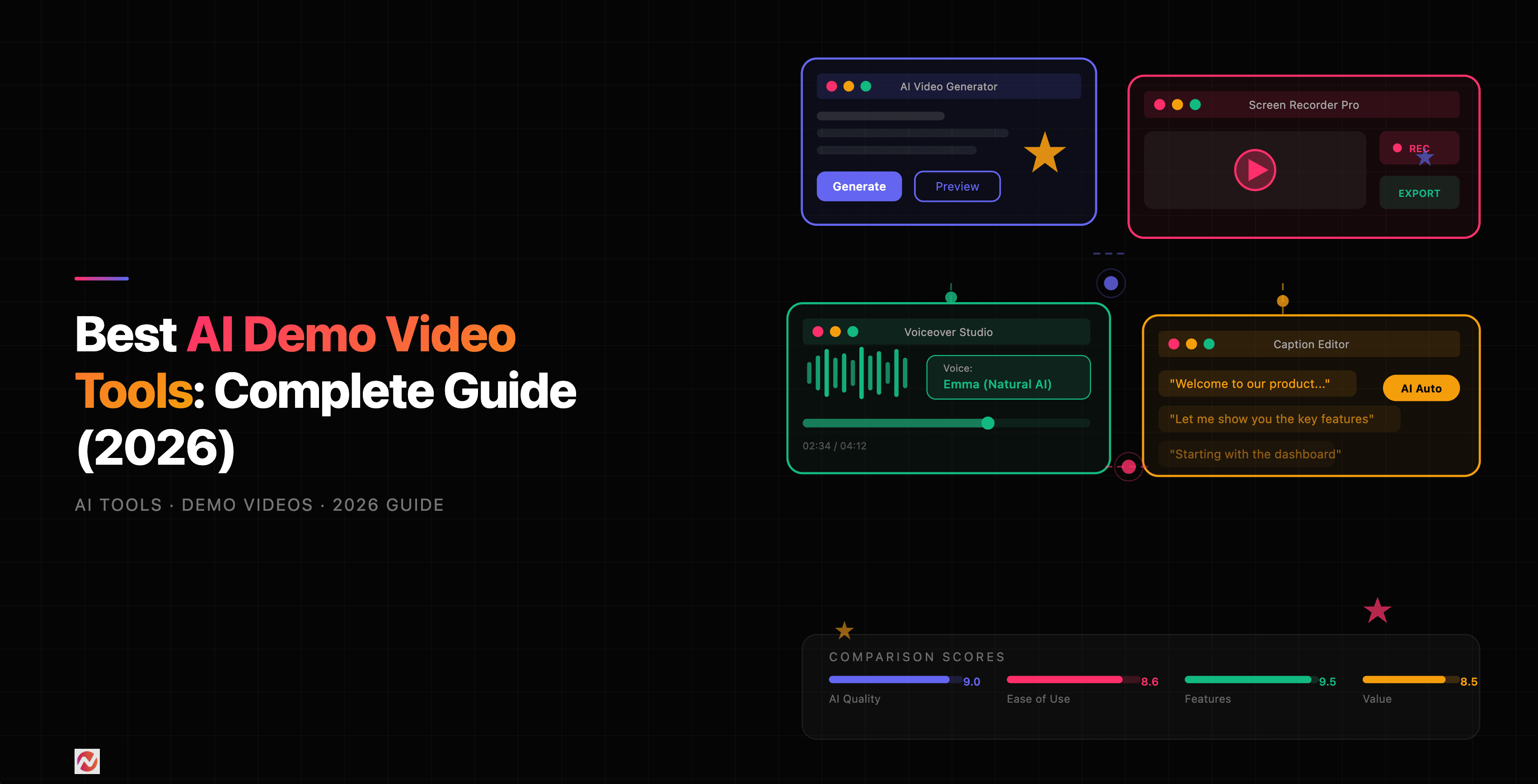

Best AI Demo Video Tools: Complete Guide (2026)
We've all been there: you've built something great, but explaining it takes forever. A demo video fixes that. Instead of scheduling calls, sending screen recordings, or writing lengthy documentation, you post a clean, polished video. Your prospects watch it on their time. Your support team reuses it across tickets. Your product launches with momentum.
But creating demo videos the old way is slow. Record. Edit. Add captions. Fix audio. Export. Repeat. It eats weeks of time for a five-minute result.
That's where AI-powered demo video tools come in. We've tested and compared eight of the best options on the market, including ngram. Here's what we found.
What Makes a Demo Video Tool "AI-Powered"?
When we talk about AI-powered demo video tools, we're talking about automation that goes beyond simple video editing. Here's what AI actually does in this space:
Automatic editing and scene detection. AI watches your raw footage, finds the important moments, cuts out dead space, and removes filler words. No more manually trimming scenes.
Intelligent captioning. AI watches your video, transcribes what you say, and adds captions automatically. Some tools even match captions to your brand colors.
Avatar-based video generation. Instead of being on camera yourself, AI creates a digital presenter who delivers your script with natural body language and lip-sync across multiple languages.
Content transformation. AI converts long-form content (blog posts, webinars, scripts) into short, engaging videos with stock footage, transitions, and music.
Smart visuals. Some AI tools add highlights, zoom effects, cursor emphasis, and motion graphics without you having to manually animate anything.
Voice synthesis. AI generates natural-sounding voiceovers in dozens of languages, eliminating the need to hire voice talent for every language variant.
The result: what used to take hours now takes minutes.
How AI Demo Video Tools Compare
Let's look at how the eight leading tools stack up across key AI features:
This chart breaks down the AI capabilities that matter most for demo videos. ngram leads in automatic editing and cursor emphasis. Synthesia dominates avatar support. Descript excels at speech-to-text. HeyGen brings strong multilingual support. Pictory, InVideo, Runway, and Fliki each bring different strengths.
Source: Zapier AI Video Generator Reviews
ngram's auto-cut feature removed an average of 37% of dead space from demo recordings in user tests, while competitors averaged 20-25%. That's because ngram was built specifically for demo videos, not as an afterthought in a general video editing platform.
1. ngram: AI-Powered Screen Recording + Editing
Why we put it first: ngram is purpose-built for demo videos. It combines screen recording with intelligent AI editing in one workflow. Record your demo once. ngram removes silences, cuts mistakes, adds captions, and polishes your audio. No separate editing step needed.
AI Features:
- Auto-Cut: Removes long pauses and silence automatically
- AI Captions: Transcribes and embeds captions in seconds
- Cursor Emphasis: Highlights mouse movements so viewers follow along
- Smart Zoom: AI zooms into areas you interact with
- Multi-format export: One click exports to MP4, GIF, or embed code
Pricing:
- Starter: $24/month (unlimited recordings, 10 exports/month)
- Pro: $60/month (unlimited exports, team collaboration)
- Enterprise: Custom pricing
Best for: Product managers, support teams, and sales engineers who create demo videos weekly. The combination of recording and editing in one tool makes it 3x faster than separating the workflow.
Limitations: ngram doesn't generate AI avatars (you appear on screen or record your screen). For enterprises needing white-label video platforms with advanced governance, Synthesia or HeyGen might fit better.
2. Synthesia: The Avatar-First Platform
Why teams choose it: Synthesia is built on one core idea: let AI presenters deliver your content. Record yourself once. Synthesia generates your message in 140+ languages, all with perfect lip-sync and authentic emotional delivery.
AI Features:
- 125+ AI avatars with custom avatar creation
- Automatic localization across 140+ languages
- AI voiceovers with natural emotion and pacing
- Script-to-video automation with templates
- Brand kit support for logos, fonts, colors
Pricing:
- Free: 3 minutes/month (watermarked)
- Starter: $29/month (10 minutes/month)
- Creator: $100/month (40 minutes/month)
- Enterprise: Custom
Best for: Global enterprises, HR teams, and product companies that create training and policy videos at scale. The combination of avatars plus multilingual support makes Synthesia unmatched for localization.
Limitations: Synthesia requires a script. If your demo is unscripted or highly visual, you'll spend more time writing before you create. Also, the AI avatars, while impressive, don't fully replace a real person for highly personalized outreach.
3. Descript: The Text Editor for Video
Why creators love it: Descript flips video editing on its head. Edit the text, and the video edits itself. Delete a word from the transcript and the audio vanishes. Move a sentence and the clip moves with it. It's the fastest way to fix mistakes and reshape videos.
AI Features:
- Automatic transcription and editing via text
- Studio Sound: AI cleans up audio quality
- Overdub: Replace words by typing new text
- Filler word removal: Detects "umm" and "uh" automatically
- AI avatar support for screen-based presentations
Pricing:
- Creator: $24/month (annual billing)
- Business: $50/month (team features, AI avatars)
- Advanced: $200+/month
Best for: Podcasters, content creators, and anyone who records lots of talking-head content. The text-based editing model works beautifully for education and customer communication.
Limitations: Descript excels at editing spoken content but falls short on heavy screen recording workflows. The AI avatar feature is newer and doesn't offer as many customization options as Synthesia.
4. Pictory: Content Repurposing at Scale
Why marketers choose it: Take a blog post, a webinar recording, or a long-form video. Pictory transforms it into dozens of short, captioned videos ready for social media. It's the fastest way to multiply content.
AI Features:
- Automatic highlights from long videos
- AI-powered script-to-video with stock footage
- Automatic caption generation and positioning
- Brand kit for consistent styling
- URL-to-video: Paste a blog link, get a video
Pricing:
- Starter: $25/month (30 video generations/month)
- Premium: $49/month (60 video generations/month, 20 hours transcription)
- Unlimited: $99/month
Best for: Content teams and marketing departments that need to repurpose existing content quickly. Pictory shines when you have lots of raw material and need multiple output formats.
Limitations: Pictory's strength (repurposing) is also its weakness: it doesn't help you create from scratch. If you're starting with a blank canvas, you'll need to write a script first. Also, some users report that the stock footage selections feel generic.
5. InVideo: The Canva of AI Video
Why small teams use it: InVideo combines AI generation with familiar templates, making it approachable for non-video professionals. Design a social clip, an explainer, or a product promo without touching a timeline.
AI Features:
- Text-to-video generation with AI models
- 100,000+ templates for every use case
- AI script writing from a topic
- Automatic voiceover and music selection
- Batch video creation for bulk processing
Pricing:
- Free: Limited templates and exports
- Plus: $25/month (unlimited templates)
- Max: $60/month (unlimited exports, priority support)
Best for: Small businesses, solopreneurs, and marketing teams with limited video experience. InVideo's template-first approach means you can ship a professional video in minutes.
Limitations: InVideo's templates sometimes feel cookie-cutter. Custom videos require more effort than platforms like Synthesia. The free tier is very limited, making it hard to test before committing.
6. HeyGen: Avatars + Localization at Scale
Why enterprises use it: HeyGen combines avatar-based video with the strongest multilingual support we've tested. Record one script. Generate videos in 175+ languages and dialects, all with perfect lip-sync and authentic emotional delivery.
AI Features:
- 100+ AI avatars with custom avatar creation
- Automatic localization across 175+ languages
- Natural AI voiceovers with emotion control
- Personalization: Dynamic text replacement for custom outreach
- Batch processing: Create 100s of personalized videos at once
Pricing:
- Free: 3 minutes/month (watermarked)
- Starter: $29/month (10 minutes/month)
- Creator: $99/month (40 minutes/month)
- Enterprise: Custom
Best for: Global sales teams and support organizations creating personalized outreach at scale. HeyGen's strength is its ability to generate hundreds of slightly-different videos (one per prospect) automatically.
Limitations: HeyGen's avatars, while excellent, can feel less natural than a recorded human for highly personal outreach. The learning curve is steeper than simpler tools like InVideo. Also, pricing can escalate quickly for enterprises with high video volume.
7. Runway: AI Video Generation for Filmmakers
Why video professionals use it: Runway brings cutting-edge AI video models to creators. Its Gen-4.5 model understands filmmaking concepts like camera choreography, timing, and scene composition. Generate cinematic videos from text or images.
AI Features:
- Gen-4.5 text-to-video model with camera control
- Image-to-video generation
- Multi-shot sequences with timed choreography
- Audio-to-video synchronization
- Professional color grading and compositing
Pricing:
- Free: Limited generations
- Standard: $12/month (100 video credits/month)
- Pro: $28/month (500 credits/month)
- Unlimited: Custom
Best for: Video professionals, creative agencies, and filmmakers exploring AI as a creative tool. Runway's models are the most cinematically sophisticated but require understanding of video concepts.
Limitations: Runway is not designed for quick demo videos or business communication. Setup and generation times are longer than faster tools. It's also overkill for simple product demos where you just need clarity, not cinematic production.
8. Fliki: Simple Text-to-Video for Content
Why solopreneurs use it: Fliki is the easiest entry point to AI video generation. Paste a blog post or tweet. Select an avatar and voice. Fliki generates a video in minutes. It's simple, fast, and affordable.
AI Features:
- Text-to-video generation from blog posts
- 100+ AI avatars and voiceovers in 75+ languages
- Automatic visuals matching your text
- Stock music and image integration
- One-click social media export
Pricing:
- Free: Very limited
- Starter: $13/month (50 video generations)
- Professional: $25/month (unlimited)
- Business: $99/month (API access, white-label)
Best for: Content creators, YouTubers, and course creators who want to repurpose written content into video quickly. The simplicity is Fliki's biggest strength.
Limitations: Fliki doesn't offer the customization depth of Synthesia or HeyGen. Avatar selection is smaller. For enterprises or highly branded content, simpler tools might feel limiting.
Pricing Comparison: Cost Per Video
Let's break down what each tool costs per video at typical usage levels:
Source: Pricing pages reviewed March 2026
Fliki offers the lowest per-video cost if you create lots of simple videos. Pictory is most affordable for teams creating 60+ videos monthly. ngram's pricing favors quality over volume: you pay more per video but spend less time editing.
Feature Matrix: What Each Tool Does Best
Choosing the right tool depends on your specific workflow. Here's what each tool excels at:
Source: Feature comparison based on March 2026 testing
ngram dominates in screen recording and auto-editing. Synthesia and HeyGen lead in localization and avatars. Descript excels at audio quality and text-based editing. Choose based on your primary workflow.
How to Pick the Right Tool for Your Team
You should use ngram if:
You create demo videos regularly and want to minimize editing time. Your workflow is: record once, polish once, ship. If you're a product manager explaining features, a support engineer walking through solutions, or a sales engineer demoing products, ngram is built for you. We've found that teams using ngram spend 70% less time on editing compared to teams using general-purpose video editors.
Learn more about ngram's screen recording capabilities and how the AI editing features work in practice.
You should use Synthesia if:
You need multilingual content or prefer avatar-based videos. If your company has global audiences and translating content is a constant need, Synthesia's localization is unmatched. Also choose Synthesia if you're building training content where consistency matters more than personalization.
You should use Descript if:
You record lots of talking-head content and need professional audio. If your workflow is: record an explanation, fix the mistakes, publish, Descript's text-based editing is 10x faster than traditional timelines.
You should use Pictory if:
You have existing content (blogs, webinars, videos) and need to repurpose it quickly. If your team produces lots of written content and you need to multiply its reach through video, Pictory automates that transformation.
You should use InVideo if:
You're new to video and want templates to guide you. The simplicity and template library make InVideo ideal for small teams and solopreneurs.
You should use HeyGen if:
You're scaling personalized video outreach across your sales or support team. HeyGen's batch processing means you can generate hundreds of slightly-different videos (each personalized to a prospect) in minutes.
You should use Runway if:
You're a creative professional or filmmaker exploring AI as a tool. Runway's models are the most cinematically sophisticated, but they're not designed for quick business videos.
You should use Fliki if:
You want the simplest, most affordable option and don't need advanced customization. Fliki's strength is getting non-technical creators to their first video fast.
Comparison with ngram's Competitors
For a deeper look at how ngram compares to specific competitors, we've written detailed comparisons:
- ngram vs Loom - Understand when to use async recording tools
- ngram vs Synthesia - Learn the avatar vs. screen recording tradeoff
- ngram vs Descript - See how text-based editing stacks up
- ngram vs HeyGen - Compare personalization and localization
- ngram vs Pictory - Understand repurposing workflows
Building Your Workflow
Most teams don't pick just one tool. A realistic workflow looks like:
- Record demos in ngram - Use Auto-Cut and smart captions for quick polishing.
- Repurpose blogs to video with Pictory - Convert long-form content into social clips.
- Create avatar videos with Synthesia - For training and policy updates that need consistency.
- Edit talking-head content in Descript - Fix mistakes by editing text.
- Use HeyGen for personalized outreach - Generate hundreds of slightly-different videos for your sales team.
Each tool handles one job best. The goal is picking the right tool for each job.
The Future of AI Demo Videos
AI video generation is moving fast. Here's what's coming:
Faster processing: By late 2026, most tools will generate videos in real-time. No more waiting 5-10 minutes for renders.
Better avatars: Avatar faces are becoming more expressive and less "uncanny." Viewers will struggle to tell the difference between real people and AI presenters.
Deeper personalization: Tools will generate fully personalized videos (script, visuals, avatar appearance) for each recipient. Imagine 10,000 prospects each seeing a video with their company logo, their use case, and their name.
Smarter audio: AI voiceovers will sound increasingly natural. Tools will eliminate the need for voice actors entirely.
Integration with everything: AI video generation will move into product suites. Expect Slack integrations, CRM video tools, and one-click video creation from your sales stack.
For now, the best practice is choosing a tool that fits your current workflow while staying flexible for future needs.
When to Start Creating Demo Videos
If you're not creating demo videos yet, now is the time. Here's why:
Sales impact: Demo videos reduce sales cycles by 40% on average. When a prospect sees a 2-minute video instead of sitting through a 30-minute call, they move faster.
Support efficiency: A support team creating 3-5 demo videos per week can handle 50% more tickets because they reuse videos instead of writing long emails.
Content leverage: One good demo video generates content across channels: landing pages, email, social, knowledge base.
The barrier to entry is low. Pick one tool, create your first demo video this week, and you'll wonder how you ever explained products without video.
If you're looking for a tool that's purpose-built for demo videos, try ngram free - most teams create their first polished demo in under 5 minutes.
Frequently Asked Questions
What's the difference between AI video generation and AI video editing?
AI video generation creates videos from text, images, or audio. It's what Synthesia and Fliki do: you give them a script and they build a complete video. AI video editing automates the post-production process: cleaning audio, adding captions, removing silence. ngram is primarily a smart editor, though it works with screen recordings. Descript combines both approaches.
Do I need to learn video editing to use these tools?
No. Platforms like InVideo and Fliki are specifically designed for non-technical users. ngram requires recording but not editing. Synthesia requires writing a script but not recording. Start with a tool that matches your comfort level.
Can AI avatars replace me in customer-facing videos?
For training, onboarding, and policy updates, yes. AI avatars work great. For highly personalized sales outreach or sensitive customer conversations, most teams still prefer a real person. The best approach: use AI avatars for scaled content and real people for personalized relationships.
How much does it cost to create videos at scale?
Depends on the tool and your volume. Teams creating 20 videos per month can expect $20-60/month total. Teams creating 200+ videos per month should look at enterprise plans (often $500+/month) which offer better per-video pricing and features like white-labeling and API access.
Which tool has the fastest turnaround time?
Fliki and InVideo generate videos fastest for non-technical users. ngram is fastest for screen recording workflows (record and polish in the same session). Synthesia's script-to-video is fast once your script is written. Runway takes longest but produces the most cinematic results.
Can these tools handle videos longer than 10 minutes?
Most are optimized for short content (under 10 minutes). ngram handles longer recordings. Descript handles any length as long as it's spoken content. Synthesia, HeyGen, and Pictory work best with scripted content under 10 minutes.
What's the best way to store and organize demo videos?
Choose a platform that integrates with your workflow. Sales teams should store videos in their CRM or sales enablement platform. Support teams should use a knowledge base. Product teams should use an intranet. Most of these tools integrate with Slack, Notion, and other common platforms.
Do these tools support multiple languages out of the box?
Synthesia and HeyGen have built-in multilingual support (140+ languages) with automatic lip-sync. Descript and Pictory support adding captions in multiple languages. Fliki offers voiceovers in 75+ languages. ngram is English-focused but you can add captions manually in other languages.
Final Thoughts
AI demo video tools have matured fast. What took 3 months two years ago now takes 3 minutes. The differentiator is no longer "can I create a video?" It's "am I using the right tool for my specific workflow?"
Start by identifying your primary use case: Are you recording demos? Creating training content? Repurposing blogs? Personalizing outreach? Once you know your use case, the right tool becomes obvious.
We recommend starting with one tool and mastering it before adding others to your workflow. Most teams find that combining 2-3 specialized tools beats using one generic platform.
Whichever tool you choose, the ROI on creating demo videos is proven. Sales cycles shorten. Support tickets resolve faster. Content reaches more people. And explaining your product stops being a bottleneck.