
The 11 PM Deadline
Sarah stares at her screen. Tomorrow morning, her company announces a major feature update. Marketing needs a demo video for the landing page. Sales wants a walkthrough they can send to prospects. Customer success asked for something they can include in the release email.
She has a screen recording she made this afternoon. It's rough. There are pauses where she forgot what to click. A section where she backtracked. The audio picks up her colleague's conversation in the background.
Three videos needed. One rough recording. No video editor on staff. The freelancer she used last quarter took five days and three revision rounds for a single two-minute clip.
Sarah has until 9 AM.
This scenario plays out in companies everywhere, every week. The details change. The constraint stays the same: important messages need video, and there's never enough time, budget, or specialized skill to make it happen.
The Gap Between Knowing and Doing
Nobody debates whether video works anymore.
Product updates that would get skimmed as text get watched as demos. Feature announcements that would disappear in a changelog get shared when they're visual. Sales emails with video get opened at higher rates than walls of text.
The data has been clear for years. Video captures attention. Video builds understanding. Video gets remembered.
And yet.
Most teams still default to documents, bullet points, and screenshots. Not because they think text works better. Because video has always required things they don't have: a week on the calendar, a specialist on the team, or a line item in the budget that leadership won't approve for "just an update."
The problem isn't awareness. Everyone knows video works. The problem is that making good video has been gated behind friction that makes it impractical for anything but the biggest moments.
Launch day gets a video. Everything else gets a Google Doc.
What If Video Took Minutes Instead of Days?
Picture a different reality.
Sarah uploads her rough screen recording. She tells the tool who the video is for and what it needs to accomplish. Five minutes later, she has a polished demo with the dead air removed, smart zooms that follow her cursor, and captions burned in.
She adjusts the opening hook in plain English. Regenerates. Better.
She exports three versions: one for the landing page, one cropped for LinkedIn, one formatted for email. All with her company's logo, fonts, and colors applied automatically.
It's 11:47 PM. She's done.
This isn't hypothetical. This is what happens when video creation stops requiring specialized skills and extended timelines. When anyone on the team can produce professional output without learning editing software or waiting on external help.
The question stops being "which messages justify the effort of video?" It becomes "why would this ever be anything other than a video?"
The Friction That's Been Holding You Back
Let's be honest about what traditional video production actually looks like.
The freelancer path: You write a detailed brief explaining what you need. You wait two or three days for a first draft. You watch it and realize the pacing is wrong, or the emphasis is in the wrong place, or the tone doesn't match your brand. You send feedback. You wait again. By the time you have something usable, a week has passed. For a two-minute video.
The template tool path: You sign up for something that promises speed. You pick a template. Then you spend an hour making decisions the template can't make for you. What's the structure? How long should each section be? What visuals support each point? The tool handles rendering. You still handle all the thinking. And the result looks like exactly what it is: a template with your words dropped in.
The agency path: You get polish, but you also get timelines measured in weeks, costs measured in thousands, and a feedback loop that involves multiple stakeholders and scheduled calls. Great for the annual brand video. Completely impractical for the feature update shipping next Tuesday.
The DIY path: You open editing software. You stare at a timeline. You spend three hours learning keyboard shortcuts and still can't figure out why the audio is out of sync. You give up and ship the raw recording with an apology in the email.
None of these paths work when you need video at the speed your business actually moves.
Meet Ngram
Ngram exists because video shouldn't require a production process.
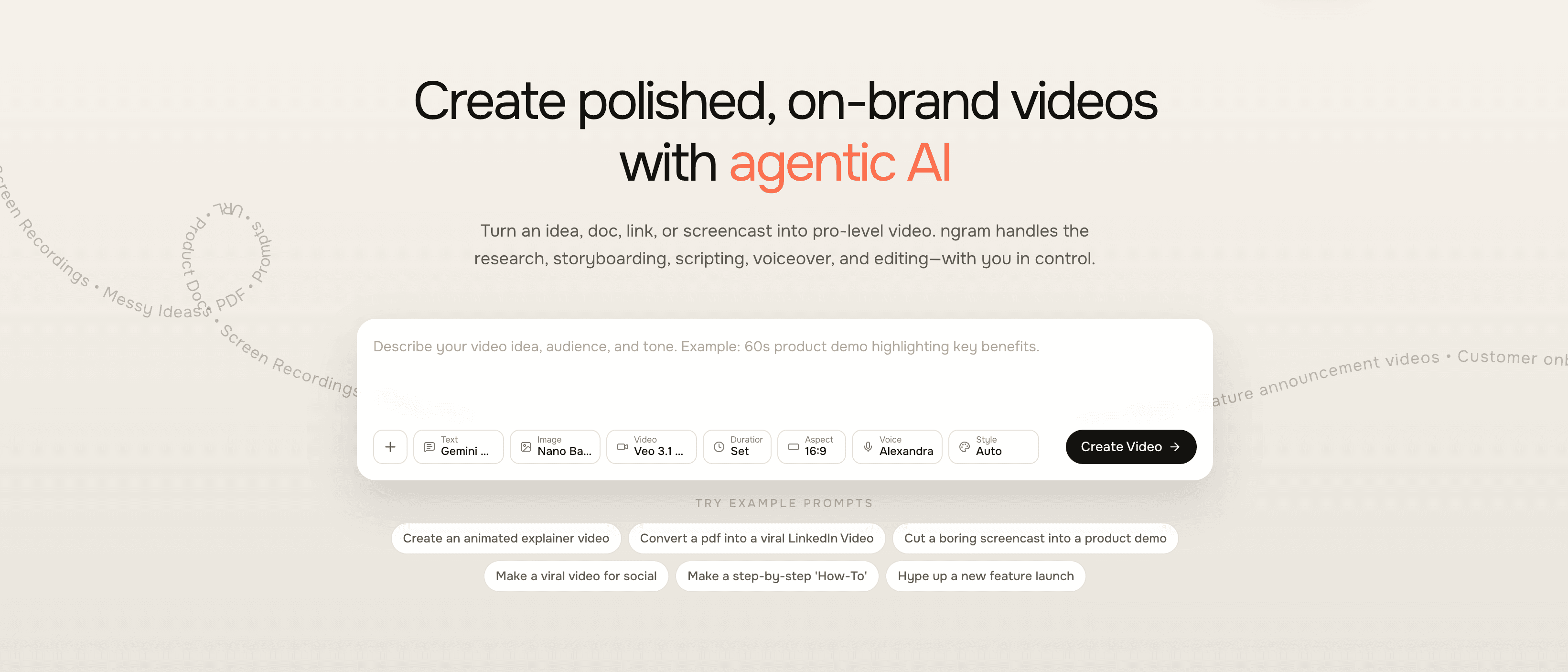
The concept is simple: bring whatever you already have. A screen recording. A document. Some screenshots. A URL you want to reference. Tell Ngram who the video is for, what you want it to accomplish, and where it's going to be published.
Ngram builds the video.
Not a template you fill in. Not a starting point you have to finish. A complete, polished video with structure, pacing, transitions, captions, and brand styling applied. Ready to review, refine if needed, and export.
The shift isn't incremental. It's categorical. Video stops being a production project and becomes something closer to writing an email. You focus on what you want to say. The tool handles how it gets produced.
How Context-Aware Generation Actually Works
Most video tools treat every project the same way. Pick a template, add your content, export. The tool doesn't know if you're making a product demo or a sales pitch. It doesn't know if your audience is technical or executive. It just renders whatever you put in.
Ngram works differently.
When you specify your audience, goal, and destination channel, those inputs shape the entire output. The structure changes. The pacing adjusts. The visual treatment adapts.
A LinkedIn announcement leads with a hook designed to stop the scroll in the first three seconds. It moves fast, hits the value proposition hard, and ends with a clear call to action. Total runtime: under sixty seconds.
The same product information formatted for a website explainer takes more time. It establishes context. It covers features in more depth. It assumes the viewer is already interested enough to have clicked through.
A demo for developers emphasizes precision and skips the hand-holding. The same demo for business buyers focuses on outcomes and minimizes interface details.
These aren't templates you select from a dropdown. They're structural decisions the generation engine makes based on understanding what actually works for different audiences and channels.
Sarah doesn't have to know that LinkedIn videos need fast pacing and early hooks. She just tells Ngram the video is for LinkedIn. The output reflects that reality.
Screen Recording Editing That Actually Saves Time
Let's go back to Sarah's rough recording.
Raw screen captures are almost never ready to share. They include every mistake you made while recording. The pause where you forgot the next step. The accidental click you had to undo. The section that ran too long because you were explaining something you later realized was obvious.
Traditional editing means scrubbing through the timeline, finding every cut point, trimming manually, and hoping you don't accidentally delete something important. It's tedious work. Most people don't have time for it. So they ship rough recordings and hope viewers forgive the lack of polish.
Ngram treats screen recording editing as a core capability.
Upload your capture. The platform identifies and removes dead air automatically. It detects cursor movement and applies smart zooms that highlight what you're clicking on. It can add callouts, step labels, and annotations based on what's happening on screen.
The jump from raw recording to polished walkthrough happens without you touching a timeline.
Sarah's afternoon recording had twelve seconds of dead air scattered throughout. A moment where she clicked the wrong menu item and had to backtrack. Two sections where the cursor sat idle while she talked. Ngram cleaned all of it automatically. The output looks like she recorded it perfectly the first time.
Still think video has to be painful? Upload one screen recording. See what happens.
Brand Consistency Without the Overhead
Here's a problem that emerges when video production becomes decentralized: everything starts looking different.
Marketing uses one set of colors. Sales grabs a different template. Customer success copies something from last quarter that was never quite right. The founder records a quick Loom that doesn't match anything else on the website.
When specialists control production, brand consistency happens by default. When everyone can make video, it fragments fast.
Ngram solves this with brand kits.
Define your visual identity once: logo placement, color palette, typography, intro sequences, outro cards, lower-third treatments. Every video anyone on the team creates automatically inherits those settings.
The twentieth video produced under deadline pressure by someone who's never thought about brand guidelines looks exactly as polished as the first one created by marketing leadership. The system enforces consistency so humans don't have to remember to.
Multi-Format Export for Everywhere You Publish
Different channels have different requirements. LinkedIn wants square video. YouTube expects widescreen. Instagram Stories need vertical. Email embeds work better as GIFs. Your website might want an interactive player with analytics.
Traditional workflows mean reformatting manually for every destination. Or worse, only publishing to the channels that match your original format.
Ngram handles multi-format export natively. One video, every aspect ratio, every format type. Captions included and properly positioned for each version.
Sarah exports her demo three ways: 16:9 for the landing page, 1:1 for LinkedIn, 9:16 for the Instagram Story her social lead requested last minute. Each version is optimized for its destination. She didn't touch an export settings menu once.
Professional Editing When You Need Precision
AI-generated first drafts handle the vast majority of use cases. But some videos need more precise control.
A product demo where timing matters down to the frame. A customer story where the audio mix needs adjustment. A social clip where you want a specific transition effect that differs from the generated output.
Ngram includes a full professional editing suite. Timeline editing. Keyframe animation. Audio level controls. Transition customization. Compositing capabilities.
You're not locked into accepting whatever the AI produces. Start with generation to skip the blank page problem. Then refine with precision where it matters. The two approaches complement rather than compete.
Everything Else That Matters
Beyond the hero capabilities, Ngram handles the practical requirements that make video production actually work:
Script and storyboard generation that creates the narrative structure before any rendering happens. You review and adjust the plan while changes cost nothing. The feedback loop is fast because iteration happens at the planning stage.
AI-generated visuals when your assets have gaps. Need a supporting clip that doesn't exist in your library? Generate one that matches your brand aesthetic using the latest AI video models. The visual style stays consistent with everything else.
Voiceover options when your recording audio isn't usable. Polish your own voice or choose from AI voices that match the tone you need. The voiceover syncs to the visual content automatically.
Caption generation with accuracy that doesn't require manual correction. Burned in, styled to your brand, positioned correctly for every export format.
Who This Is Actually For
Ngram serves teams that need video regularly but can't justify traditional production for every message.
Product Marketing teams launching features, building explainer libraries, and creating the competitive content that sales keeps asking for. The kind of teams where one person covers the work that three people should be doing.
Product Managers shipping updates constantly and tired of announcements that nobody reads. The folks who know their changelog deserves better than a bullet list but don't have time to become video editors.
Growth and Marketing teams producing content across multiple channels with expectations that keep rising while headcount stays flat. The people who hear "can we also make a video version?" and feel their stomach drop.
Sales Enablement leads building demo libraries, persona-specific walkthroughs, and the visual assets that help reps tell better stories. The ones who know that a good demo video beats a deck every time but can't produce them fast enough.
Customer Success teams creating onboarding content, how-to guides, and release communications that customers will actually watch. The people responsible for adoption who've accepted that nobody reads documentation.
Founders and small teams doing their own marketing because there's no one else. The ones who need to look professional without the budget for professional help.
If you recognize yourself in any of these descriptions, you understand the problem Ngram solves.
The Competitive Reality
Your competitors are figuring this out.
Some of them are still stuck in the old model, waiting on freelancers and agencies. They ship one polished video per quarter and call it a win.
But the smart ones are realizing that video velocity matters. That the team shipping demo videos weekly builds more trust than the team shipping one perfect video per launch. That consistent presence compounds over time.
The question isn't whether video production will become faster and more accessible. That's already happening. The question is whether you'll be ahead of that curve or behind it.
Give us 10 minutes. If you're not impressed, go back to your freelancer's inbox.
The Transformation
Let's return to Sarah one more time.
It's now three months later. The late-night scramble that opened this article doesn't happen anymore. Not because there are fewer deadlines. Because video production stopped being an emergency.
Feature updates get demo videos by default. Sales has a library of walkthroughs they can send based on prospect industry. Customer success includes video explanations in every release communication. The LinkedIn presence shifted from occasional text posts to consistent video content.
None of this required hiring a video specialist. Nobody learned editing software. The freelancer relationship ended because there wasn't enough work to justify keeping it active.
What changed wasn't the team's skill set or budget. What changed was the tool they used.
The Challenge
You've read this far because something resonated. Maybe it's the late nights. Maybe it's the freelancer timelines. Maybe it's the gap between knowing video works and being able to produce it.
Here's the reality: either video production gets easier for your team, or you keep losing ground to competitors who figured this out first.
Ngram makes video feel like writing. Bring what you have. Say who it's for and what it should accomplish. Get polished output in minutes. Refine in plain language. Export for every channel.
Try Ngram on your next product update. We dare you not to love how easy it felt.
Ngram: The right video for every message, built from what you already have.