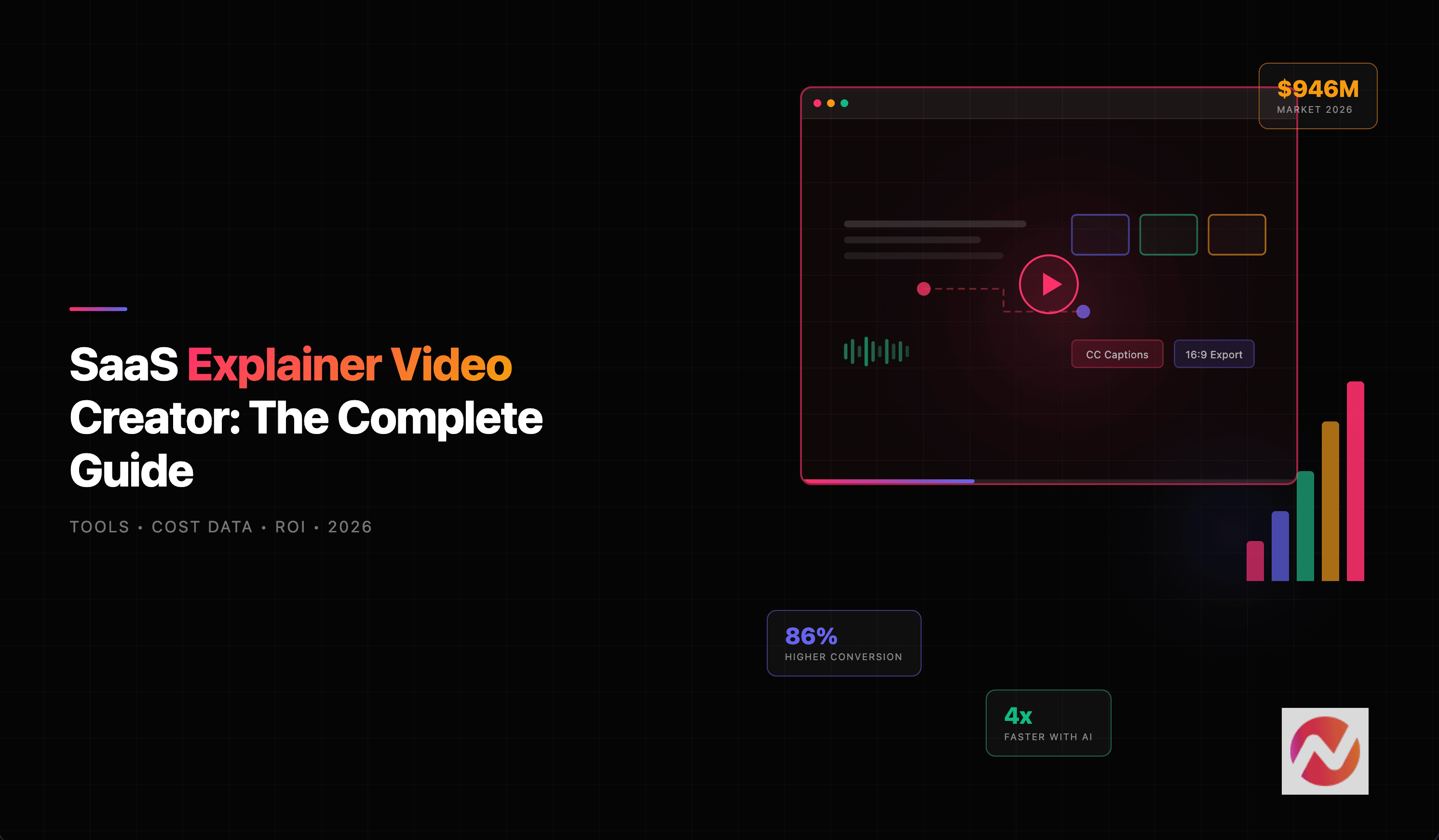

Why SaaS Explainer Videos Are No Longer Optional
If you sell software, you already know the challenge: your product does a lot, but explaining it in a way that clicks with prospects is hard. Text-heavy landing pages and feature lists don't cut it anymore. That's where a SaaS explainer video creator comes in.
Here's why this matters right now. According to DemandSage's 2026 video marketing report, 89% of businesses now use video as a marketing tool, and 93% of those report a positive ROI. For SaaS companies specifically, the stakes are even higher: 96% of consumers have watched an explainer video to learn about a product or service, and 82% say a video has convinced them to buy.
The gap between companies that use video well and those that don't is widening fast. And with AI-powered saas explainer video tools now available, the barrier to entry has never been lower.
This guide covers everything: the types of SaaS explainer videos, how to create them step by step, what they cost, the best tools in 2026, and how to measure whether your videos are actually working. Whether you're a solo founder or a product marketing team, you'll walk away with a clear plan.
The Explainer Video Market Is Exploding
Before we dive into the how-to, it's worth understanding just how fast this space is growing. The AI video generator market alone hit $789 million in 2025 and is projected to reach $3.4 billion by 2033, according to Grand View Research. That's a 20.3% compound annual growth rate.
The numbers behind this growth tell a clear story.
Source: Grand View Research, Fortune Business Insights
The trajectory is steep for a reason. AI video generation volume grew 840% between January 2024 and January 2026, according to Vivideo AI's State of AI Video Creation report. Monthly active users across AI video platforms surpassed 124 million in early 2026. And 78% of marketing teams now use AI-generated video in at least one campaign per quarter.
For SaaS companies, this isn't abstract. It means your competitors are already producing explainer videos faster and cheaper than ever. The question isn't whether to invest in video - it's how to do it well.
Types of SaaS Explainer Videos (And When to Use Each)
Not all saas explainer videos are the same. The style you choose should match your product complexity, audience, and where the video will live. Here's a breakdown of the most common types.
Animated Explainer Videos
These use 2D animation, motion graphics, or character animation to tell your product story visually. They're the most popular style for SaaS because they simplify abstract concepts without needing real footage. Product explainer videos in this style are also easy to update when features change - no reshoots required.
Best for: Complex products, abstract workflows, top-of-funnel awareness.
Screen Recording and Product Demo Videos
These capture your actual product UI in action. A raw screen recording becomes a polished walkthrough with smart cuts, zoom effects, callouts, and step labels. ngram's screen recording editor turns rough captures into professional demos automatically.
Best for: Product-led growth, mid-funnel consideration, onboarding.
Whiteboard Videos
Hand-drawn illustrations that build on screen as a narrator explains your product. They have a casual, educational feel that works well for explaining complex processes.
Best for: Educational content, thought leadership, explaining multi-step workflows.
AI-Generated Videos
The newest category. AI-powered tools generate visuals, avatars, voiceovers, and motion graphics from text prompts or existing content. These have gotten dramatically better in 2025-2026.
Best for: Scaling video production, teams without video expertise, rapid iteration.
Mixed Media
Combines multiple styles - screen recording with animated overlays, live footage with motion graphics, or AI-generated clips with branded elements. This approach creates the most polished, unique results.
Best for: Brand videos, high-stakes launches, differentiated positioning.
The right choice depends on your goal. If you're explaining a complex workflow, animation wins. If you're showing how your product works, screen recording is king. If you need to scale SaaS marketing videos across dozens of use cases, AI-powered creation is the practical answer.
How to Create a SaaS Explainer Video (Step by Step)
Here's the process that works, whether you're using an agency, a freelancer, or an AI-powered saas explainer video creator.
Step 1: Define Your Goal and Audience
Before writing a single word, answer three questions:
- Who is this for? A first-time visitor? A trial user? A decision-maker evaluating your product?
- What should they do after watching? Sign up? Book a demo? Understand a feature?
- Where will this live? Homepage? Landing page? LinkedIn? Email?
Every choice downstream - script, style, length, tone - flows from these answers. A homepage explainer for cold traffic looks completely different from an onboarding video for new users.
Step 2: Write the Script
The script is 80% of the work. A polished video with a weak script is still a weak video.
The most effective structure for SaaS explainer videos follows this arc:
- Hook (0-5 seconds): Name the pain your audience feels
- Problem (5-20 seconds): Make them feel understood
- Solution (20-45 seconds): Introduce your product as the answer
- How it works (45-70 seconds): Show 2-3 key features in action
- Proof (70-80 seconds): Social proof, metrics, or results
- CTA (80-90 seconds): Clear next step
If writing scripts from scratch feels daunting, ngram's AI script generation can produce a first draft from your product docs, website, or a simple brief. You review and refine - the tool handles the heavy lifting.
Step 3: Build the Storyboard
Map each section of the script to visual scenes. This is where you decide what viewers see for each line of narration. A good storyboard prevents expensive rework later.
For each scene, note:
- What's on screen (UI screenshot, animation, text overlay)
- Any transitions or effects
- Timing (how many seconds)
Step 4: Choose Your Style and Produce
Based on the video type that fits your goals (from the section above), produce the visuals. This is where the approach diverges based on your method:
- DIY with templates: Pick a template, swap in your content, export
- With a freelancer/agency: Send the storyboard, review drafts, iterate
- With an AI-powered tool: Feed in your script and assets, review the generated output, refine
Step 5: Edit, Polish, and Brand
This is where good videos become great ones. The polish layer includes:
- Captions (85% of Facebook video is watched on mute, according to Digiday)
- Music and sound design that match the mood
- Brand consistency with your colors, fonts, and logo. A brand kit ensures every video looks like it comes from your company
- Pacing - tight cuts, no dead air, intentional timing
Step 6: Distribute and Measure
Your explainer video should go everywhere it can work:
- Homepage hero section
- Product and feature landing pages
- Email sequences
- LinkedIn and social media
- Sales outreach
- Help center and onboarding flows
More on measurement in the ROI section below.
DIY vs Freelancer vs Agency vs AI-Powered: Which Approach Is Right?
This is the question every SaaS team faces. The answer depends on your budget, timeline, and how much control you want. Let's look at the real numbers.
The chart below shows average cost per finished 60-90 second saas explainer video by production method.
Source: YumYum Videos, Gisteo, Advids
Cost is only half the picture. The other critical factor is time. Here's how turnaround compares across methods.
Source: Gisteo, SimplyExplainer, Zelios Agency
Here's how each approach stacks up in practice:
DIY Template Tools ($25-100/mo): Platforms like Canva or Biteable give you templates and a drag-and-drop editor. Turnaround is fast (hours to days), but the output often looks generic. You still have to do the creative thinking - structure, pacing, story. Works for teams with design skills and simple products.
Freelancer ($1,000-3,500/video): A skilled freelancer handles script, animation, and production. Quality varies widely, and the coordination overhead is real. Each revision cycle adds days. According to Blue Carrot's pricing guide, overseas freelancers can be 40-70% cheaper, but communication becomes harder.
Agency ($5,000-25,000/video): Professional saas explainer video production with a full team. The output is polished, but timelines run 4-8 weeks and costs scale quickly. A 12-video annual package with an agency typically runs $50,000-75,000 according to Motionvillee.
AI-Powered Tools ($20-500/mo): This is the fastest-growing category. Tools like ngram handle the full workflow - script generation, storyboard, visuals, editing, and export. You feed in your content and goals, review the output, and refine in plain language. Minutes, not weeks.
The honest assessment: agencies produce the highest-quality bespoke work, but most SaaS teams don't need a $15,000 video for every feature update or campaign. AI-powered tools hit the sweet spot for teams that need professional video at startup speed.
Best SaaS Explainer Video Creator Tools in 2026
Here are the tools worth considering, organized by what they do best.
ngram - Best All-in-One SaaS Explainer Video Creator
ngram is built for the exact problem SaaS teams face: you need video for everything (launches, demos, explainers, social clips, onboarding), but you don't have a video team.
What makes ngram different is the full-workflow approach. You bring your raw materials - docs, screenshots, screen recordings, URLs, text - and tell ngram who the video is for and what it should do. ngram generates a script and storyboard first (so you can fix direction before rendering), then produces the video with motion graphics, AI-generated visuals, captions, and on-brand styling.
The product suite includes script generation, screen recording editing with smart zoom and callouts, AI voiceover, brand kit enforcement, multi-format export, and a professional editing timeline for when you need precise control.
Best for: SaaS teams that need to produce explainer videos, product demos, feature announcements, and social clips regularly without hiring a video team.
Want to try it? Create your first SaaS explainer video with ngram for free - most users finish their first video in under 10 minutes.
Synthesia - Best for Avatar-Led Training Videos
Synthesia specializes in AI avatar-based videos. You type a script, choose from 140+ digital avatars, and the platform generates a talking-head video in 120+ languages. It's particularly strong for internal training, onboarding, and knowledge base content.
Best for: Training videos, multilingual content, HR and internal communications.
HeyGen - Best for Personalized Sales Videos
HeyGen focuses on AI-generated spokesperson videos. Its strength is personalization at scale - you can generate customized videos for different prospects or segments. The platform supports 40+ languages with lip-sync.
Best for: Sales outreach, personalized demos, localized marketing.
Descript - Best for Editing Existing Video
Descript treats video like a text document. Edit the transcript and the video edits itself. It's excellent for cleaning up screen recordings, podcast clips, and repurposing long-form content into shorter clips.
Best for: Editing existing footage, podcast-to-video, screen recording cleanup.
Canva - Best for Quick Social Clips
Canva's video editor is approachable and template-rich. It won't produce the most sophisticated explainer videos, but for quick social media clips and simple animated content, it's hard to beat for the price.
Best for: Social media clips, simple animated content, teams already using Canva.
Vyond - Best for Character Animation
Vyond specializes in animated character videos with a drag-and-drop interface. It offers extensive character customization and pre-built scenes. The output has a distinctive cartoon style that works well for certain brands.
Best for: Character-driven storytelling, whiteboard-style explainers, training content.
What Makes a SaaS Explainer Video Actually Convert
Creating a video is one thing. Creating one that moves the needle is another. The data on what works is surprisingly clear.
Source: DemandSage / Wyzowl State of Video Marketing 2026
Those numbers are impressive across the board. But not every video drives these results. Here's what separates high-performing saas explainer videos from forgettable ones.
Hook in the First 5-8 Seconds
SaaS buyers decide quickly whether a video is worth their time. The most effective explainer videos open with the problem, not the product. Lead with the frustration your audience already feels.
Keep It Between 60-90 Seconds
According to B2W's video marketing research, 39% of marketers say 30-60 seconds is the most effective length, and 28% say 1-2 minutes. The sweet spot for SaaS explainers is 60-90 seconds. Long enough to tell a complete story, short enough to hold attention.
Problem First, Product Second
The best SaaS explainer videos don't start with "Our product does X." They start with "You know that feeling when..." The problem-first structure earns attention by showing you understand the viewer's world before you pitch your solution.
Make the CTA Unmistakable
Every video needs a clear, single next step. "Start your free trial," "Book a demo," or "See it in action" - pick one and make it obvious. Split CTAs dilute conversion.
Stay On Brand
Consistency builds trust. When your explainer video matches your website's colors, fonts, and tone, it reinforces credibility. This is why a brand kit matters - it ensures every video your team produces looks like it came from the same company.
Best SaaS Explainer Video Examples (And Why They Work)
Let's look at some of the best saas explainer video examples from companies that get it right.
Slack leads with the universal problem: workplace communication is chaotic. Their explainer shows how channels, threads, and integrations bring order. The video works because it focuses on the feeling of relief, not the feature list.
Figma takes a product-led approach, showing actual design collaboration happening in real time. The screen recording style makes the product feel tangible and immediate. Viewers can picture themselves using it.
Deel tackles the complexity of global hiring with a clean animated style that turns a genuinely confusing process (international payroll, compliance, contracts) into something that feels manageable. Metaphor does the heavy lifting.
Pipedrive uses a character-driven animated approach that follows a sales rep through their day. It turns CRM - a notoriously hard-to-differentiate category - into something relatable by anchoring the product story in a person's daily frustrations and wins.
What these explainer video examples share: they all lead with the problem, show the product naturally, keep it under 90 seconds, and end with a clear next step. None of them read a feature list. All of them tell a story.
Measuring Your SaaS Product Video ROI
You've created the video. Now how do you know if it's working?
The conversion data is compelling. According to Loopex Digital's 2026 video marketing statistics, landing pages with video see 86% higher conversion rates compared to pages without video. Sites using video also see 41% more qualified leads and 157% more organic search traffic.
But headline stats only matter if you're tracking the right metrics for your specific goals. Here's what to measure:
Top-of-Funnel Metrics
- View count and play rate: Are people actually clicking play? A low play rate means your thumbnail or placement needs work.
- Watch-through rate: What percentage watch to the end? Drop-off at the 10-second mark means your hook is weak. Drop-off at 30 seconds means the middle section drags.
Mid-Funnel Metrics
- Click-through rate: After watching, do viewers take the next step? This is the direct measure of your CTA's effectiveness.
- Time on page: Pages with video should see meaningfully higher dwell time. According to DemandSage, 82% of marketers say video increased their website dwell time.
Bottom-Funnel Metrics
- Conversion rate lift: Compare landing pages with video against those without. Run A/B tests to isolate the video's impact.
- Support ticket reduction: Explainer videos in help centers and onboarding flows reduce support volume. Track ticket counts before and after adding video.
Product marketing teams that track these metrics systematically can tie video directly to revenue impact, making the case for continued investment straightforward.
Ready to see the impact? Try ngram free and create your first SaaS explainer video in minutes.
Frequently Asked Questions
How much does a SaaS explainer video cost?
Costs vary dramatically by approach. DIY template tools run $25-100 per month. AI-powered platforms like ngram range from $20-500 per month for unlimited videos. Hiring a freelancer costs $1,000-3,500 per video. A professional agency charges $5,000-25,000 per video depending on style and complexity. For most SaaS teams, the sweet spot is $4,000-7,000 per video if going the agency route, or significantly less with AI-powered tools.
How long should a SaaS explainer video be?
The ideal length is 60-90 seconds. This gives you enough time to cover the problem, introduce your solution, show it in action, and close with a CTA. Videos under 60 seconds often feel rushed, and videos over 2 minutes see significant drop-off in viewer retention. If your product is complex, consider breaking it into multiple focused videos rather than one long one.
What is the best style for a SaaS explainer video?
It depends on your product and audience. Animated explainers (2D motion graphics) are the most popular choice for SaaS because they simplify complex concepts visually. Screen recording demos work best for product-led growth companies that want to show the actual UI. AI-generated videos are ideal for teams that need to scale production. There's no single "best" style - the right choice depends on your goal, budget, and brand.
Can I create a SaaS explainer video without hiring an agency?
Yes. AI-powered SaaS explainer video creators like ngram handle the full workflow - from script generation to storyboard to final video - without requiring video production expertise. You bring your content and goals, the tool handles the creative production. The quality gap between AI-powered tools and traditional agencies has narrowed significantly in 2025-2026, especially for product demos, feature announcements, and social clips.
How long does it take to make a SaaS explainer video?
Timelines vary by method. AI-powered tools produce finished videos in minutes to hours. DIY template tools take a few hours to a couple of days, depending on complexity. A freelancer typically needs 2-4 weeks for a custom animated video. Agencies require 4-8 weeks for a fully produced explainer. The method you choose depends on whether speed or bespoke quality is your priority.
Do SaaS explainer videos actually improve conversions?
The data strongly says yes. Landing pages with video see 86% higher conversion rates compared to pages without video, according to multiple studies. Additionally, 91% of marketers report that video has directly increased sales, and 88% say video has effectively generated leads (DemandSage, 2026). The key is placing videos strategically - homepage hero sections, feature landing pages, and pricing pages tend to see the biggest conversion lifts.
Start Creating
The SaaS explainer video space has changed fundamentally in the last two years. What used to require a $15,000 agency engagement and a 6-week timeline can now happen in an afternoon with the right tool.
The companies winning with video aren't the ones spending the most. They're the ones producing the right video for every message - launches, demos, updates, onboarding, social clips - consistently and quickly.
That's what we built ngram to do. Bring what you already have, tell us what the video needs to accomplish, and create your first SaaS explainer video today.