
CapCut Pro just doubled its price. Here are 7 alternatives worth your time.
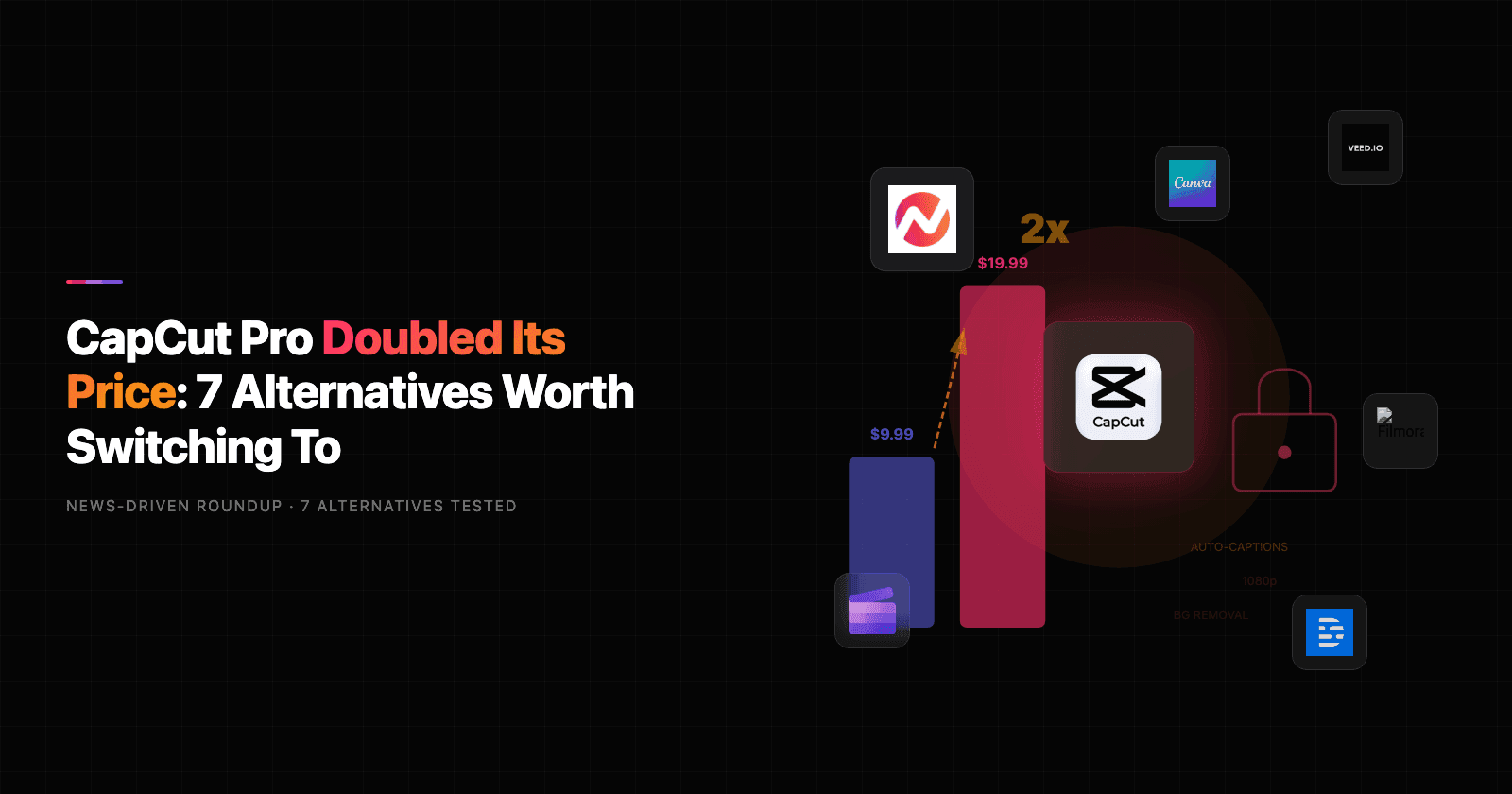
CapCut went from free-with-everything to $19.99/month Pro in under two years. The January 2026 price hike hit creators hard - CapCut Pro doubled from $9.99 to $19.99/month in the US and UK, while features that were free in 2024 (auto-captions, background removal, 1080p export without watermark) moved behind the paywall. "Capcut pricing" searches spiked to 18,100 in April 2026, up from 5,400 a year ago.
On r/CapCut, one user summed it up: "Locking 1080p and 60fps behind a paywall while hiking prices, with no apology, heads up, or acknowledgment." Trustpilot and Reddit threads are flooded with reports of sneaky charges, difficult cancellation processes, and a free tier that now feels deliberately crippled.
Add ByteDance's ongoing regulatory uncertainty in the US ("capcut ban" still pulls 260 searches a month) and a degraded free tier capped at 720p with watermarks, and the 2,900 monthly searches for "capcut alternatives" make complete sense.
We tested 7 CapCut alternatives across editing features, AI capabilities, pricing, and real user reviews from Reddit, G2, and Product Hunt. Here's what held up.
Quick comparison
| Tool | Best For | Starting Price | Key Differentiator |
|---|---|---|---|
| ngram | Professional video from any asset | Free / $29/mo | AI-powered, context-aware generation |
| DaVinci Resolve | Professional desktop editing | Free / $295 one-time | Hollywood-grade color grading, free |
| VEED | Browser-based AI editing | Free / $12/mo | Transcript editing, AI Copilot |
| Clipchamp | Free editing on Windows | Free | Microsoft-backed, no watermark |
| InShot | Mobile-first social editing | Free / $3.99/mo | $20 lifetime purchase option |
| Canva Video | Collaborative browser editing | Free / $13/mo | Team collaboration, massive template library |
| Descript | Transcript-based editing | Free / $24/mo | Edit video by editing text |
| Filmora | Mid-range desktop editor | $49.99/yr | Balance of power and simplicity |
1. ngram
If you're reading this because CapCut's paywall is pushing you toward yet another subscription, ngram takes a fundamentally different approach to video. Instead of giving you a timeline editor and hoping you figure out the creative direction, ngram starts from your existing content - screen recordings, documents, images, URLs - and builds a professional, on-brand video for you.
What makes ngram stand out
Context-aware generation is the core difference. Tell ngram who the video is for (developers vs. executives), what it needs to do (educate vs. convert), and where it's going (LinkedIn vs. website). The output adapts structure, pacing, tone, and visuals automatically. This level of intent-aware adaptation is rare in the video editing space.
Plan first, generate second means you review the script and storyboard before anything renders. You fix direction at the planning stage, not after burning time on a finished edit.
AI-powered editing turns rough screen recordings into polished walkthroughs with automatic filler word removal, smart zoom on interactions, cursor emphasis, and callouts driven by your prompts. No timeline scrubbing needed.
Key features
- Context-aware generation - Adapts structure, pacing, and tone to your audience and channel
- Plan first, generate second - Script and storyboard review before rendering
- Any asset in - Text, images, docs, URLs, screen recordings as input
- AI editing - Auto-cut, filler removal, smart zoom, cursor emphasis
- Multi-format export - 16:9, 9:16, 1:1 with captions included
- Brand kits - Logo, colors, fonts applied automatically to every video
Pros
- ✅ No watermarks on any plan, including free
- ✅ Context-aware output adapts to audience, goal, and channel automatically
- ✅ Works with assets you already have (docs, recordings, URLs)
Cons
- ❌ Web-based only - no native mobile app yet
- ❌ Not designed for frame-by-frame timeline editing
Who is ngram best for?
Marketing teams, product managers, and agencies who need professional videos from existing content without learning a timeline editor. If your videos go to customers, prospects, or LinkedIn audiences, ngram is the pick.
ngram has a generous free plan with paid plans starting at $29 per month.
Ready to try ngram? Create your first video in under 5 minutes. Start free
See ngram in action:
2. DaVinci Resolve
DaVinci Resolve is the tool Hollywood colorists use, and its free version is arguably the most powerful free video editor available anywhere. Where CapCut simplified editing for mobile-first creators, DaVinci Resolve offers desktop-grade editing, color grading, visual effects (Fusion), and audio post-production (Fairlight) in a single application.
Blackmagic Design has kept the free version remarkably full-featured, supporting up to 4K UHD at 60fps with no watermarks.
Key features
- Professional color grading - Industry-standard tools used in feature films
- Fusion VFX - Built-in visual effects and motion graphics
- Fairlight audio - Full audio post-production suite
- 4K UHD free - No watermark, no resolution cap on free tier
- Multi-user collaboration - Teams can work on the same project simultaneously
What users say
Reddit users consistently call DaVinci Resolve "the best free video editor, period." The learning curve is steeper than CapCut, but creators who invest the time praise the output quality. The most common complaint is that the free version lacks GPU-accelerated encoding, making renders slower on older hardware. G2 reviewers note the interface can feel overwhelming for simple social media edits.
Pros
- ✅ Free version includes professional-grade editing with no watermark
- ✅ Industry-standard color grading that no competitor matches at this price
- ✅ One-time $295 for Studio (no subscription)
Cons
- ❌ Steep learning curve compared to CapCut's drag-and-drop simplicity
- ❌ Resource-heavy - needs a decent PC to run smoothly
Best for
Creators ready to level up from CapCut's mobile-first editing to professional desktop workflows. Free; Studio upgrade is $295 one-time (not a subscription).
For a detailed comparison, see ngram vs CapCut.
3. VEED
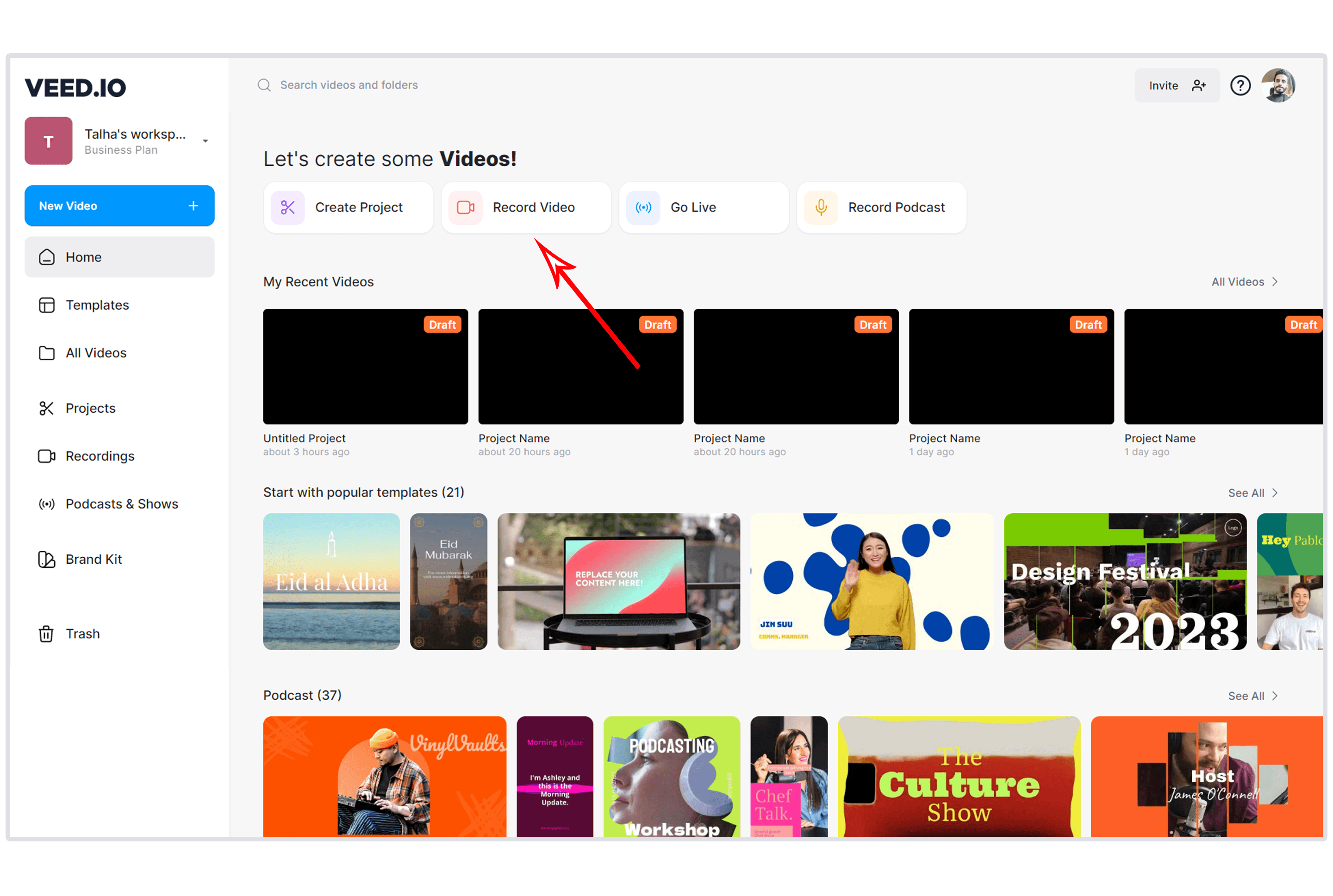
VEED is the browser-based video editor that most closely matches CapCut's ease of use while adding AI-powered features. No download, no installation - open a browser tab and start editing. VEED's auto-subtitles work in 125+ languages, the Magic Cut feature removes filler words automatically, and the new AI Copilot executes multi-step edits from natural language commands.
Key features
- AI Copilot - Natural language commands for multi-step edits
- Transcript-based editing - Edit video by editing text
- Auto-subtitles - 125+ languages with translation
- Magic Cut - Automatic filler word and pause removal
- Eye contact correction - AI adjusts gaze to camera
What users say
Reddit users call VEED "the easiest browser-based editor" and praise the subtitle accuracy. The main complaints: the free plan exports at 720p with a watermark (sound familiar?), and the Pro plan at $29/month feels steep for casual creators. For teams moving from CapCut who want similar simplicity without installing software, VEED is the closest match.
Best for
Creators who want CapCut-level simplicity in a browser with better AI features. Free plan available; Lite starts at $12/month.
See our ngram vs VEED comparison.
4. Clipchamp
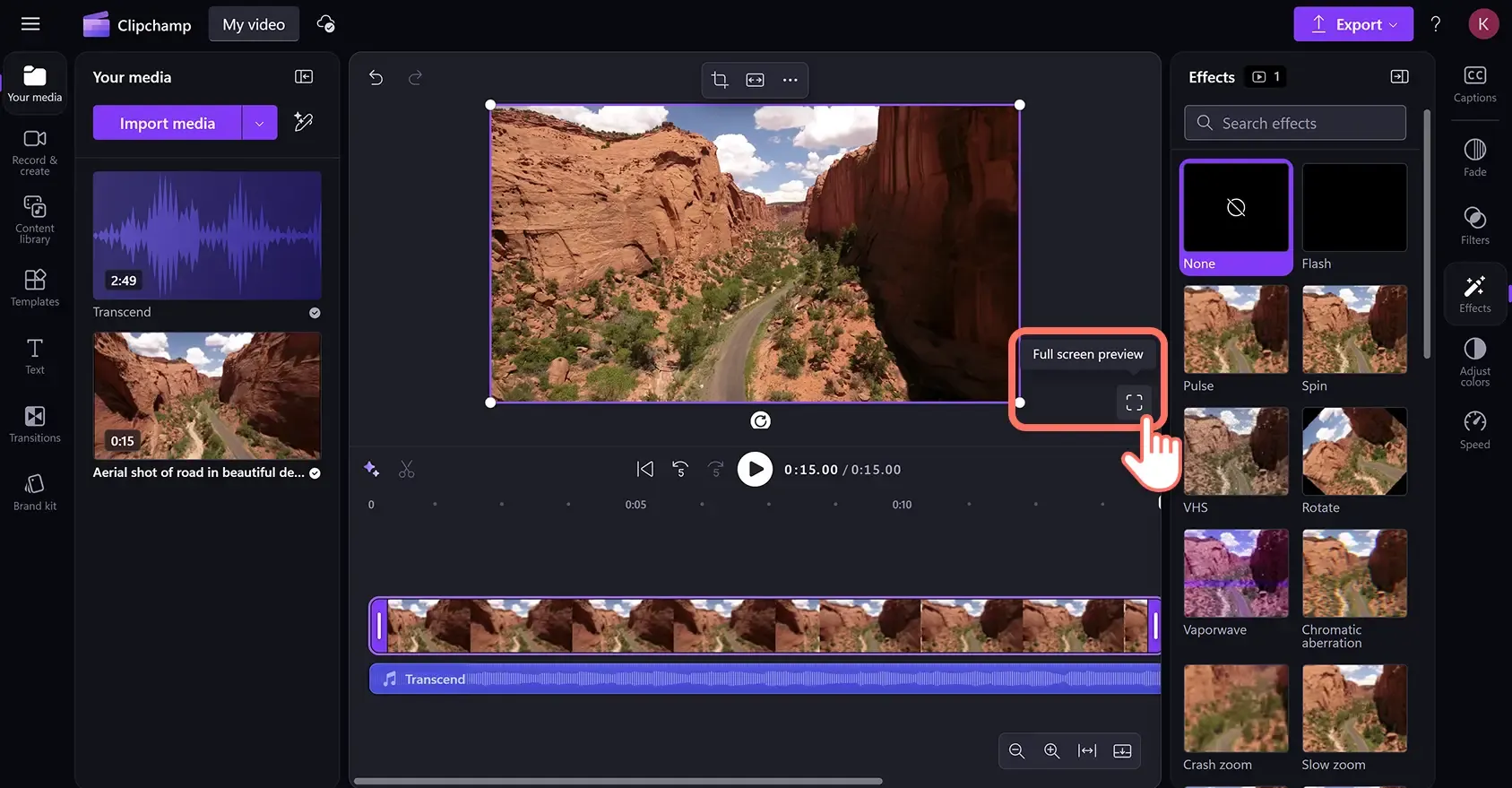
Clipchamp is Microsoft's free video editor, built into Windows 11 and available as a web app. Since Microsoft acquired it, Clipchamp offers watermark-free exports on its free plan - a direct answer to CapCut's paywall. The editor includes text-to-speech, auto-captions, stock media, and basic AI features.
Key features
- Free with no watermark - Up to 1080p export on the free plan
- Built into Windows 11 - No separate download needed
- Text-to-speech - AI narration in multiple languages
- Stock library - Free stock video, images, and audio
- Auto-captions - AI-generated subtitles
What users say
Reddit users appreciate Clipchamp as a "good enough" free editor for basic social media content. The biggest complaints are limited export options (1080p max, no 4K) and a narrower feature set compared to CapCut Pro. G2 reviewers note the Microsoft integration is convenient for Windows users but the editing capabilities lag behind dedicated editors.
Best for
Windows users who want a free, watermark-free editor for basic social media content. Completely free; Premium plan at $11.99/month.
See our ngram vs Clipchamp comparison.
Looking for the fastest way to create professional videos? ngram turns your screen recordings, docs, and images into polished videos in minutes. Try ngram free
5. InShot
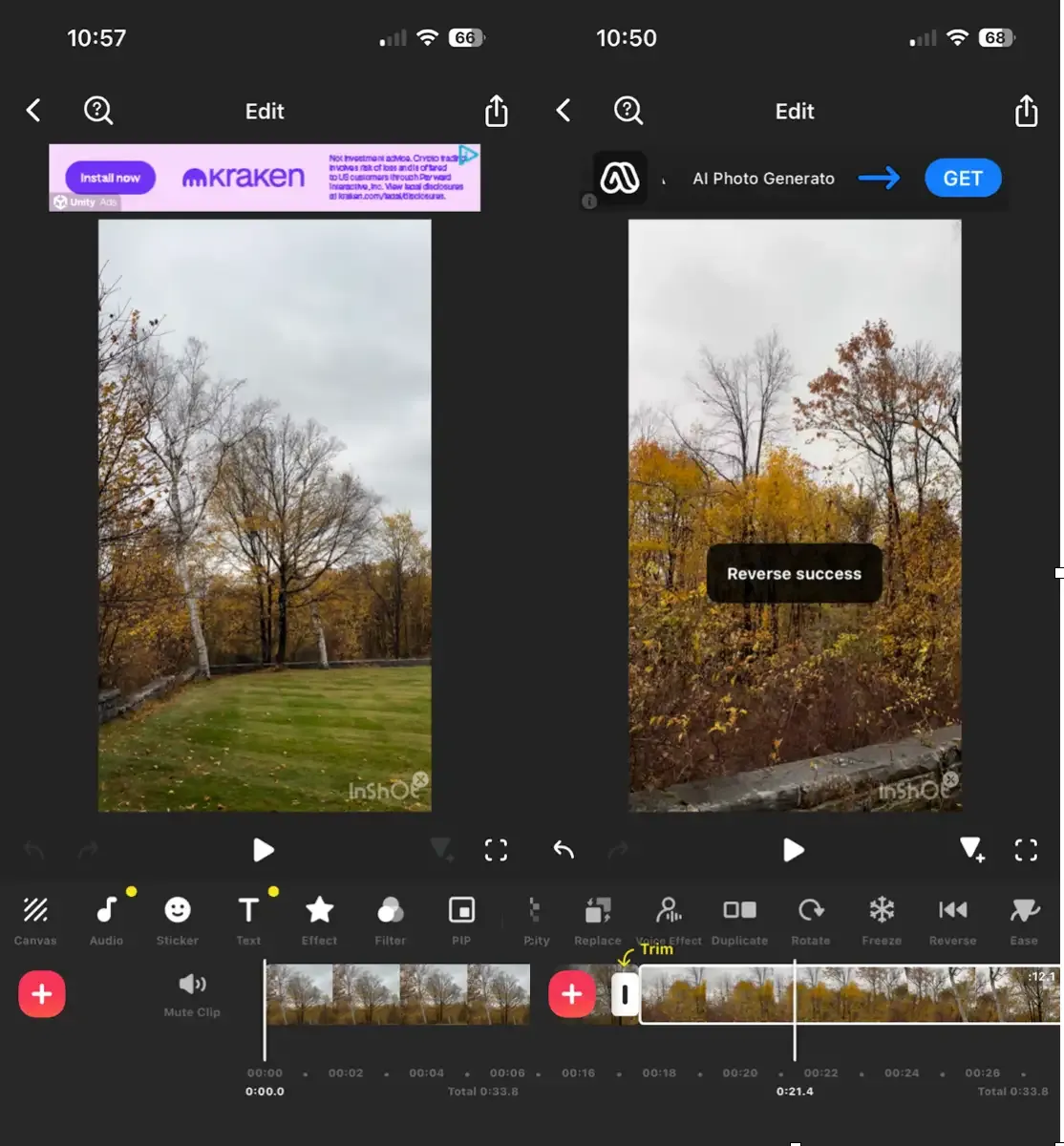
InShot is the mobile-first video editor that Reddit creators keep recommending as the CapCut replacement. The app offers trimming, text overlays, filters, transitions, and music - with a critical difference: you can buy it once for $20 and own it forever. No subscription, no monthly charges, no features disappearing behind a paywall next quarter.
Key features
- One-time purchase - $20 lifetime option (or $3.99/month)
- Mobile-first design - Built for phone editing workflows
- Social media presets - Instagram, TikTok, YouTube Shorts formats
- Music and effects - Built-in library of sounds and transitions
- No watermark - On paid plans, exports are clean
What users say
Reddit users consistently recommend InShot with variations of "$20 then it's yours forever." The app is praised for its intuitive mobile interface and fast rendering. Limitations: no desktop version, and the AI features (auto-captions, background removal) are less advanced than CapCut Pro's. For creators who edit primarily on mobile and want predictable costs, InShot is the frontrunner.
Best for
Mobile creators who want CapCut-level editing without a subscription. Free with watermark; $3.99/month or $20 lifetime.
6. Canva Video
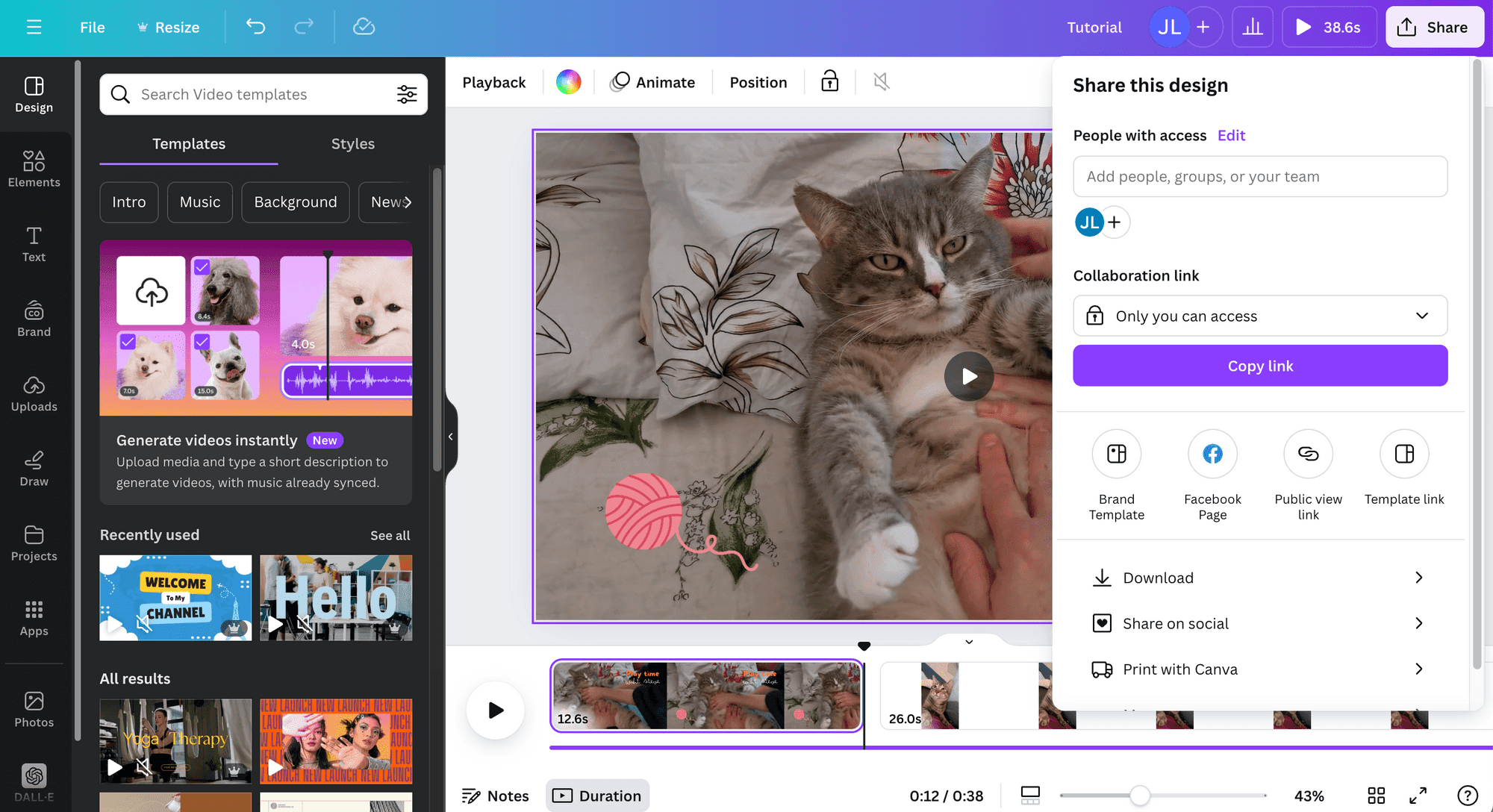
Canva's video editor has quietly grown into a serious CapCut alternative for teams. It's free, browser-based, and integrated with Canva's massive template and asset library. Where CapCut is built for individual creators, Canva Video adds real-time collaboration, shared brand kits, and 5GB of free cloud storage.
Canva recently added AI features including Magic Media for generating video clips and images, and Magic Write for script assistance.
Key features
- Free with no watermark - Core editing features available free
- Massive template library - Thousands of video templates
- Real-time collaboration - Teams edit together, no sign-in barriers
- Brand kits - Colors, fonts, logos shared across the team
- AI features - Magic Media, Magic Write, background removal
What users say
G2 reviewers praise Canva Video for team workflows and template variety. Reddit users note it's "not a replacement for serious video editing" but perfect for social media content, presentations, and marketing clips. The main limitation: timeline editing is basic compared to CapCut's more advanced features like keyframing and speed ramping.
Best for
Teams creating social media content and marketing videos collaboratively. Free; Pro at $13/month for premium templates and AI features.
See our ngram vs Canva Video comparison.
7. Descript
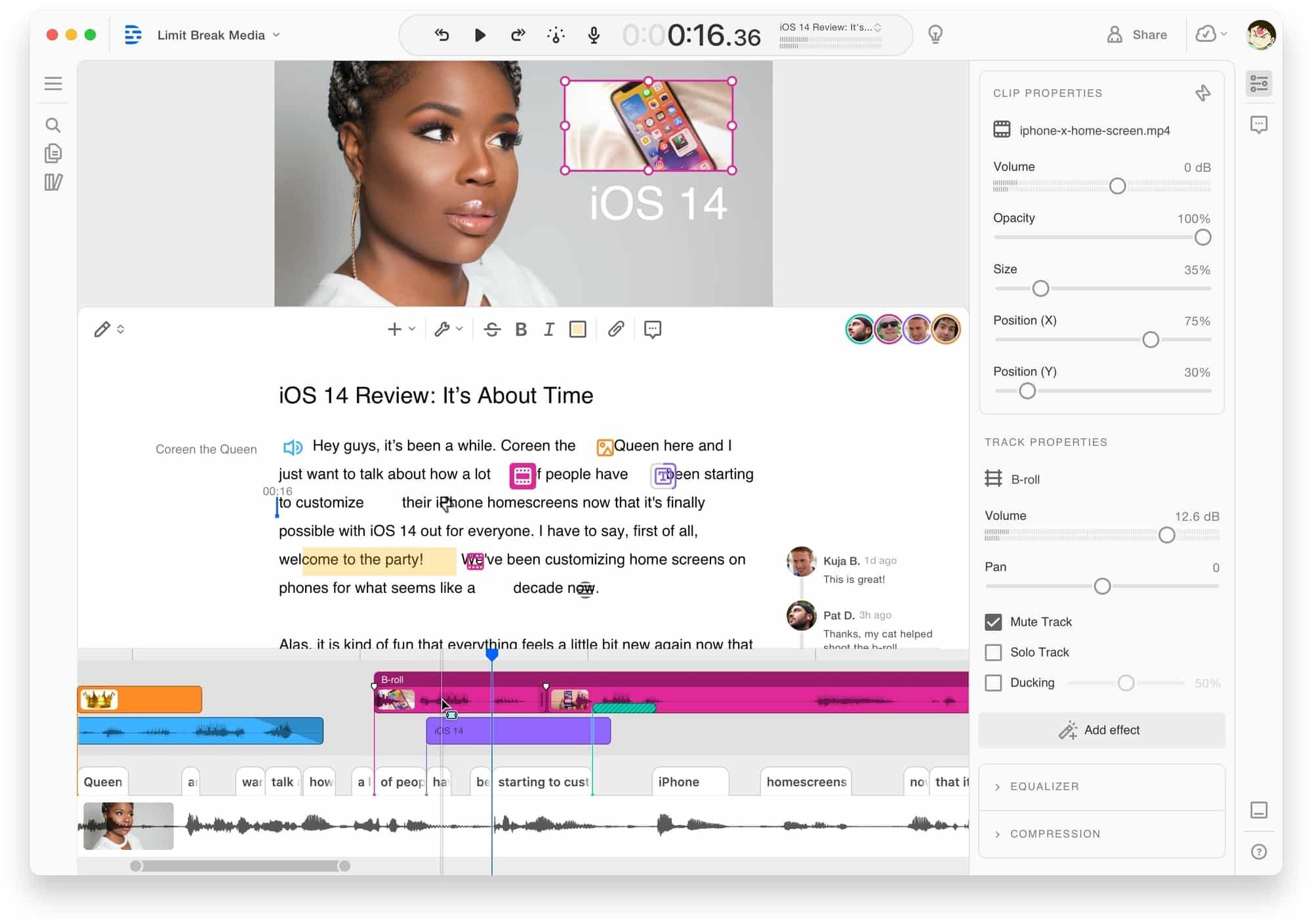
Descript is the transcript-based editor that makes video editing feel like editing a Google Doc. Delete a word from the transcript, and the corresponding video segment vanishes. For creators who spend more time trimming and cutting than adding effects, Descript's approach is faster than any timeline editor, including CapCut.
Descript includes AI-powered filler word removal, studio sound enhancement, and eye contact correction.
Key features
- Transcript-based editing - Edit video by editing text
- AI filler word removal - Automatic um/ah detection and removal
- Studio Sound - AI audio enhancement
- Eye contact correction - AI adjusts gaze to camera
- Screen recording - Built-in recorder with webcam overlay
What users say
Reddit users call transcript-based editing "mind-blowing for long-form content." The main complaints: rendering speed can be slow, and the learning curve for advanced features is steeper than CapCut's. G2 reviewers note Descript is best for talk-heavy content (podcasts, tutorials, presentations) rather than visual-effects-heavy social media clips.
Best for
Creators and podcasters who produce talk-heavy content (tutorials, presentations, podcasts). Free tier available; Hobbyist at $24/month.
See our ngram vs Descript comparison.
8. Filmora
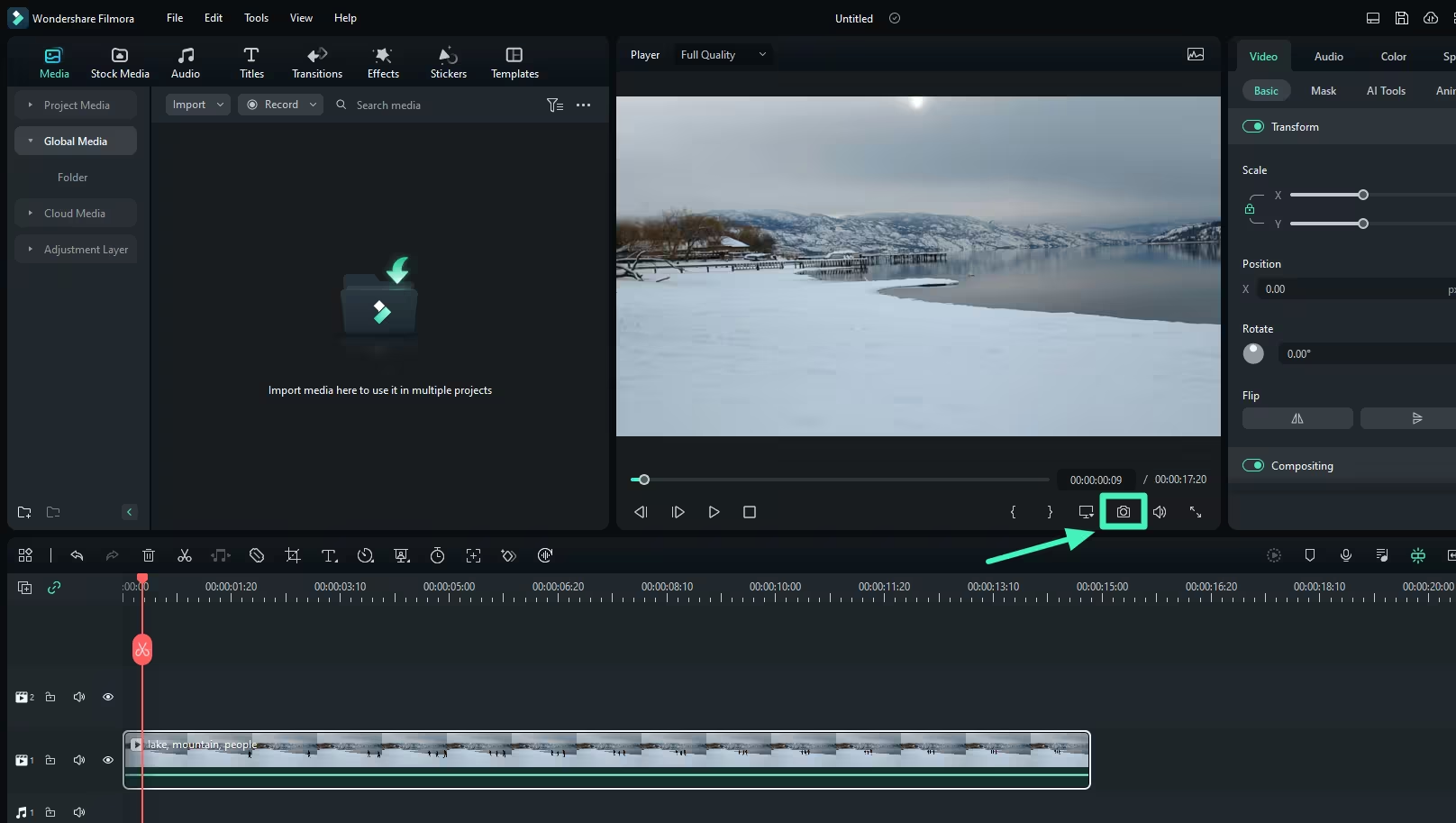
Filmora by Wondershare sits between CapCut's simplicity and DaVinci Resolve's power. It's a desktop editor with an intuitive drag-and-drop interface, AI-powered features (auto-reframe, silence detection, AI copywriting), and a large effects library. For creators who've outgrown CapCut but find DaVinci Resolve intimidating, Filmora is the middle ground.
Key features
- AI Smart Cutout - Object removal and background replacement
- AI Music Generator - Create royalty-free background music
- Auto Reframe - Automatically resize videos for different platforms
- Silence Detection - Find and remove silent segments
- Effects library - Thousands of transitions, titles, and overlays
What users say
G2 reviewers praise Filmora's balance of features and usability. Reddit users note it's "easier than Premiere Pro but more capable than CapCut" for desktop editing. The biggest complaint: the subscription model ($49.99/year) rubs some creators the wrong way, especially those leaving CapCut for the same reason. Filmora also adds a watermark on the free tier, but it's less intrusive than most.
Best for
Desktop creators who want more power than CapCut without DaVinci Resolve's learning curve. Free with watermark; annual plan at $49.99/year.
Here's how video editing software pricing compares across these tools:
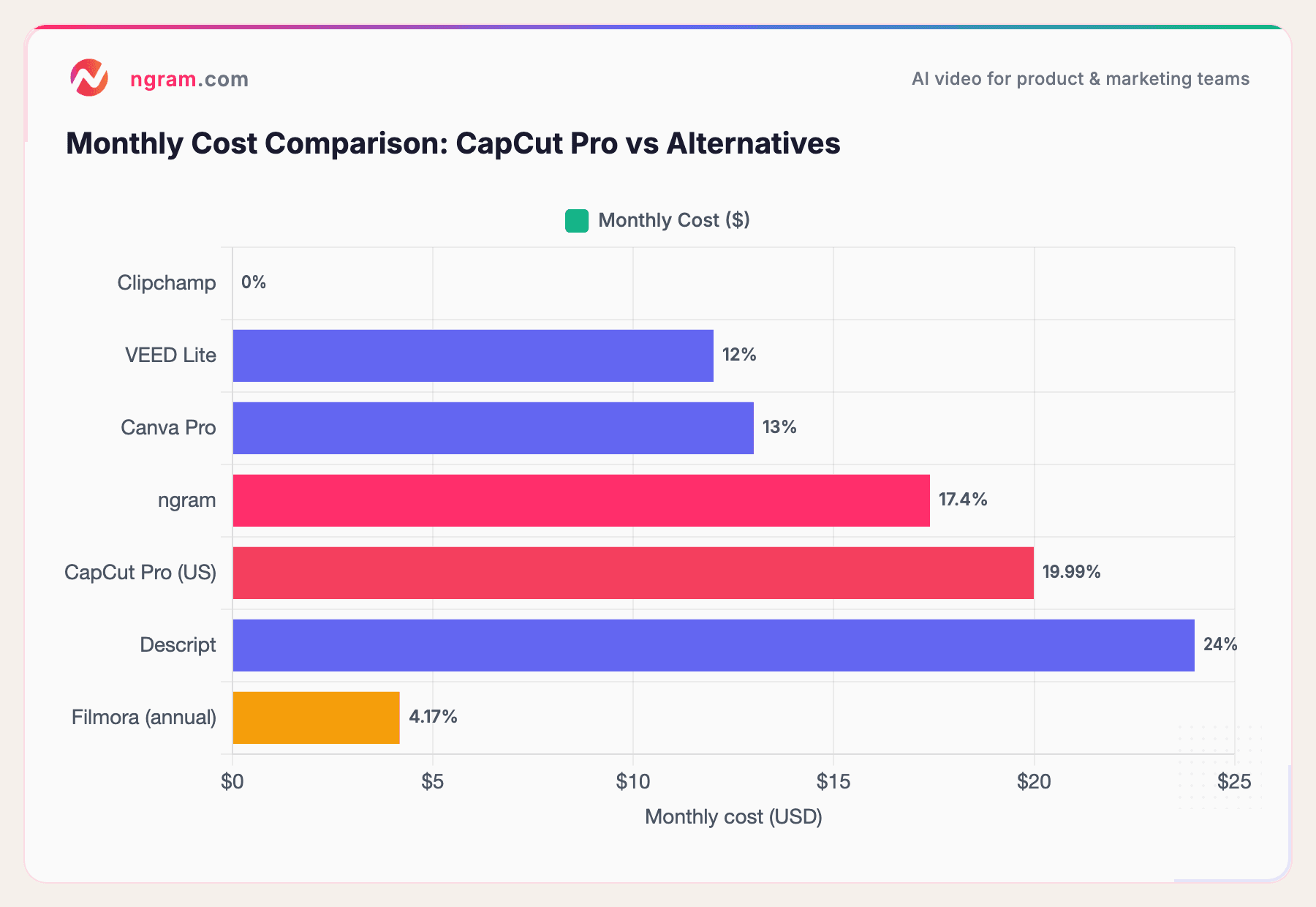
CapCut Pro's $19.99/month price point puts it above most alternatives on this list. Only Descript costs more, and it offers transcript-based editing that CapCut doesn't match. DaVinci Resolve's free version and Clipchamp's watermark-free free tier stand out as the strongest value plays.
What's pushing users off CapCut
CapCut earned its 200+ million downloads by being free, fast, and genuinely good at mobile editing. But 2025-2026 changed the equation.
The paywall escalation. Features that were free in 2024 - auto-captions, background removal, 1080p export, stabilization - are now locked behind CapCut Pro. The Pro price doubled from $9.99 to $19.99/month in January 2026 for US/UK users. One r/CapCut thread captured the mood: "No apology, heads up, or acknowledgment."
The free tier got deliberately worse. Free exports are now capped at 720p with watermarks on certain templates. The asset library is heavily restricted. Cloud storage? Gone from the free plan. The app feels designed to frustrate free users into subscribing.
ByteDance's regulatory cloud. CapCut's parent company is ByteDance (TikTok). The US ban saga created real uncertainty - "capcut ban" spiked to 6,600 searches in May 2025. Even if the ban hasn't materialized, creators are hedging. Building a workflow on a tool that might disappear carries risk.
Billing complaints keep growing. Trustpilot reviews report sneaky charges, difficulty removing credit card info, and charges continuing after cancellation attempts. Support responses drag on for weeks.
How we compared these tools
We tested each tool, read hundreds of user reviews across G2, Capterra, Reddit, and Product Hunt, and compared them across five weighted criteria:
| Criteria | Weight | What we looked at |
|---|---|---|
| Features | 25% | Core editing capabilities, effects library, export options, template variety |
| Ease of Use | 25% | Learning curve, onboarding, mobile/desktop/browser UX |
| AI Capabilities | 20% | Auto-captions, smart editing, AI generation, background removal |
| Value | 20% | Free tier quality, subscription pricing, watermark policies, one-time options |
| Support & Community | 10% | Documentation, community size, response time, tutorials |
We also factored in:
- Real user reviews from G2, Reddit, Product Hunt, and Trustpilot (qualitative sentiment, not numerical scores)
- Platform availability (mobile, desktop, browser) since CapCut users come from all three
- Free tier quality because many CapCut users are looking for free alternatives specifically
- Content ownership and data privacy concerns given ByteDance's regulatory situation
For the adjacent tools category, we weighted Features and Ease of Use equally because CapCut users expect both power and simplicity.
Common questions
Is there a free CapCut alternative with no watermark?
Yes. DaVinci Resolve exports up to 4K UHD with no watermark on its free version. Clipchamp exports up to 1080p without watermarks for free. Canva Video's free tier also exports without watermarks for standard content. ngram's free plan includes watermark-free exports as well.
What's the best CapCut alternative for iPhone?
InShot is the most popular mobile-first alternative, with a $20 lifetime purchase option. For Apple users specifically, iMovie is free and syncs across all Apple devices. For browser-based editing on any device, VEED and Canva Video work on mobile browsers.
Is CapCut safe to use in 2026?
CapCut is owned by ByteDance, the same parent company as TikTok. While the app hasn't been banned in the US, regulatory uncertainty persists. CapCut's terms of service grant broad content licensing rights, which concerned creators who don't want their footage used for AI training. If data ownership matters to you, Clipchamp (Microsoft), DaVinci Resolve (Blackmagic Design), or ngram offer alternatives with clearer data policies.
What's the best CapCut alternative for PC?
DaVinci Resolve is the most powerful free desktop editor. Filmora offers a gentler learning curve at $49.99/year. Clipchamp is built into Windows 11. For browser-based editing on PC, VEED and Canva Video don't require installation.
Why did CapCut become so expensive?
CapCut's pricing strategy shifted in 2025-2026 as ByteDance monetized the app more aggressively. Features that were free moved behind the Pro paywall, and the Pro price doubled from $9.99 to $19.99/month in the US. The Standard plan ($9.99/month) is mobile-only and primarily removes watermarks. This mirrors a common SaaS pattern: build a user base with a free product, then restrict features to convert free users to paying subscribers.
Can I use DaVinci Resolve for social media editing?
Yes, though DaVinci Resolve is designed for professional workflows, not quick social media clips. The learning curve is steeper than CapCut's, but the output quality is significantly higher. For simple social media edits, VEED, InShot, or Canva Video are faster. DaVinci Resolve shines when you need color grading, VFX, or audio post-production that CapCut can't deliver.
Which one should you pick?
The CapCut alternatives market in 2026 is split between creators who want the same mobile simplicity (InShot, Clipchamp) and those ready to level up (DaVinci Resolve, Descript). If you're a marketing or product team that needs polished, on-brand video from existing assets without mastering a timeline, ngram is the strongest fit. If you're a solo creator editing TikToks on your phone, InShot at $20 lifetime is the value play.
The one creator who should probably stay on CapCut: if you're already paying for Pro, actively use the AI features, and the ByteDance connection doesn't bother you, the switching cost may not be worth it.
Try ngram free - your first video in under 5 minutes. Skip the paywall. Turn raw screen recordings, docs, or images into polished, on-brand videos without touching a timeline. Start free