
Quick comparison
| Tool | Best For | Starting Price | Key Differentiator |
|---|---|---|---|
| ngram | Professional video from any asset | Free / $29/mo | AI-powered, context-aware generation |
| Vidyard | Sales video with CRM analytics | Free / $29/mo | Deepest CRM integration + AI avatars |
| Loom | Async team communication | Free / $15/user/mo | Fastest recording-to-share workflow |
| Hippo Video | Enterprise sales video | Free / $20/mo | Deep Salesforce integration |
| BombBomb | Video email outreach | $36/mo | Native Gmail and Outlook plugins |
| Dubb | CRM-integrated video | Free / $42/mo | Built-in CRM + video landing pages |
| VEED | Browser-based editing | Free / $12/mo | No download, instant editing |
Is Sendspark still the right pick for sales video in 2026?
Sendspark introduced a compelling idea: record one video, then use AI to personalize it for every prospect at scale. Voice cloning inserts each recipient's name. Dynamic backgrounds show their company website. The workflow turns a single recording session into hundreds of personalized outreach videos.
The concept works. The execution has gaps. Users on Capterra and Trustpilot report that Sendspark fails to record videos roughly half the time, requiring retries that kill the speed advantage. Editing is limited to trimming the ends of a recording, with no ability to cut or rearrange mid-video. There's no free trial, no refund policy, and EU customers report limited support availability (3-4pm window only). The Trustpilot rating sits at 2.2/5 against a 4.7/5 on G2, a gap that suggests experience varies significantly by use case.
Sendspark's pricing starts at $15/seat/month for the Starter plan (unlimited 1:1 videos). The Solo tier at $49/month supports one user with 100 Dynamic Video Minutes. The Growth plan runs $99/month. For sales teams running high-volume outreach, those Dynamic Video Minute caps can become a constraint.
Per Wyzowl's 2026 report, 91% of businesses use video as a marketing tool, and 82% of marketers report positive ROI. The sales video category is growing, and alternatives have caught up to Sendspark's AI personalization features while addressing the reliability concerns.
We tested 6 alternatives across features, recording reliability, CRM integration, pricing, and real user sentiment. Here's the ranking.
Where Sendspark falls short
Sendspark's AI personalization is genuinely differentiated. But these friction points are driving teams to evaluate alternatives.
Recording reliability issues. Multiple Capterra and Trustpilot reviews report failed recordings requiring retries. One reviewer noted that Sendspark "didn't record videos and asked to retry" within the first week. For a tool built around speed, recording failures negate the core value proposition.
Minimal editing. You can trim the start and end of a recording. That's it. No cuts, no rearranging, no filler word removal. If your recording has a mistake in the middle, you re-record the entire video.
No free trial. Most competitors offer free plans or trials. Sendspark requires payment upfront, which means committing budget before testing whether the tool works for your workflow.
Support gaps. EU customers report support availability limited to a 3-4pm window. Multiple reviews flag an inability to cancel subscriptions through self-service and a strict no-refund policy.
Dynamic Video Minute caps. The $49/month Solo plan includes only 100 Dynamic Video Minutes. High-volume outreach teams can burn through that allocation quickly, pushing them to the $99/month Growth tier.
1. ngram
If Sendspark's value is "personalize a recording at scale," ngram's is "create professional video from whatever you already have." ngram doesn't just personalize a screen recording. It takes any input - a document, screenshots, a URL, a rough recording - and produces a finished, on-brand video with script, storyboard, visuals, and pacing.
For sales teams, this means creating customer-facing content that goes beyond a webcam bubble with a dynamic background. Product demos, feature walkthroughs, case study videos, and launch announcements built from existing assets.
What makes ngram stand out
Context-aware generation adapts every video to its audience, goal, and channel. A LinkedIn product announcement gets a fast hook and tight pacing. A website explainer builds context gradually. A sales follow-up gets a personalized structure. Sendspark personalizes the greeting. ngram personalizes the entire video.
AI-powered editing fills the gap Sendspark leaves open. Automatic filler word removal, smart zoom on interactions, cursor emphasis, and callouts driven by prompts. No timeline editing required. See ngram's auto-cut feature.
Reliable output. No recording failures, no retries. ngram generates video from assets, not live recordings, so the "50% recording failure" problem doesn't exist.
Key features:
- Context-aware generation - Adapts to audience, goal, and channel
- Script and storyboard review - Fix direction before rendering
- Any asset in - Text, images, docs, URLs, screen recordings
- AI editing - Auto-cut, filler removal, smart zoom
- Multi-format export - 16:9, 9:16, 1:1 with captions
- Brand kits - Logo, colors, fonts applied automatically
Pros
- ✅ Creates professional video from any asset without recording
- ✅ Context-aware output adapts to audience and channel
- ✅ No recording reliability issues (generates, doesn't capture)
Cons
- ❌ Not built for 1:1 personalized outreach at scale (different use case)
- ❌ Web-based only, no native desktop app yet
Who is ngram best for?
Marketing, Sales Enablement, and CS teams who need polished customer-facing videos beyond what a screen recording can deliver. If your sales content needs structure, branding, and polish, ngram is the pick. For a head-to-head, see our ngram vs Sendspark comparison.
Free plan available. Paid plans from $29/month.
Ready to try ngram? Create your first video in under 5 minutes. Start free
See ngram in action:
2. Vidyard
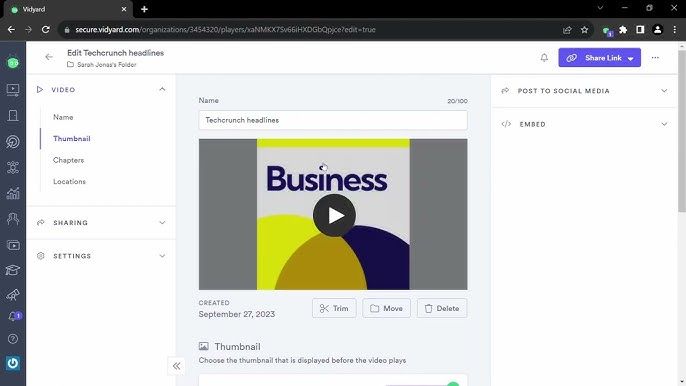
Vidyard is the enterprise-grade alternative to Sendspark. With $90.8 million in funding and 250,000+ companies, it offers the deepest CRM integration in the sales video category. Where Sendspark focuses on AI personalization for outbound, Vidyard provides a full sales video platform with viewer-level analytics, AI avatars, and team-wide performance tracking.
Vidyard's Pro plan starts at $29/month with unlimited videos. The Teams plan at $59/month adds advanced analytics and team management. Both include AI avatars that generate personalized videos in 25+ languages.
Key features
- CRM integrations - Native Salesforce, HubSpot, Outreach, Gong connections
- AI avatars - Personalized video at scale in 25+ languages
- Viewer-level analytics - Track who watched, what they replayed, when they dropped off
- Video Agent - Auto-trigger contextual videos based on CRM actions
- Team analytics - Manager dashboards for rep performance
Pros
- ✅ Deepest CRM integration in the sales video category
- ✅ AI avatars are more advanced than Sendspark's voice cloning
- ✅ Enterprise-grade security and compliance
Cons
- ❌ Teams plan at $59/user/month is significantly more expensive
- ❌ Editing capabilities remain basic (trim and split only)
What users say
G2 reviewers praise the CRM depth and enterprise features. The main complaints are pricing at scale and the Chrome extension occasionally cutting off recordings. Reddit users note Vidyard is "built for revenue teams with Salesforce" and less useful for teams without established CRM workflows. For a detailed comparison, see our ngram vs Vidyard comparison.
Best for
Enterprise sales teams with Salesforce/HubSpot who need viewer analytics tied to CRM records and AI avatars for scaled personalization.
3. Loom
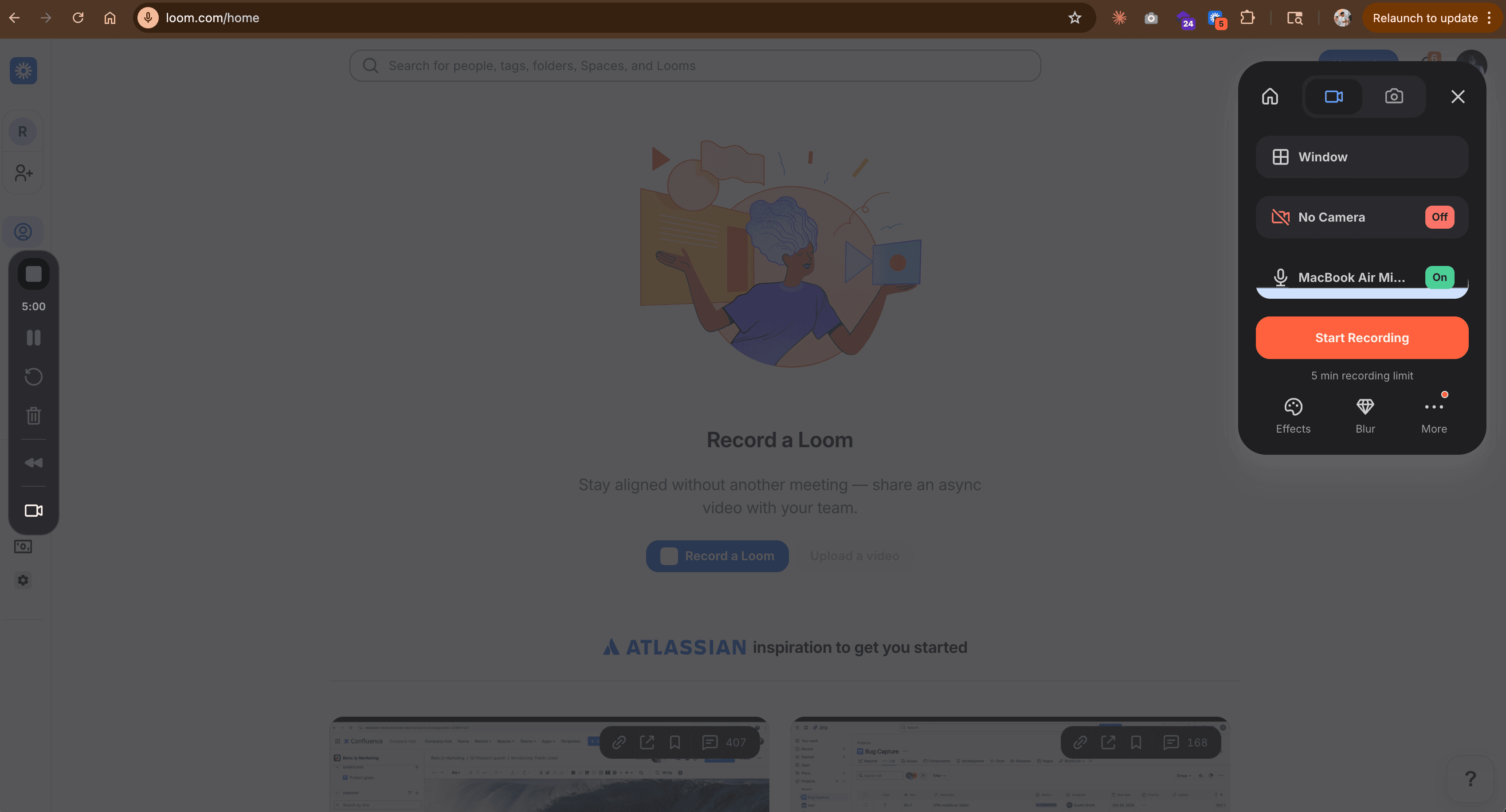
Loom isn't a direct Sendspark replacement - it doesn't do AI personalization. But for sales teams whose Sendspark use case is "record a quick video for a prospect," Loom does that job faster and more reliably. Acquired by Atlassian for $975 million, with 25 million users and the most stable recording experience on the market.
The key advantage over Sendspark: Loom recordings never fail to save. The Chrome extension, desktop app, and mobile app are consistently reliable. For teams frustrated by Sendspark's recording issues, Loom's stability is the value.
Key features
- Instant recording - Chrome, desktop (Mac + Windows), mobile
- AI summaries - Auto-generated titles, chapters, and summaries
- Filler word removal - Business + AI plan ($20/user/month)
- Comments and reactions - Async feedback built in
- Atlassian integration - Jira and Confluence native embeds
What users say
Reddit users call Loom "the safest bet for screen recording." G2 reviewers note the Atlassian acquisition raised pricing concerns. The limitation is clear: no AI personalization, no dynamic backgrounds, no voice cloning. See our ngram vs Loom comparison.
Best for
Teams that need reliable recording and fast sharing without AI personalization features. Free plan with 25 videos. Business at $15/user/month.
Looking for the fastest way to create professional videos? ngram turns your screen recordings, docs, and images into polished videos in minutes. Try ngram free
4. Hippo Video
Hippo Video serves 5,000+ businesses and 1.5 million users with deep Salesforce integration and AI-powered video features. For Sendspark users who need more robust CRM integration without Vidyard's pricing, Hippo Video sits in the middle ground.
The Starter plan at $20/month includes recording, hosting, and basic analytics. The Pro plan at $29/month adds viewer-level tracking and CRM sync.
Key features
- Salesforce integration - Record, send, and track inside Salesforce
- AI editing - Teleprompter, humanize AI text, video summaries
- Interactive CTAs - Polls, forms, and clickable elements
- Bulk personalization - Scale outreach with dynamic elements
- Video analytics - Viewer-level tracking with CRM sync
What users say
G2 reviewers highlight the Salesforce integration depth. The enterprise focus makes it feature-heavy for solo reps. Some users report occasional editor lag.
Best for
Enterprise sales teams on Salesforce who need video analytics in their CRM at a lower price point than Vidyard. $20/month Starter.
5. BombBomb
BombBomb focuses on one specific workflow: sending personalized video through email. Native plugins for Gmail and Outlook let reps record and send without leaving their inbox. For sales teams whose primary channel is email (not LinkedIn or landing pages), BombBomb removes the friction of switching tools.
The Essentials plan at $36/month includes unlimited recording, custom branding, and analytics. The Plus plan at $56/month adds drip campaigns and email templates.
Key features
- Native email plugins - Record and send inside Gmail and Outlook
- Video analytics - Track opens, views, and clicks per email
- Custom branding - Brand your video pages and emails
- Drip campaigns - Automated video email sequences (Plus plan)
- 65+ integrations - Salesforce, HubSpot, Mailchimp connections
What users say
G2 reviewers praise the email-native workflow. The main complaints are deliverability issues (some video emails land in spam), pricing that "keeps climbing while features stay flat," and a UI that feels dated compared to newer tools.
Best for
Sales teams and real estate professionals who send video primarily through email. $36/month Essentials.
6. Dubb
Dubb combines video creation, hosting, a built-in CRM, and automation into one platform. For Sendspark users who want to consolidate their stack, Dubb eliminates the need for separate video, CRM, and email tools.
Every video gets a branded landing page with overlay CTAs, lead capture forms, and conversion tracking. The Pro plan starts at $42/month. The Growth plan at $68/month supports 3 seats.
Key features
- Built-in CRM - Manage contacts and deals without separate tools
- Video landing pages - Branded pages with CTAs and forms
- Automation triggers - Workflows triggered by video engagement
- Screen recording - Desktop and mobile capture
- Analytics - View tracking and funnel metrics
What users say
G2 reviewers praise the all-in-one approach. The main criticism: teams with existing CRM setups find the built-in CRM redundant. Reddit users note the UI feels "busy."
Best for
Small sales teams who want video, CRM, and automation in one platform. $42/month Pro.
7. VEED
VEED offers browser-based video editing and recording without any downloads. For sales teams that need to create quick social clips or edit recordings before sending, VEED fills the editing gap that both Sendspark and most sales video tools leave open.
Over 1 million creators use VEED for auto-subtitles in 100+ languages, templates, and collaborative editing. See our ngram vs VEED comparison.
Key features
- Browser-based - No download, works on any device
- Auto subtitles - AI captions in 100+ languages
- Templates - Social media video presets
- Screen recording - In-browser with webcam
Best for
Social media and content teams who need editing alongside outreach. Free with watermark. Paid from $12/month.
Here's how the sales video tools compare on monthly cost per seat:
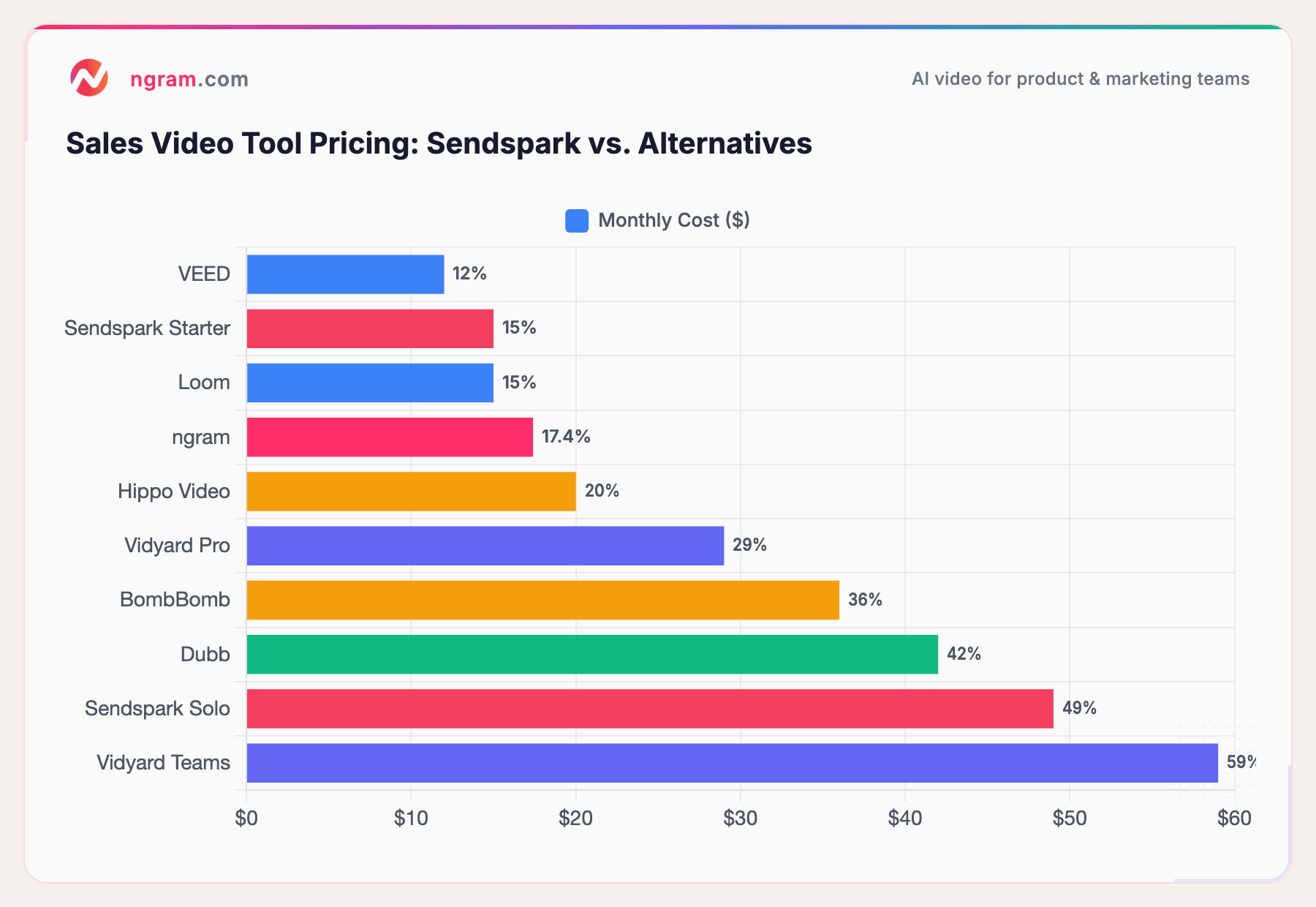
Sendspark's $49/month Solo plan (100 Dynamic Video Minutes) sits in the upper range. Vidyard Pro at $29/month offers unlimited videos with deeper CRM integration.
Our testing approach
We tested each tool, read hundreds of user reviews across G2, Capterra, Trustpilot, Reddit, and Product Hunt, and compared across five criteria:
| Criteria | Weight | What we looked at |
|---|---|---|
| Ease of Use | 30% | Recording speed, onboarding, time-to-first-video |
| Features | 25% | Recording quality, AI personalization, editing, analytics |
| Value | 20% | Pricing per seat, Dynamic Video Minute limits, free tier generosity |
| AI Capabilities | 15% | Voice cloning, dynamic backgrounds, AI avatars, AI editing |
| CRM Integration | 10% | Salesforce, HubSpot depth, viewer tracking, workflow automation |
We also factored in recording reliability (critical for this category), customer support quality, and cancellation/refund policies.
Questions teams actually ask
Is there a free alternative to Sendspark?
Loom offers a free plan with 25 videos. Vidyard's free plan includes basic recording and sharing. Hippo Video has a limited free tier. ngram has a free plan for AI-powered video creation. Sendspark has no free plan or trial.
How does Sendspark compare to Vidyard?
Sendspark focuses on AI voice cloning and dynamic backgrounds for personalized outreach. Vidyard focuses on CRM integration, viewer analytics, and AI avatars. Sendspark is cheaper per seat ($15 vs. $29-59) but has recording reliability issues and more limited editing.
What's the most reliable Sendspark alternative?
Loom has the most consistent recording experience across all platforms. Vidyard's desktop app and Chrome extension are also well-established. Both have significantly larger user bases than Sendspark, which means more battle-tested infrastructure.
Can I get Sendspark's AI personalization elsewhere?
Vidyard's AI avatars offer a different approach to personalization (generated video vs. voice cloning). Hippo Video and Dubb both support bulk personalization with dynamic elements. For completely AI-generated personalized video, tools like Tavus and Potion exist at higher price points ($500+/month).
Is Sendspark's voice cloning accurate enough for outreach?
When it works, yes. Sendspark's AI voice cloning is convincing enough for prospect names and company references. The issue is consistency: some users report the cloning quality varies between recordings, and the recording failure rate undermines the workflow speed that personalization at scale requires.
Should I switch from Sendspark to Vidyard?
If your team needs deep CRM analytics and enterprise-grade features, yes. If you're a solo rep doing high-volume outbound and Sendspark's recording issues haven't affected you, the voice cloning feature is still differentiated. Run a parallel test with both tools for two weeks before committing.
Our verdict
Sendspark's AI voice cloning and dynamic background personalization remain genuinely differentiated features in the sales video space. When the tool works as intended, the personalization-at-scale workflow is faster than any alternative on this list.
But the recording failures, limited editing, no free trial, and support gaps make it a risky commitment, especially without testing first. If you need enterprise-grade sales video with CRM depth, Vidyard is the safer bet. If you need reliable recording with fast sharing, Loom wins. And if you need professional video creation from any asset, ngram delivers the production layer that recording-only tools can't match.
The honest answer: Sendspark's idea is ahead of its execution. Test carefully before committing budget.
Try ngram free - your first video in under 5 minutes. Turn raw recordings, docs, and screenshots into polished, on-brand videos. Start free