Cliniko Online Bookings — a two-presenter walkthrough | product walkthrough video made with ngram

About the video
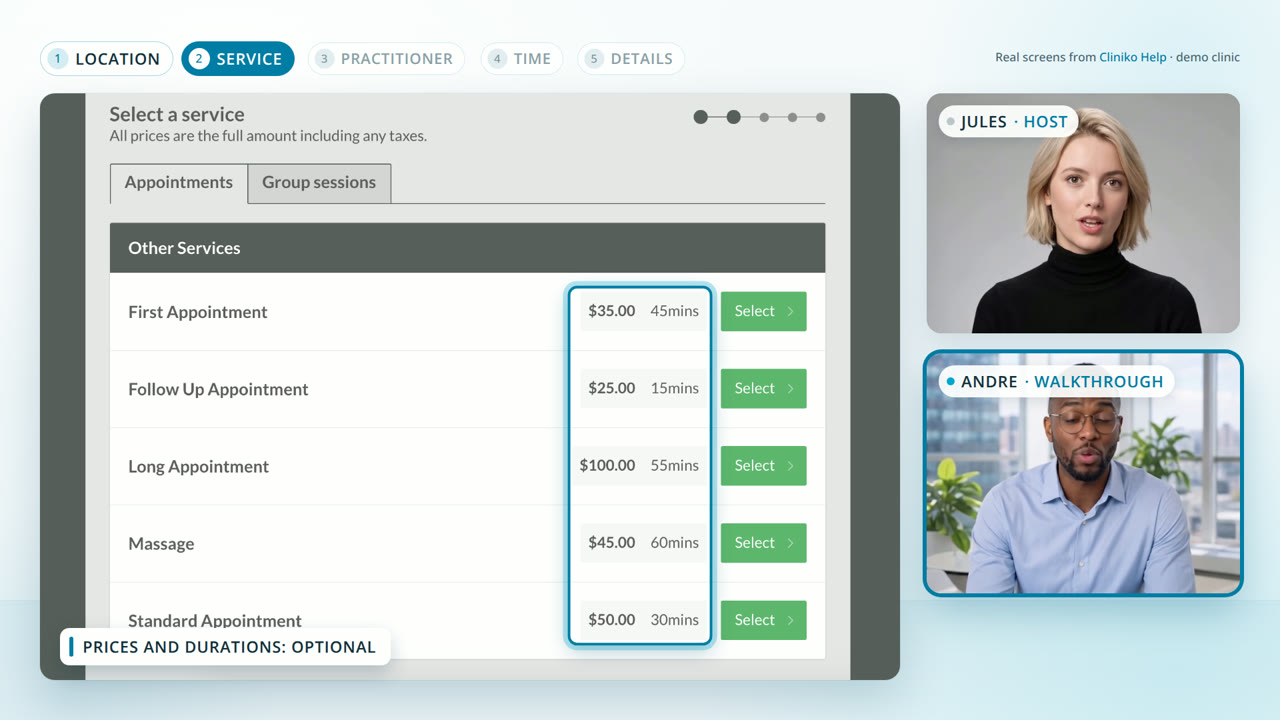
This product walkthrough video was made with ngram to explain how cliniko's online bookings feature lets patients schedule appointments without a phone call or a login. using a two-presenter conversational script, the video walks through the patient booking journey step by step: starting with the common question of appointment availability, then showing how patients choose a clinic location and service, with the clinic controlling which services appear and whether prices and durations display. it covers selecting a specific practitioner or 'any practitioner', and clarifies that the system does not expose a full diary but instead offers the first open slot in each morning, afternoon, and evening window based on the practitioner's actual schedule. the closing scenes show how patients enter basic details, with cliniko automatically matching them to an existing record or creating a new one. built with html/css motion graphics in 16:9, the scene structure—problem, location and service, practitioner, choosing a time, basic details, and close—mirrors the real booking flow, giving viewers a concrete understanding of what patients see and how much control clinics retain over the process.
- Cliniko
- Online Bookings
- Patient Scheduling
- Healthcare Software
- Practice Management
- Walkthrough