1Password Watchtower — Review what needs attention | support feature walkthrough video made with ngram

About the video
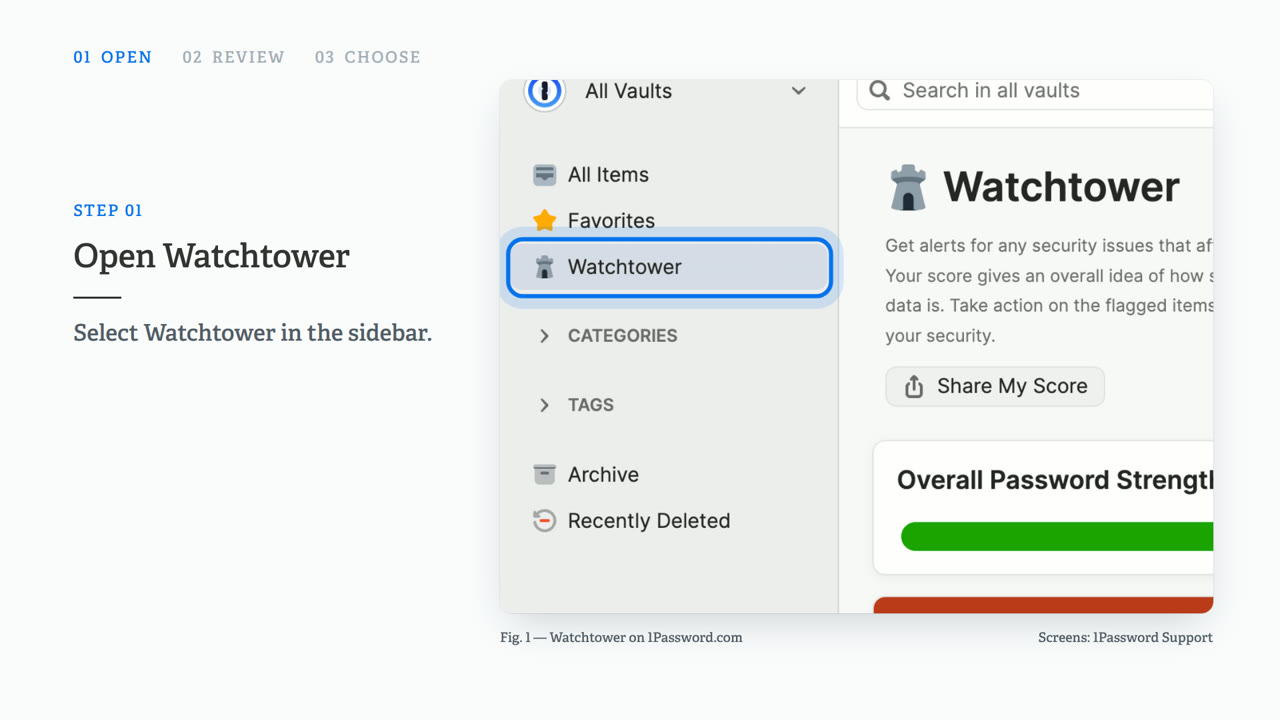
This support feature walkthrough video was made with ngram to walk through how to use the Watchtower feature in 1Password to find and fix account security problems. The video opens by noting that a weak or reused password can leave more than one account exposed, then shows how Watchtower checks saved items for issues. It demonstrates opening Watchtower from the sidebar, where a dashboard displays categories such as compromised websites, reused passwords, and weak passwords. The walkthrough continues by showing how to select Show Items within a category, choose a flagged item, and follow its alert to change the password, closing with a reminder to review the Watchtower dashboard regularly. The video is built across five short scenes — the threat, opening Watchtower, reviewing the categories, choosing an item, and a closing scene — using HTML/CSS motion graphics paired with narrated captions in a 16:9 format to clearly demonstrate the step-by-step security review process inside the app.
- 1Password
- Watchtower
- Password Security
- App Dashboard
- Product Walkthrough